
Font Sets
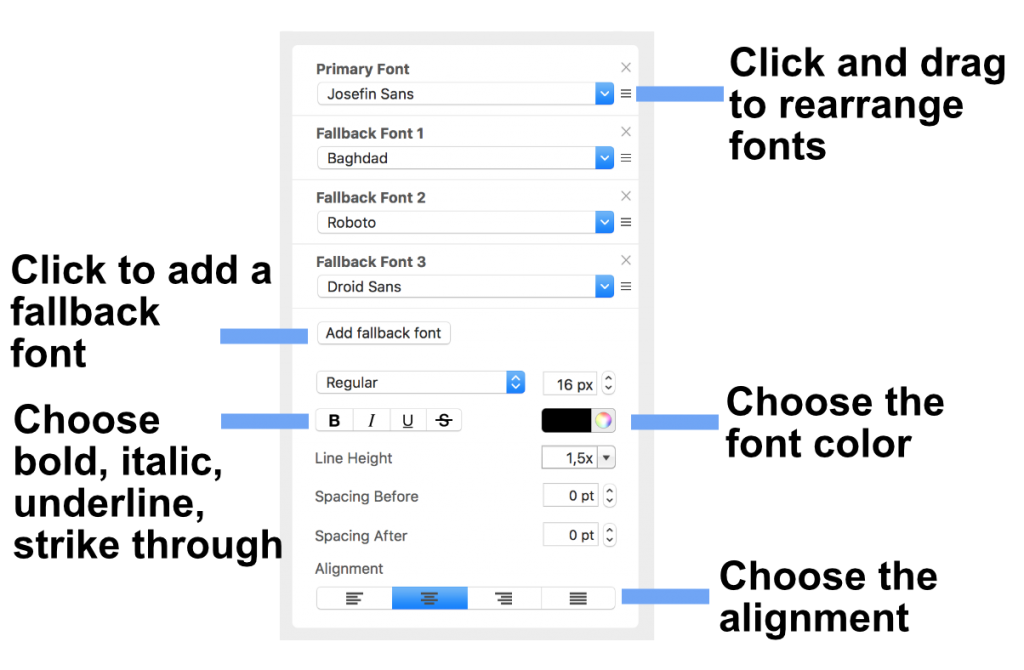
In Mail Designer 365, you can define a different set of fonts, font size, line spacing and text color for every style. In addition, you can designate what font will be chosen if another font is unavailable. This is helpful if you have multiple fonts for one style. In our case, we picked "Josefin Sans" as our Primary Font. If this font is not available on the recipients computer, then "Baghdad" will be chosen. If "Baghdad" is not available, then "Roboto" will be chosen and so on.
Click and drag a font at its handle to rearrange the chosen fonts. Afterwards, click "Add fallback font" to add an "Email-safe font".
How Can We Help?