
Text links let readers open a website, download a resource, or use another destination from words inside an email. In Mail Designer 365, link descriptive text instead of pasting a long raw URL whenever possible. A clear label helps readers understand where the link goes and makes the email easier to scan.
How to create text links in Mail Designer 365
- Open the email design and select the exact words that should become clickable.
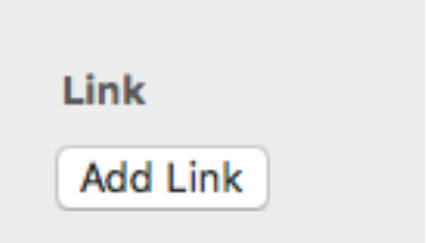
- Choose Add Link in the sidebar.
- Select the appropriate link type shown in the link panel.
- Enter or paste the complete destination requested by that link type.
- Confirm the link, then preview the design and verify that the linked words are clearly recognizable.
Select only the meaningful words. For example, use “view the event schedule,” “download the guide,” or “contact our team” instead of linking an entire paragraph. Keep surrounding punctuation outside the link unless it is genuinely part of the label.
Choose the correct destination
The link panel presents the available destination types. Choose the one that matches the action you want the recipient to take, then complete the corresponding field carefully.
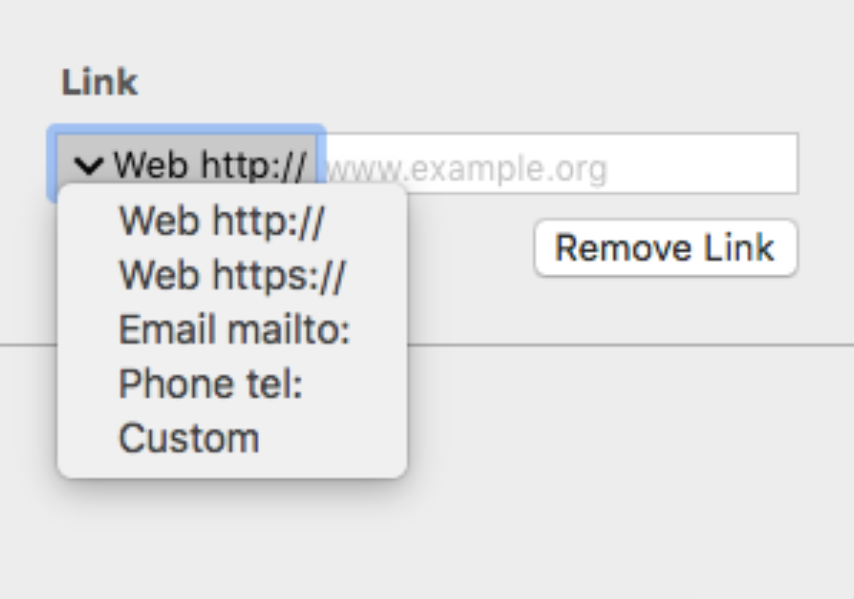
For a web destination, use the full address and confirm that it opens the intended public page. Do not link to a private editing screen or a file that requires access the recipient will not have. If a destination contains campaign parameters, preserve them exactly and avoid adding a second conflicting set of tracking values.
Make linked text clear and accessible
Readers should be able to identify text links without guessing. Use descriptive wording, sufficient color contrast, and a consistent visual treatment. Do not rely on color alone when another cue, such as an underline, would make the interaction clearer. Avoid labels such as “click here” when the surrounding context does not explain the destination.
Keep links far enough apart to select comfortably on a phone. A short linked phrase usually works better than several adjacent one-word links. For guidance on changing shared or individual link appearance, see formatting styles for text links.
Test text links before sending
- Open every important link from a delivered test email.
- Confirm that the final destination, redirect, and tracking parameters are correct.
- Check that website links use a secure public address where appropriate.
- Review linked text on desktop and mobile and make sure it remains readable.
- Verify that link styling is distinguishable in normal and dark viewing conditions.
- Check that copied text did not introduce an unintended destination.
If a link does not work, select the linked words again and inspect the saved destination in the sidebar. Look for missing address prefixes, extra spaces, incomplete paths, or a link applied to the wrong text range. Correct the source design, send a new test, and click the link again rather than assuming the editor preview proves the delivered email.
Keep link intent consistent
Each text link should support the purpose of the email. Use a small number of meaningful destinations and reserve the strongest action for the primary call to action. When several links point to the same page, use consistent wording unless a different label genuinely clarifies a different section.
Common text-link mistakes
Avoid using the same vague label for destinations that perform different actions. Do not hide an unexpected file download behind wording that sounds like a normal web page, and do not leave sample or staging URLs in a production campaign. When copying content from another document, verify that the visible words and the underlying destination still belong together.
Also check whether a line break splits a linked phrase awkwardly on smaller screens. If it does, shorten the label or adjust the surrounding sentence. The goal is a link that remains understandable, visually distinct, and easy to activate without changing the meaning of the message.
How Can We Help?