
Add a table to an email design
Add a table to an email when readers need to compare structured information such as product options, event schedules, prices, contact details, or feature lists. Mail Designer 365 provides table layout blocks that help organize this content inside a responsive email design.
This guide explains how to open the Tables section, choose a layout block, place it in the design, and prepare the table for desktop and smartphone readers.
Plan the table content
Decide what recipients need to compare before choosing a table layout. Keep the number of columns manageable and use short labels. Email tables should summarize information clearly rather than reproduce a large spreadsheet.
For example, use a table for a three-option pricing overview, a short event agenda, or a list of opening hours. If the information requires many columns or extensive interaction, link to a web page instead.
Open the table layout blocks
- Open the email design in Mail Designer 365.
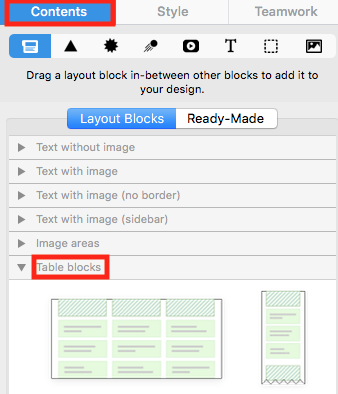
- Select the Contents menu.
- Click the Layout blocks tab.
- Scroll to the Tables section.
The Tables section contains ready-made structures with different rows and columns. Review the previews and choose the simplest block that can hold your information.
Drag the table into the design
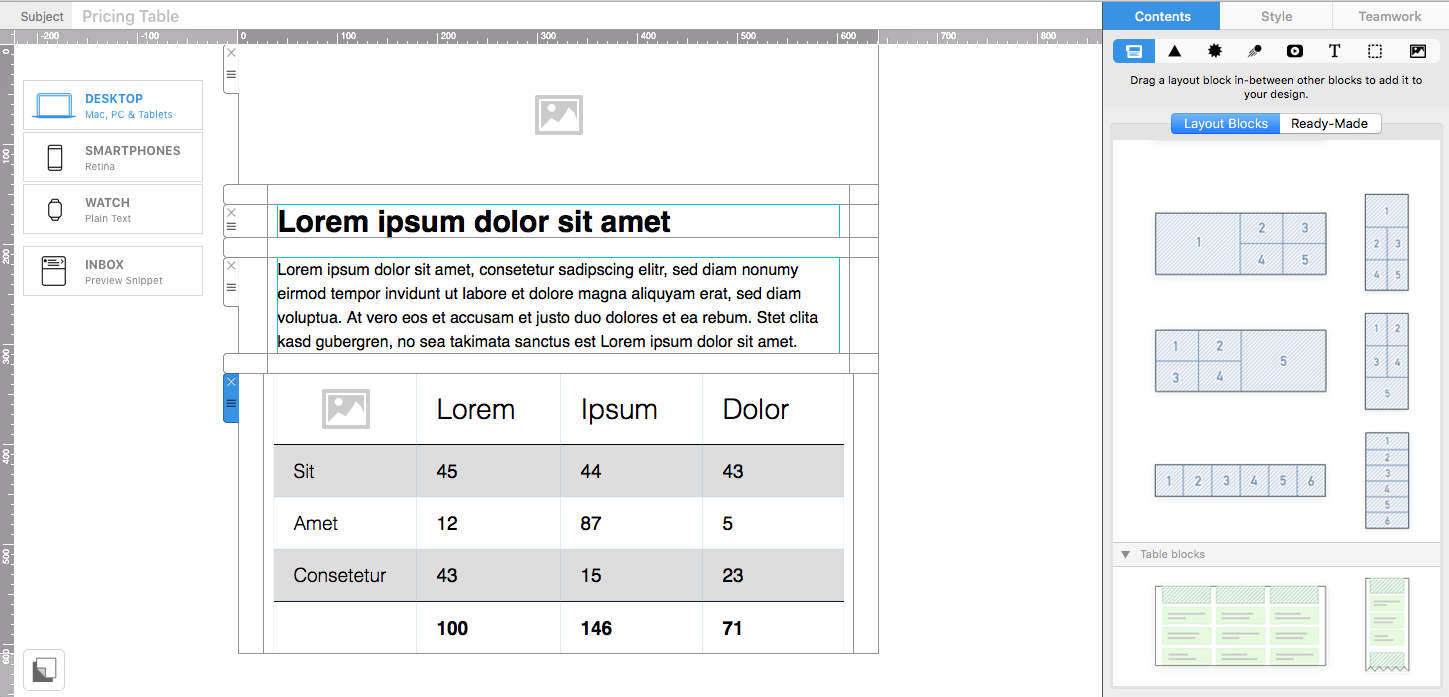
Drag the chosen table block from the Contents panel into the email. Watch the placement indicator and release the block where the information should appear. Existing layout sections move to show the insertion point.
If the block lands in the wrong position, undo the action and place it again before adding content. Positioning the structure first is usually easier than moving a completed table later.
Build the table content
Replace the placeholder content with concise headings and values. Keep each cell focused on one item and use consistent formatting across rows and columns. Important labels should be distinguishable from the values they describe.
Continue with building your table layout for the detailed editing workflow.
Write for small screens
Tables have limited horizontal space in email, especially on smartphones. Use short headings, avoid long unbroken text, and check how the columns adapt in the mobile version. When a wide comparison becomes difficult to scan, consider using fewer columns or splitting the information into separate sections.
Do not reduce text to an uncomfortable size merely to fit more data. A shorter table with a link to full details usually gives mobile readers a better experience.
Make the table easy to understand
- Introduce the purpose of the table in nearby text.
- Use clear row and column labels.
- Keep formatting and alignment consistent.
- Use sufficient contrast between text and backgrounds.
- Avoid using color as the only way to communicate meaning.
Readers should be able to understand the information even when images are blocked or the email client changes some styling. Use live text for important table content whenever possible.
Add links and calls to action carefully
If a cell contains a link, use descriptive wording and provide enough space for mobile tapping. For comparison tables, one consistent action per option is usually clearer than several competing links inside every row.
Check each destination individually. Reused or copied table blocks can retain old URLs, so never assume links are correct simply because the visible text has been updated.
Preview and test the email table
Preview the design in desktop and smartphone views. Look for clipped text, crowded columns, uneven row heights, or information that appears in an unexpected order. Then send a test email to the clients and devices important to your audience.
Confirm that the table remains readable, all links work, and the surrounding email still has a clear visual hierarchy. Save the design once the desktop and mobile versions are verified.
How Can We Help?