Category

Mail Designer 365 Newsletter Academy

Pre-flight Email Check: 10 Things to be Aware of Before You Hit Send

By Team equinux Mail Designer 365 Newsletter Academy

When putting together the final touches of an email design, there are many boxes to check to make sure your important message comes across to subscribers. Missing out any important elements could lead to your emails being ignored, undelivered or not working as intended.

With the stakes so high, there is no room for error when it comes to sending or exporting your finished email template. For this reason, in this guide, we've listed ten of the most important control points to check before you hit send on your next big campaign, plus 5 useful tools to help you avoid email fails.

Get expert email best practice tips delivered directly to your inbox!


There was a problem registering your email address.
Please check and try again.
Thank you for registering! Please check your email inbox.
We've just sent you an email for you to confirm your email address, if you haven't already.

10 Things to be Aware of Before You Hit Send

1. Mobile optimization

With so many of us checking our emails on the go, it's crucial to make sure your campaign also looks good and makes sense on mobile devices.

Sending emails which aren't mobile optimized can risk you excluding a large proportion of your target audience. You spent so much time working on your campaign so you want to be sure the content can be enjoyed by all your readers.

For the mobile version of the design, it's best practice to check the following:

  • Font size: If the text is too small it can be difficult for mobile users to read
  • Layout: Does the layout make sense for mobile? Generally, a one-column layout is easier to scroll through
  • Image optimization: Many readers using smartphones may be viewing your email using mobile data. Always make sure your images are size-optimized so they can be downloaded faster on the go
  • Target links: Where possible, use mobile-specific target links (e.g. "Open in the app" or "Download on the App Store") for a more personalized feel

This post by Campaign Monitor contains more specific design tips for mobile responsive emails.

2. Links and call-to-actions

Generally, your email is just a stepping stone to take the recipient to another destination. For this reason, it's important to test that your links and call-to-actions are all working properly before you hit send.

As well as checking the functionality of your links, you should also check you have set up all the required tracking elements for the post-campaign analytics. For example, you should check your Google Analytics campaign URLs have been set up correctly so you can track website traffic generated by your email campaigns.

Find out how to set up Google Analytics campaign URLs here.

3. Spelling and grammar

Typos and grammatical errors have no place in your email campaigns! Don't forget to run a quick spell check before you send your email to customers in order to avoid any embarrassing mistakes.

4. Email size

Depending on the type of content you include, HTML emails can end up being bigger than expected. In some email clients, this can lead to problems, such as the email not being delivered or being clipped.

For example, it's a well known fact that Gmail clips emails which exceed the 102 KB size limit. This is less than ideal, as it can lead to important aspects of your email (i.e. the unsubscribe link and disclaimer) being cut off.

For this reason, you should keep an eye on how much content you're adding to your email design and double check the size before you export it.

Here are some practical tips on reducing HTML email size.

5. Unsubscribe link and other placeholders

Email marketing 101: The unsubscribe link is a must-have element in all your promotional emails. Without this, you run the risk of being blacklisted or receiving a fine - so it's important you check that you have included it in the email.

As well as an unsubscribe link, you may also want to include other placeholders for personalization, such as customer name or current date, etc. If you do so, be sure to double check they are correct and working as expected before hitting send. There's nothing more awkward for you and your customers than receiving a "Dear (NAME)" email!

6. Subject line and preview text

Your subject line and preview text are both two really important aspects of your campaign as they create the first impression your recipients will see in their inbox.

In particular the preview text can often go forgotten but this is generally a great opportunity to include a sneak preview of your campaign to tempt more of your target audience to open the email.

When testing your subject line, you should also remember to look out for optimal length. A subject line that is too long could be cut off in the inbox and become less effective.

7. Fallback fonts

While many stylish web fonts are available to use in email designs, you should always ensure that you have one or more fallback fonts set up in case your recipient can view your first choice font.

Fallback fonts are used as a substitute for when your original font choice can't be shown to the recipient - i.e. if they have not installed the font on their device. Here, your best bet is to use an email-safe font, such as Arial or Times New Roman as  a reliable back up.

Find out more about email-safe fonts.

8. Alt text

One hidden gem that often gets forgotten by marketers is alt text for images. If an image can't be rendered for whatever reason (e.g. the recipient is on the go and can't download them or they are being blocked by the email client), the alt text will be shown in its place.

Utilise alt text to describe the purpose of the original image so that your email design still makes sense if images can't be displayed. This is especially useful for describing image elements like buttons or badges that the recipient needs to click.

9. Accessibility

Alt texts also play a huge part in making your emails more accessible. In particular, if you have recipients with visual impairments or reading difficulties, the alt text will be read by the screen reader device to help them understand the email better.

In addition, there are also other measures you can take to make your emails more accessible. For example, choosing an appropriate color scheme, setting up a plain text version of your email, and using a clear font.

Find more tips for sending accessible emails here.

10. Disclaimer

Lastly, you should always remember to check over your email disclaimer before sending any email. Typically, this section of your email contains all the most important legal information, including your company's contact details and any relevant copyright information.

Double check that your contact details are all up to date and any links to your website, imprint or privacy policy are also included.

Get more tips on writing email disclaimers in this guide.

Useful Preflight Checking Tools for Your Email Templates

Mail Designer 365 offers a range of useful tools which you can use to thoroughly test and perfect your email templates before sending or exporting. Here are our top 5 picks...

1. Smartphone editor and preview

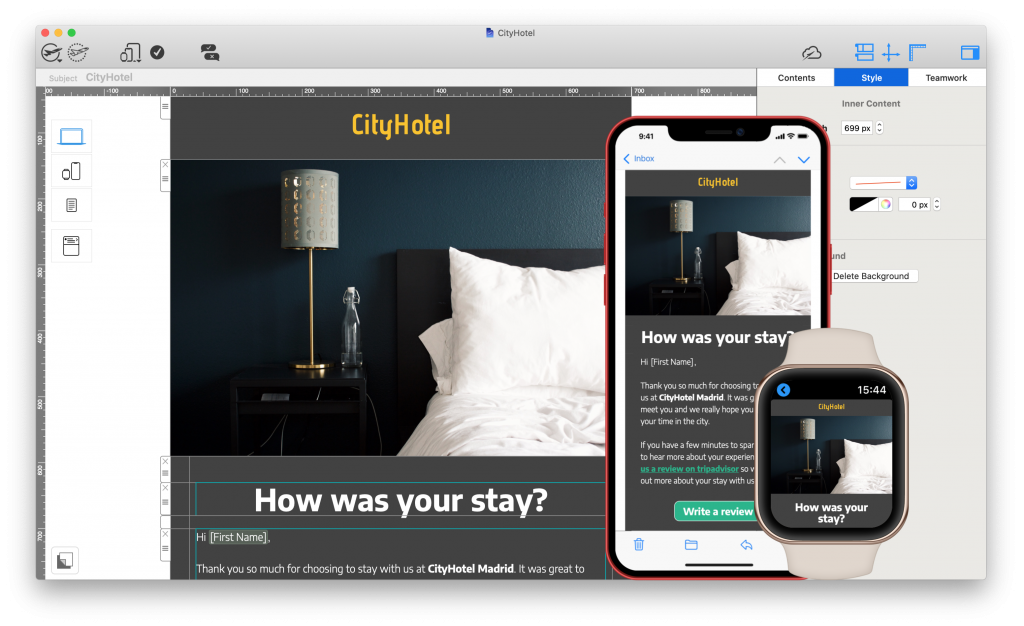
When you build your email design in Mail Designer 365, a mobile responsive version is automatically generated. You can edit the mobile version separately and set up mobile-specific text styles and mobile only content which is optimized for smaller screens.

Preview your mobile design on the latest devices using the smartphone preview tool:
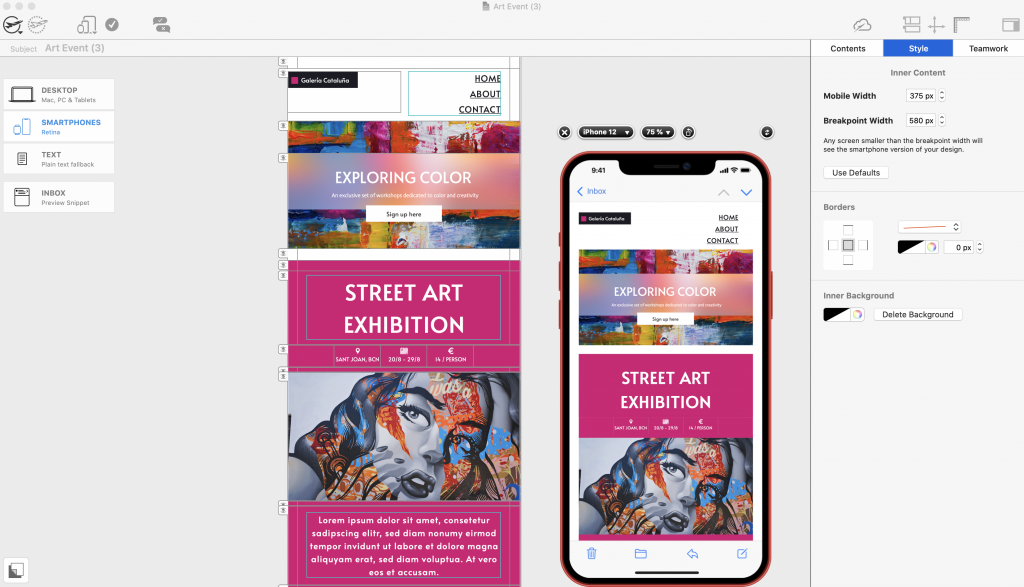
mobile optimization tools in mail designer 365

Create mobile optimized content and preview designs on the latest devices.

2. Image optimization

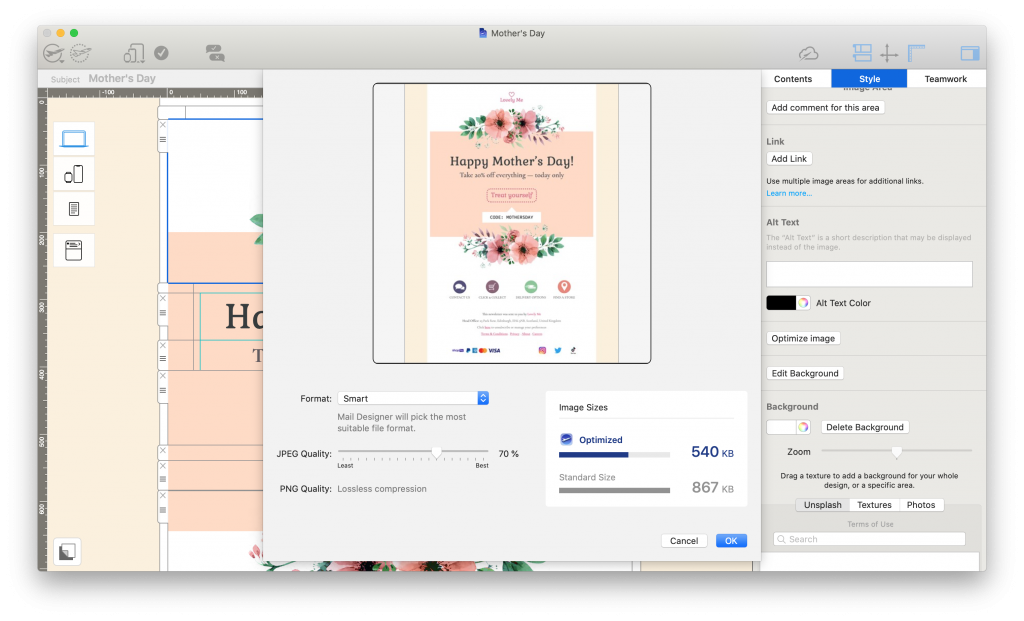
Use the image optimization tool in order to keep the size of your images and your overall email down.

To access this tool, click on an image, then select "Edit link and background" > "Optimize image". Here you can choose to optimize selected images or all images.

Choose Smart Mode and Mail Designer 365 will run a quick check of your design and then automatically suggest the best image format to save space without compromising on quality:
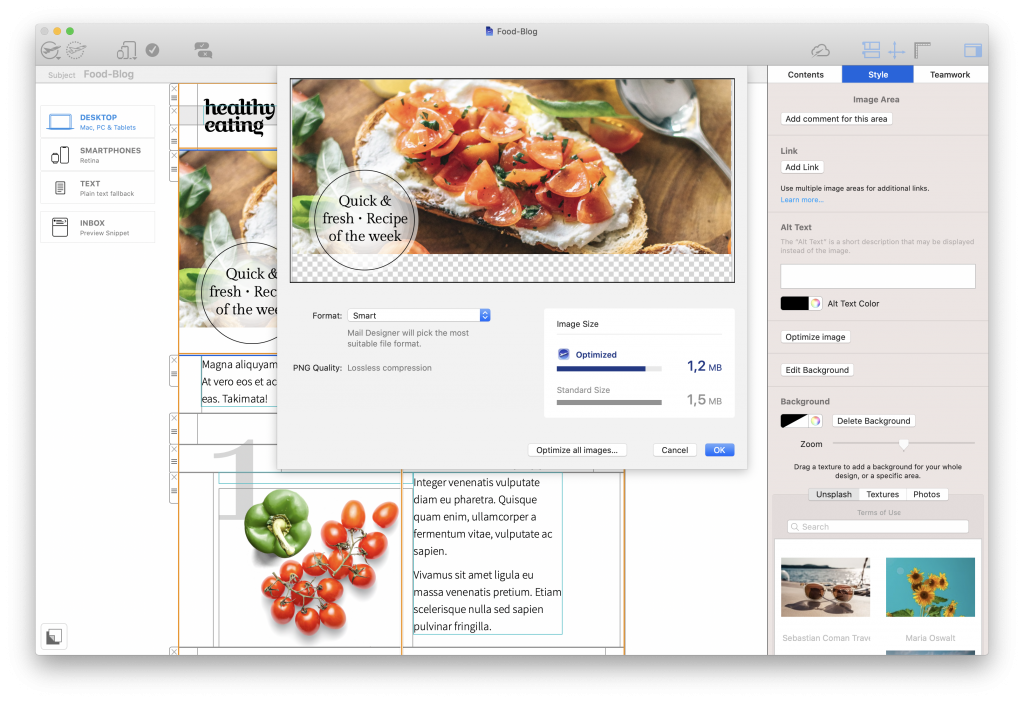
image optimization tools in mail designer 365

Optimize images to keep the size of your newsletter as low as possible

3. Preflight test

Mail Designer 365's built in preflight test checks your email through and flags issues such as broken links, email-safe fonts,  and spelling and grammar problems.

In addition, you will also receive a warning if your email is close to exceeding the 102 KB limit.
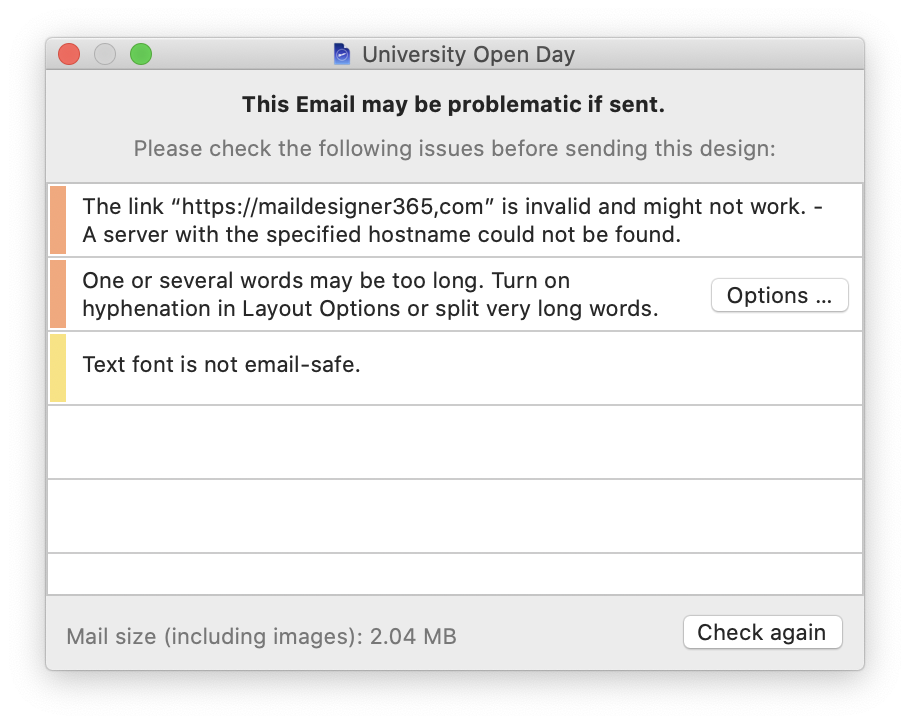
preflight check tool in mail designer 365

The preflight check tool looks over your email and flags any major issues

4. Inbox preview tool

To test out different subject line variants and put together an effective snippet text, take advantage of the inbox preview tool:
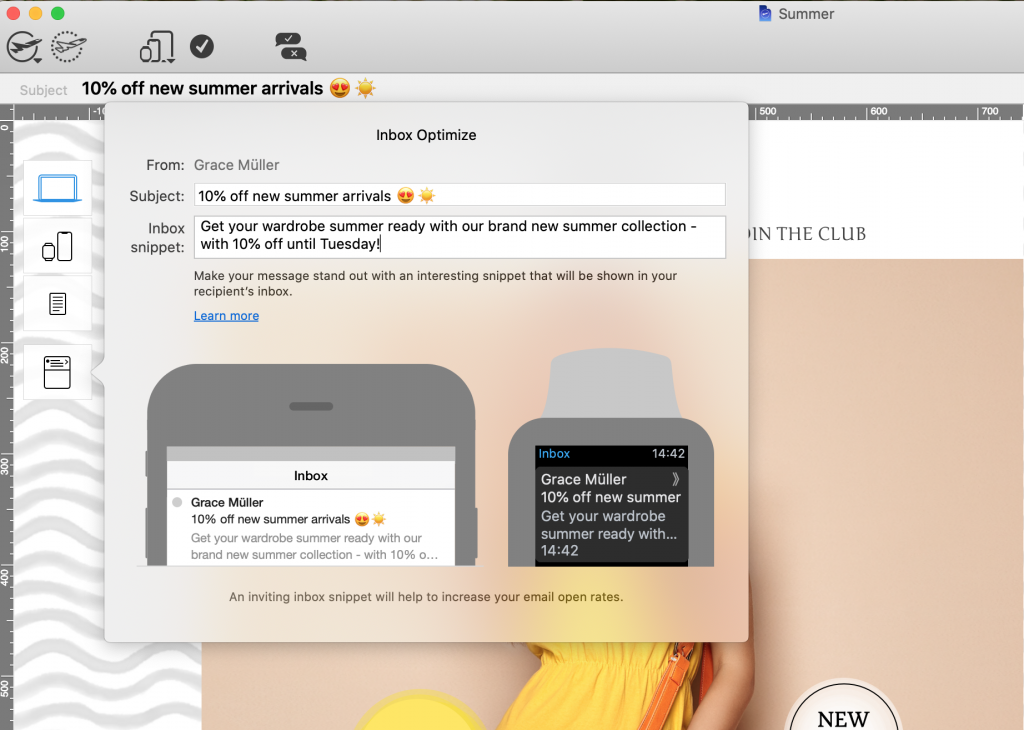
inbox preview tool in mail designer 365

Use the inbox preview tool in Mail Designer 365 for a live preview of your subject line and snippet

5. Testmail service

Finally, try Mail Designer 365's Testmail service to preview your email in your inbox and test with different email clients. Here's how it works...
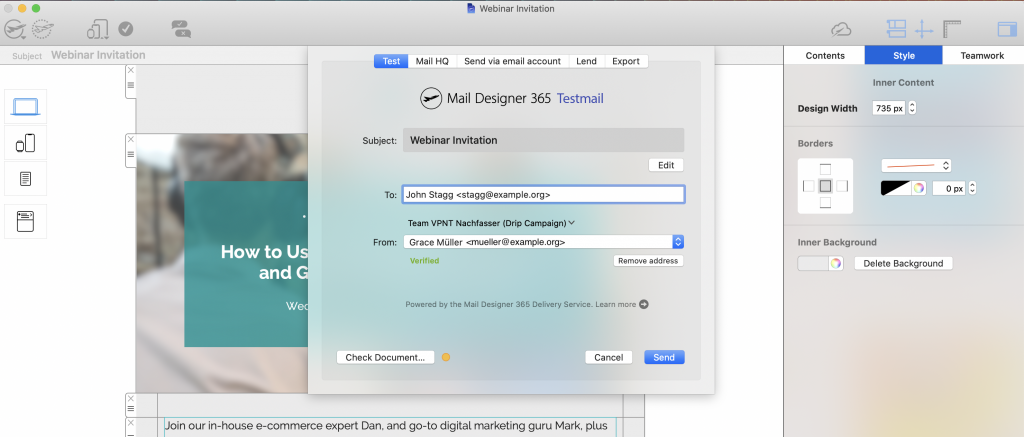
Testmail service in Mail Designer 365

Send a test version of your email via the Mail Designer 365 Testmail service

We hope you have found this list of preflight tips useful and will consider them when finishing up your next email campaign.

Mail Designer 365 provides you with all the tools you need to create flawless templates that look great on all devices. Don't have Mail Designer 365 plan yet? Try the app today free!

Get started with Mail Designer 365 today

Start your 7 day free trial and use your Mac to create stylish email newsletters for your business.
No credit card required
Compatible from Mac OS X 10.11 onwards

Enjoyed this post?

Get more inspirational tips, tricks, and best practice examples in the Mail Designer 365 Newsletter Academy -
your one stop hub for all things email marketing strategy and newsletter design.

Entertainment Email Marketing: 7 Proven Tips

By Team equinux Mail Designer 365 Newsletter Academy

As one of the largest global industries, the leisure and entertainment sector spans gyms and sports clubs, holiday parks, theaters, theme parks, museums, and more. Entertainment email marketing is a highly effective way to share news and promotions, build loyalty with existing customers, and attract new visitors to your business.

With the leisure industry picking back up and peak travel season in full swing, now is the perfect time to refresh your strategy. From holiday park email marketing and seasonal offers to sports email marketing and event announcements, there are countless opportunities to inspire and engage your audience.

In this post, we share actionable leisure sector marketing tips and real-world entertainment email campaign examples to help you plan, design, and send high-performing emails.

Get expert email best practice tips delivered directly to your inbox!


There was a problem registering your email address.
Please check and try again.
Thank you for registering! Please check your email inbox.
We've just sent you an email for you to confirm your email address, if you haven't already.

Which Businesses Benefit from Entertainment Email Marketing?

The leisure and entertainment industry is one of the most diverse sectors, covering a wide range of activities that consumers and tourists enjoy in their free time. From local sports facilities to world-famous attractions, all of these businesses can benefit from a well-planned entertainment email marketing strategy:

  • Gyms, fitness studios, swimming pools, and other indoor sports facilities
  • Museums, galleries, and cultural centers
  • Sports clubs and recreational leagues
  • Zoos and wildlife parks
  • Theaters, cinemas, and live music venues
  • Nightclubs, bars, and lounges
  • Theme parks, water parks, and family attractions
  • Cycle hire services and outdoor adventure activities
  • Bowling alleys, arcades, and gaming centers
  • Casinos, bingo halls, and entertainment complexes
  • Spas, wellness centers, and relaxation resorts

Each of these businesses has unique opportunities to use leisure sector marketing to boost bookings, engage with their audience, and build long-term customer relationships.

Which Types of Emails Work Best for Entertainment Email Marketing?

Because the leisure and entertainment sector is so diverse, there are many different ways businesses can use email marketing to keep customers engaged and increase attendance. The right approach depends on your goals — whether it’s boosting ticket sales, promoting seasonal events, or building stronger relationships with visitors.

Popular examples of email types in leisure sector marketing include:

  • Booking confirmations to reassure customers and provide useful details about their visit
  • Announcements for new exhibits, attractions, shows, or venue openings
  • Event invitations to drive attendance for concerts, festivals, and special occasions
  • Deals and promotions highlighting discounts, packages, and exclusive offers
  • Seasonal campaigns tied to holidays, school breaks, or summer activities
  • News and essential updates such as safety information, policy changes, or opening hours
  • Feedback request emails to gather customer insights and encourage online reviews

These formats form the foundation of an effective entertainment email marketing strategy, helping gyms, theaters, theme parks, and holiday parks keep their audiences informed, inspired, and ready to book.

What to Include in Entertainment Email Marketing Campaigns

Exciting visuals

The goal of any entertainment email marketing campaign is to excite your audience and inspire them to visit your business. Strong visuals are key: use a striking hero image to set the mood and pair it with smaller images that highlight attractions, facilities, or upcoming events. Dynamic layouts created in Mail Designer 365 make it easy to showcase your venue in the best possible way.

Exclusive offers

Sharing exclusive offers is one of the most effective ways to attract families, tourists, and local visitors. Discounts such as “2 for 1” tickets, free gifts, or seasonal promotions help your leisure business stand out during peak holiday periods and drive more bookings.

Clear call-to-actions

Every leisure sector email should guide readers toward a specific action. Prominent call-to-actions (CTAs) such as “Book Now,” “Add to Calendar,” or “Get Tickets” should be central in your design. Use bold typography and vibrant colors to make CTAs stand out and lead customers directly to your booking portal or website.

Customer testimonials

For new visitors, trust is essential. Including testimonials, star ratings, or short reviews in your emails builds credibility and reassures potential guests. Highlighting TripAdvisor or Yelp reviews is especially effective in the leisure and entertainment sector. You can also automate follow-up feedback request emails to continuously generate fresh testimonials.

Upsell opportunities

If customers book online, consider sending automated upsell emails to promote added benefits. Popular options include:

  • Upgraded ticket packages
  • Beverage or meal add-ons
  • Fast-track or priority entry
  • Comfort or premium seating

Building excitement with optional extras increases revenue and enhances the guest experience. Adding a limited-time discount creates urgency and encourages quicker decisions.

Contact information

Always include clear contact information in your emails. This reassures guests and provides easy access for questions or special requests. With Mail Designer 365, you can add direct Tel and Mailto links so customers can reach your team with a single click.

Best Practice Entertainment Email Marketing Examples

Looking for inspiration? These real-world campaigns from well-known leisure and entertainment brands show how effective email marketing can attract visitors, boost ticket sales, and build customer loyalty.

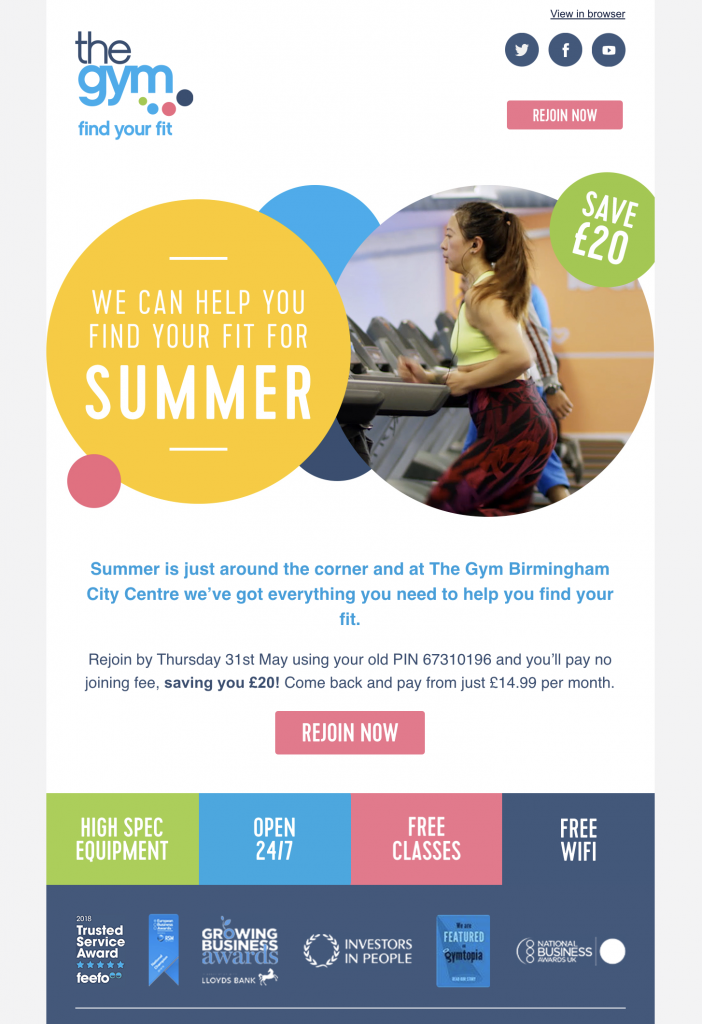
The Gym Group

This colorful fitness promotion by The Gym Group uses motivational imagery, a clear discount offer, and a bold call-to-action to drive sign-ups.

Gym email marketing example with fitness promotion and CTA

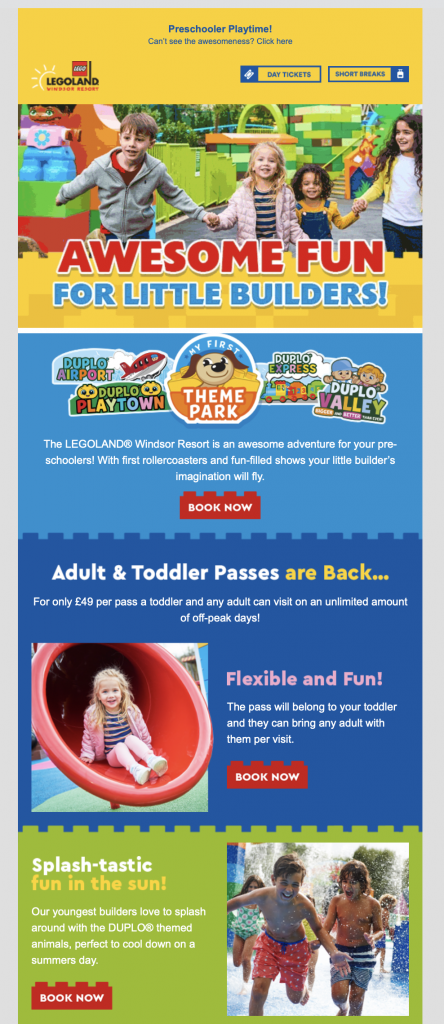
Legoland

Family fun is the focus of this Legoland campaign. Bright imagery and playful Lego brick CTAs make the promotion stand out and appeal to parents planning holiday activities.

Legoland entertainment email marketing example with family holiday theme

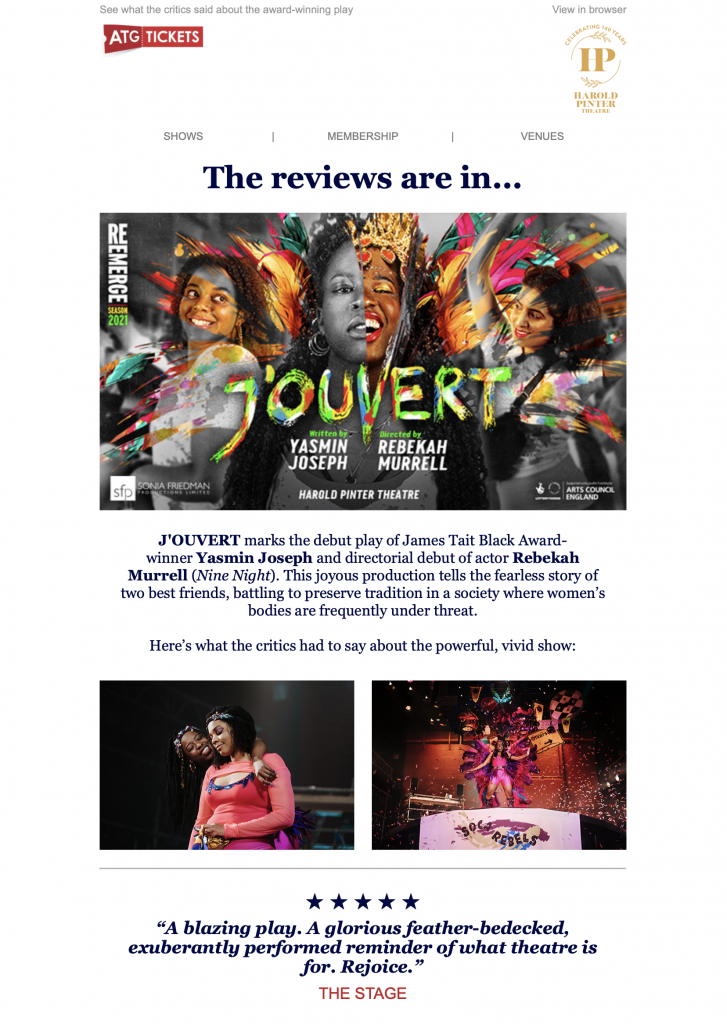
ATG Tickets

ATG Tickets highlights glowing reviews and testimonials to encourage bookings. Photos from the performance generate excitement and give potential guests a preview of the show.

Theater email marketing example with reviews by ATG Tickets

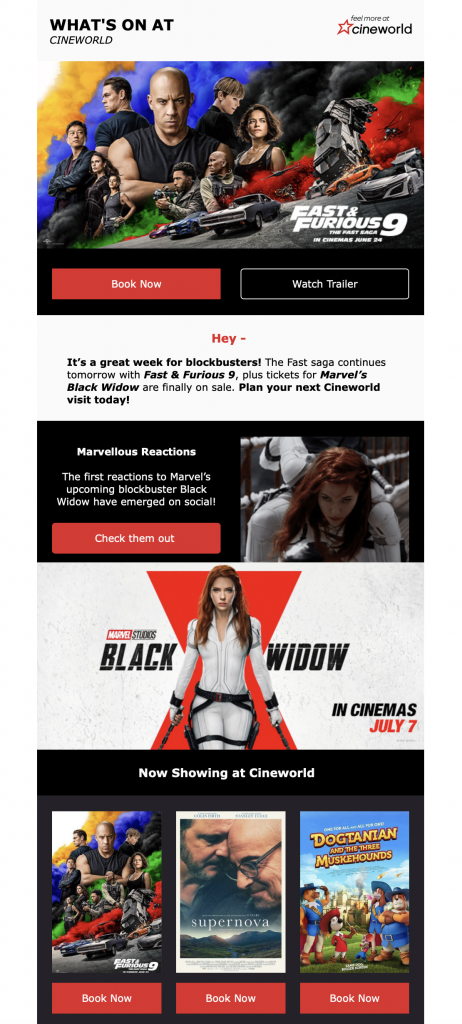
Cineworld

Cineworld’s newsletter promotes upcoming movie releases with strong visuals and easy-to-find CTAs, helping customers quickly book tickets or learn more.

Cineworld entertainment email marketing newsletter with movie promotions

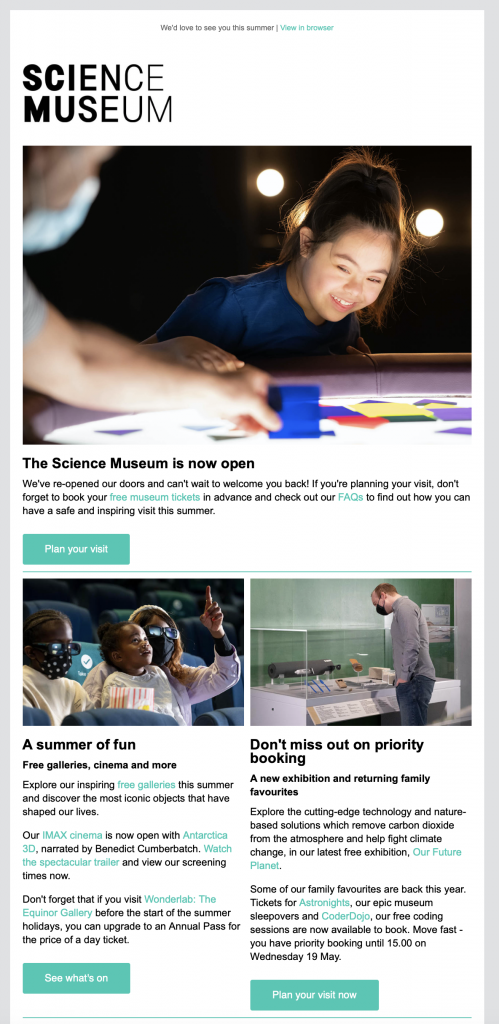
Science Museum London

The Science Museum email combines practical reopening information with exciting announcements about new exhibits. A priority booking upsell adds urgency and value.

Museum email marketing example with reopening announcement

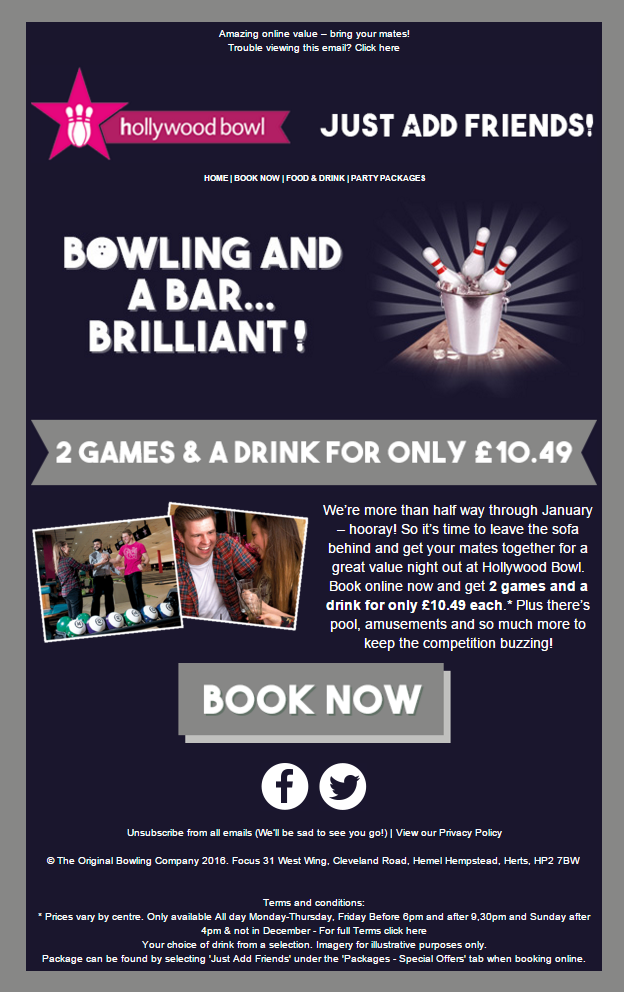
Hollywood Bowl

Hollywood Bowl’s bold campaign uses a clear headline and central CTA button to promote a limited-time bowling deal, generating excitement and urgency.

Bowling alley entertainment email promotion by Hollywood Bowl

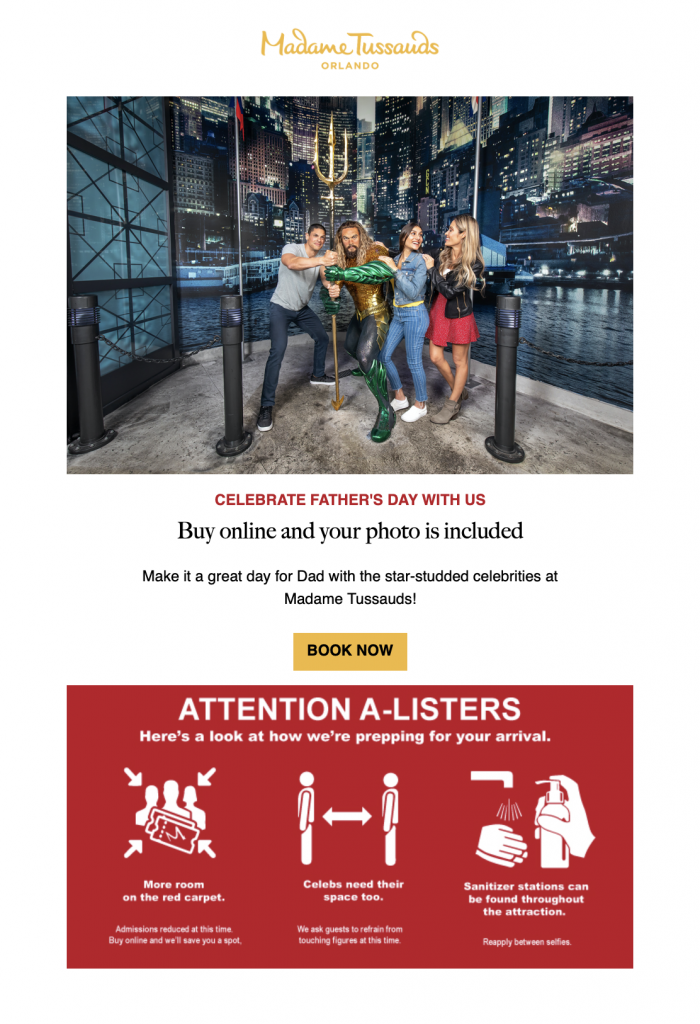
Madame Tussauds

This Father’s Day campaign by Madame Tussauds taps into seasonal marketing opportunities. A prominent red information box also communicates health and safety guidelines clearly.

Seasonal entertainment email campaign by Madame Tussauds for Father’s Day

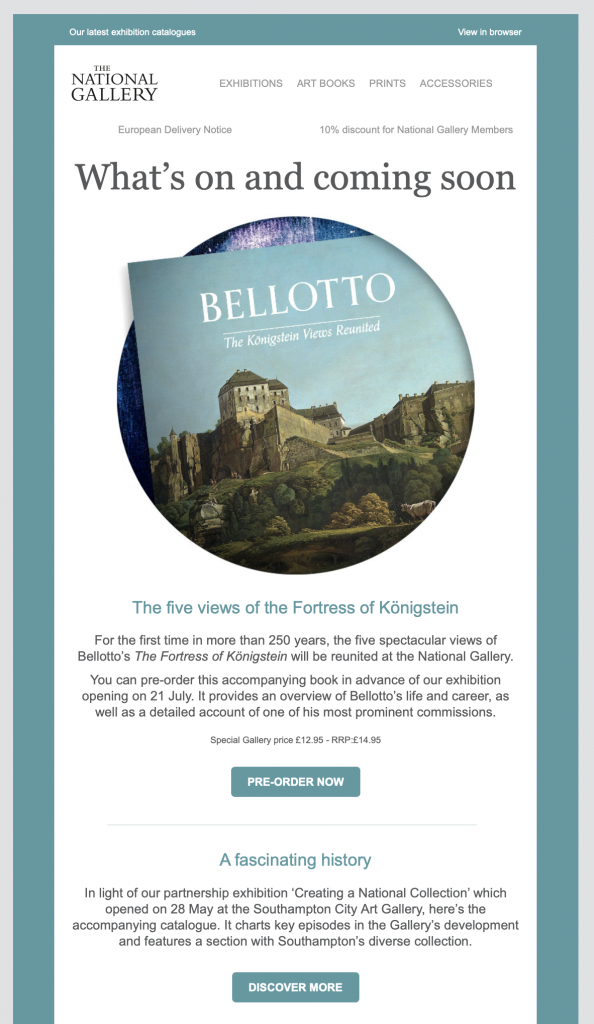
The National Gallery

The National Gallery uses a clean, minimalist email design to stylishly present their upcoming exhibitions and cultural events, paired with clear booking links.

National Gallery leisure email marketing example for art exhibitions

Creating Entertainment Email Marketing Templates in Mail Designer 365

We hope these examples have inspired you to refresh your email strategy and explore new ways to engage your audience. From gyms and theme parks to museums and theaters, every leisure business can benefit from professional, well-designed emails.

With Mail Designer 365, you’ll find a wide range of ready-to-use HTML templates created specifically for leisure sector marketing. Whether you’re promoting seasonal offers, sending a booking confirmation, or designing a stylish event invitation, our drag & drop editor makes it easy to build responsive emails that look great on every device.

Get started today and create your own entertainment email marketing templates with Mail Designer 365. Try the app free for 7 days and see how simple it is to design high-performing newsletters for your leisure business.

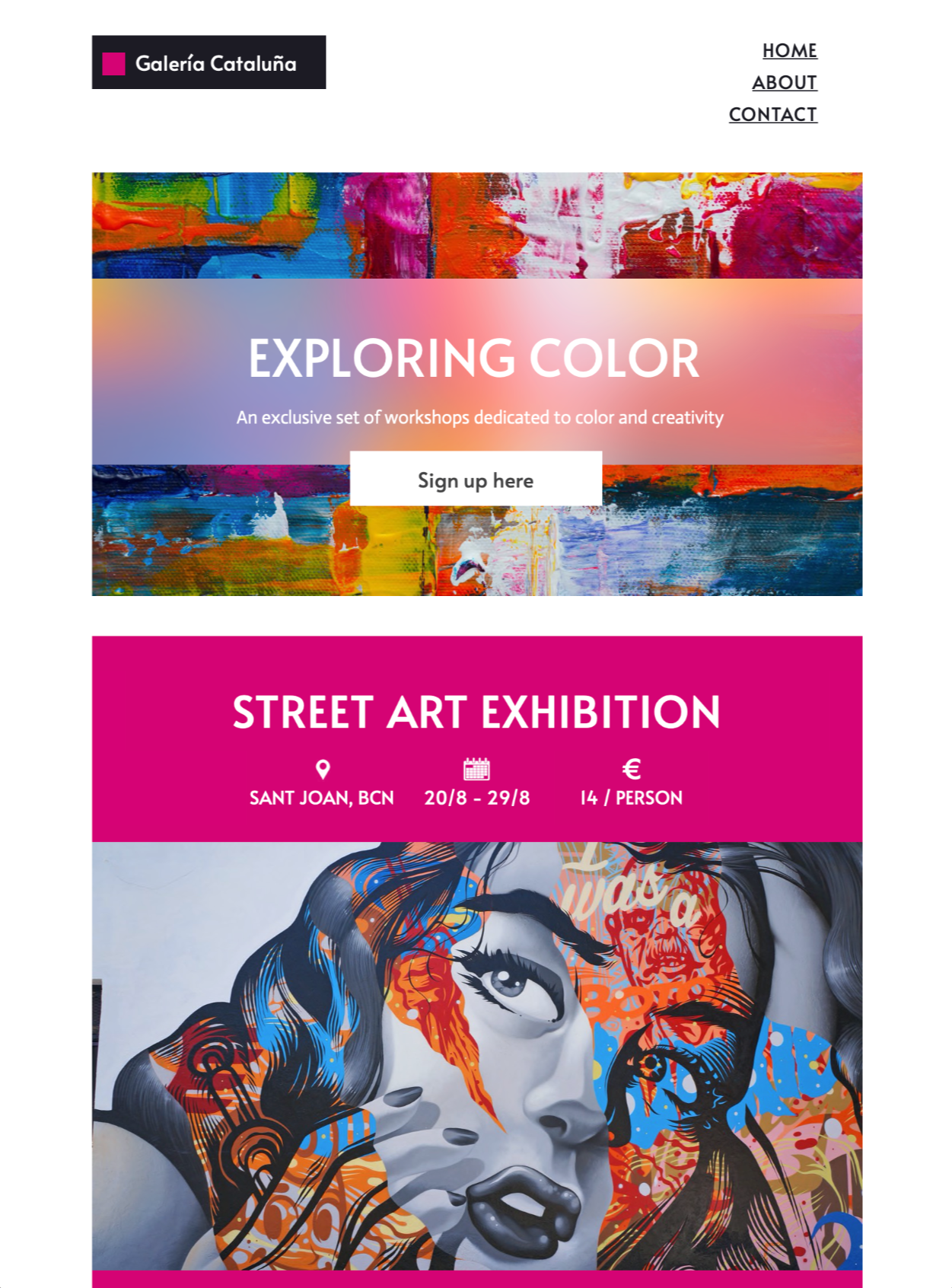
A responsive email HTML newsletter template created with Mail Designer 365 email design software, showcasing an art event email template from 'Galeria Cataluña'. The design features sections for 'EXPLORING COLOR' workshops with a 'Sign up here' button, and a 'STREET ART EXHIBITION' from 20/8 - 29/8 for 14/person at Sant Joan, BCN."
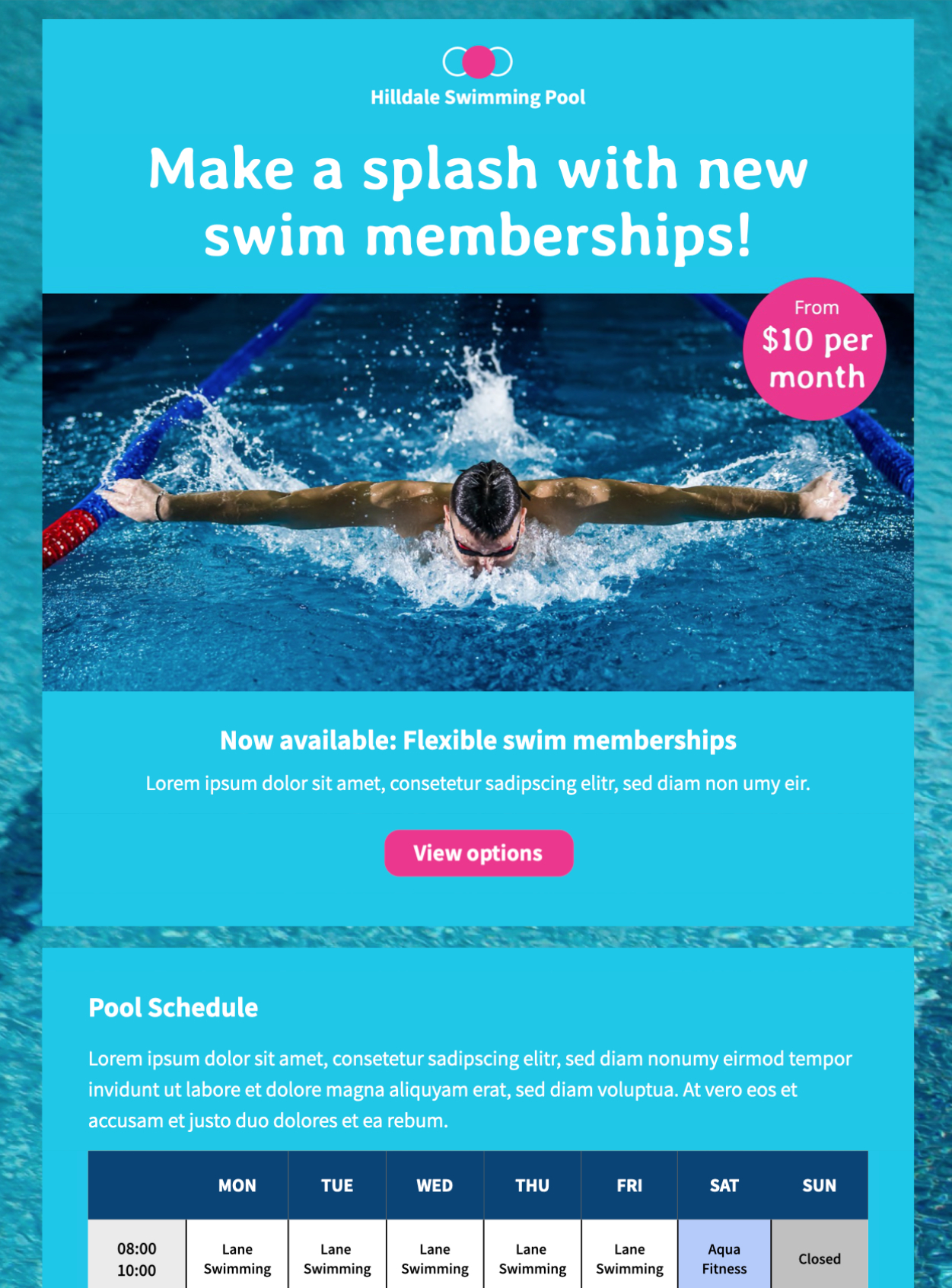
swimming pool schedule html email template
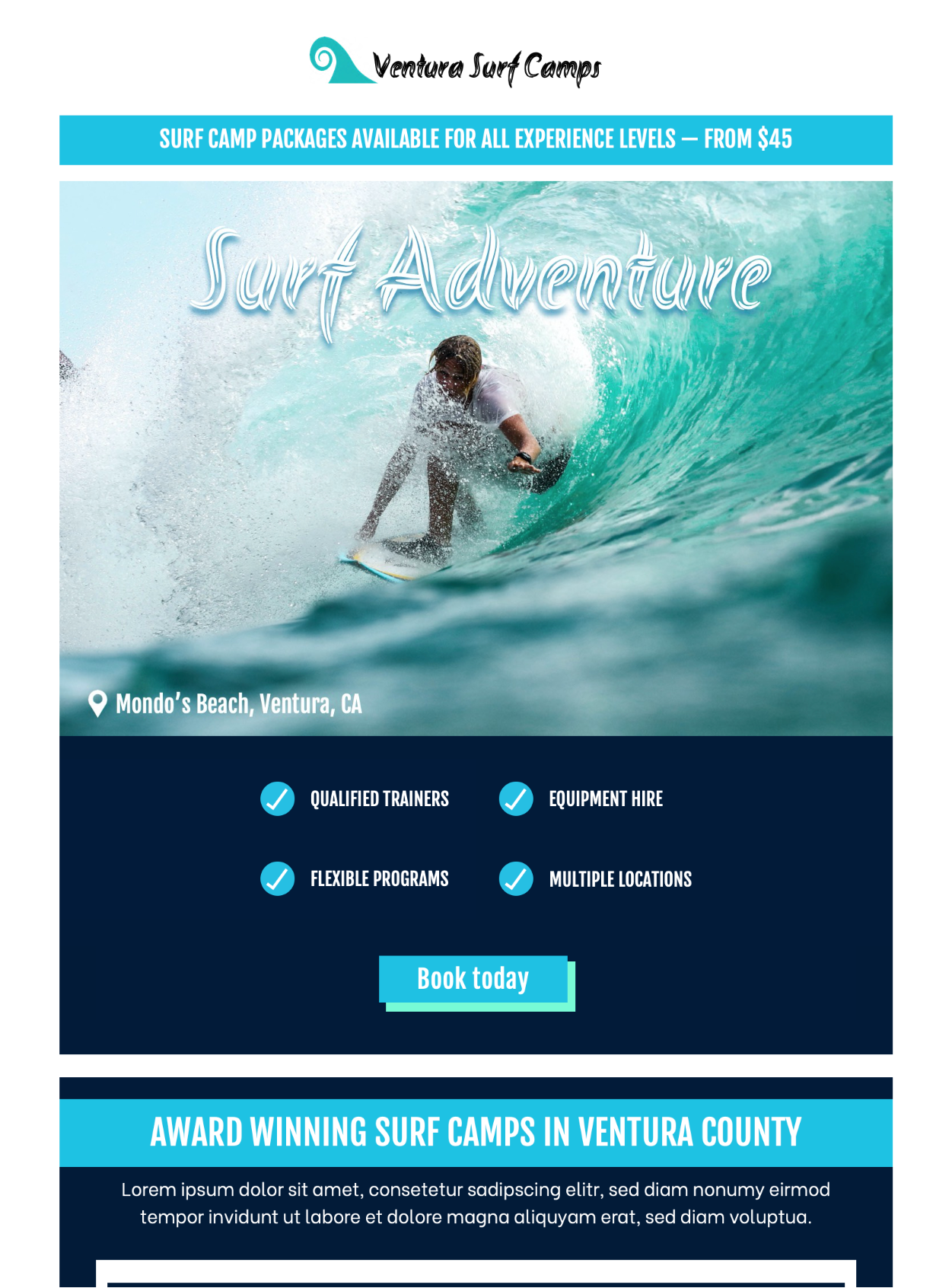
surf adventure html email template

You can try out all of these tips and Design Ideas in Mail Designer 365. Download the app for free today and see what you can create.

Get started with Mail Designer 365 today

Start your 7 day free trial and use your Mac to create stylish email newsletters for your business.
Compatible from Mac OS X 10.11 onwards

Enjoyed this post?

Get more inspirational tips, tricks, and best practice examples in the Mail Designer 365 Newsletter Academy -
your one stop hub for all things email marketing strategy and newsletter design.
Tips for summer email campaigns

Red Hot Ideas for Sizzling Summer Email Campaigns

By Mail Designer 365 Newsletter Academy

Summer is here and it's time to shake things up a bit when it comes to your email campaigns. If you're feeling the heat already, don't worry! We've got your back. Here are some useful tips and examples of great summer email campaigns to help get you inspired...

Get expert email best practice tips delivered directly to your inbox!


There was a problem registering your email address.
Please check and try again.
Thank you for registering! Please check your email inbox.
We've just sent you an email for you to confirm your email address, if you haven't already.

Turn up the heat with a summery subject line

The subject line is the first thing your readers will notice about your email campaign. This gives you the perfect opportunity to outline your summer theme early. Try using lots of summer-related language and maybe even throw in a few emojis to really capture the attention of your readers.

Here are a few clever examples we have found:

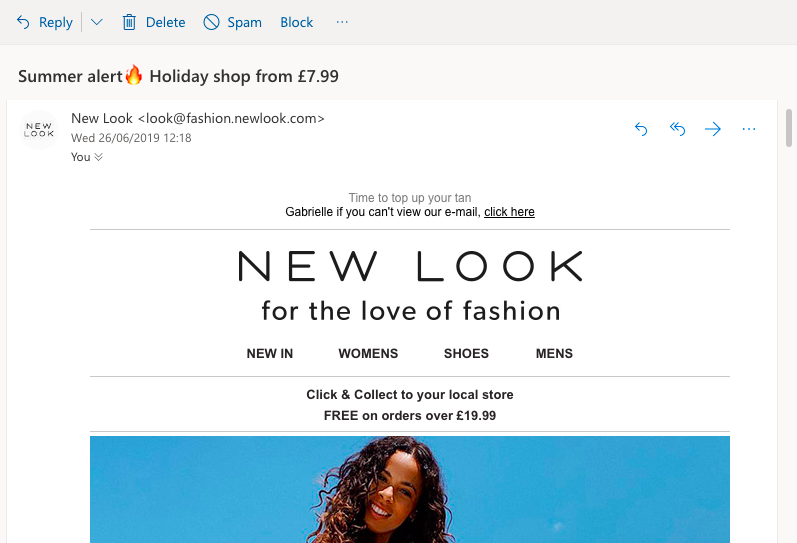
New Look are bringing the heat by including a fire emoji in their subject line.


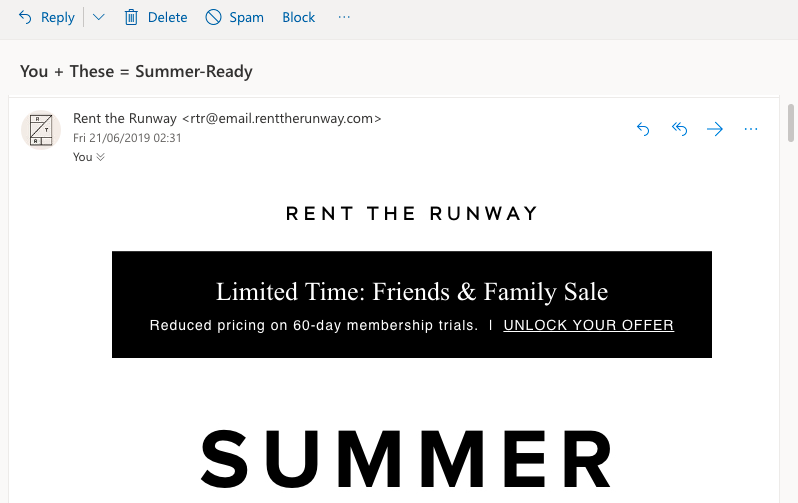
Rent the Runway are getting their customers ready for summer with this clever subject line.


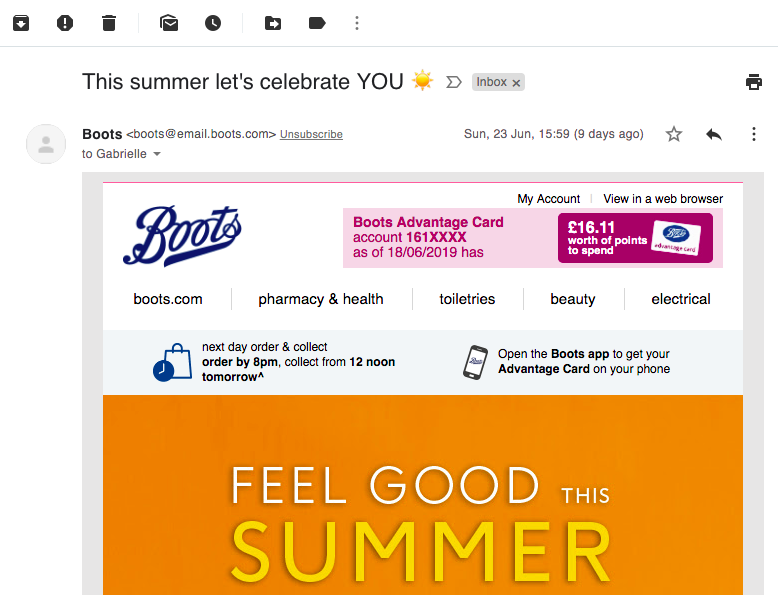
summer email subject line example by Boots

The positive message in this subject line from Boots is perfect for summer.

Be bold with your colour choice

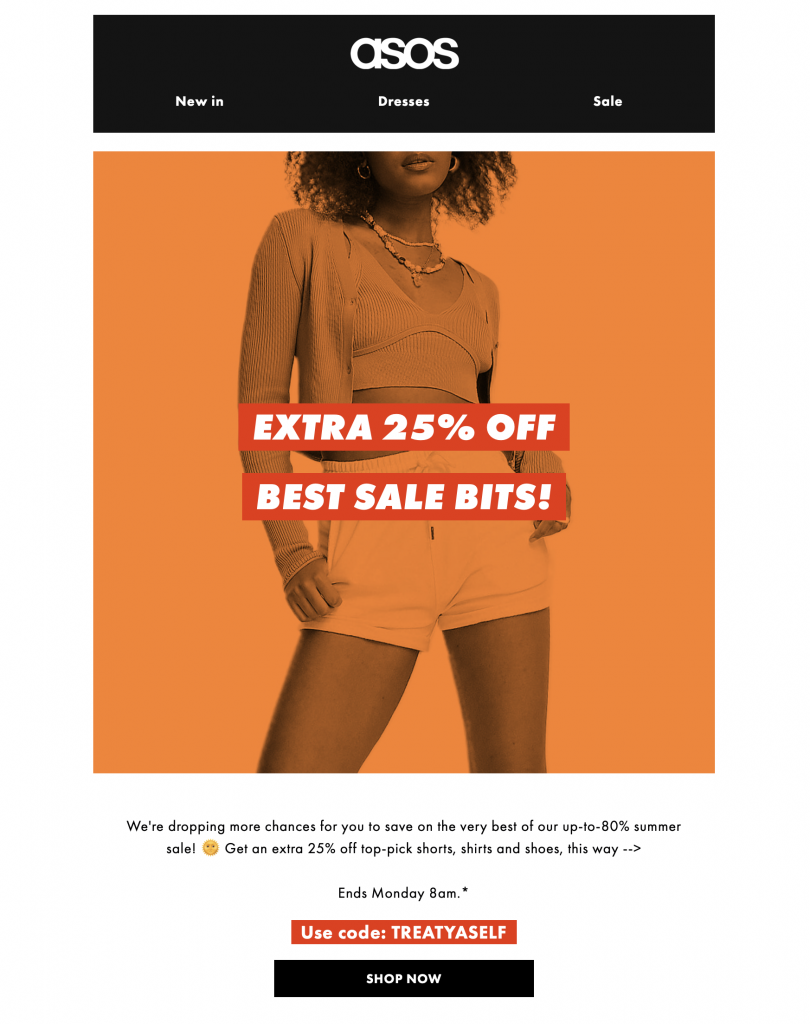
Summer is all about bold, bright colours and you should definitely reflect this in your email designs. Try to experiment with combining bright tones like orange, pink, and red. This will bring life to your email campaign and get readers in the mood for summer.

summer email campaign by ASOS

The warm orange tones in this email design by ASOS are perfect for a summer campaign

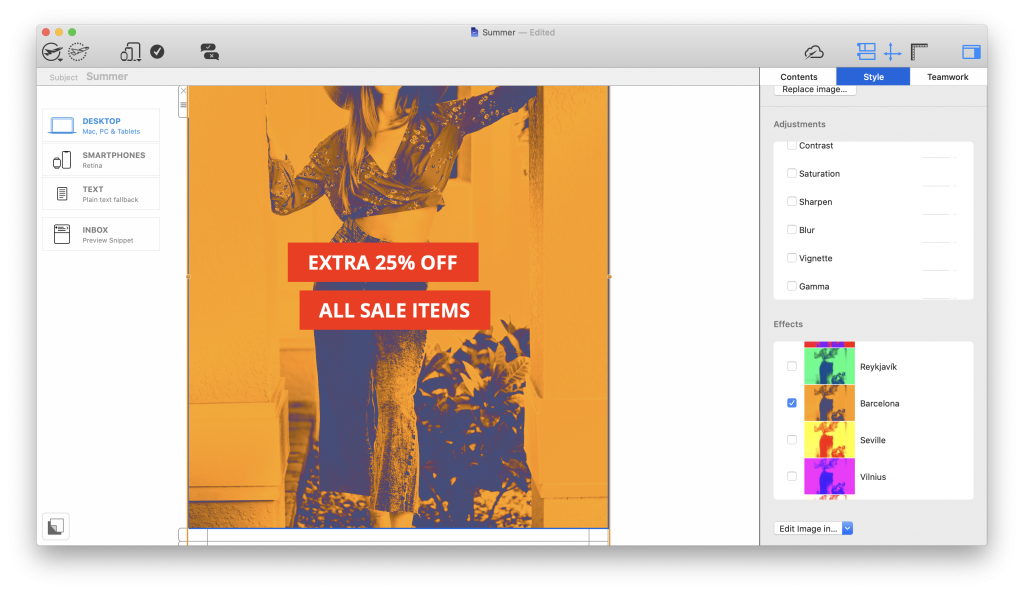
Mail Designer 365's image effects are the perfect way to add a pop of colour to your email design. Simply click on an image and choose a Duotone Filter (Business Premium) from the Style menu - we recommend Seville or Barcelona for the ultimate summer feel.

duotone filters for summer email campaigns in mail designer 365

Duotone Filters are a great way of creating colorful effects in your summer email designs


Brighten up your design with summery graphics

Don't be afraid to go overboard with summer-related images in your design. Whether they're planning a getaway, updating their wardrobe or organising a get together with friends, high quality images will help you to inspire your customers.

Try to include the best images of your products in your email design to show readers what you have to offer them this summer.

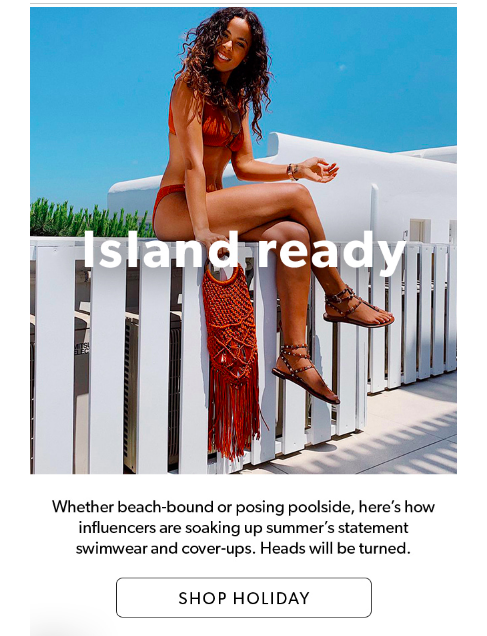
Customers will be dying to update their holiday wardrobe after seeing this email from New Look.


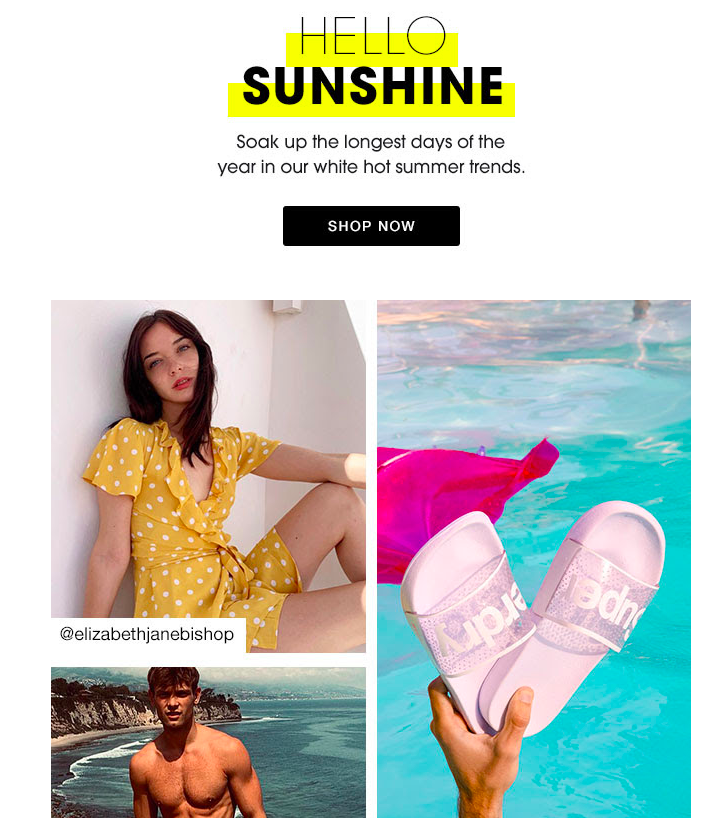
Clever product placement by Superdry means readers will be eager to get their hands on their summer range.

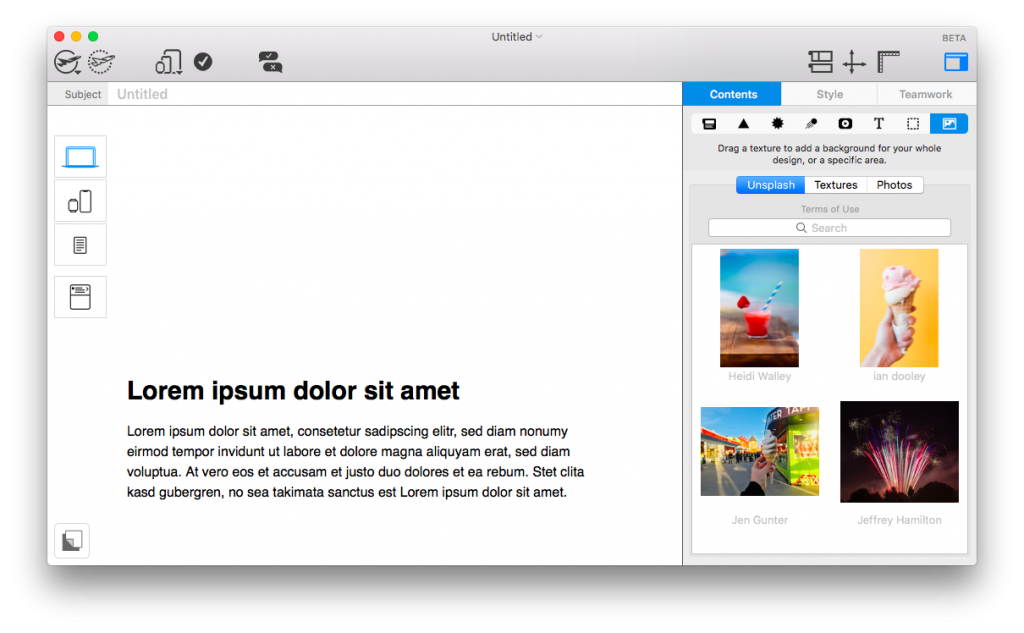
Struggling to find the right image? Mail Designer 365's Unsplash collection has thousands of high quality images which you can use freely in your newsletters:

Check out Unsplash for vibrant, summery stock photos.

Provide readers with tips and ideas for the summer

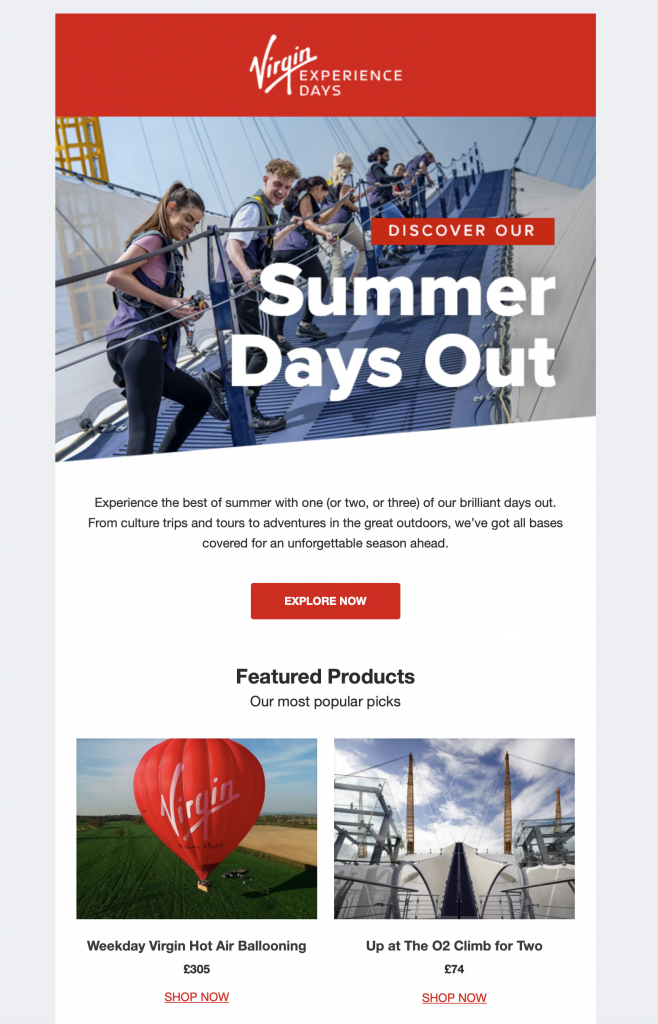
With travel options still limited in some areas, many of your customers will be looking closer to home when it comes to finding things to do this summer. Help your customers out and find proactive ways in which your business can help to still make their summer one to remember.

summer days out email promotion by virgin experience days

Showcasing local activities, as Virgin Experience Days do in this promotion, helps inspire customers for the upcoming summer season

Hold a summer sale to entice customers

Last but not least, the summer season also provides you with the perfect opportunity to run a sale or promotion. During June, July and August, many of us are off work or school and have more free time to get things done.

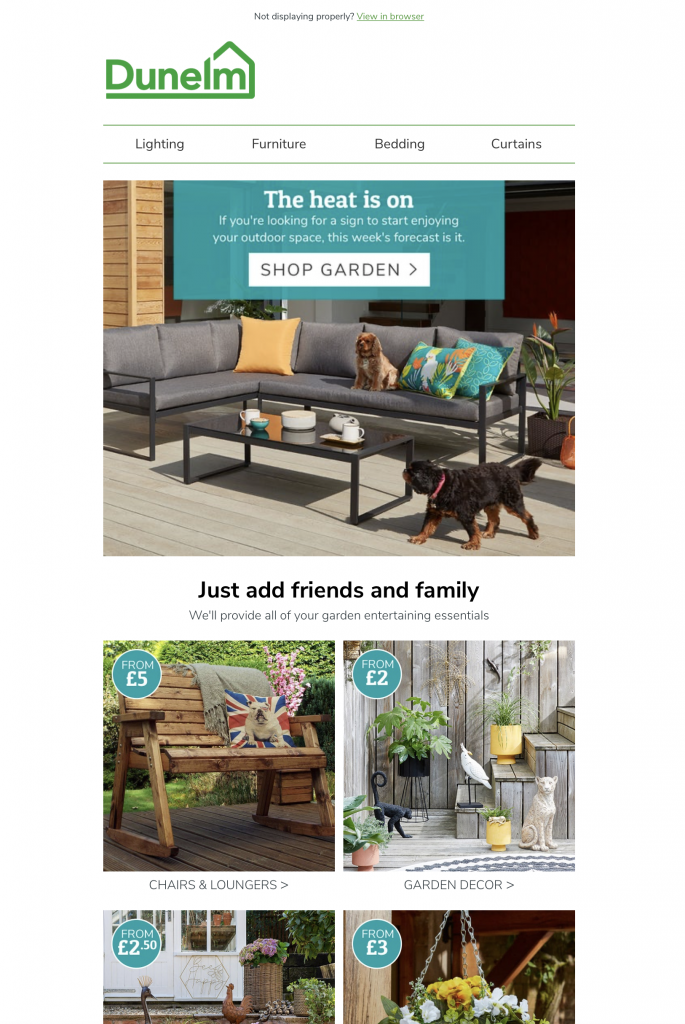
Whether they're remodelling the garden, going on a shopping spree for the new season, renovating their home, or going on holiday, a sale gives your customers the final push they need to get the job done.

Summer email promotion by Dunelm

This summer-themed campaign by Dunelm encourages shoppers to get back in the garden and enjoy the sunshine

Creating summer email templates in Mail Designer 365

We hope you're inspired and ready to start trying out these summer email campaign ideas. Remember to be bold and capture that summer feeling in your email design in order to convince your readers.

In need of some more inspiration? Mail Designer 365 offers a diverse collection of summer email templates - perfect for a seasonal promotion or vibrant summer email campaign.

You can try out all of these tips and Design Ideas in Mail Designer 365. Download the app for free today and see what you can create.

Article first published: July 2019

Updated: June 2021

Get started with Mail Designer 365 today

Start your 7 day free trial and use your Mac to create stylish email newsletters for your business.
No credit card required
Compatible from Mac OS X 10.11 onwards

Enjoyed this post?

Get more inspirational tips, tricks, and best practice examples in the Mail Designer 365 Newsletter Academy -
your one stop hub for all things email marketing strategy and newsletter design.
father and son image for fathers day

Creating Email Templates for Father's Day - Our Top Tips and Campaign Examples

By Team equinux Mail Designer 365 Newsletter Academy

When planning your summer email strategy, it's always important to consider any upcoming seasonal events, as these can serve as a great way to get creative content ideas and campaign inspiration.

With Father's Day around the corner, your business has the perfect opportunity to get started putting together an exciting campaign. In this guide, we're showcasing some of our favourite Father's Day email campaigns and sharing our top tips on what to include in your own Father's Day emails.

Get expert email best practice tips delivered directly to your inbox!


There was a problem registering your email address.
Please check and try again.
Thank you for registering! Please check your email inbox.
We've just sent you an email for you to confirm your email address, if you haven't already.

What is Father's Day and when Does it Take Place?

Father's Day is a widely celebrated international event, recognising the important role played by the fathers and father figures in our lives.

Father's Day generally falls around May / June but has different dates depending on the country you live in. The most common date for Father's Day is the third Sunday in June, which is when Father's Day is celebrated in the UK, USA, Japan, France, and Canada (just to name a few!)

In some majority Catholic countries such as Spain, Italy and Portugal, Father's Day is celebrated on St. Joseph's Day (March 19th) who is known as the patron saint of fathers. In Germany, Father's Day is celebrated on Ascension Thursday, which is also a national holiday.

Tips for Father's Day Email Campaigns

Check out these tips on how to create the very best email campaigns for Father's Day..

Get started early

Much like other major holidays, many of your customers will start looking for Father's Day gifts early, giving them time to shop around and find the best deals. For this reason, you want to be ahead of the game and start sending out your first emails a few weeks before the big day.

Whether it's a featured product, a full blown gift guide, or a special promotion. Timing is everything so don't miss the boat on this one!

Mention Father's Day in the subject line

As so many other firms will also be preparing to send their Father's Day email campaigns at the same time as you, it's important your email stands out in your subscribers' inboxes.

Take the time to put together an engaging subject line that will be sure to turn heads and get customers to open your email. As well as including keywords related to Father's Day, emojis are another great way to add a splash of color.

Put together a gift guide

It's a well known fact that Dads are notoriously hard to buy for. Make your customers' lives easier by compiling all your best gift suggestions into one practical gift guide.

An email gift guide enables shoppers to browse through your most relevant picks for the big day right in their inbox, and also entices them onto your website with a clear purpose.

Remember to link directly to all the products featured in your gift guide so customers can shop them quicker. Checking stock levels and pricing information is also a must to prevent any errors from appearing in the final email campaign.

Send out reminders

Because the date changes each year, it can be easy for customers to let Father's Day slip their minds so that before they know it, the big day is here and they're left empty-handed!

Help your customers avoid these mishaps by sending out a friendly reminder email in plenty of time. This could be a general reminder of the date, or a store announcement (i.e. for last orders before Father's Day.)

Reminder emails are not only a useful service for customers, they also allow you to introduce time pressure into your campaigns, helping generate a sense of urgency. Oftentimes, your customer will purchase there and then in order to avoid missing out or being too late.

For this reason, it's critical you make the CTA (call-to-action) loud and clear, so customers can get straight to your online store.

Father's Day Email Campaign Examples

Whistlefish

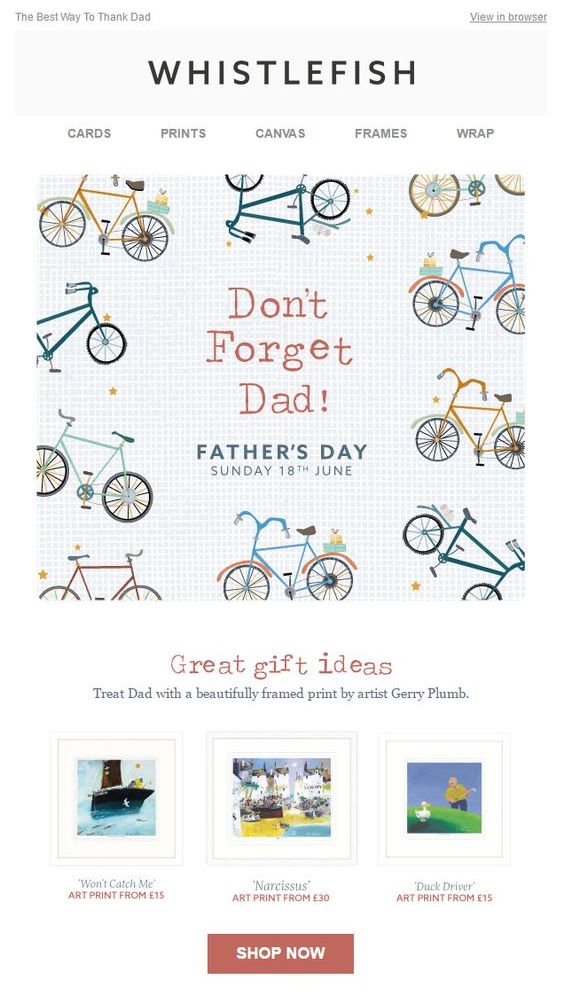
This fun design by Whistlefish reminds customers that Father's Day is approaching, whilst simultaneously showcasing a few exciting gift ideas.

Father's Day email by Whistlefish

Father's Day reminder email by Whistlefish

Etsy

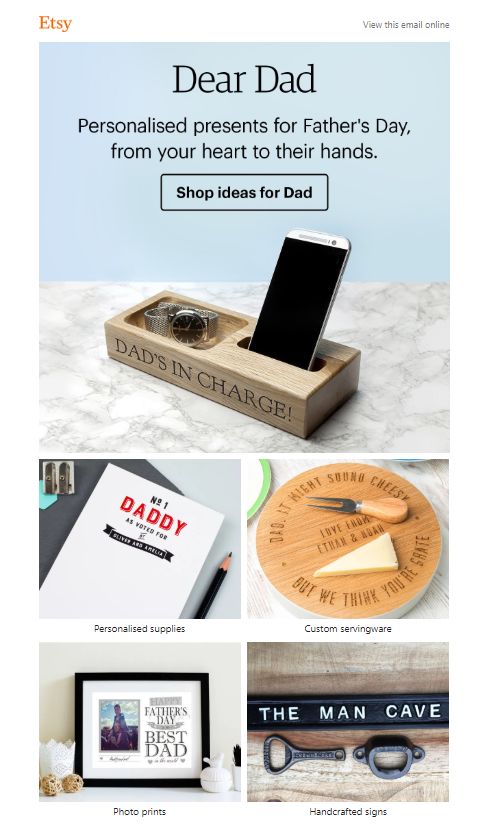
This campaign by Etsy is another example of putting together an effective gift guide for your customers with a good variety of products. Most importantly, they have included clear CTAs and links to all the listed product categories.

Father's Day small business gift guide by Etsy

Father's Day gift guide by Etsy, featuring unique handmade gifts

Harry's Grooming

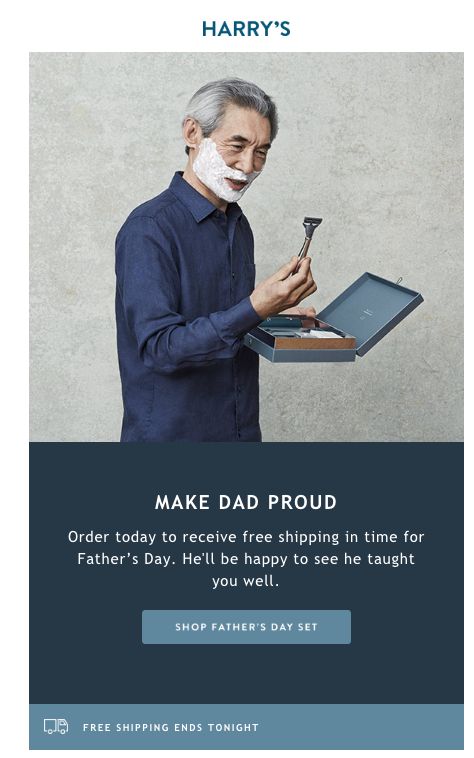
This campaign by Harry's Grooming is relatively simple but is effective in informing customers that it's their last chance to receive free shipping by Father's Day.

Father's Day email campaign by Harry's

A simple, yet effective Father's Day email campaign by Harry's Grooming

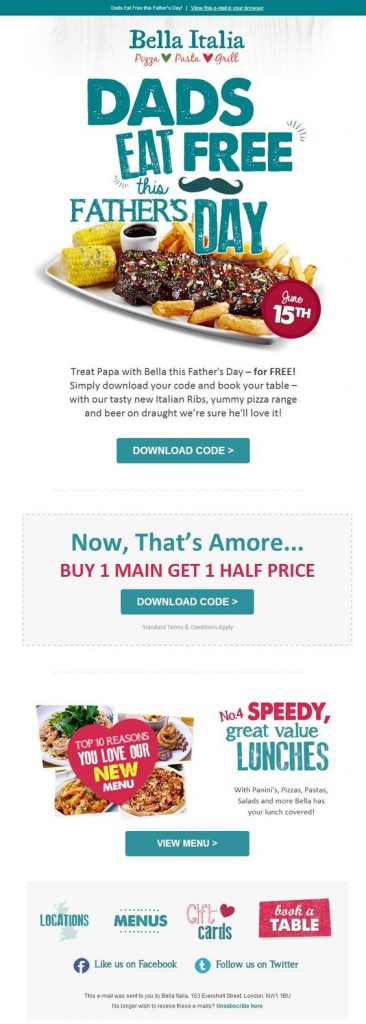
Bella Italia

Bella Italia do a great job of giving back to dads with this bold and colorful email promotion:

Father's Day promotion by Bella Italia

An exclusive promotion for Father's Day is a great way to give back to customers, as shown here by Bella Italia

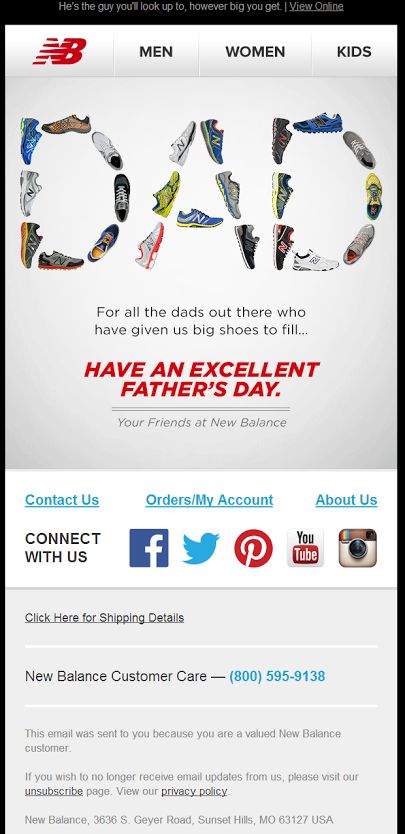
New Balance

Sometimes all it takes to show you care is a simple greeting. As demonstrated in this email campaign by New Balance, sending a straightforward Happy Father's Day email is another great alternative to a promotion or gift guide.

New Balance email campaign for Father's Day

New Balance share a straightforward yet powerful message for Father's Day in this campaign

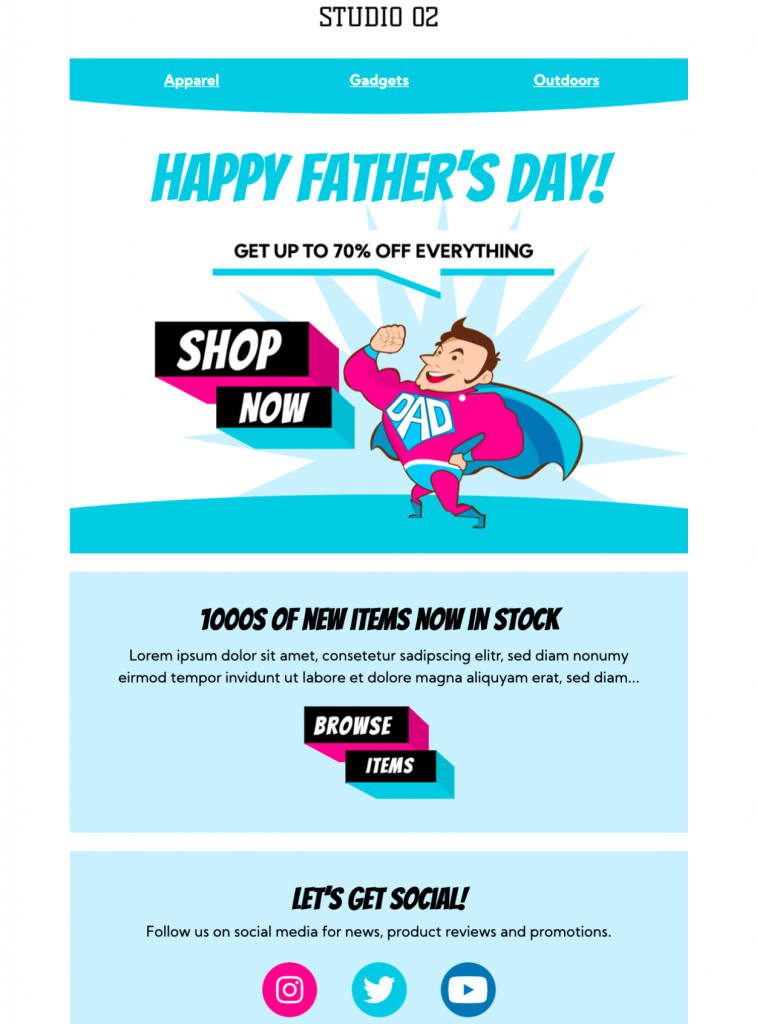
Creating a Father's Day Email Template in Mail Designer 365

Mail Designer 365 has all the essential tools you need to create awesome email templates for Father's Day. Alongside a vast collection of ready-made HTML email templates, Mail Designer 365 also offers a great range of design tools so you can create custom email templates for your business.

happy fathers day email template in mail designer 365

Happy Father's Day email template - exclusively available in Mail Designer 365

Get started with Mail Designer 365 today

Start your 7 day free trial and use your Mac to create stylish email newsletters for your business.
No credit card required
Compatible from Mac OS X 10.11 onwards

Enjoyed this post?

Get more inspirational tips, tricks, and best practice examples in the Mail Designer 365 Newsletter Academy -
your one stop hub for all things email marketing strategy and newsletter design.
Our favorite Memorial Day email campaigns

Our Favorite Memorial Day Email Campaign Examples

By Mail Designer 365 Newsletter Academy

With Memorial Day Weekend coming up, many of you will be planning a promotion or special event to celebrate with your customers. In this article, we're sharing some of our favorite Memorial Day email campaigns, plus a few exclusive tips on how to recreate some of these awesome styles in Mail Designer 365.

Get expert email best practice tips delivered directly to your inbox!


There was a problem registering your email address.
Please check and try again.
Thank you for registering! Please check your email inbox.
We've just sent you an email for you to confirm your email address, if you haven't already.

When is Memorial Day?

Traditionally, Memorial Day always falls on the last Monday in May. The holiday honors and remembers fallen US military personell and will be celebrated this year on May 31st.

Memorial Day takes place on the last Monday in May and honors fallen military personell.

The long weekend gives businesses a chance to hold special events, and also means customers have more time to shop; encouraging many businesses to hold a sale or promotion.

Our Favorite Memorial Day Email Campaign Examples

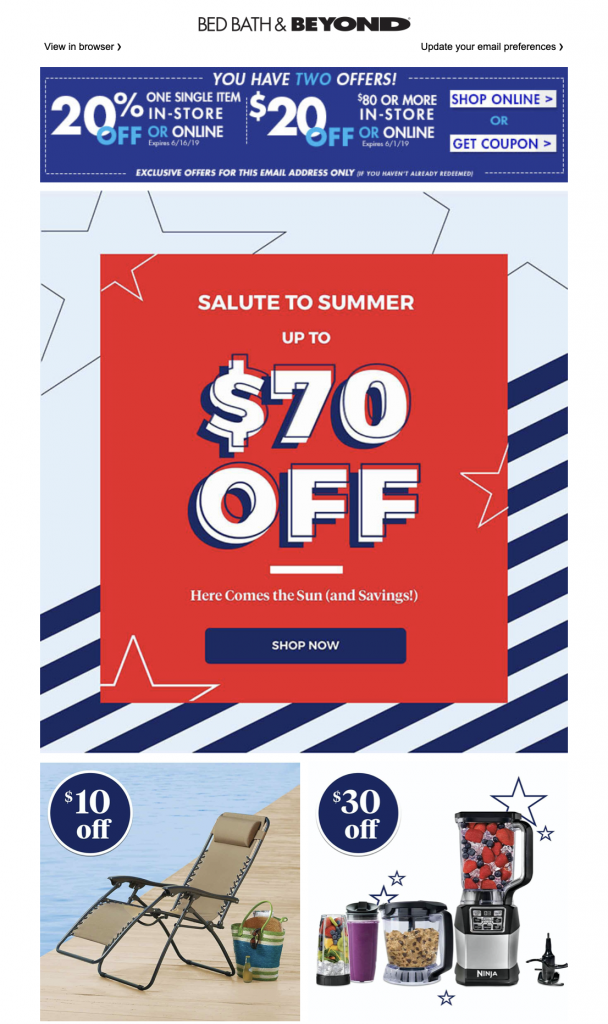
Bed Bath & Beyond

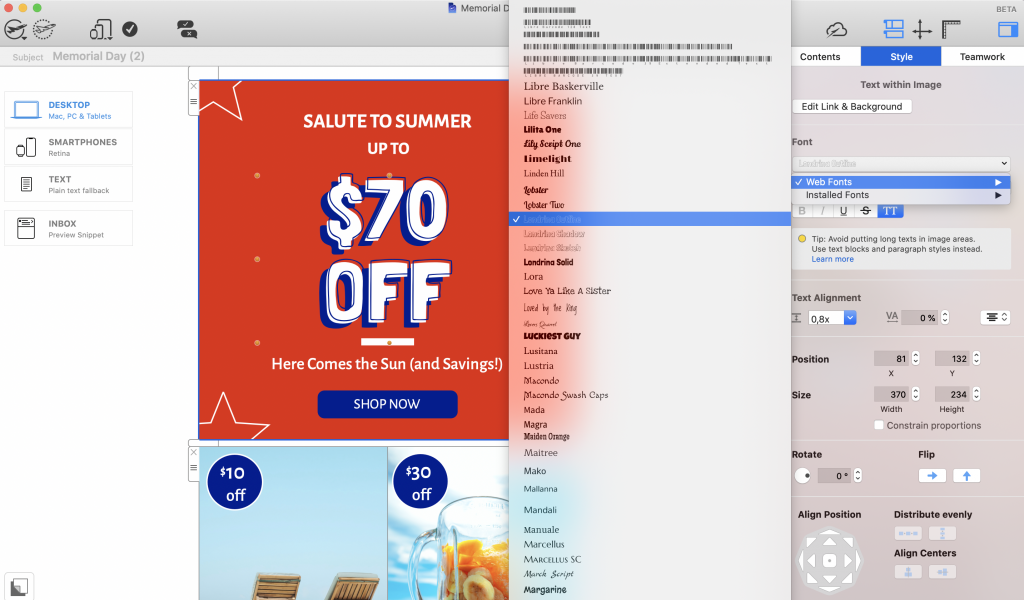
This stars & stripes themed design is super on point for a Memorial Day email campaign and the 3D text effect in the promotional box gets readers all geared up for a great deal.

Memorial Day email campaign by Bed Bath & Beyond

Make it in Mail Designer 365:

You'll find a star shape among the options in our "Contents" library. You can adjust the size, fill and outline to suit your design.

Then, recreate the sketched headline effect by overlaying "solid" and "outline" styles from the Londrina web font family and mimicking the 3D effect by applying a thick, contrasting shadow to the bottom layer.


Vans

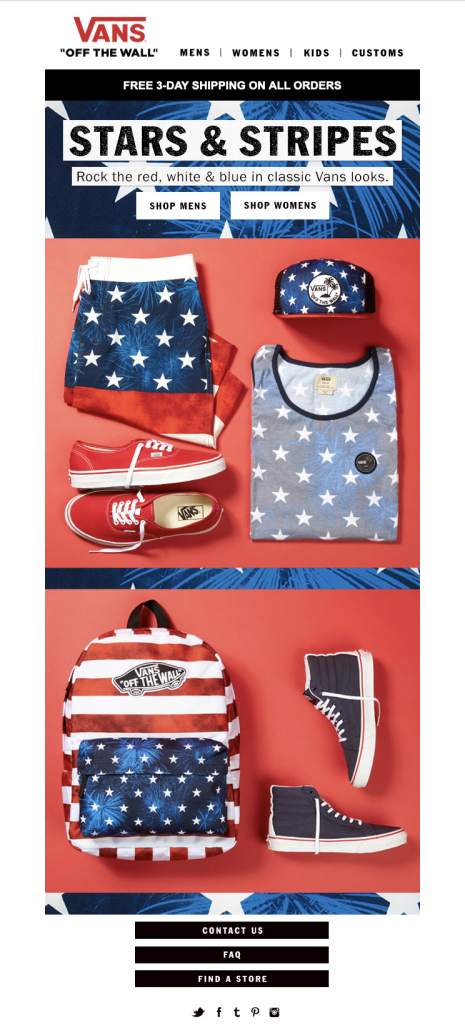
Vans also focus their design efforts on a traditional red, white and blue theme. The strong headlines and prominent CTA (call-to-action) buttons really help set the scene for the patriotic occasion.

Memorial Day email campaign by VANS

Anthropologie 

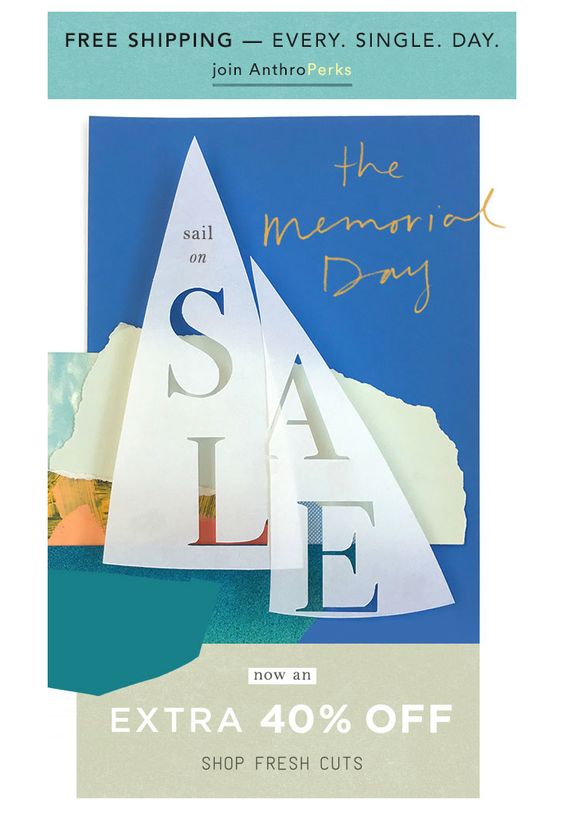
This cute nautical design has us dreaming of a summer vacation. Since Memorial Day weekend kicks off the summer, it's a great theme to use in your campaign to promote a seasonal sale or new product range.

Memorial Day email campaign by Anthropologie

Michael Kors

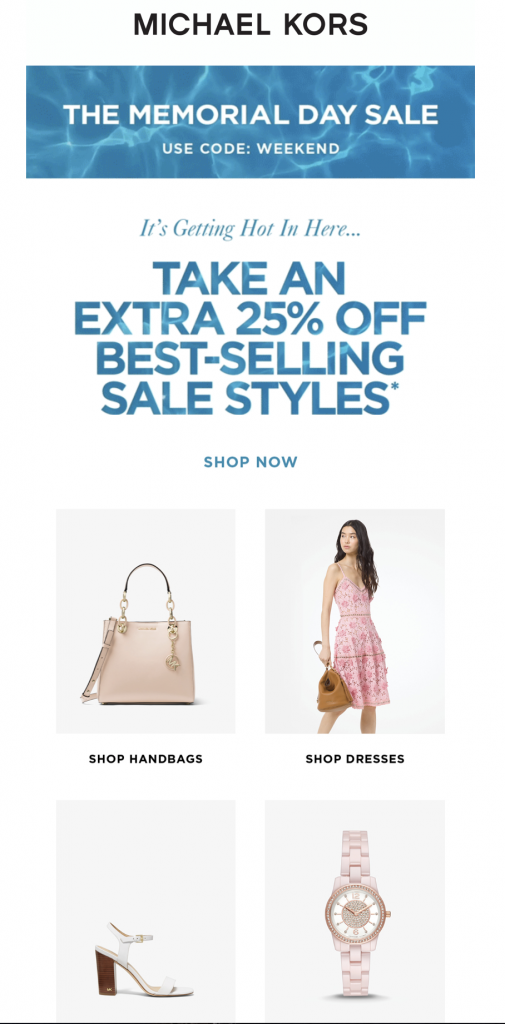
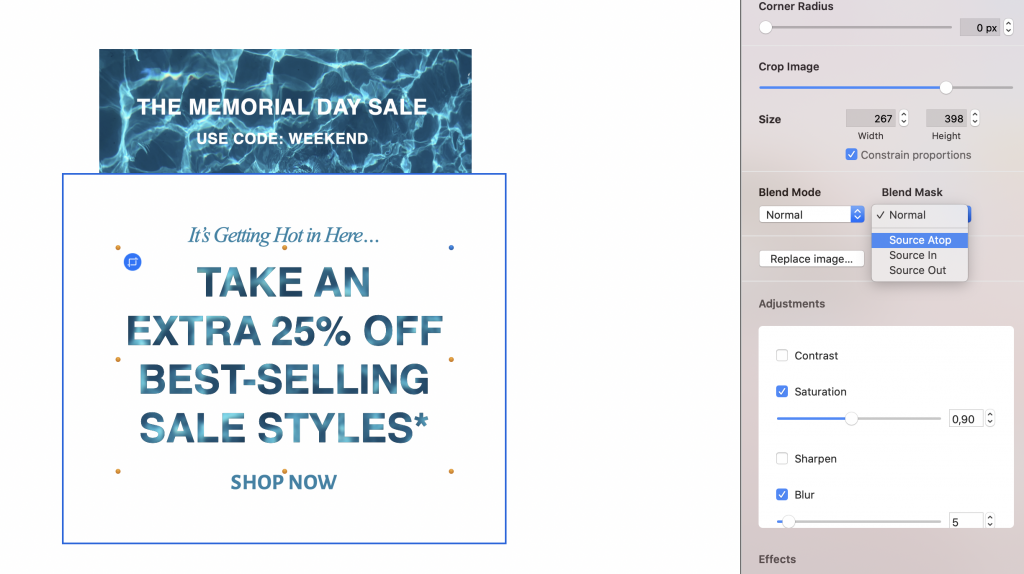
Michael Kors are turning up the heat for Memorial Day with this pool-themed email campaign. The water effect headline adds something new to the design and helps draw readers' attention straight to the sale.

Memorial Day email campaign by Michael Kors

Make it in Mail Designer 365

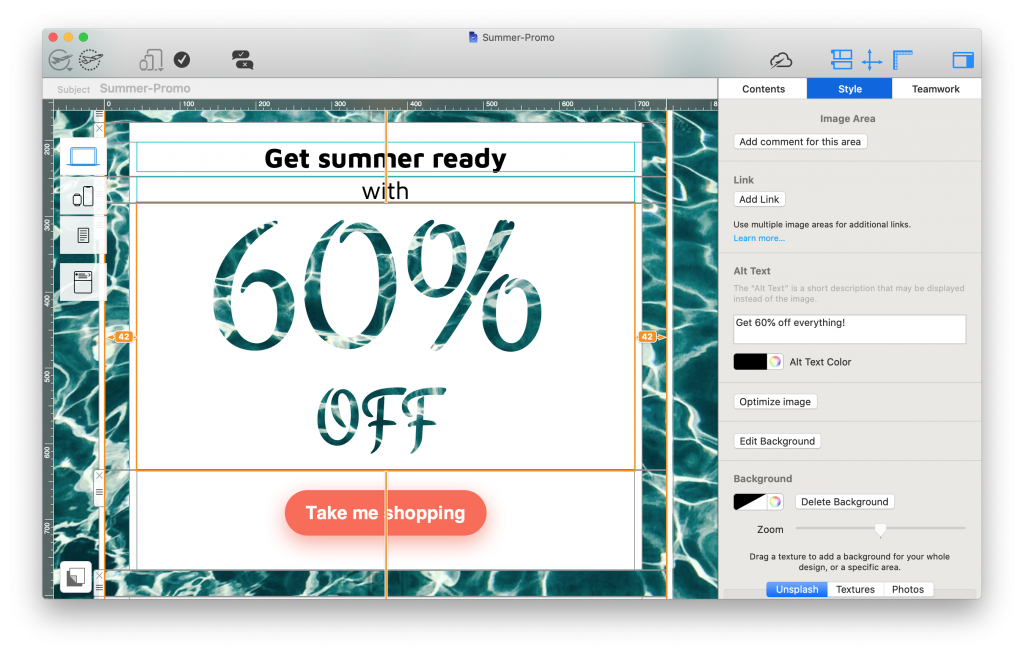
You can recreate this dazzling water effect headline using the Blend Modes feature in Mail Designer 365. Choose a thick, heavy-weighted typeface such as Helvetica or Arial Black, overlay this with an image of your choice (tip: we found this water image in the Unsplash library) and apply the Blend Mask "Source Atop" to fill your text with the image.

Building a Memorial Day email campaign in Mail Designer 365

Use Mail Designer 365 Blend Modes to recreate this wonderful water effect headline.

Billabong

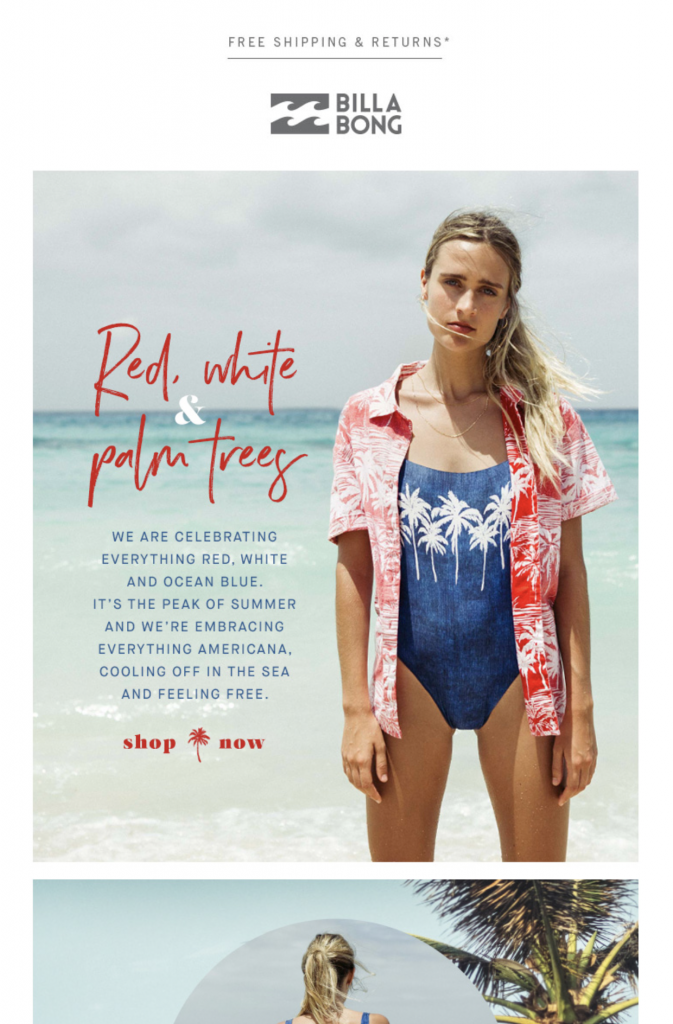
Surf's up! In this email campaign, Billabong use Memorial Day as the perfect opportunity to show off a new summer range. The red, white and blue color scheme creates a clear connection to the holiday and a huge feature image helps set the scene.

Kate Spade

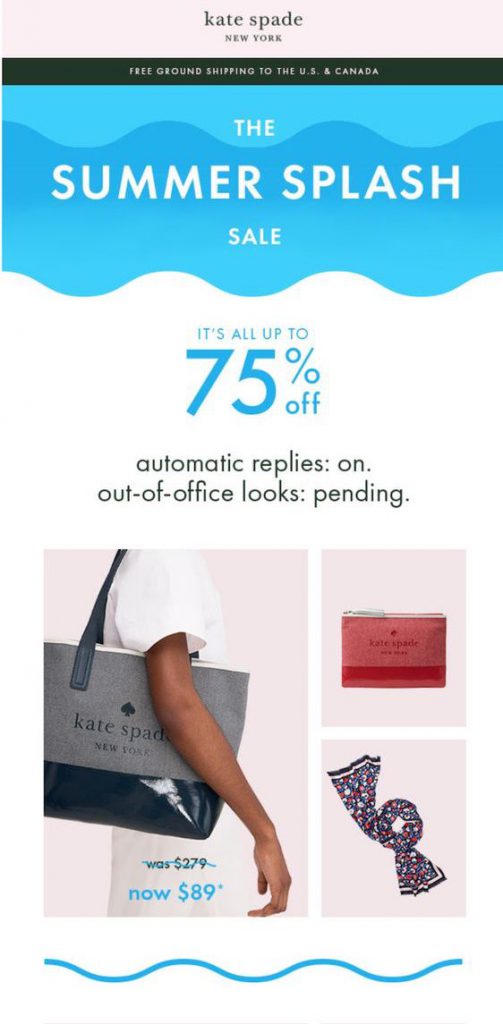
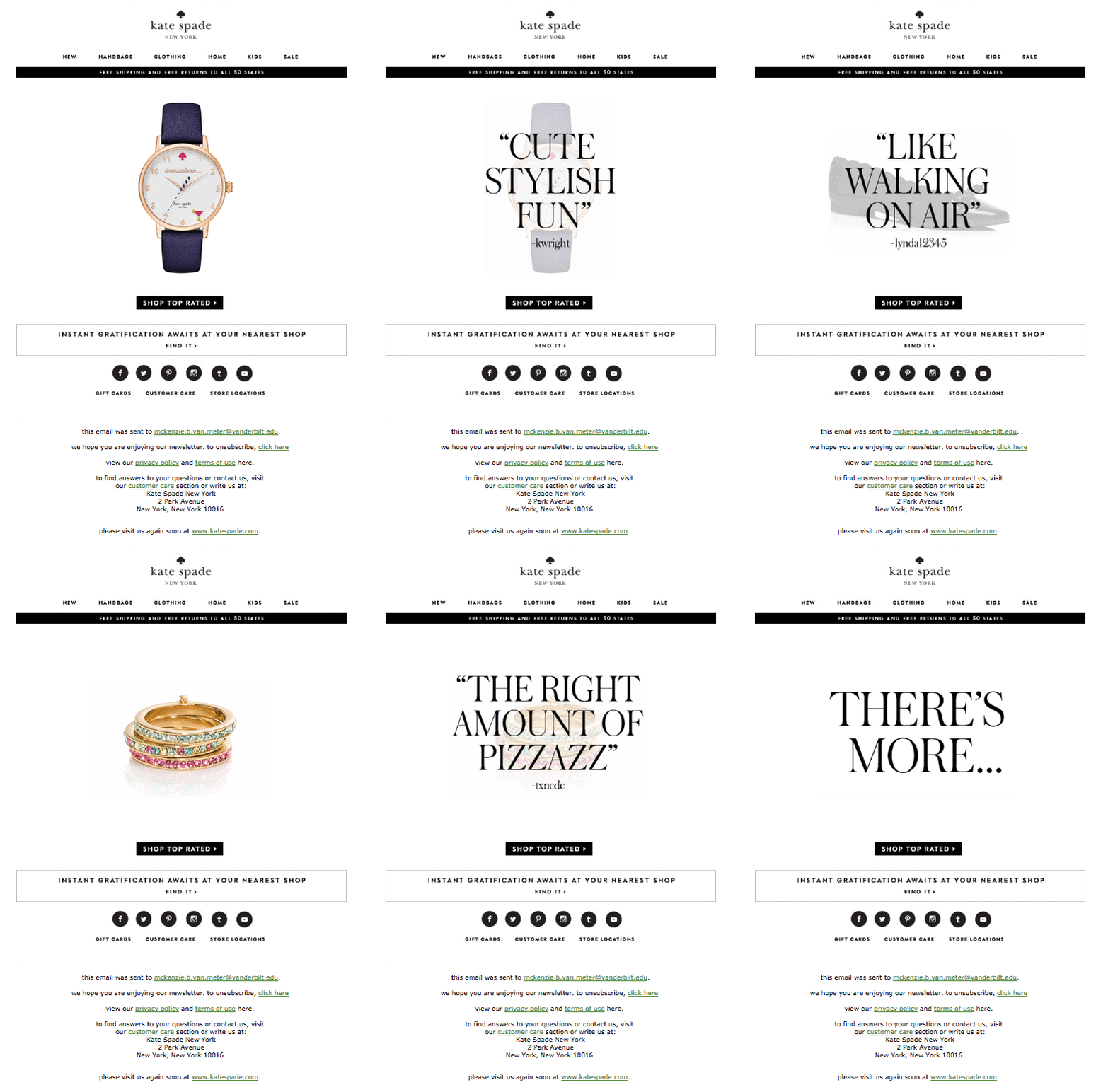
This minimalist design by Kate Spade keeps things basic and incorporates a chic, boxy layout to stylishly showcase their very best Memorial Day offers. A splash of color also helps divert readers' attention to the exciting sales headline.

Memorial Day email campaign by Kate Spade

Make it in Mail Designer 365

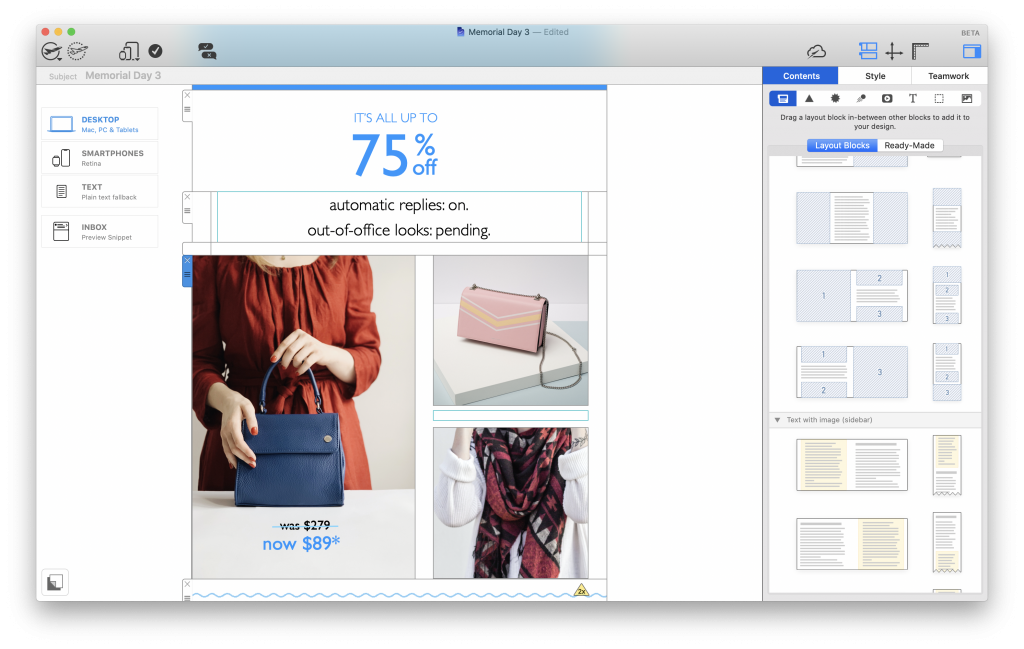
Copy Kate's on-trend boxy layout in your email designs with one of our combi layout blocks. Drag in the layout block from the "Contents" menu, resize and fill with your star products, then add text, buttons and eye-catchers to excite your readers.

Building a Memorial Day email design in Mail Designer 365

Your Memorial Day email campaign made easy

Start off the summer the right way with an exciting Memorial Day email campaign. Get inspired and recreate our favorite styles in Mail Designer 365, or explore our range of creative tools to come up with a brand new idea.

For more tips on creating an email marketing campaign for Memorial Day, check out this post.

Until next time,
Your Mail Designer 365 Team

Get started with Mail Designer 365 today

Start your 7 day free trial and use your Mac to create stylish email newsletters for your business.
No credit card required
Compatible from Mac OS X 10.11 onwards

Enjoyed this post?

Get more inspirational tips, tricks, and best practice examples in the Mail Designer 365 Newsletter Academy -
your one stop hub for all things email marketing strategy and newsletter design.
using wysiwyg editors to create HTML email designs

How to Build Emails with a WYSIWYG Editor: What to Consider

By Team equinux Mail Designer 365 Newsletter Academy

In a time where email designers are continuously pushing the boundaries to build awesome email campaigns, creating emails that make a lasting impression can be a challenge.

For many designers, a WYSIWYG email editor is a great solution for easily creating great email content. Not only can you build and test email designs in real time, you'll also save a vast amount of time doing so!

In this guide, we're taking you through the ins and outs of drag and drop email design and sharing firsthand our best practice tips on using WYSIWYG editors effectively.

Get expert email best practice tips delivered directly to your inbox!


There was a problem registering your email address.
Please check and try again.
Thank you for registering! Please check your email inbox.
We've just sent you an email for you to confirm your email address, if you haven't already.

What is WYSIWYG?

WYSIWYG (aka what you see is what you get) is a design tool used to build content, such as websites, and in our case, HTML email templates.

When using a WYSIWYG editor, your design will be updated in realtime as you edit, meaning you can check and preview your content as you go along.

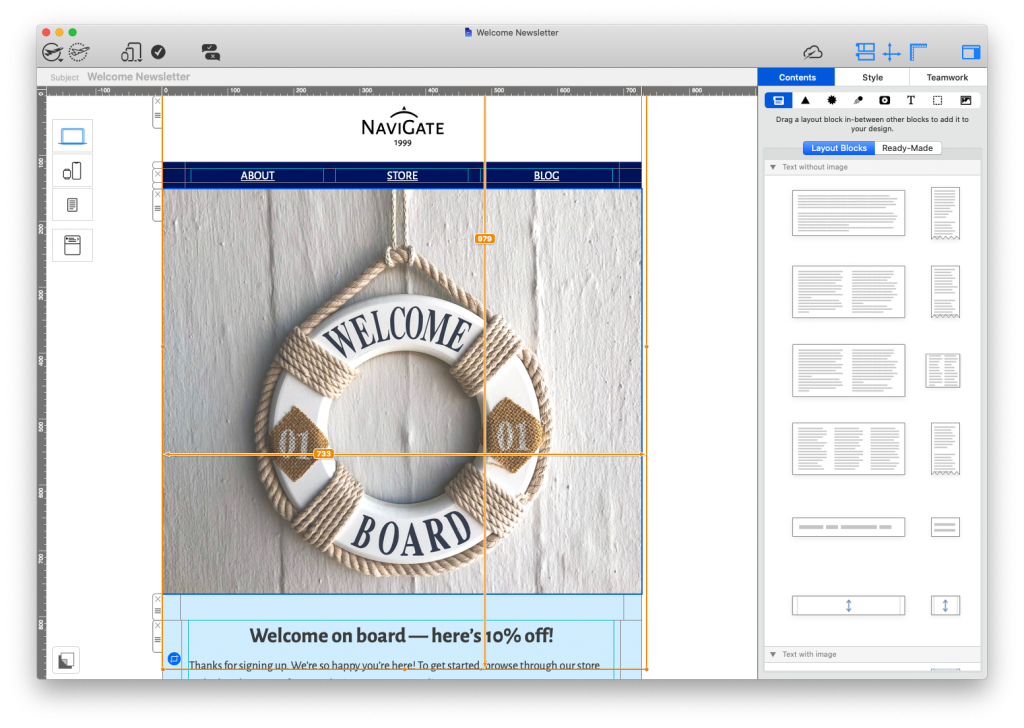
Generally, WYSIWYG editors provide you with ready-made blocks and graphics to make the design process easier (e.g. the Mail Designer 365 content library) and making changes to your layout is done by dragging and dropping elements in to your design.

Mail Designer 365's WYSIWYG editor

WYSIWYG email editors allow you to create entire HTML email designs by dragging and dropping in elements.

Benefits of Using a WYSIWYG Editor

When it comes to designing emails, a WYSIWYG editor has many great advantages - particularly if you are short on time or don't have a lot of experience with coding.

Edit and correct as you go

Even the most experienced designers know the frustration of having to continuously revisit email drafts in order to make minor changes. When working in a WYSIWYG editor, you have full control over what you are creating, down to every last pixel.

Change and edit email content with a few clicks, without having to worry about breaking the email code.

Save time for other important tasks

With drag and drop editing, what was previously a largely time consuming job can now be carried out quickly and with ease. This frees up your time to concentrate on other elements of your email marketing strategy.

You've got the design right - now you're free to spend more time crafting an effective subject line, optimizing your email copy, and segmenting your email list.

Accessible to your whole team

Due to its intuitive nature, using a WYSIWYG editor allows everyone on your team to carry out complex design techniques without coding knowledge. This way, everyone can become an email pro!

Built in resources on hand

Most WYSIWYG editors provide you with a basic selection of ready-made graphics such as buttons and social media icons that you can conveniently place into your email templates. Especially if you don't have your own graphics available, this can be a real time saver.

Tips for Creating Emails with a WYSIWYG Editor

Although a WYSIWYG editor makes it much easier to create email templates, there are still some important things to be aware of if you opt to design emails this way.

Email size

Because it's so easy to create emails using a drag and drop interface, it's also easy to quickly get carried away when it comes to the amount of content you are adding.

Adding too many elements to your email design will cause the overall file to become too large when you come to send. This can result in slow loading speeds, cut off emails, or your email not being delivered at all.

As well as monitoring the amount of layout blocks in your email design, it's also best practice to optimize the images in your email in order to reduce the overall file size.

image optimisation tools in mail designer 365's WYSIWYG editor

Optimize your email's images to ensure the overall size of the exported HTML file is not too big

For more information on this, check out our blog post.

Email compatibility

Compatibility is an important factor of any email design. There are many email clients out there and each one behaves differently. While there is no one size fits all fix, there are steps you can take to ensure your design looks good in all email clients.

One common issue that often arises when creating emails in a WYSIWYG editor is the wrong font being displayed in certain email clients. This usually happens when a font is not available on the recipient's device. Utilising text styles and email safe fallback fonts is an effective way of preventing this.

adding fallback fonts in Mail Designer 365

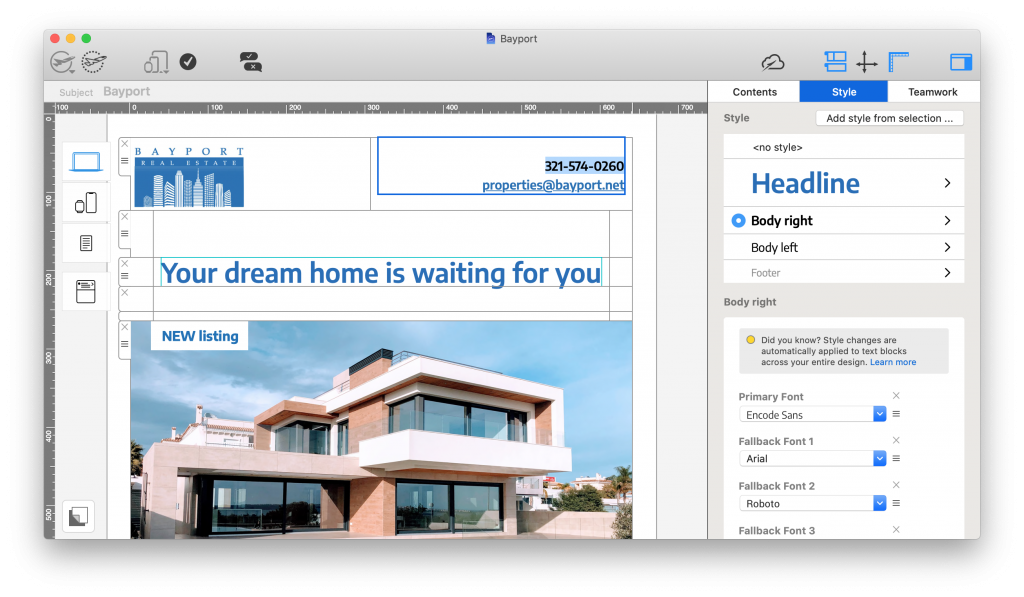
Defining text styles and adding fallback fonts helps to avoid compatibility issues in other email clients.

Email accessibility

Accessibility is important however you choose to create your email content. A design that looks good to you may be troublesome for your recipients to process. For this reason, it's important to put the right measures in place before sending.

One of the most important accessibility measures is the use of alt text. Not only is this important for when images can't be loaded properly, it also enables screen readers to describe images and other graphics to visually impaired recipients.


setting up alt texts for an email design in mail designer 365

Alt text makes your design more accessible for visually impaired readers

Learn more about accessible emails in this post.

Email deliverability

Finally, one last thing to be aware of is spam testing and email deliverability. As well as not reaching your audience, having your emails marked as spam could result in you being blacklisted from certain email clients.

With HTML emails, we recommend taking these three key steps to prevent your email message being falsely identified as spam:

  1. Include a mixture of real text and images. Image only emails are more likely to be marked as spam
  2. Include a visible unsubscribe link in your email (this is a legal requirement)
  3. Avoid using spam-like terms in your email subject line (e.g. "win", "free", "money", "$$$", etc.)


adding an unsubscribe link to an email design

Unsubscribe links are a legal requirement for all promotional emails

This post goes into more detail about how to avoid being marked as spam.

Using the WYSIWYG Editor in Mail Designer 365

Looking for a drag and drop email tool for the Mac? Mail Designer 365 is the best WYSIWYG email editor for macOS.

Alongside a vast collection of ready-made email templates to help you get started, Mail Designer 365 also offers the following great features:

  • Over 1000 possible layout combinations, including table layouts
  • Integrated smartphone view for creating mobile responsive designs
  • Modern preview tools for iPhone, iPad, Apple Watch, and more
  • Dedicated Testmail service
  • Built in web-based Approval tools for easier teamwork (learn more)
  • Direct export to Mailchimp, Campaign Monitor, and Direct Mail plus compatibility with all leading ESPs
create mobile responsive email designs in mail designer 365

Create mobile responsive designs in minutes with Mail Designer 365's WYSIWYG interface.

Get started with Mail Designer 365 today

Start your 7 day free trial and use your Mac to create stylish email newsletters for your business.
No credit card required
OS X 10.11 - macOS Big Sur

Enjoyed this post?

Get more inspirational tips, tricks, and best practice examples in the Mail Designer 365 Newsletter Academy -
your one stop hub for all things email marketing strategy and newsletter design.
planet earth poster by Greenpeace

Creating Email Campaigns for Earth Day - Best Practice Tips

By Team equinux Mail Designer 365 Newsletter Academy

Planet Earth is our home and we owe her a lot! What better way to celebrate the world we live in than by creating powerful email content for Earth Day?

Whether you're planning an exciting promotion, sharing sustainability tips with subscribers or raising awareness about key environmental issues, you can use email to make this Earth Day really count.

In this post, we're sharing some of our favorite examples of Earth Day email campaigns, including some best practice tips on how to create your own email template for Earth Day.

Get expert email best practice tips delivered directly to your inbox!


There was a problem registering your email address.
Please check and try again.
Thank you for registering! Please check your email inbox.
We've just sent you an email for you to confirm your email address, if you haven't already.

What is Earth Day?

Earth Day is a large global movement, founded in 1970, to promote clean and sustainable living on our planet. It is celebrated worldwide each year on April 22nd.

The focus of Earth Day is on protecting the earth for future generations. This includes raising awareness about important topics such as: climate change, saving energy, wildlife conservation, cutting down on greenhouse gas emissions and reducing waste.

Today, more and more people are actively aiming to become more environmentally friendly. Earth Day provides businesses with a chance to not only raise awareness of topical issues, but also to demonstrate their role in working towards a better, more sustainable world.

planet earth poster by Greenpeace

Earth Day takes place every year on April 22nd and focuses on environmental conservation and sustainability

Best Practice Tips and Ideas for Earth Day Emails

If you're creating an Earth Day email campaign for the first time, you might be wondering where to begin. Follow these key tips to get started...

Craft an engaging subject line

The subject line is the first thing your readers will see and often determines whether or not they will open your email - especially in email providers like Gmail and Outlook, where promotional emails are kept separate.

For this reason, it's important you give it your all when it comes to crafting the subject line. Use keywords relating to Earth Day and try including topical emojis to add a pop of color (🌎💚🌲🌱).

Making your email subject as intriguing and interesting as possible helps guarantee your readers will click through to the rest of your campaign.

Write positive email copy

Earth Day is all about encouraging each other to take care of the planet and become more sustainable for future generations. For this reason, it's best practice to adopt a positive, motivational tone in your emails.

As well as general messages of encouragement, this could also include sharing tips and useful advice on how to become more sustainable, plus highlighting positive progress your business and customers have already achieved.

Include earthy tones in your design

Green, teal, blue and neutral tones are all great for an Earth Day email design. Typically, green is most associated with environmental issues, but including a combination of earthy tones is a great way to mix things up and make your design more visually effective.

Share powerful images

A picture speaks a thousand words. Whether it's images of your business actively contributing to conservation efforts, product photos of a new sustainable product line or powerful stock photos, the right image can make the world of difference to your email.

Check out websites such as Unsplash, Pexels, and Pixabay for access to high quality, license-free stock images to include in your designs. You can also use the image editing tools in Mail Designer 365 to give your images even more emphasis.

Use social media to your advantage

While email is one effective communication channel, you can also use your other social media platforms to continue the conversation online. Instagram, Twitter, YouTube, etc. are all great platforms for connecting with your customers which can be easily cross promoted in your email campaigns.

Make sure all of your emails contain links to your other social media pages and don't forget to use the #EarthDay hashtag for even more exposure.

Our Favorite Earth Day Email Campaigns

Discover email design inspiration for your Earth Day email campaigns from big name brands. Want more great examples? Check out our "Spring" Pinterest board for even more inspiring seasonal designs.

J Crew

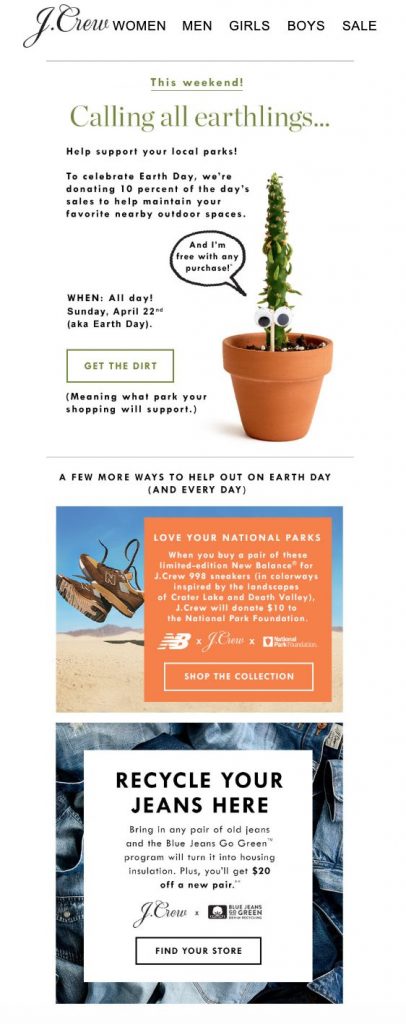
earth day email campaign by j crew

Charitable Earth Day email campaign by J Crew

This powerful campaign by J Crew not only gives back to the Earth by supporting local national parks, it also shares practical tips with readers on how to shop sustainably.

Jurlique

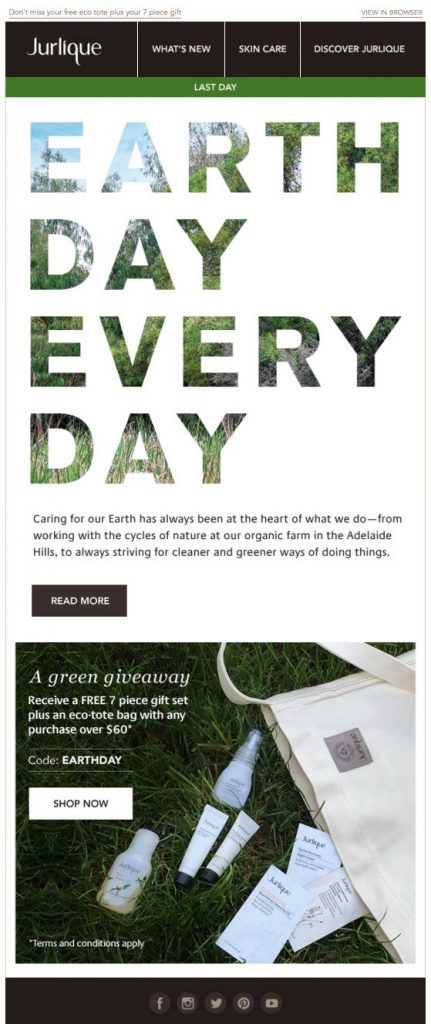
Earth Day email campaign by Jurlique

"Earth Day every day" is the message in this campaign by Jurlique

In their Earth Day campaign, skincare brand Jurlique inform their customers about their efforts to operate sustainably. An eco-friendly free gift promotion also adds an extra element of flair to this email.

P.S. Love the headline effect created in this email? Use Blend Modes in Mail Designer 365 to recreate this cool, natural lettering in your Earth Day campaigns!

Lou & Grey

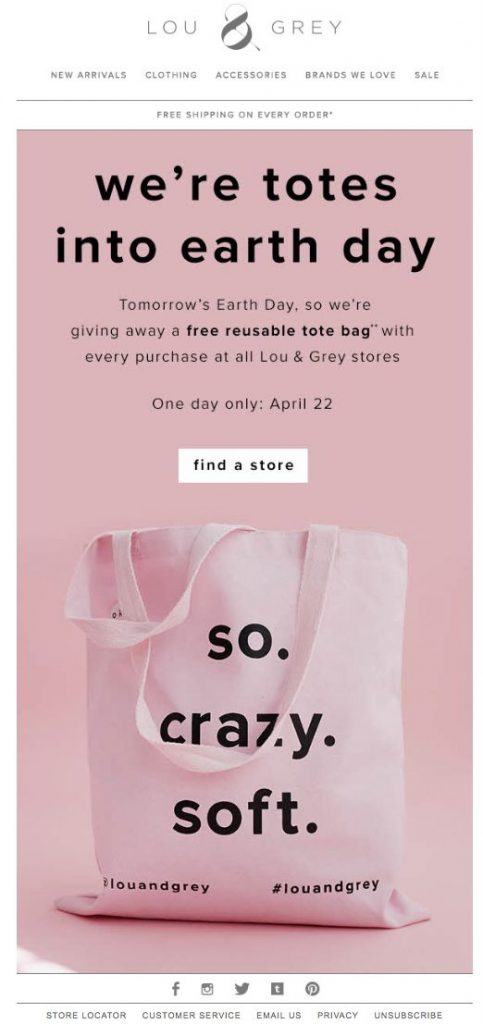
Earth Day email by Lou & Grey

This pink design by Lou & Grey perfectly incorporates key brand elements into a seasonal promotion

This Earth Day email design by Lou & Grey is another good example of a themed giveaway promotion. Although it's not a typical design for the theme, we love how Lou & Grey have stayed true to their branding and were still able to spread awareness about this important event.

Adobe

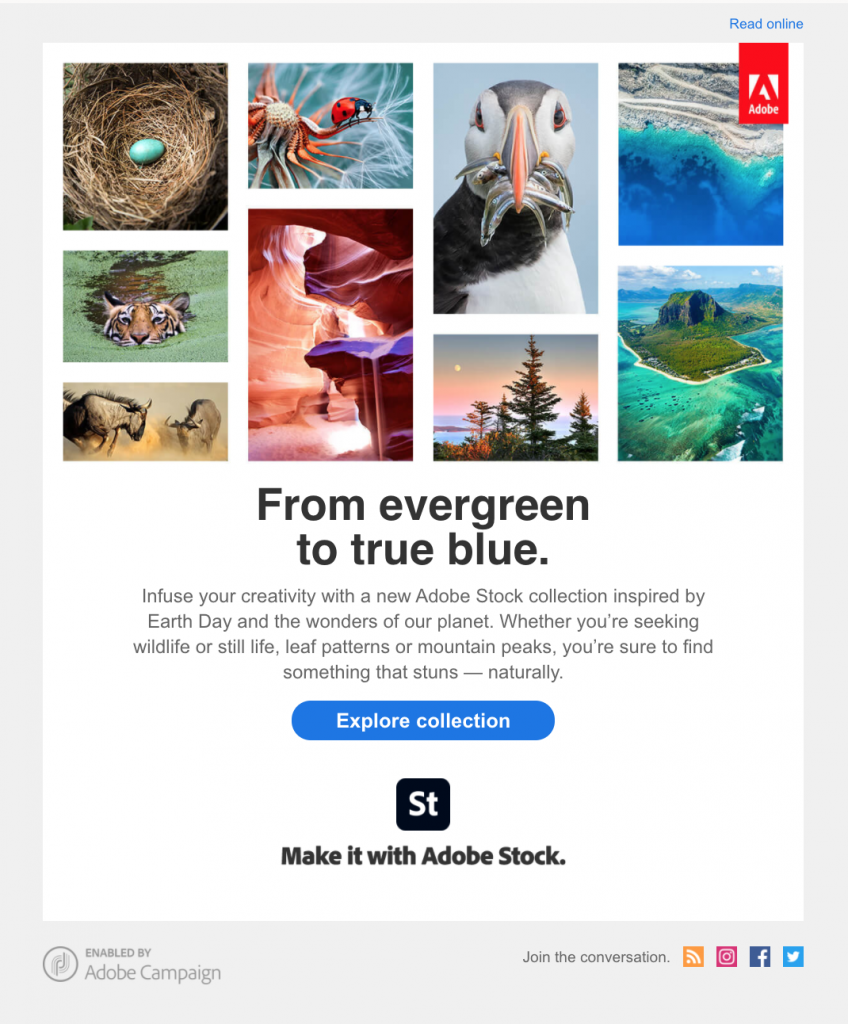
Earth Day email campaign by Adobe

Adobe used this email campaign to celebrate the beauty of planet earth with subscribers.

In this campaign by Adobe Stock, Adobe use powerful imagery to show the beauty of planet earth and promote their dedicated collection of natural images.

Pet Smart

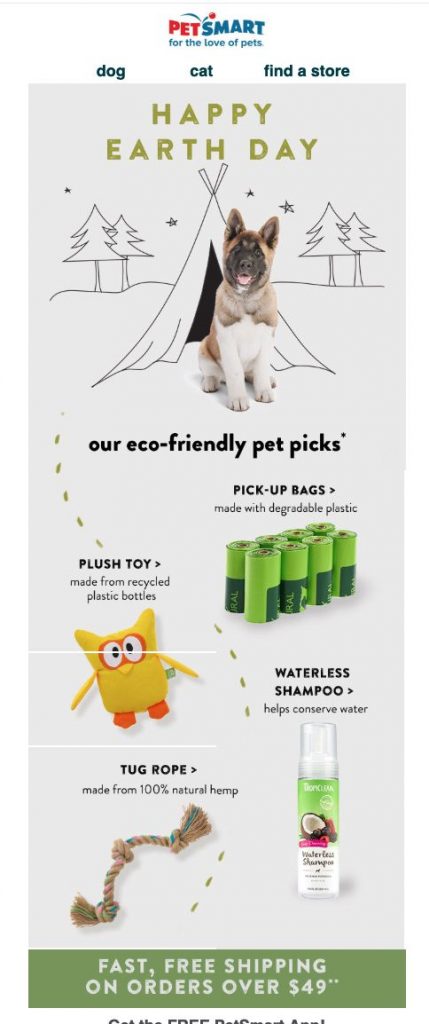
email campaign for Earth Day by Pet Smart

Pet Smart created an email campaign highlighting their most eco-friendly products in honor of Earth Day.

This Earth Day email by Pet Smart showcases some of their top eco-friendly products for customers looking to buy sustainably. The cute dog graphic fits well with the theme and keeps the whole email lighthearted - making the subject matter easier to process and enjoy.

Leesa

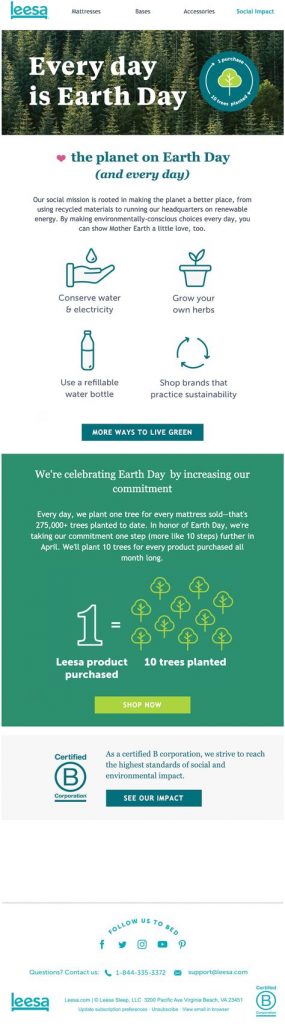
Earth Day email promotion by Leesa

Leesa proves their commitment to sustainability with this informative Earth Day campaign

We love the earthy colors and messaging in this Earth Day email by Leesa. In this campaign, they go the extra mile to show their customers how they are actively working to become more sustainable.

Sharing tips and advice with customers is also a great way for them to use their platform for good.

Create Awesome Earth Day Email Templates in Mail Designer 365

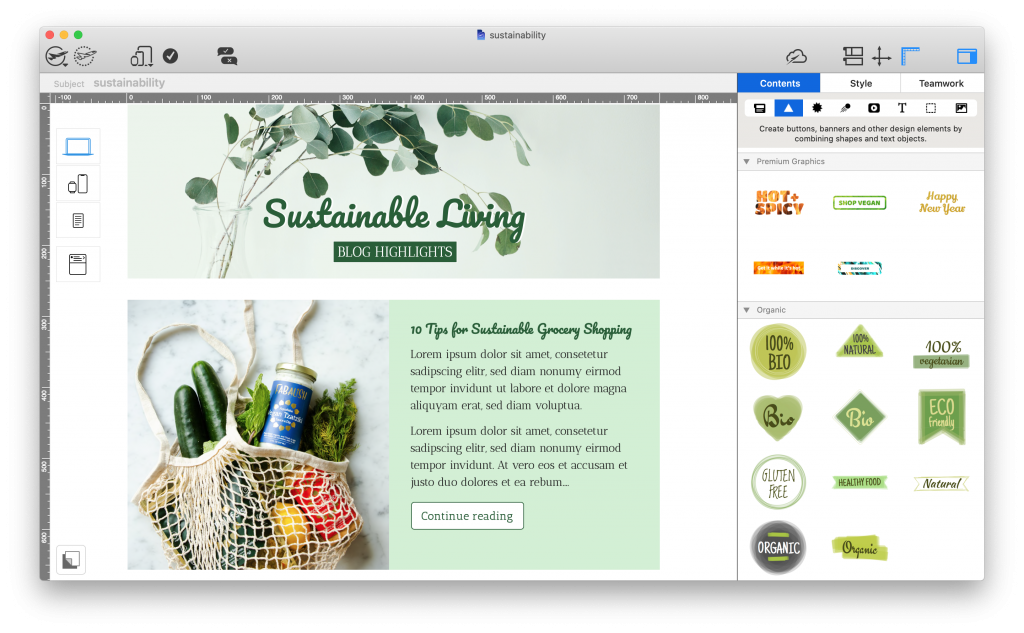
Mail Designer 365 has all the tools and resources you need to create powerful email campaigns this Earth Day. From ready-made HTML email templates to eye-catching sustainability graphics, you can build your next email template in minutes - with a little help from the intuitive drag & drop editor.

mail designer 365 email template for sustainability tips

Share sustainability tips with this eye-catching email template: exclusively available in Mail Designer 365

Not got a Mail Designer 365 plan yet? Start your free trial today and start creating amazing email designs for Earth Day and all year round.

Get started with Mail Designer 365 today

Start your 7 day free trial and use your Mac to create stylish email newsletters for your business.
No credit card required
OS X 10.11 - macOS Big Sur

Enjoyed this post?

Get more inspirational tips, tricks, and best practice examples in the Mail Designer 365 Newsletter Academy -
your one stop hub for all things email marketing strategy and newsletter design.
women working on a macbook

10 Awesome Email Designs We Have Loved So Far in 2021

By Team equinux Mail Designer 365 Newsletter Academy

To say the first few months of this year have been strange would be a a rather large understatement; however, if one thing's certain, it's that the quality and creativity of email designs keeps on getting better.

Whether you're looking for email inspiration for your next campaign or just a general #EmailGeek like we are, you're in the right place!

In this roundup, we're covering our 10 favorite emails of 2021 so far, including seasonal campaigns, announcements, product launches, automated mailings, and more. Keep on reading to scroll through our favorite campaigns of the year and get exclusive tips on how to recreate these styles in your own emails!

10 Awesome Emails We Have Loved So Far in 2021

ASOS

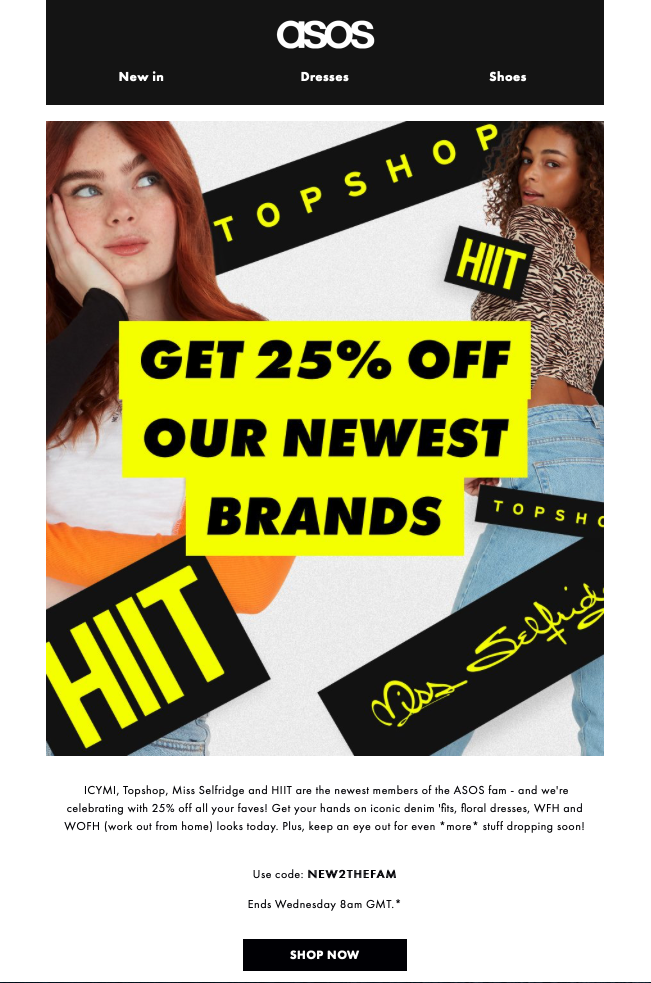
When announcing their acquisition of Topshop, HIIT and Miss Selfridge, ASOS launched an exciting promotion, giving customers 25% off their latest brands.

The bright black and yellow color scheme paired with big, bold text immediately attracts attention and creates an email design that just has to be clicked on.

email promotion by ASOS

The yellow and black theme in this design by ASOS immediately draws the customer in

Make it in Mail Designer:

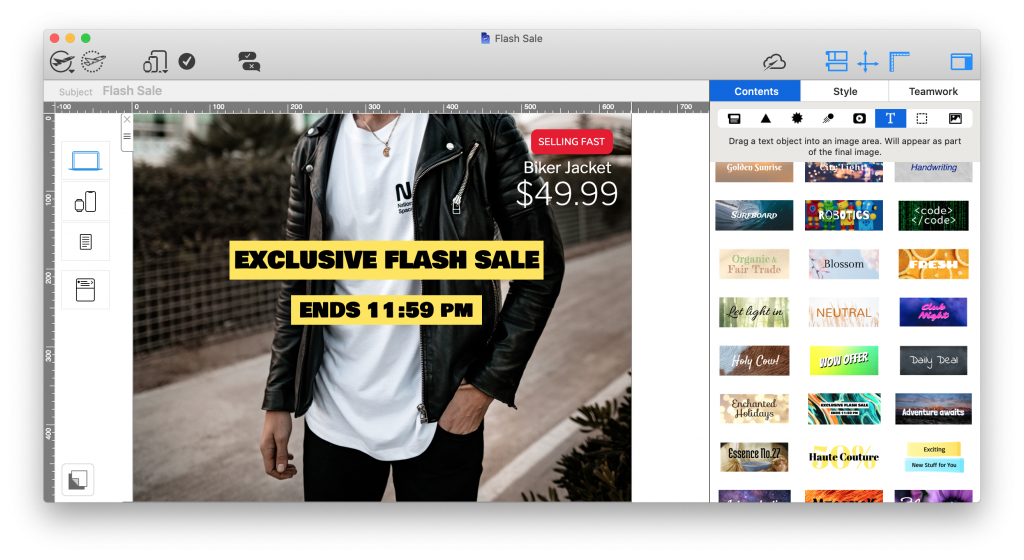
Mail Designer 365 has 1000s of license free web fonts available, as well as ready-made text objects to drag and drop into your design. Use these for call-to-action buttons, eye-catchers, and headlines:

email promotion created in mail designer 365

Really Good Emails

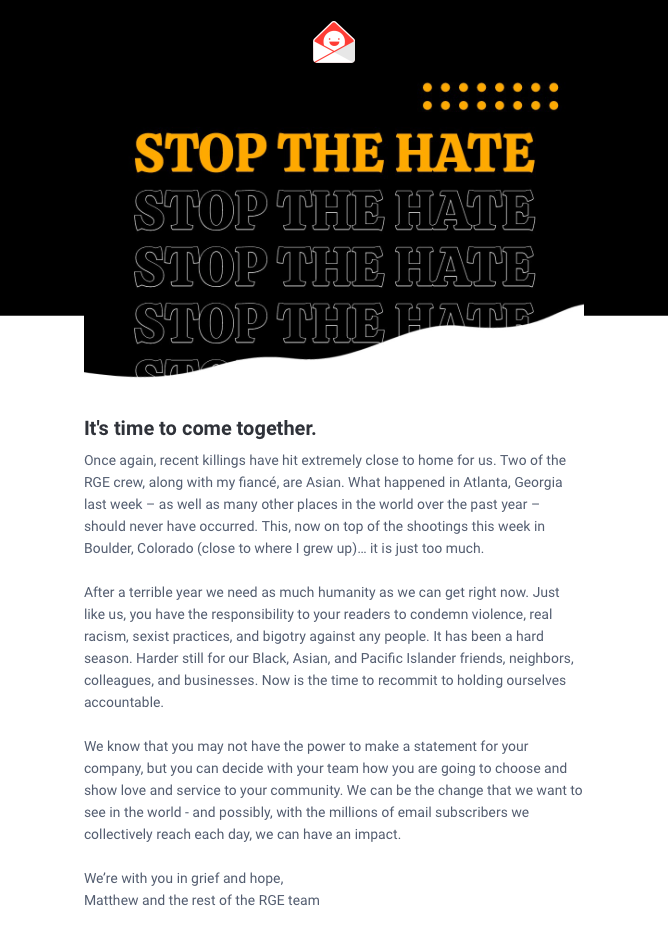
Of course, email campaigns are not always sales and promotion based, as demonstrated here by Really Good Emails. We are all for brands using their platforms to do good and promote key values and that's exactly what can be seen in this statement.

A simple email header does enough to compliment the layout and show the RGE branding without taking away from the importance of the content.

For subscribers, emails such as this contribute positively towards the overall brand image and help improve the CSR (corporate social responsibility) of the company.

company statement email by Really Good Emails

The message in this email by Really Good Emails shines through loud and clear and does a great job of showing the company's stance on an important issue

Make it in Mail Designer 365

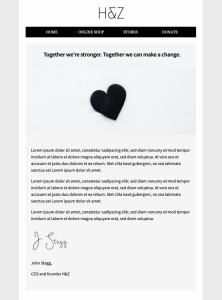
Mail Designer 365 has a variety of email templates for company announcements and statements. Simply insert your logo and edit to share your important message with subscribers.

HTML email template for company statements

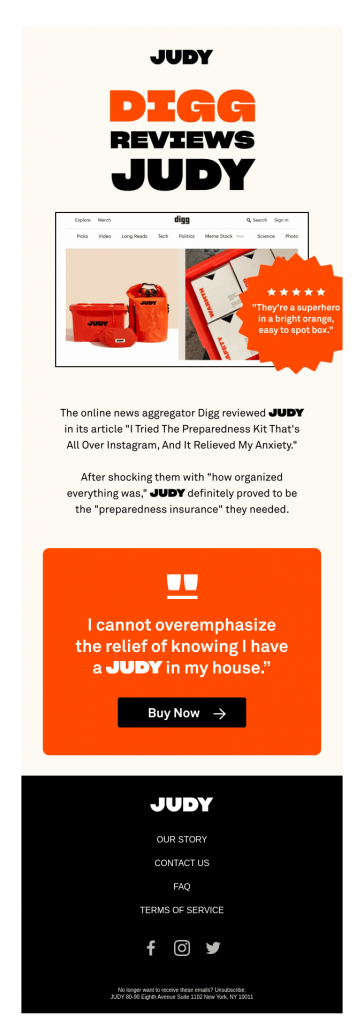
JUDY

Sharing positive reviews is one great way to generate more buzz around your products - as shown in this bright and colorful email design by JUDY.

We love the emphasis created by using a shape to frame the reviewer quote and the hot orange color scheme is also totally on brand. Including a CTA (call-to-action) right after a positive review is a great way of influencing customers to get their hands on a much-loved product.

email design by JUDY

This colorful design by JUDY promotes their emergency kits by including positive customer reviews

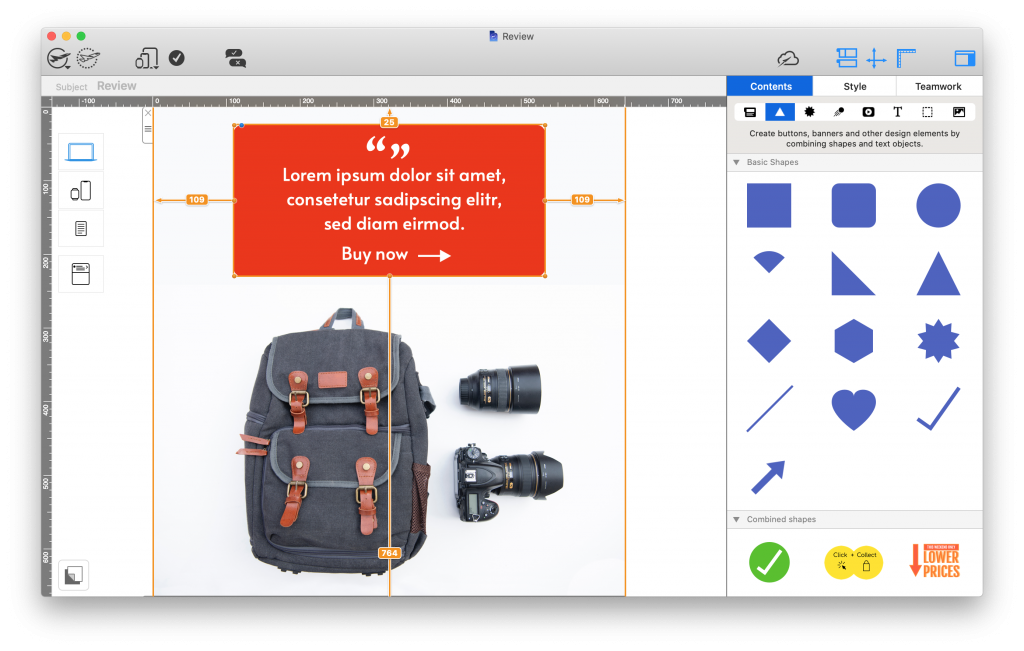
Make it in Mail Designer 365

Mail Designer 365  offers a range of shape tools which you can use to create similar eye-catchers in your designs. Whether you're showcasing a review, building CTA buttons or highlighting product features, you can configure shapes to perfectly fit the overall look and feel of your brand:

customer testimonial accent box created in Mail Designer 365

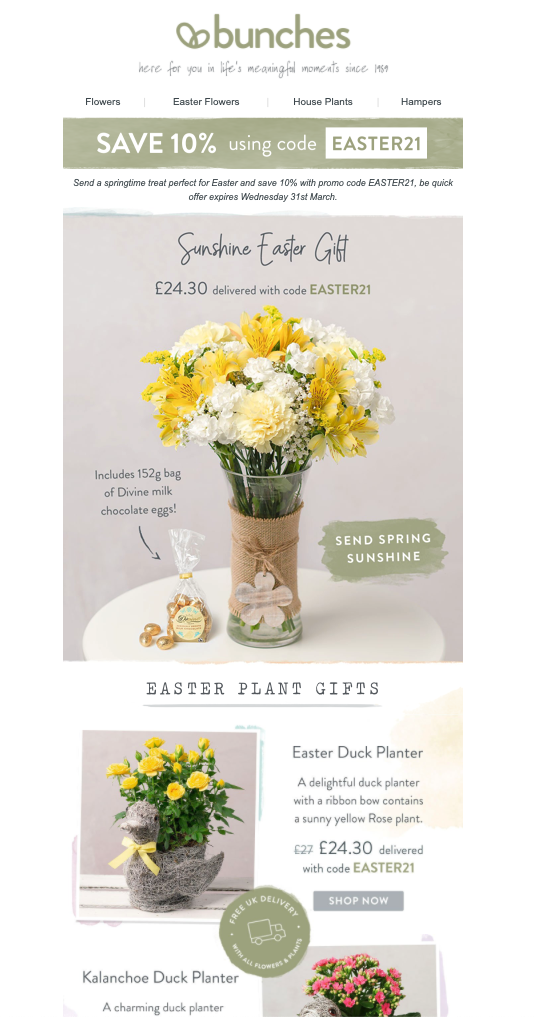
Bunches

Rule number one of a good gift guide: Include impressive product photos. The rest will come naturally!

This Easter gift guide email by Bunches is a great example of a seasonal promotion. Not only does it stick to the classic Easter color scheme, it also goes the extra mile to point out special details about the advertised products, encouraging the reader to purchase. Of course, the 10% discount also helps seal the deal too!

easter email campaign by Bunches

This warm and inviting gift-guide email by Bunches ticks all the boxes for a classic seasonal campaign with its classic spring coloring

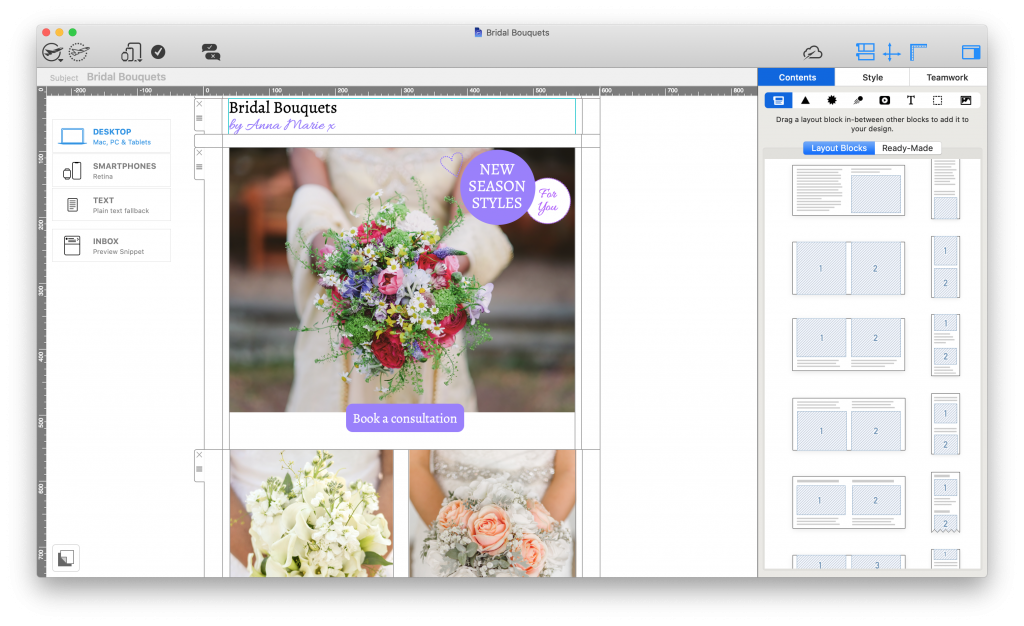
Make it in Mail Designer 365

Proudly show off your best products center stage with an array of eye-catching layout options. Whether you're looking for a full-width feature image or smaller combi product blocks, Mail Designer 365 has dozens of practical layout options you can use in your designs to let your products steal the show:

html email layout for better product placement - made in mail designer 365

Quizlet

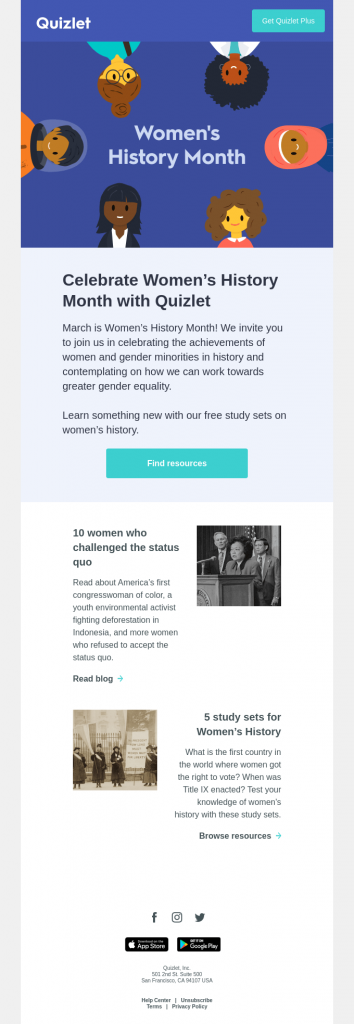
We love businesses that also use their emails to share useful knowledge with customers - just like this email by Quizlet for Women's History Month.

The layout is clean and easy to read and helps the reader discover useful resources to read up on.

email for women's history month by quizlet

We love how this email by Quizlet goes all out to share useful, educational content about women's history with readers.

Canva

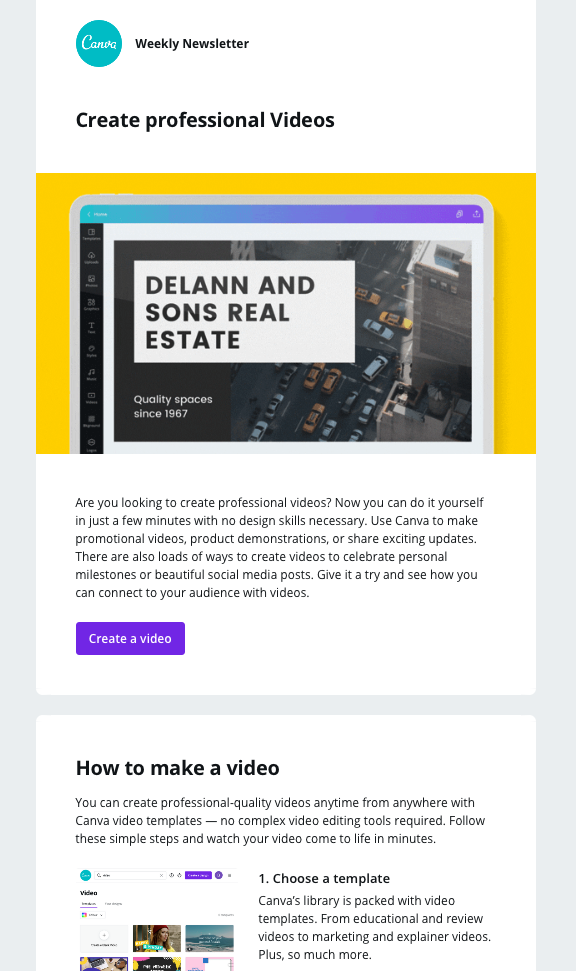
Sticking to the educational theme, this email by Canva is also an in-depth look at how to benefit from their service.

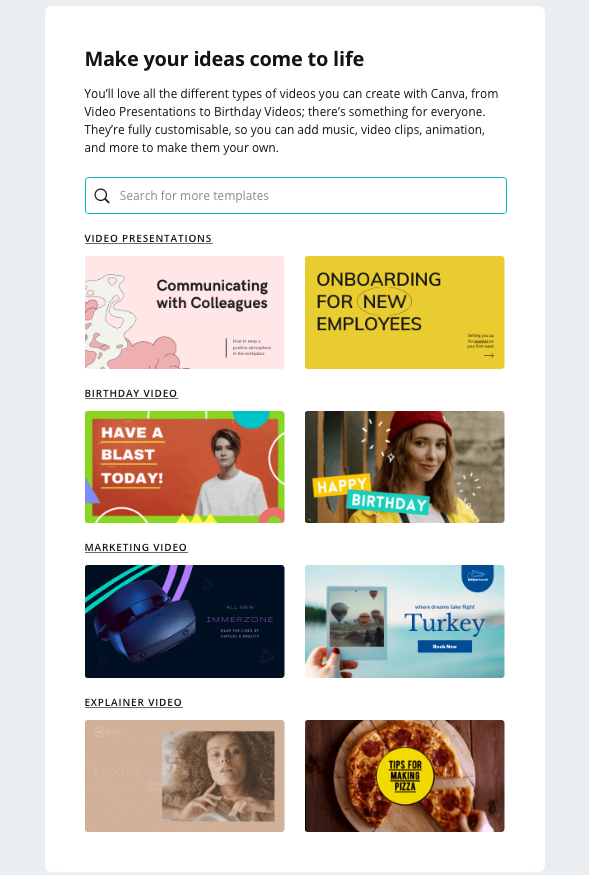
The topic of the email campaign is video creation and its clear structure allows users to process bitesize information and quickly learn more about the topic, without having to leave the email.

Tutorial email by Canva

Tutorial email by Canva

The search box graphic is a smart way for Canva to get more readers on to their website to browse the designs they have available

Thortful

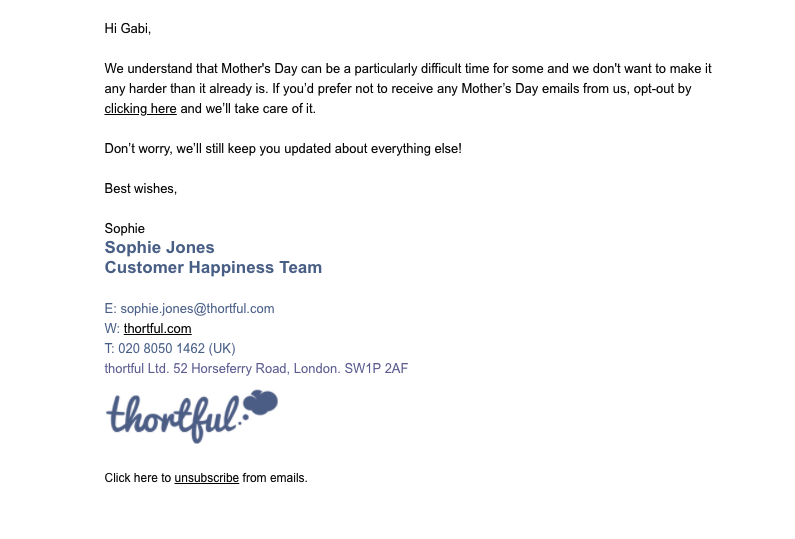
This email by Thortful may not be winning any prizes for its basic design, but the sentiment behind it is deserving of praise and recognition.

Seasonal events like Mother's Day, Father's Day, etc. are huge in the marketing world but can be sensitive to some. By addressing customers in advance in a direct and considerate manner, Thortful are doing a great job of safeguarding them against any content which may not be appealing or relevant.

As well as this, they are also helping to ensure subscribers who do not wish to receive Mother's Day content will not unsubscribe from their list as a result of too many promotional emails.

Not only is the email personalised for each recipient, it also landed in the "Primary" folder in Gmail, making it hard to miss.

Emails like this aren't seen often but have a tremendous impact on the customer's overall experience with your brand

Nintendo

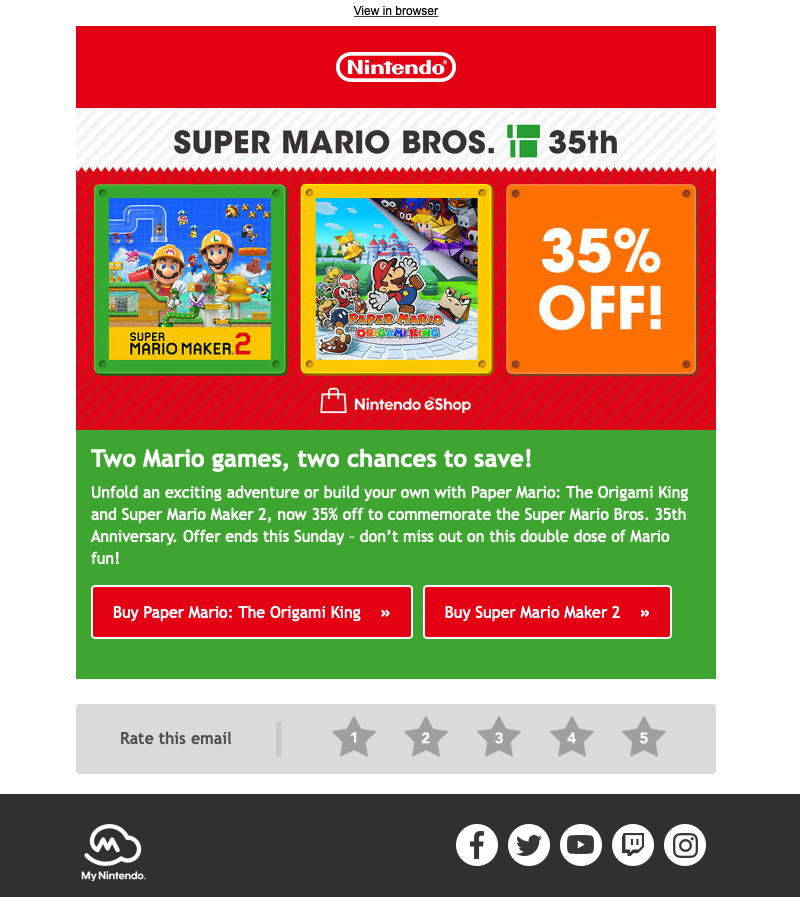
In this eye-catching promotion for the classic and beloved Mario Bros, Nintendo use bold colors and prominent CTAs to tempt recipients into making the most of the 35% off offer.

The star rating at the bottom of the email is also a great way of allowing subscribers to share their response to the email, giving them scope for further optimization in the future.

email promotion by Nintendo

Bold colors, striking CTAs and fun promotional graphics make this sales email by Nintendo one of our favorites of the year

Make it in Mail Designer 365

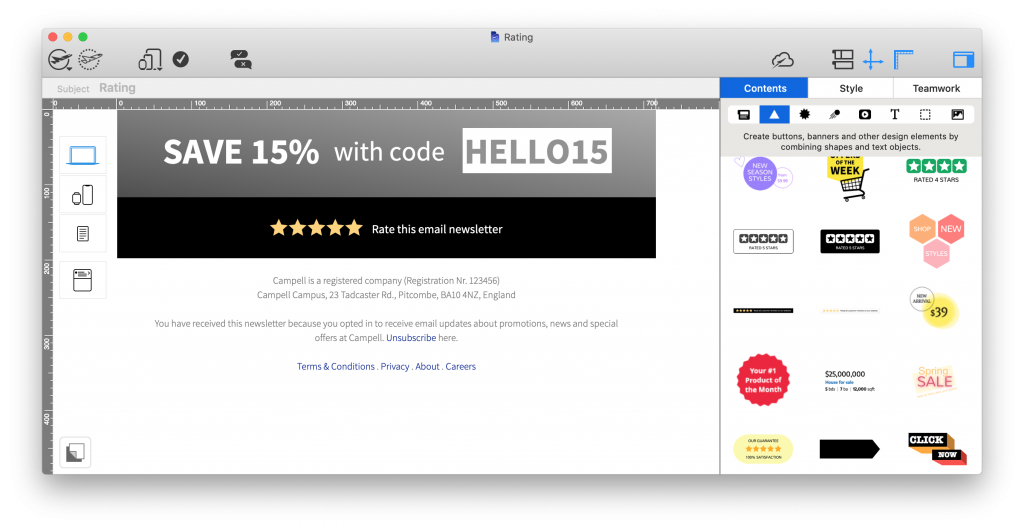
Recreate these all-important star rating charts in Mail Designer 365 using the star shape tool. In a hurry? Find ready-made ratings graphics in the content sidebar:

star ratings graphic made in mail designer 365

Spotify

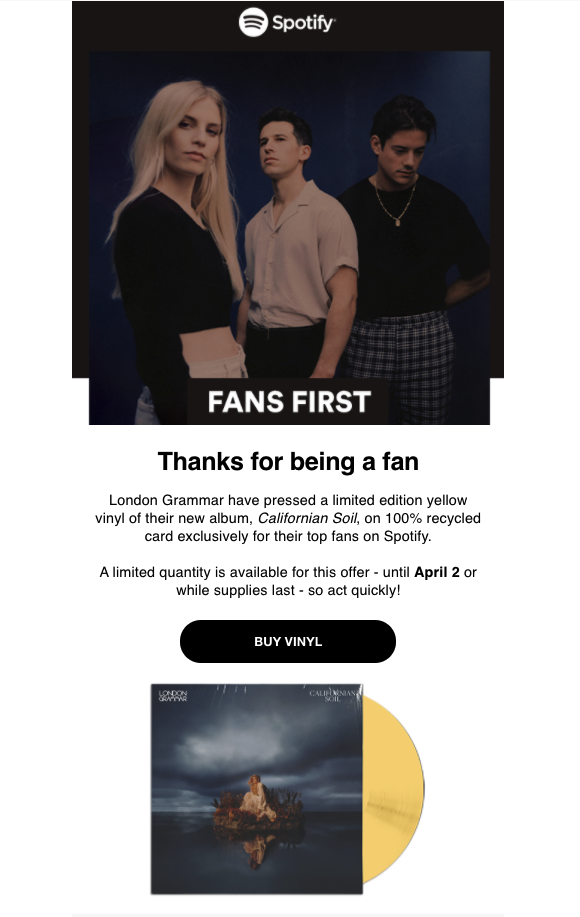
Spotify do a great job of segmenting their email list based on the music preferences of users. This allows them to create tailored content like this email promoting an exclusive London Grammar vinyl.

The engaging email copy, use of personal pronouns in the subject line ("London Grammar made you something special) and "thank you" message all work together to give the recipient the impression they are connecting directly with their favorite artists.

email design by Spotify

This email campaign by Spotify is a great example of personalisation and tailoring email content specifically for smaller target groups.

Buffy Inc

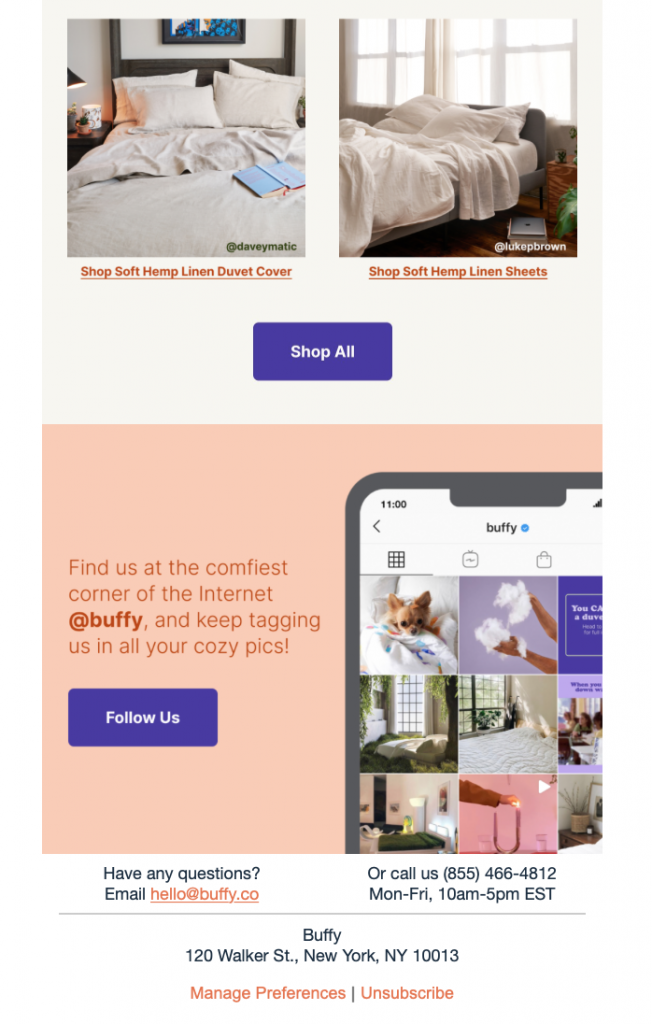
Email is a great tool to promote your other social media platforms, such as your Instagram account, and grow your following even more.

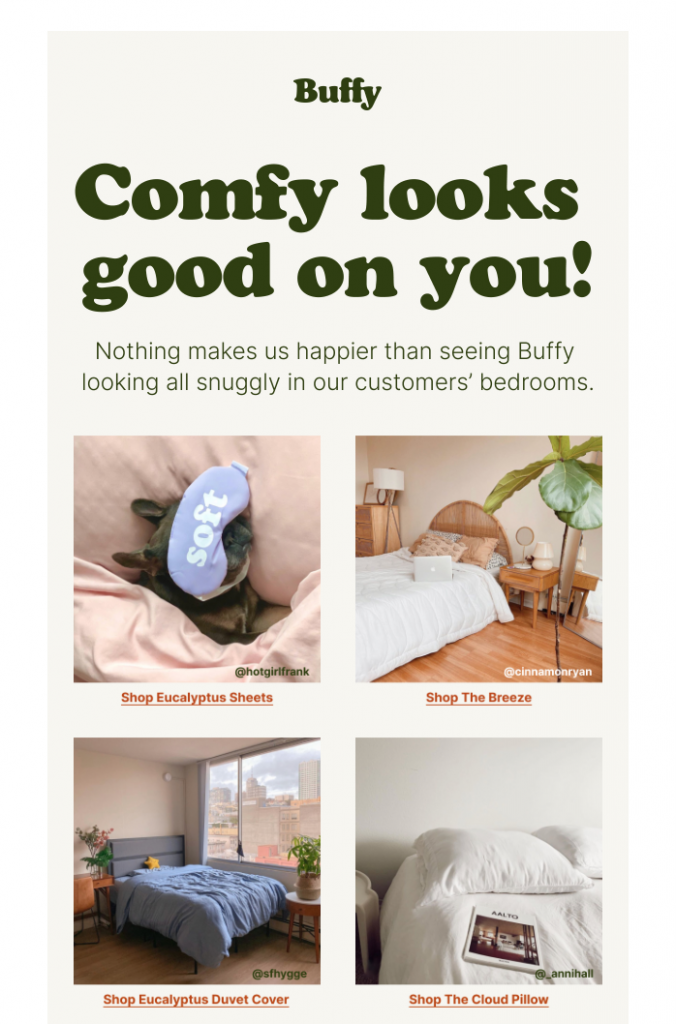
This email by Buffy Inc is a great example of how to promote your products and Instagram account at the same time. The real life product photos serve as informal customer testimonials which help influence your readers and reinforce trust in your products.

The social media CTA box rounds off the Instagram-themed email nicely and even encourages customers to share their own product photos: a win-win for the business!

email template by Buffy Inc

html email design by Buffy Inc

This campaign by Buffy not only shows their products in action, it also draws subscribers' attention to their Instagram account

Make it in Mail Designer 365

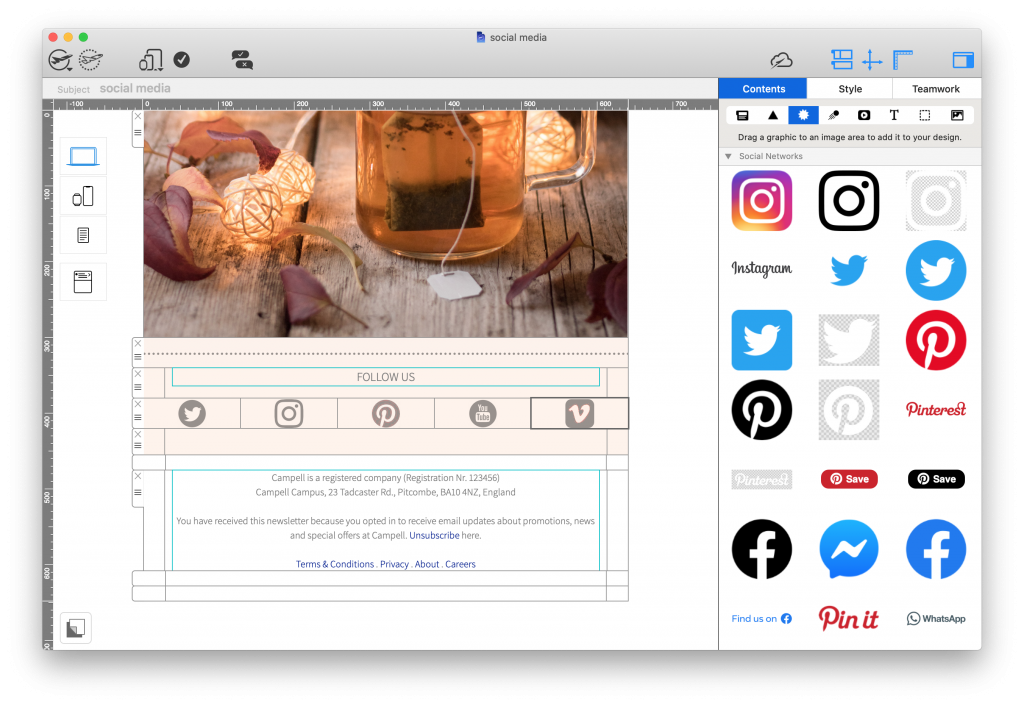
The Mail Designer 365 Contents library contains logos and icons for all leading social media platforms, including Twitter, Instagram, Pinterest, Facebook, YouTube, and Tumblr. This makes it easy to build up social media CTAs and promote your platforms in your emails:

social media call-to-action block made in mail designer 365

Get started with Mail Designer 365 today

Start your 7 day free trial and use your Mac to create stylish email newsletters for your business.
No credit card required
OS X 10.11 - macOS Big Sur

Enjoyed this post?

Get more inspirational tips, tricks, and best practice examples in the Mail Designer 365 Newsletter Academy -
your one stop hub for all things email marketing strategy and newsletter design.
medical professional typing on a MacBook

Email Marketing for the Healthcare Sector - What You Need to Know

By Team equinux Mail Designer 365 Newsletter Academy, Industry Examples

With the digital age really taking storm, organizations worldwide are looking for ways to use technology to streamline their workflows. The healthcare sector is no exception: With more and more medical practices taking the plunge and switching over to electronic forms of communication, we're looking at how email can be utilized in the healthcare industry.

In this guide, you'll find all you need to know about the benefits of developing an email strategy for your medical practice, as well as some of our best practice tips to get you started!

Why should I use email for my medical practice?

As well as being low cost and super easy to use, email is proven to be a highly effective mode of communication.

Communicating with staff and patients via email is an efficient way to share important news, make big announcements, and help simplify the day-to-day administration of your medical practice.

medical professional typing on a MacBook

What kind of emails are sent in the healthcare sector?

As the healthcare sector spans across such a broad range, the world really is your oyster when it comes to building up an email strategy.

That being said, here are some popular ways medical practices and clinics are utilising email to benefit patients and streamline communications:

  • Welcome emails and important information for new patients
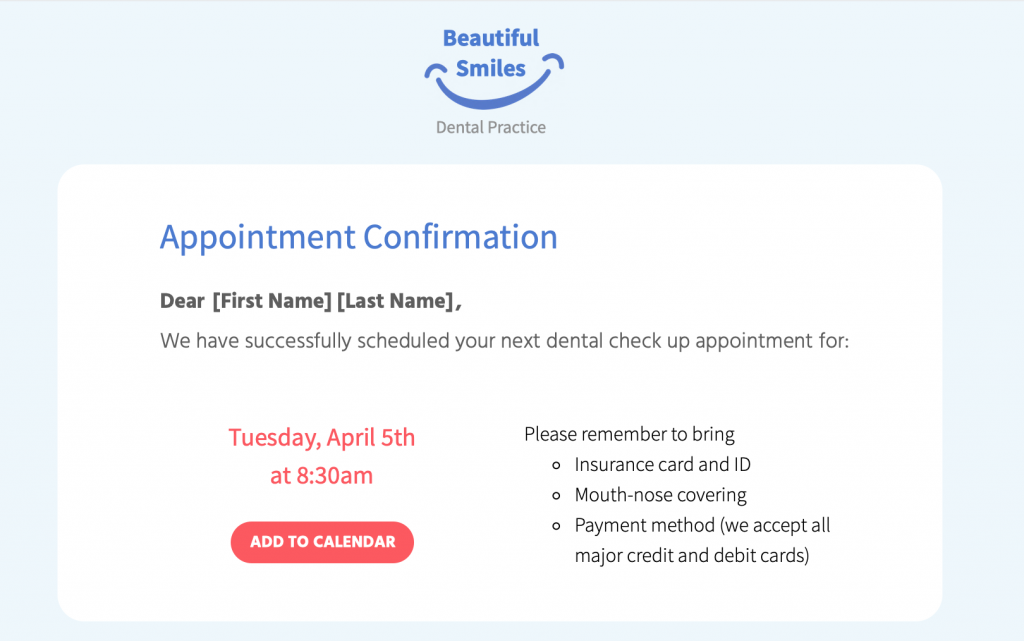
  • Automated emails: Appointment confirmations/reminders, test results, invoices, doctor ratings, feedback forms
  • Promotions: Discounted cosmetic procedures (i.e. teeth whitening, laser hair removal)
  • Informative Newsletters: Medical tips, healthcare advice, pregnancy advice
  • News & Announcements: Clinic closures, new telephone number/opening hours, new equipment, video consultations
  • Targeted campaigns: Flu jabs, vaccinations, pap smear test, dental check up
  • Internal staff updates, medical board, meeting minutes, health & safety policy

What to Include in Emails for Your Medical Practice: The Essentials

Incorporate your practice's branding

No matter how big or small, every medical practice has its own unique identity which should also be reflected in your emails.

Your branding is what your patients associate with you and often the reason they choose you over other practices. Incorporating important brand elements such as your logo and color scheme helps patients connect the email with your practice and adds to the overall impact.

medical email template in Mail Designer 365

Include your practice's logo in a prominent position within your design to really emphasise your branding

Use personalisation to connect with patient

Connecting to patients on a personal level is an important way of gaining their trust and helping them feel at ease. This also goes for your emails. Using placeholders for personalisation allows you to go the extra mile for patients and tailor emails just for them.

Keep the tone calm, professional and reassuring

In many cases, your emails will be related to sensitive issues such as medical appointments, test results, and important reminders.

It's best practice to ensure the tone of your email copy is calm and reassuring, especially when the aim is to encourage patients to book a check up or attend an appointment.

Keep the email text clear and concise so that your message gets straight to the point.

Use sensible font options

Continuing on from the last point, it is also best to use a simple typeface for your email copy. In most cases, sans serif fonts tend to work best as they are clean and  and usually easier to read.

In contrast, using a more elegant or artistic typeface can take away from the key message of your email and also come across as unprofessional. Moreover, elaborate fonts can also be challenging for any patients with visual impairments or reading difficulties to process, making your emails less accessible.

Read more about accessibility in emails here.

Include a range of contact information

As a medical practice, it's critical your patients are always able to get in touch with you. For this reason, every email you send should contain all your key contact information.

This is particularly useful if patients have questions relating to the content in your email. Having all your contact details on hand makes it easier for them to get the answers they need right away.

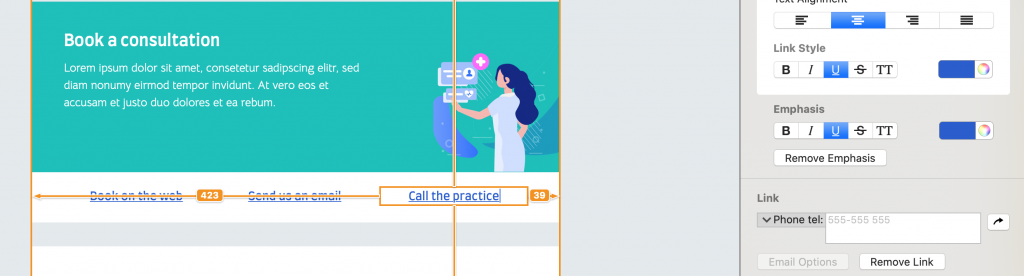
Mail Designer 365 offers a range of link types, including mailto links, telephone links and SMS links. Configure your mailto links with a pre-determined subject line and message to speed up the process even more.

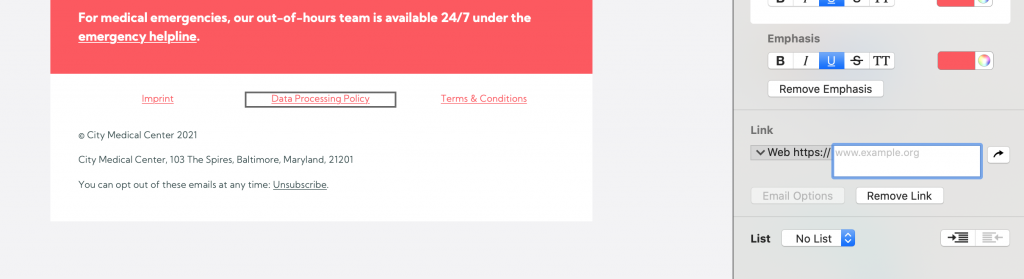
configuring contact links in a medical email template in mail designer 365

Configure custom contact links in your emails to make it easier for patients to get in touch

Write a disclaimer and link to your privacy policy

Healthcare is a sensitive topic and for your patients, privacy is key. Ensure every email you send clearly includes all the relevant information in the disclaimer, including links to your practice's privacy policy, imprint and other general information.

Most countries also require you to give recipients the chance to opt out of receiving emails, especially if these emails are of a promotional nature. For this reason, it's best practice to include an unsubscribe link, in order to avoid a hefty fine!


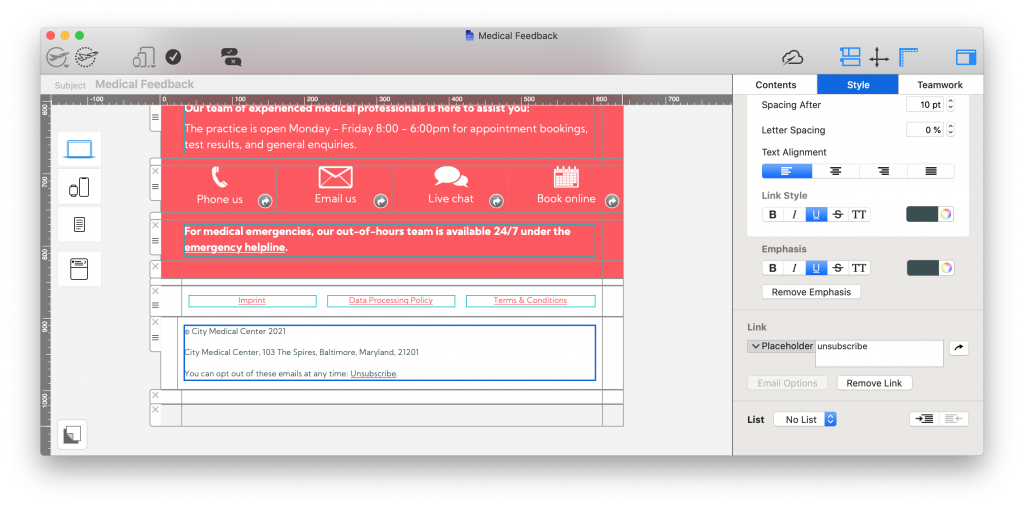
email disclaimer for medical emails

Be sure to include all key links and information in your email disclaimer, including an unsubscribe link

Find out more about best practice for email disclaimers here.

Email Marketing Techniques for the Healthcare Sector

As well as appointment confirmation and reminder emails, your practice can also utilise email as a convenient way of marketing your services or reaching out to patients.

Send feedback request emails

Whether it's a doctor's appointment, a dental check up or a visit to the eye doctor, it's important your patients go in feeling at ease and come out feeling satisfied and ready to recommend you further.

Useful feedback is important in the healthcare sector and you can use email to encourage patients to let you know how they found their experience.

As well as Google and Yelp ratings, there are also a number of online rating platforms for doctors which potential new patients may use when making a decision about your practice. Furthermore, you can also set up an anonymous Google Form or survey to get feedback for your own internal use.

However you collect feedback, making the feedback email part of your email strategy is a convenient way to allow patients to anonymously share their thoughts with you.

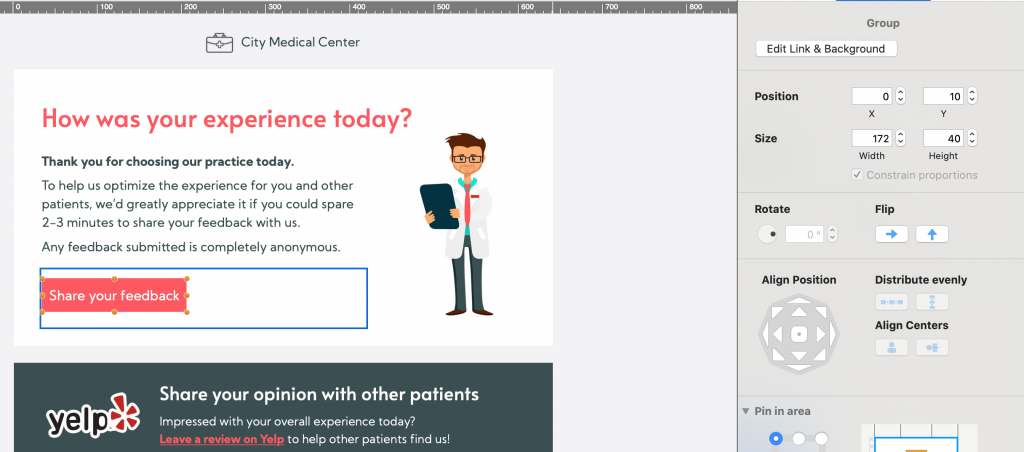
medical feedback email created in Mail Designer 365

Sending feedback emails - like this one created in Mail Designer 365 - is a great way to find out more about your patients' experience with your practice

Advertise promotions and new services

If your practice also offers cosmetic procedures such as teeth whitening, teeth straightening, veneers, etc. you can also advertise these in your emails - especially if you have a promotion on!

This also goes for other branches of medicine, including chiropractors, physiotherapists, massage therapists, etc. looking to promote their services.

In addition, if your practice has access to a new piece of medical equipment or state of the art technology, your email newsletter is also a good place to let patients know about this.

Put together targeted medical campaigns 

Flu vaccines, dental check-ups, pap smear tests, eye tests: They're all commonly known for being put off by patients!

Use email strategically to encourage patients to book in for these all important appointments. Don't forget to stress the benefits of regular check ups and include easy links to your booking form.

Tip: Using personalised placeholders in these emails is also super effective in making the recipient feel like you're directly reaching out to them.

Getting Started with an Email Strategy for Your Medical Practice

So, there you have it - our top tips and best practice guidance on utilising email for the healthcare sector. We hope you have enjoyed this guide and will consider taking some of these ideas on board for your medical practice.

Mail Designer 365 has all the tools and resources you need to create a professional collection of email templates for your practice.

How to create an email strategy for your medical practice:

  1. Download the Mail Designer 365 App for free to use on your Mac
  2. Explore a range of pre-made templates and resources, or create your own design with the drag & drop editor
  3. Send your designs directly to patients from Mail Designer 365 via Delivery Hub

Get started with Mail Designer 365 today

Start your 7 day free trial and use your Mac to create stylish email newsletters for your business.
No credit card required
Compatible from macOS 10.13 onwards

Enjoyed this post?

Get more inspirational tips, tricks, and best practice examples in the Mail Designer 365 Newsletter Academy -
your one stop hub for all things email marketing strategy and newsletter design.
Privacy Settings / Datenschutz-Einstellungen