Category

Mail Designer 365 Newsletter Academy

medical professional typing on a MacBook

Email Marketing for the Healthcare Sector - What You Need to Know

By Team equinux Mail Designer 365 Newsletter Academy, Industry Examples

With the digital age really taking storm, organizations worldwide are looking for ways to use technology to streamline their workflows. The healthcare sector is no exception: With more and more medical practices taking the plunge and switching over to electronic forms of communication, we're looking at how email can be utilized in the healthcare industry.

In this guide, you'll find all you need to know about the benefits of developing an email strategy for your medical practice, as well as some of our best practice tips to get you started!

Why should I use email for my medical practice?

As well as being low cost and super easy to use, email is proven to be a highly effective mode of communication.

Communicating with staff and patients via email is an efficient way to share important news, make big announcements, and help simplify the day-to-day administration of your medical practice.

medical professional typing on a MacBook

What kind of emails are sent in the healthcare sector?

As the healthcare sector spans across such a broad range, the world really is your oyster when it comes to building up an email strategy.

That being said, here are some popular ways medical practices and clinics are utilising email to benefit patients and streamline communications:

  • Welcome emails and important information for new patients
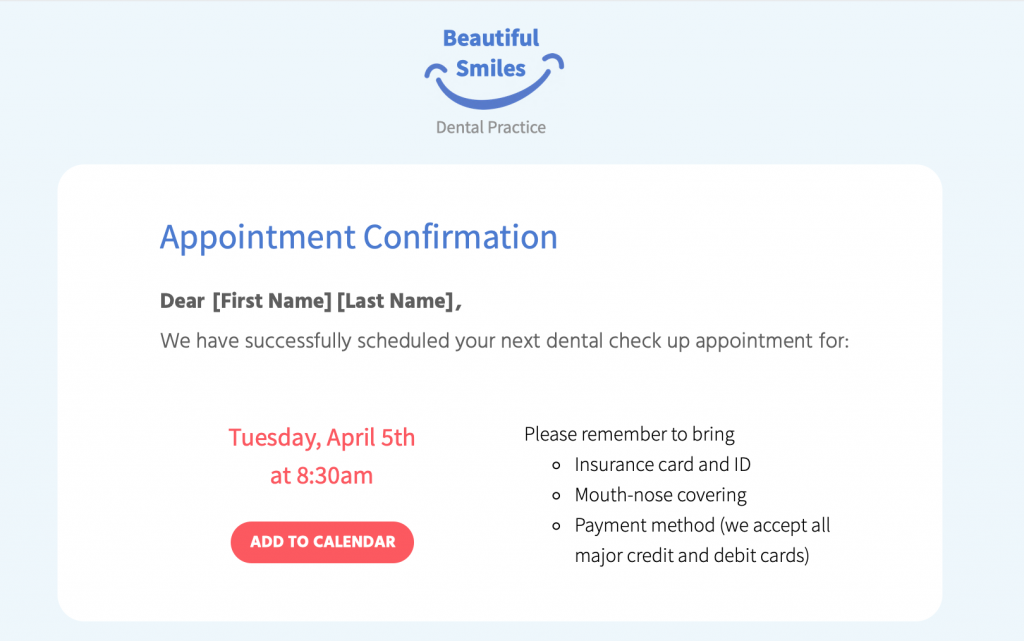
  • Automated emails: Appointment confirmations/reminders, test results, invoices, doctor ratings, feedback forms
  • Promotions: Discounted cosmetic procedures (i.e. teeth whitening, laser hair removal)
  • Informative Newsletters: Medical tips, healthcare advice, pregnancy advice
  • News & Announcements: Clinic closures, new telephone number/opening hours, new equipment, video consultations
  • Targeted campaigns: Flu jabs, vaccinations, pap smear test, dental check up
  • Internal staff updates, medical board, meeting minutes, health & safety policy

What to Include in Emails for Your Medical Practice: The Essentials

Incorporate your practice's branding

No matter how big or small, every medical practice has its own unique identity which should also be reflected in your emails.

Your branding is what your patients associate with you and often the reason they choose you over other practices. Incorporating important brand elements such as your logo and color scheme helps patients connect the email with your practice and adds to the overall impact.

medical email template in Mail Designer 365

Include your practice's logo in a prominent position within your design to really emphasise your branding

Use personalisation to connect with patient

Connecting to patients on a personal level is an important way of gaining their trust and helping them feel at ease. This also goes for your emails. Using placeholders for personalisation allows you to go the extra mile for patients and tailor emails just for them.

Keep the tone calm, professional and reassuring

In many cases, your emails will be related to sensitive issues such as medical appointments, test results, and important reminders.

It's best practice to ensure the tone of your email copy is calm and reassuring, especially when the aim is to encourage patients to book a check up or attend an appointment.

Keep the email text clear and concise so that your message gets straight to the point.

Use sensible font options

Continuing on from the last point, it is also best to use a simple typeface for your email copy. In most cases, sans serif fonts tend to work best as they are clean and  and usually easier to read.

In contrast, using a more elegant or artistic typeface can take away from the key message of your email and also come across as unprofessional. Moreover, elaborate fonts can also be challenging for any patients with visual impairments or reading difficulties to process, making your emails less accessible.

Read more about accessibility in emails here.

Include a range of contact information

As a medical practice, it's critical your patients are always able to get in touch with you. For this reason, every email you send should contain all your key contact information.

This is particularly useful if patients have questions relating to the content in your email. Having all your contact details on hand makes it easier for them to get the answers they need right away.

Mail Designer 365 offers a range of link types, including mailto links, telephone links and SMS links. Configure your mailto links with a pre-determined subject line and message to speed up the process even more.

configuring contact links in a medical email template in mail designer 365

Configure custom contact links in your emails to make it easier for patients to get in touch

Write a disclaimer and link to your privacy policy

Healthcare is a sensitive topic and for your patients, privacy is key. Ensure every email you send clearly includes all the relevant information in the disclaimer, including links to your practice's privacy policy, imprint and other general information.

Most countries also require you to give recipients the chance to opt out of receiving emails, especially if these emails are of a promotional nature. For this reason, it's best practice to include an unsubscribe link, in order to avoid a hefty fine!


email disclaimer for medical emails

Be sure to include all key links and information in your email disclaimer, including an unsubscribe link

Find out more about best practice for email disclaimers here.

Email Marketing Techniques for the Healthcare Sector

As well as appointment confirmation and reminder emails, your practice can also utilise email as a convenient way of marketing your services or reaching out to patients.

Send feedback request emails

Whether it's a doctor's appointment, a dental check up or a visit to the eye doctor, it's important your patients go in feeling at ease and come out feeling satisfied and ready to recommend you further.

Useful feedback is important in the healthcare sector and you can use email to encourage patients to let you know how they found their experience.

As well as Google and Yelp ratings, there are also a number of online rating platforms for doctors which potential new patients may use when making a decision about your practice. Furthermore, you can also set up an anonymous Google Form or survey to get feedback for your own internal use.

However you collect feedback, making the feedback email part of your email strategy is a convenient way to allow patients to anonymously share their thoughts with you.

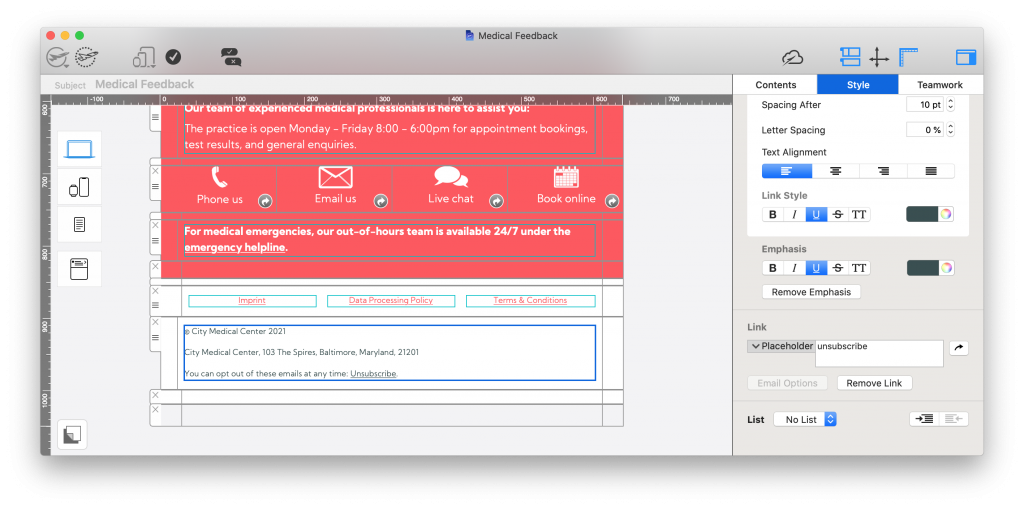
medical feedback email created in Mail Designer 365

Sending feedback emails - like this one created in Mail Designer 365 - is a great way to find out more about your patients' experience with your practice

Advertise promotions and new services

If your practice also offers cosmetic procedures such as teeth whitening, teeth straightening, veneers, etc. you can also advertise these in your emails - especially if you have a promotion on!

This also goes for other branches of medicine, including chiropractors, physiotherapists, massage therapists, etc. looking to promote their services.

In addition, if your practice has access to a new piece of medical equipment or state of the art technology, your email newsletter is also a good place to let patients know about this.

Put together targeted medical campaigns 

Flu vaccines, dental check-ups, pap smear tests, eye tests: They're all commonly known for being put off by patients!

Use email strategically to encourage patients to book in for these all important appointments. Don't forget to stress the benefits of regular check ups and include easy links to your booking form.

Tip: Using personalised placeholders in these emails is also super effective in making the recipient feel like you're directly reaching out to them.

Getting Started with an Email Strategy for Your Medical Practice

So, there you have it - our top tips and best practice guidance on utilising email for the healthcare sector. We hope you have enjoyed this guide and will consider taking some of these ideas on board for your medical practice.

Mail Designer 365 has all the tools and resources you need to create a professional collection of email templates for your practice.

How to create an email strategy for your medical practice:

  1. Download the Mail Designer 365 App for free to use on your Mac
  2. Explore a range of pre-made templates and resources, or create your own design with the drag & drop editor
  3. Send your designs directly to patients from Mail Designer 365 via Delivery Hub

Get started with Mail Designer 365 today

Start your 7 day free trial and use your Mac to create stylish email newsletters for your business.
No credit card required
Compatible from macOS 10.13 onwards

Enjoyed this post?

Get more inspirational tips, tricks, and best practice examples in the Mail Designer 365 Newsletter Academy -
your one stop hub for all things email marketing strategy and newsletter design.
email marketing for events

Email Marketing for Events - Best Practice Tips and Template Inspiration

By Team equinux Mail Designer 365 Newsletter Academy

Whether it's a virtual meeting, a webinar or a larger physical function, putting together a great business event takes a large amount of hard work and dedication. For this reason, when it comes to promoting your event, you need to have a good strategy in place to ensure all your hard work pays off.

Why should I use email to promote my business event?

Email is a great tool you can utilise as part of your overall event marketing strategy. In comparison to unsustainable flyers, fleeting social media posts, and expensive ads, sending a stylish HTML email is a cost effective way for you to advertise your company's next big event whilst also including all key information for stakeholders and invitees.

In this guide, we're sharing some key best practices with you that you should consider when working on emails to promote your next big event.

Email Marketing Best Practices for Business Events

Use clear branding

Generally, hosting an event is a way for your business to show its expertise in a certain area, as well as demonstrating professionalism and attracting potential new clients. For this reason, it's critical that your event emails are representative of your corporate identity.

When designing your initial announcement emails, be sure to tie in all your usual branding elements. On a visual level, this includes your logo, typeface, color scheme, email layout etc. However, it's also important that your email copy reflects the tone and standard of the copy used on your website and other marketing literature.

Creating a consistent brand image in your emails will only work in your favor, as both potential and existing clients will be more able to form a connection with you.

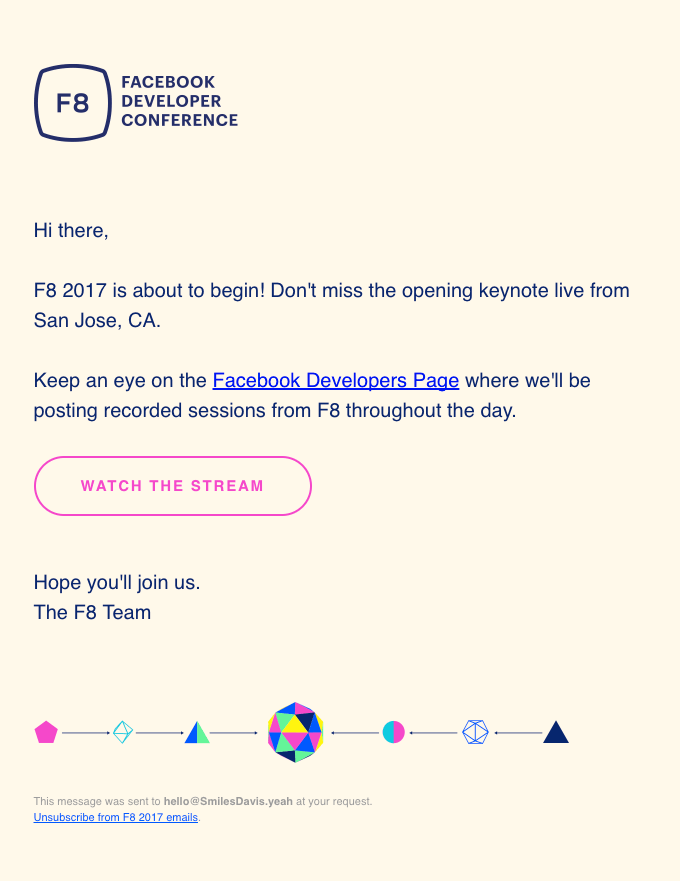
email invitation by Facebook Developer Conference

Although simple, this email perfectly matches the overall branding and style of F8.

Tip: Mail Designer 365 has all the tools you need to truly customise your email designs for your brand. With support for custom color schemes and over 1000 available web fonts (including easy import options for custom fonts), your emails will be truly reflective of your brand's core identity.

List all key details in the email

No matter the size of your event, the initial invitation / announcement email will be the main point of reference for your invitees.

Ensuring all the key event details are listed in one place is a good way for invitees to know exactly where and when your event is taking place, as well as other important information such as:

  • How to register for the event / purchase tickets
  • Online events: Where to access the webinar/livestream/meeting/etc.
  • Equipment needed
  • Travel and accommodation tips
  • Contact information for support and questions

Clearly presenting this information in your email will make it much more useful and informative to the recipient.

Create an event agenda

One way to get invitees really excited for your event is by including an appealing event agenda in your email - this is particularly effective for bigger events like conferences, launch events or retreats.

Not only does this help registered attendees plan for the event and know what to expect, it's also a fantastic way of convincing those on the fence that your event isn't one to miss.

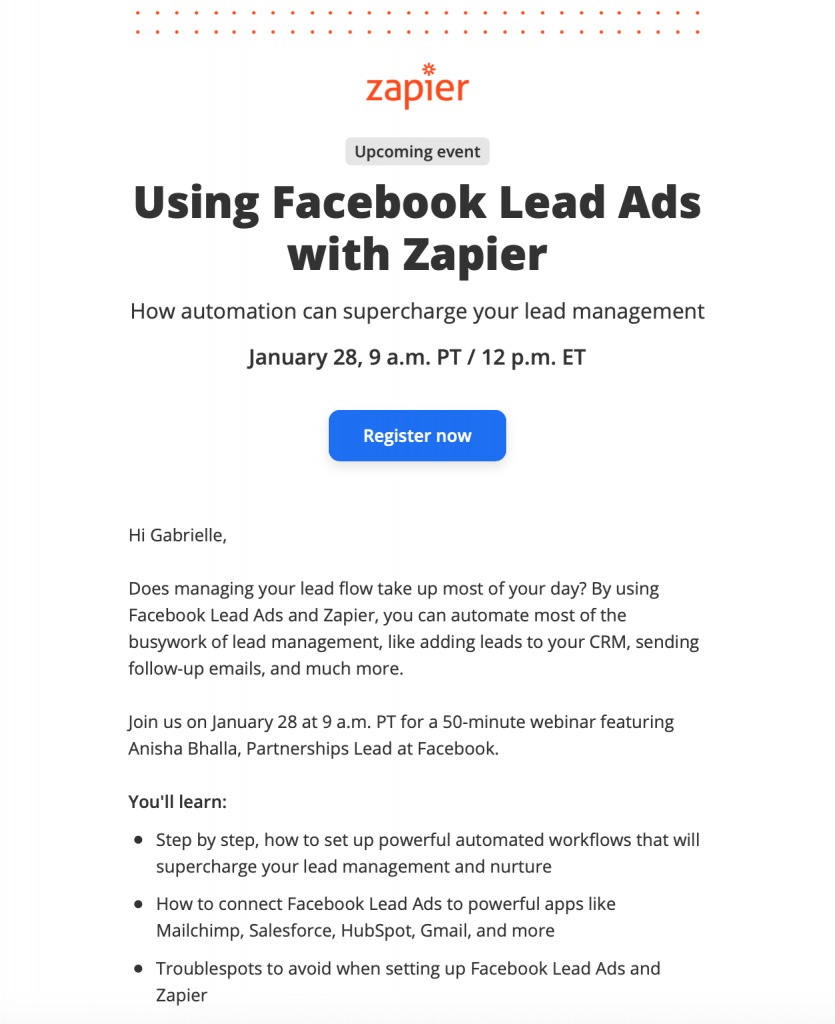
webinar promotion by Zapier

Zapier include a useful breakdown of what to expect in this webinar, including the estimated duration.

Tip: Using a bold table layout is a great way to clearly present an event agenda, as shown in this Event Agenda Design Idea -  exclusively available in Mail Designer 365:

html email template for event agenda

Attach calendar event

Most leading calendar services allow users to export events as a practical ICS file that others can import into their own calendars. Attaching this file to your email is a great way to make it easier for invitees to keep track of your event.

Here's how to attach a calendar file or link to your Mail Designer 365 email.

Tip: Include a reminder with the event file to ensure invitees don't forget!

Share exciting content from past events

If your event is a recurring one (i.e. an annual conference or monthly webinar), you may want to consider sharing some highlights from previous years. This could include video snippets, presentations, or podcast recordings from successful events of the past.

Not only does this give those first-time invitees a sneak peek of the kind of thing that's in store, it also helps reinforce the value of your event to previous attendees by reminding them of how interesting and entertaining it was the last time!

Include social media cross promotion

Utilising social media is an effective way to generate a buzz around your event. For example, coming up with a dedicated event hashtag allows attendees, hosts and guest speakers to network before the event and also can help attract the attention of those who have not yet registered or purchased a ticket.

Use your event marketing emails to simultaneously promote your social media platforms and encourage guests to join the online conversation. This will also help you grow your social media following longer term!

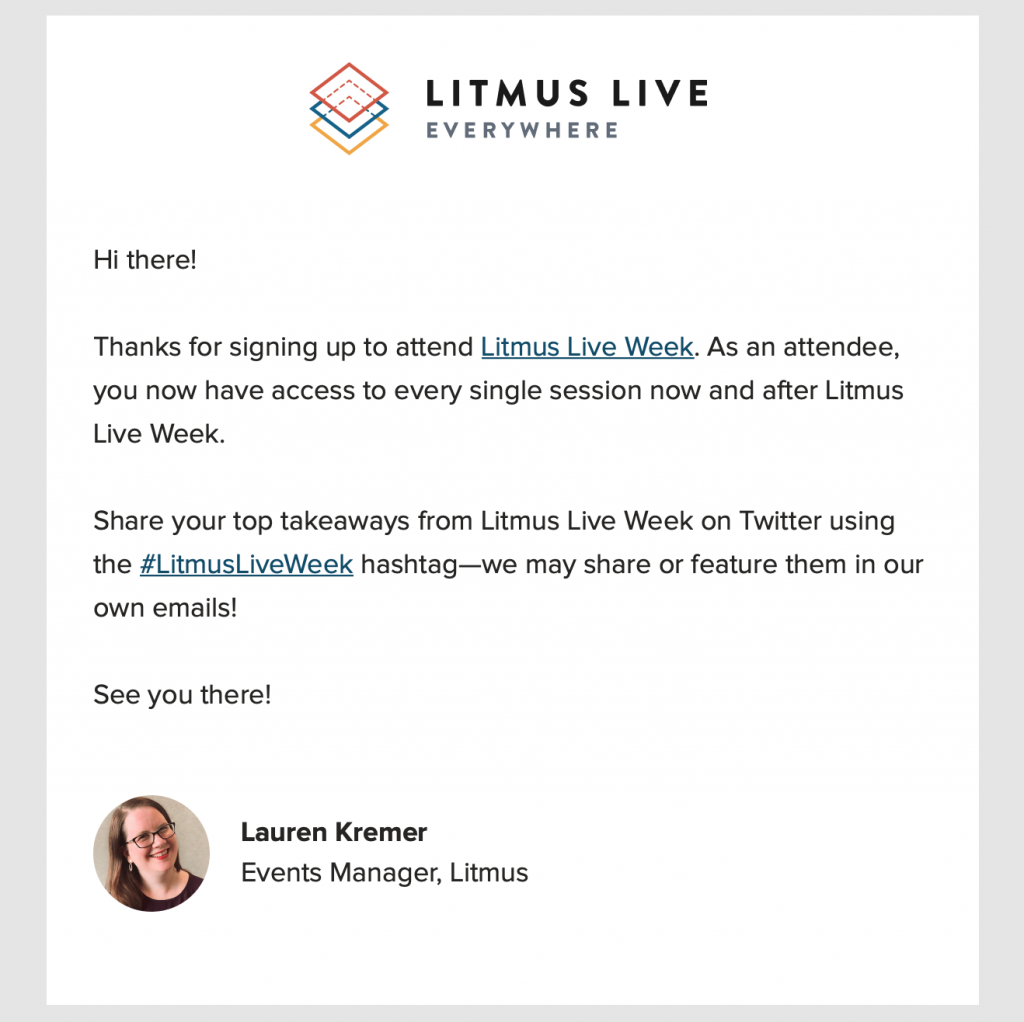
Litmus email promotion for an upcoming event

Litmus do a great job of cross-promoting their Twitter account with a dedicated event hashtag.

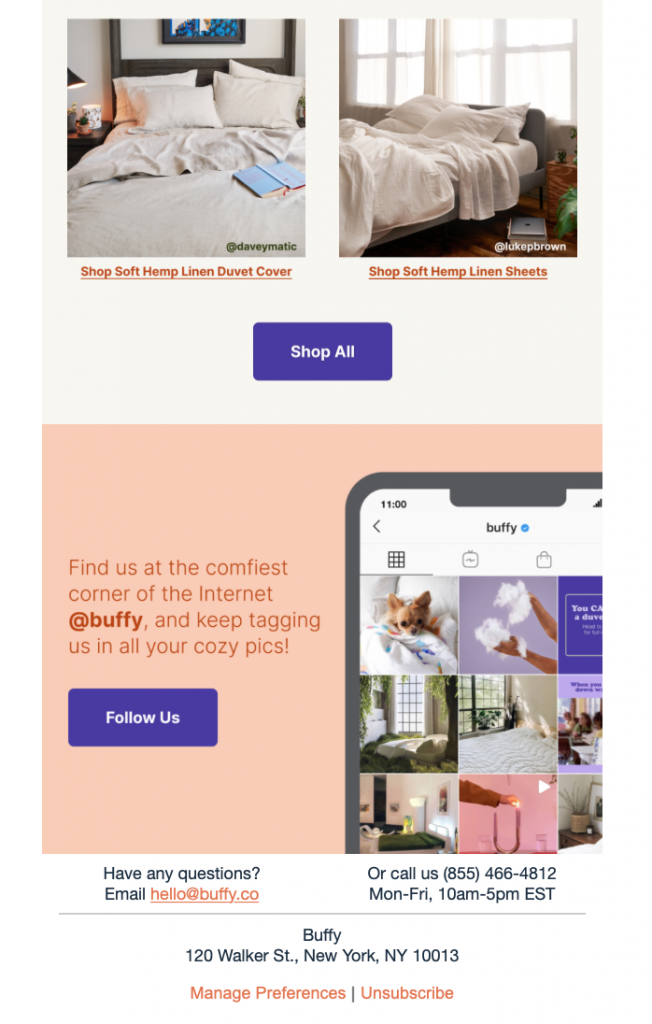
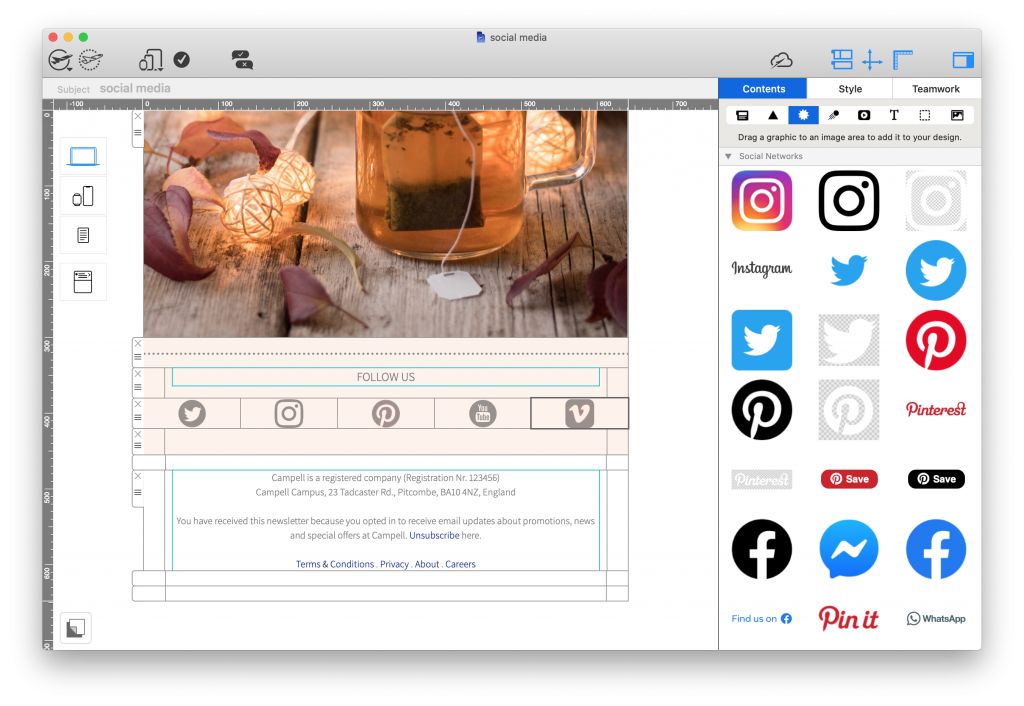
Tip: Mail Designer 365 has all the resources you need to build eye-catching social media call-to-actions and direct readers to your Twitter, LinkedIn, Instagram, Facebook, etc.

Send out reminders

Even with an automated calendar invitation, sending out a final reminder email is a friendly way to give attendees all the last minute information they may require before the event.

If there were any final details missing from your previous emails (i.e. specific start times, last minute changes), this email is your chance to keep invitees informed and up to date.

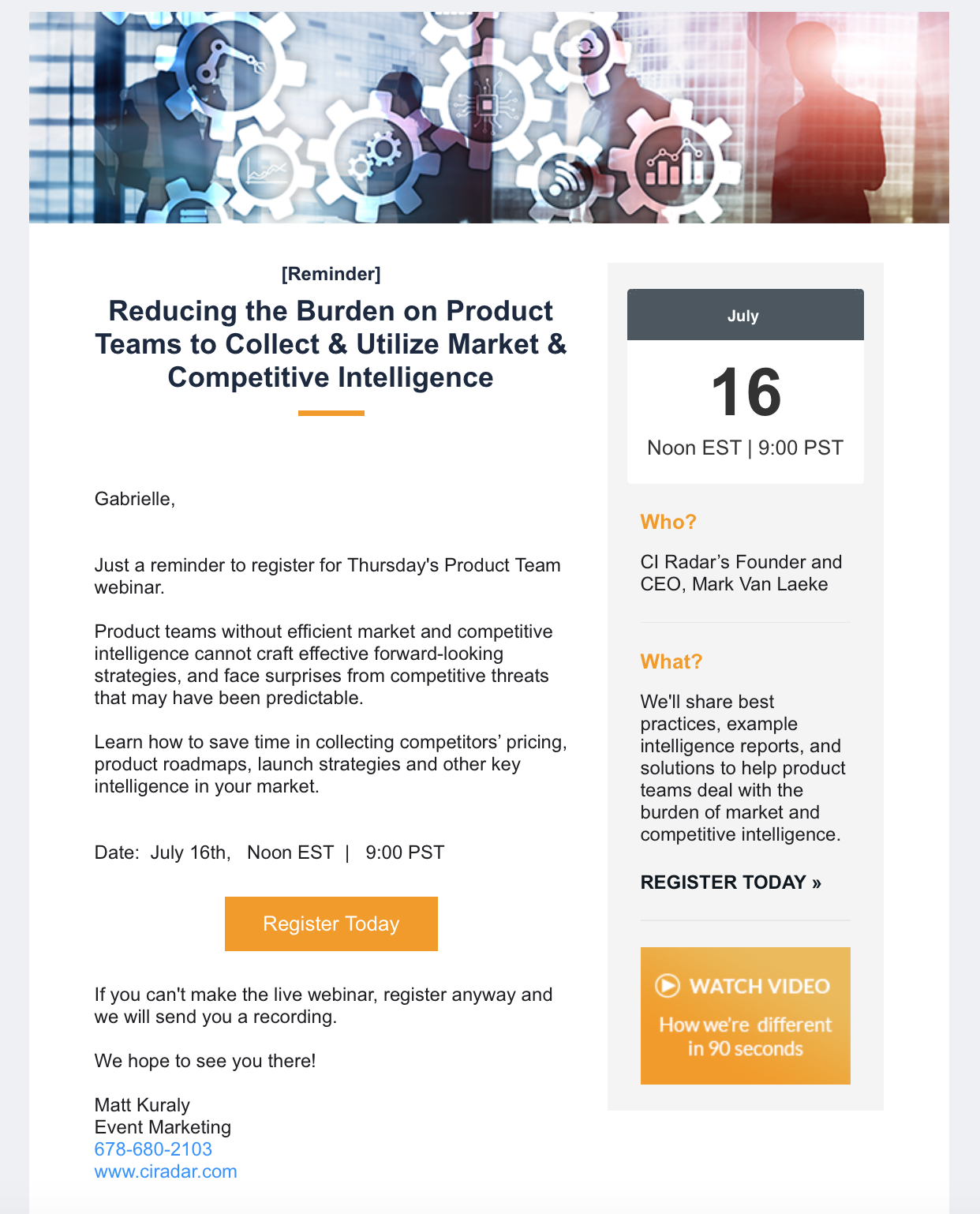
event reminder email by CI Radar

CI Radar provide invitees with a really useful overview in this reminder email.

Be sure to include positive phrases such as "we are looking forward to seeing you there...", "can't wait to connect..." in order to generate more excitement around your event and also make guests feel reassured and welcomed.

Tip: Mail Designer 365 supports custom mailto, sms, and telephone links. Utilise these and add your contact information so invitees can easily get in touch. You can even add a pre-filled message and subject line to help your team keep track more easily.

Thank attendees after the event

Especially if events are a regular part of your business strategy - sending a warm thank you email to attendees is an important part of their overall experience with your organisation. A positive experience all round can also help ensure guests will return again for future events.

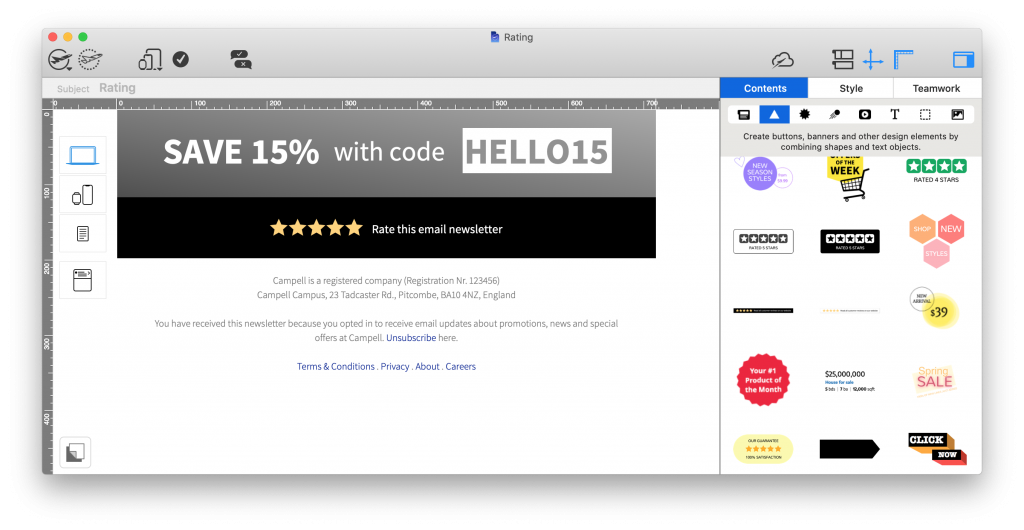
You can also use your thank you email as a way to gather feedback after the event has taken place. For example, including a simple star rating will give you a good idea of how satisfied guests were overall.

If you want to go one step further, you could even link out to a more detailed feedback form or survey - especially if there are particular elements of the event you wish to optimise. As an incentive for taking part in the feedback, you could create a giveaway or offer a discount or free gift. The more creative, the better!

Build Up Your Event Marketing Strategy with Mail Designer 365

We hope you will find these tips useful when planning the email marketing strategy for your next event.

Mail Designer 365 is an essential tool for creating stylish and functional emails for your business. As well as email templates for events, Mail Designer also offers a wide range of designs for dozens more use cases, including seasonal, sales, automated, and announcements. See all our HTML Design Ideas here!

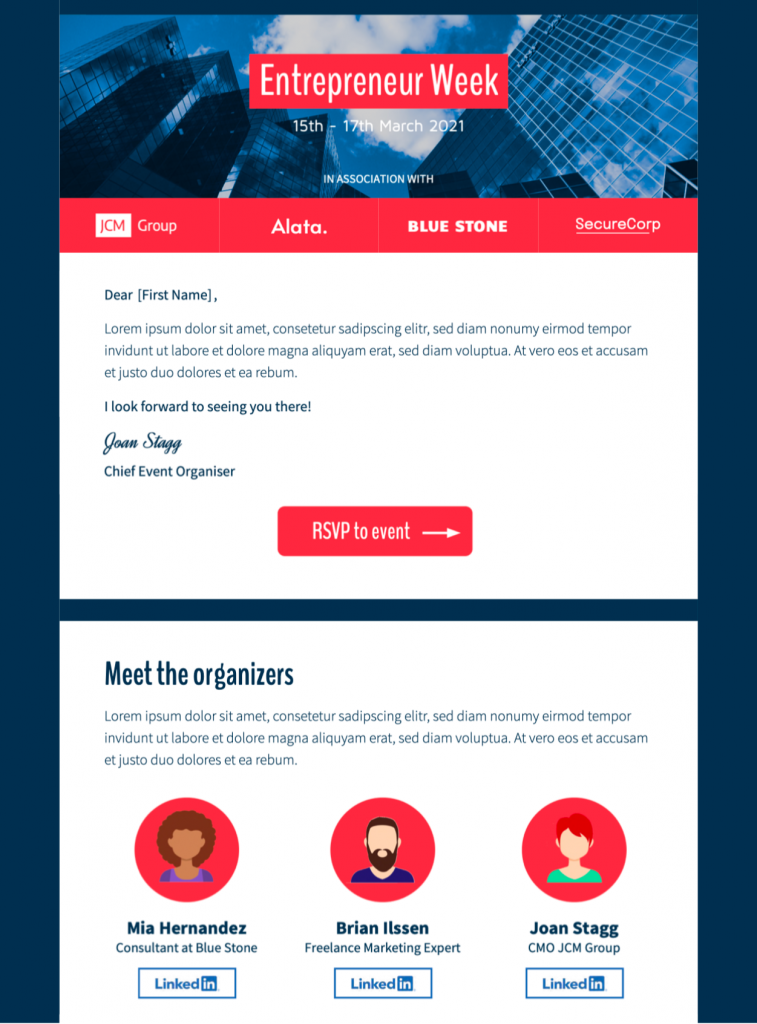
event invitation email template

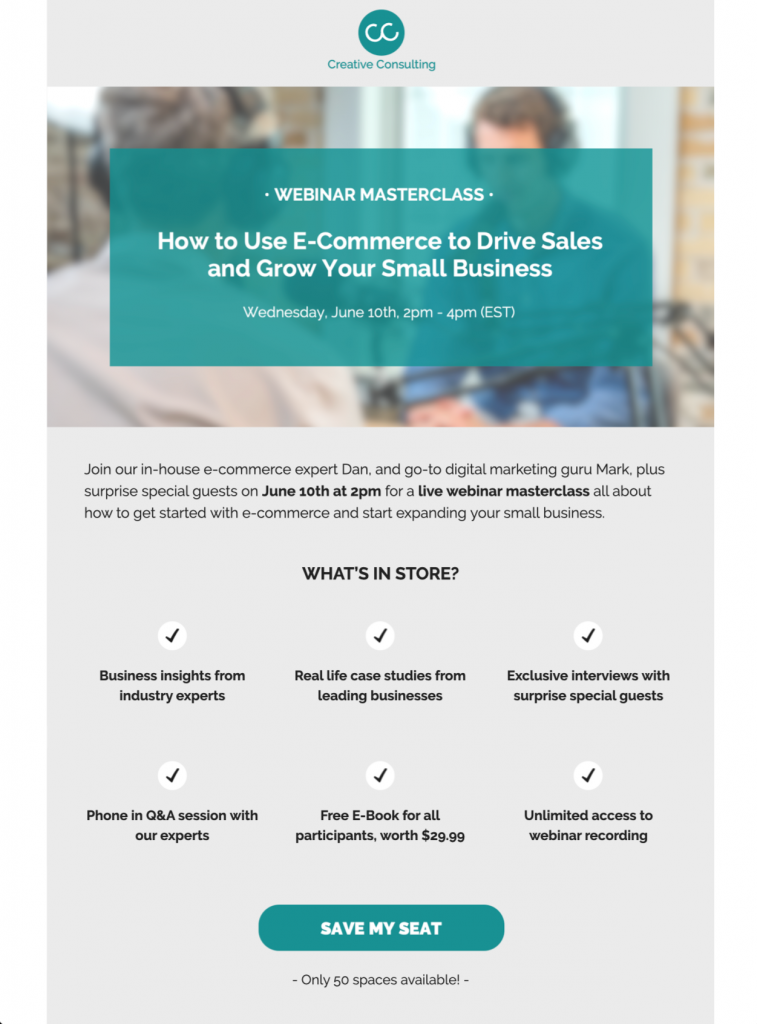
html email template for online event invitation

html email template for event agenda

Want to create your own design from scratch but don't have the time? Thanks to the intuitive drag & drop editor, Mail Designer 365 makes it easy to build flawless campaigns in no time. Try for free today and see what you can create for your business!

Get started with Mail Designer 365 today

Start your 7 day free trial and use your Mac to create stylish email newsletters for your business.
No credit card required
OS X 10.11 - macOS Big Sur

Enjoyed this post?

Get more inspirational tips, tricks, and best practice examples in the Mail Designer 365 Newsletter Academy -
your one stop hub for all things email marketing strategy and newsletter design.

automated emails for fashion brands

5 Essential Automated Emails for Online Clothing Stores

By Mail Designer 365 Newsletter Academy

In particular for fashion brands, having an effective email automation strategy in place plays an important role in determining the experience customers have with your online shop. Setting up automated emails for certain key "trigger" actions is a great way to keep website visitors engaged and personalise their journey with your business.

person using an iPad

Although it's great to get creative with your automation strategy, having a solid foundation in place is the best way to ensure you have all bases covered.

In this post, we're sharing 5 essential automated emails every online fashion retailer needs to set up to help boost sales and drive customer engagement.

Why Should I Set Up Automated Emails for My Online Store?

Big name online fashion retailers such as ASOS, Boohoo, Zalando and Missguided have a lot in common, including an indestructible email marketing strategy.

As well as creating a more personalised experience for your customers, automated emails have a number of other advantages:

  • Save time: Having an automated strategy in place saves you time in the long run and allows you to focus your efforts on larger campaigns
  • Great ROI (return on investment): Building one set of templates won't cost much and will help you maximise sales
  • Onboarding made easy: Welcome newcomers on board with a pre-made set of email templates
  • Reduce support demand: Provide customers with useful billing and shipping information without them having to ask for it
  • Reengage customers: Stop customers slipping through the net by chasing up lost sales and dormant subscribers

5 Automated Email Ideas for Online Fashion Retailers

Here are five useful ideas of automated emails to set up for your online clothing store.

1. Welcome Email

Sending a welcome email is a great way to introduce new customers to your brand. Typically, these emails will be sent following a customer's first purchase or when they first sign up to your email newsletter.

Remember to include a short thank you message to show your appreciation. In addition, a small welcome offer is often the perfect way to start off a new customer relationship on the right foot.

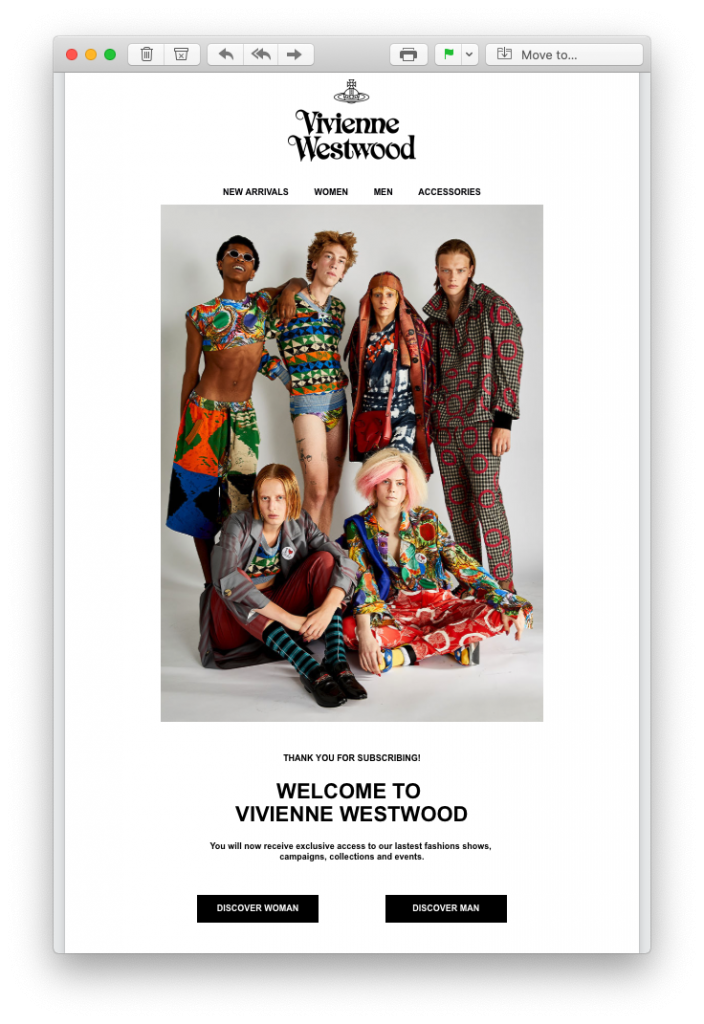
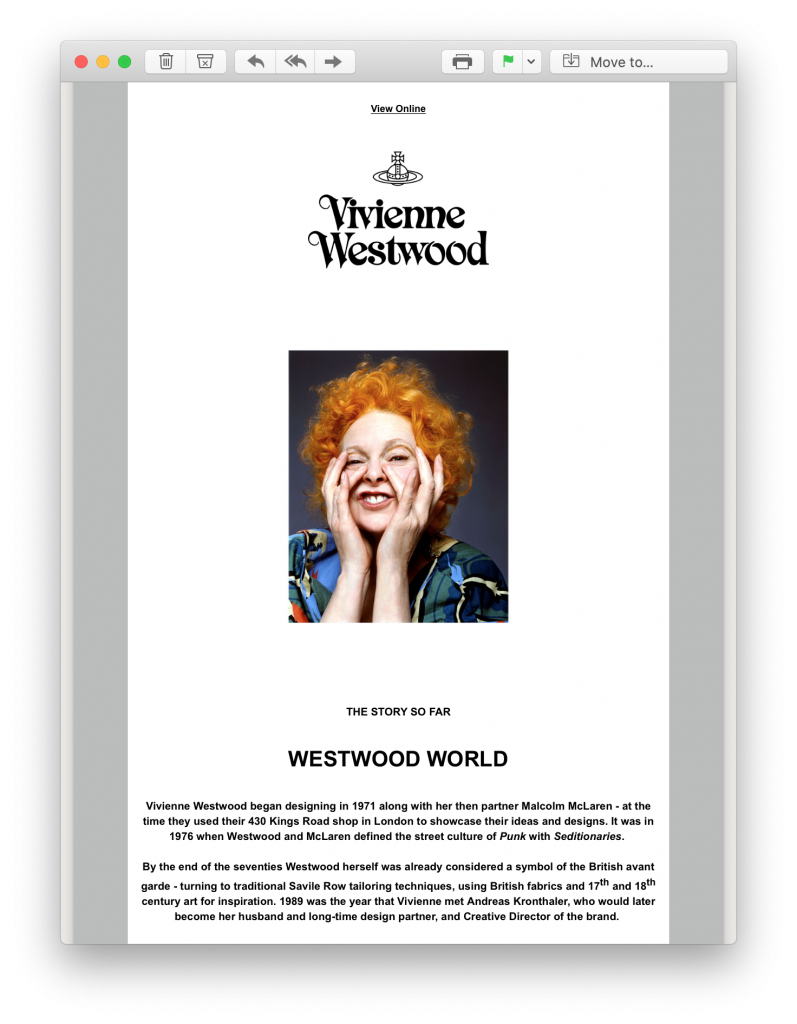
In these examples by Vivienne Westwood, new subscribers are sent two onboarding mails:

welcome email by Vivienne Westwood

welcome email by Vivienne Westwood

The first email is a standard welcome email with a direct pathway to their online store. However, in the second email, new customers instantly learn more about the iconic brand in a brief biography, helping them to quickly form a connection.

2. Abandoned Cart Email

Abandoned shopping carts is one of the biggest reasons for sales falling through. Oftentimes, this is caused by an interruption to the checkout process and not necessarily because the customer is no longer interested in your product.

Some common interruptions to the checkout process include:

  • Loss of internet connection
  • Entering an incorrect payment method
  • Phone battery dying
  • Receiving a phone call or message

To make sure you don't miss out on a sale for an avoidable reason, make sure to set up abandoned cart email reminders to draw those customers back in.

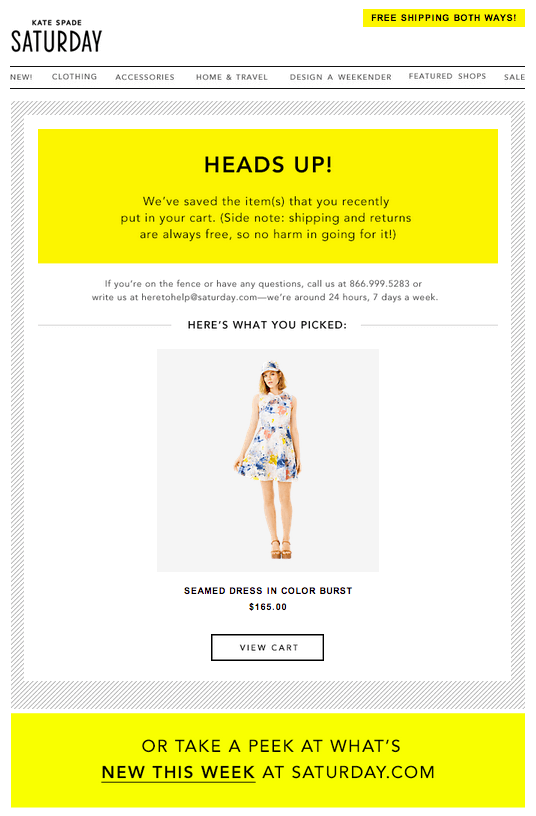
When creating these automated emails, remember to make the product placeholder nice and big so the customer instantly notices the product they originally wanted to purchase. Timing is also key, as sending the email too late could result in the customer losing interest.

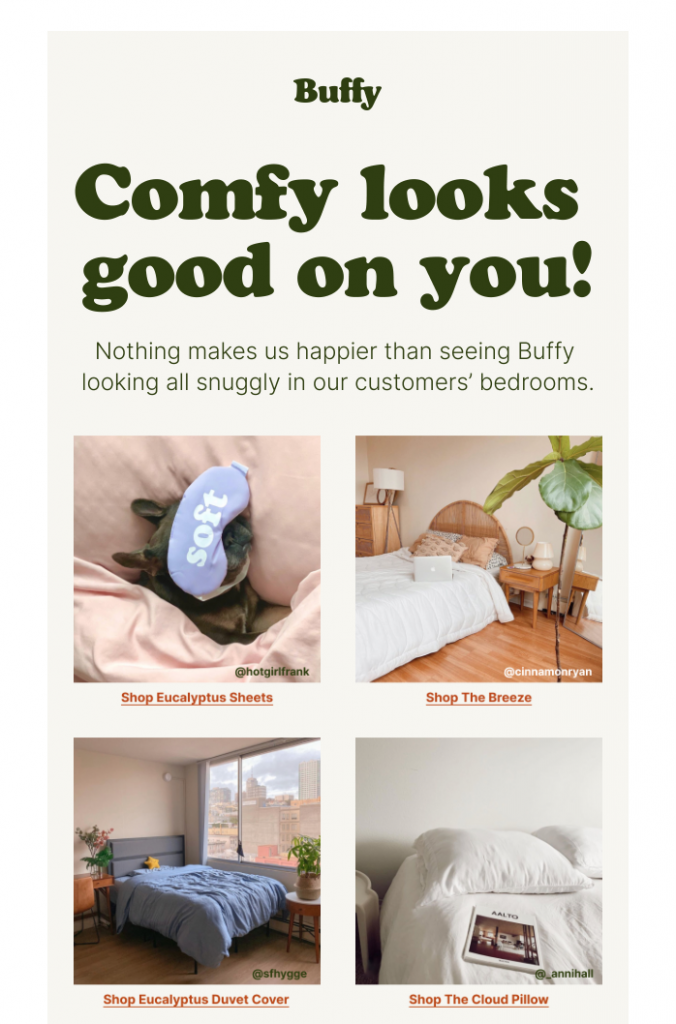
In this abandoned cart email by Kate Spade, the product takes center stage and draws the reader in straight away. In linking to their new in items, Kate Spade also offer the reader an alternative enticement onto their website:

abandoned cart email by Kate Spade

3. Shipping Information Email

Giving customers peace of mind after they place an order from your store is super important. As well as an order confirmation email - which is standard practice for any online business - providing detailed shipping information is also essential.

Knowing how long an order will take to arrive and being able to plan for the delivery both make things much easier for your customers. For this reason, it's a good idea to include a tracking link to your delivery service as well as an estimated delivery date.

As well as being a useful service for your customers, it will also help reduce the number of support enquires you receive about delivery times, freeing up your team's time for other tasks.

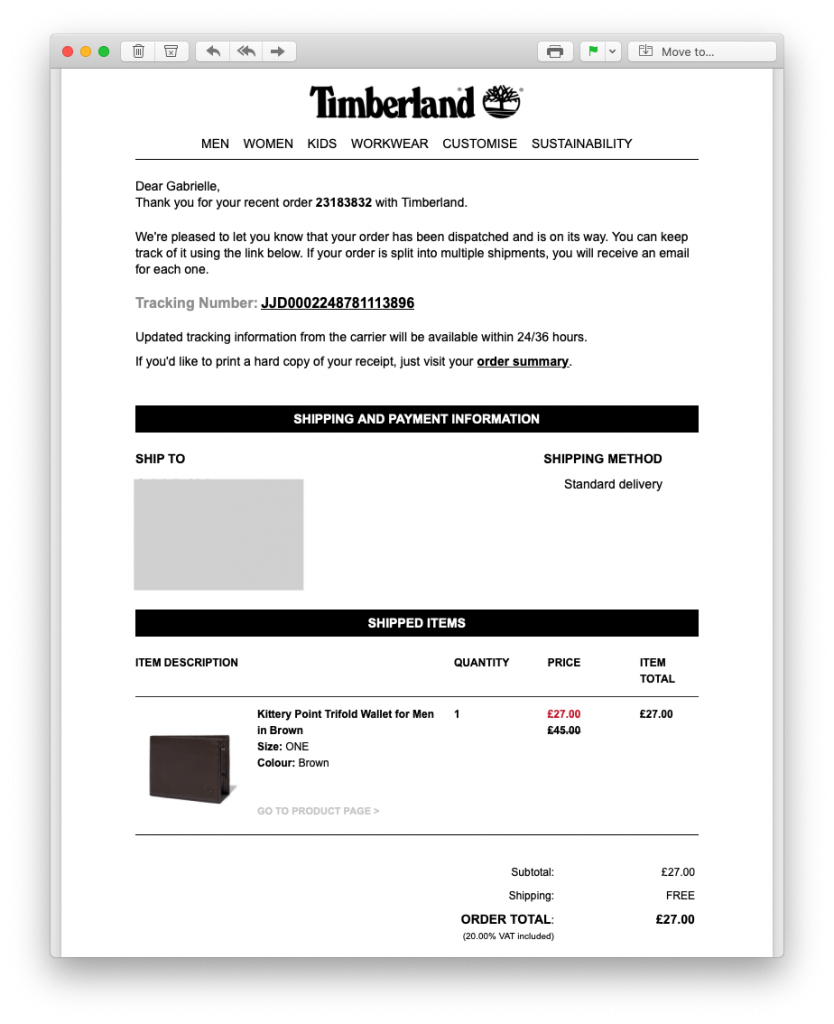
This tracking email by Timberland is a good example of best practice. In addition to including all the relevant information about the order, Timberland also include a prominent tracking link which the customer can use to follow the progress of their order.

Tracking email by Timberland

4. Feedback Email

Receiving reviews for your store and products is valuable for every business owner. Feedback emails are really easy to integrate into an email automation strategy and can be set up to send after any purchase from your store.

Browse through our top tips for putting together excellent feedback emails

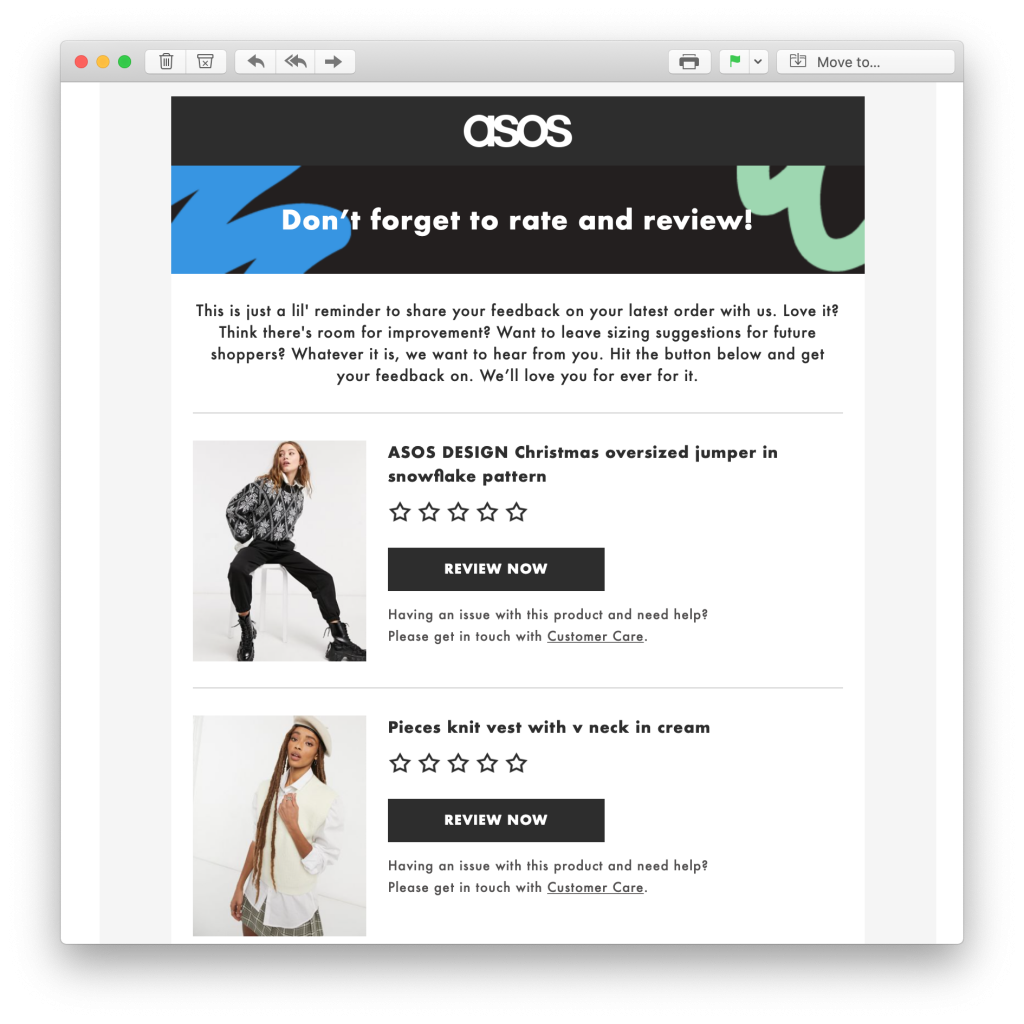
In this example, ASOS sent an interactive feedback email to make it easy for customers to rate items they have recently purchased. Not only does this help the brand learn more about what their customers like, it also helps other undecided shoppers to determine if the product is right for them.

feedback request email by ASOS5. Happy Birthday Email

Last but not least is the Happy Birthday Email. This is another really effective email to add to your automation strategy and only takes a moment to set up in your ESP.

Celebrating with your customers by giving them a discount or special offer for their birthday reminds strengthens the relationship and reminds them you appreciate them.

It's also really likely your shoppers will be in the mood to treat themselves to something special for their birthday - whether it's a new outfit for the big day or that one item they've had their eye on for a while - your birthday promotion could be the final push they need to make that final purchase.

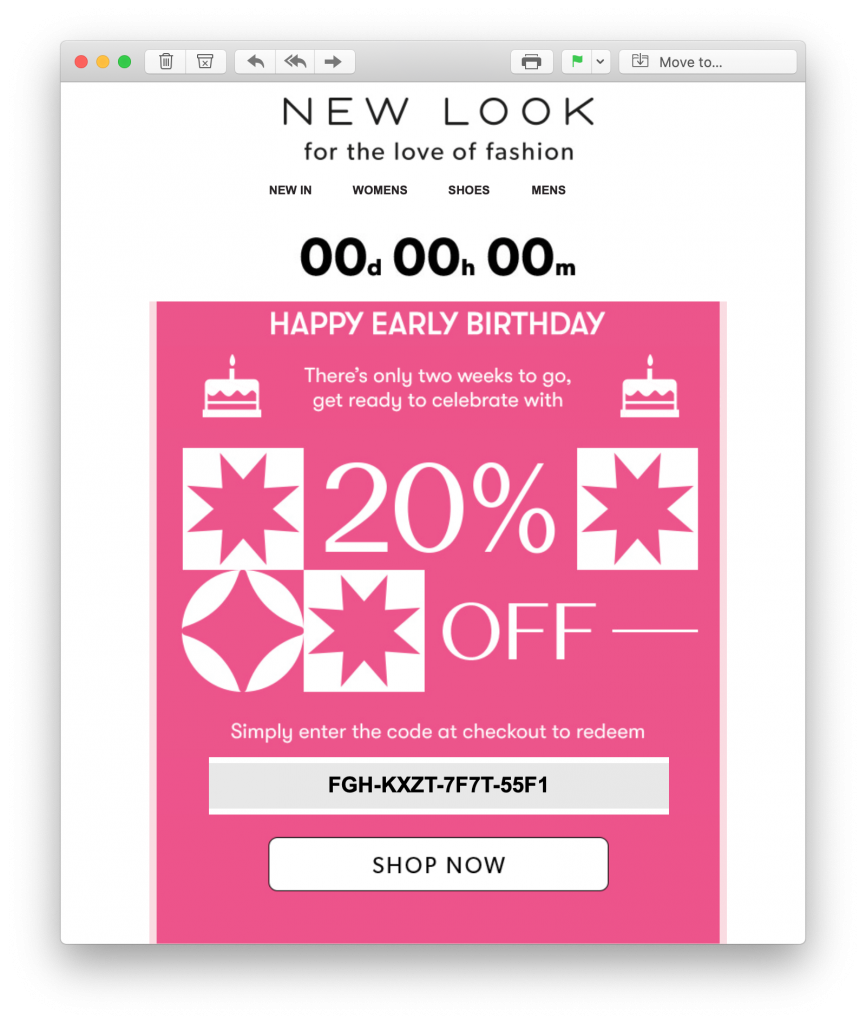
In this fabulous birthday email promotion, New Look give their shoppers more than enough time to scout out their birthday treat and get 20% off! The bold countdown at the top of the design also adds a sense of time pressure, encouraging the customer to buy sooner rather than later:

automated birthday email by new look

Setting Up Automated Emails for Your Online Clothing Shop

We hope you've been inspired by these automated email ideas. Setting up email templates for your automation strategy is easy in Mail Designer 365:

  1. Open Mail Designer 365 or download for free on your Mac
  2. Create a new email design with the responsive, drag and drop editor or choose from one of our automated email templates
  3. Export your finished design directly to Mailchimp, Campaign Monitor or another email automation tool of your choice. Find a list of all compatible services on this page
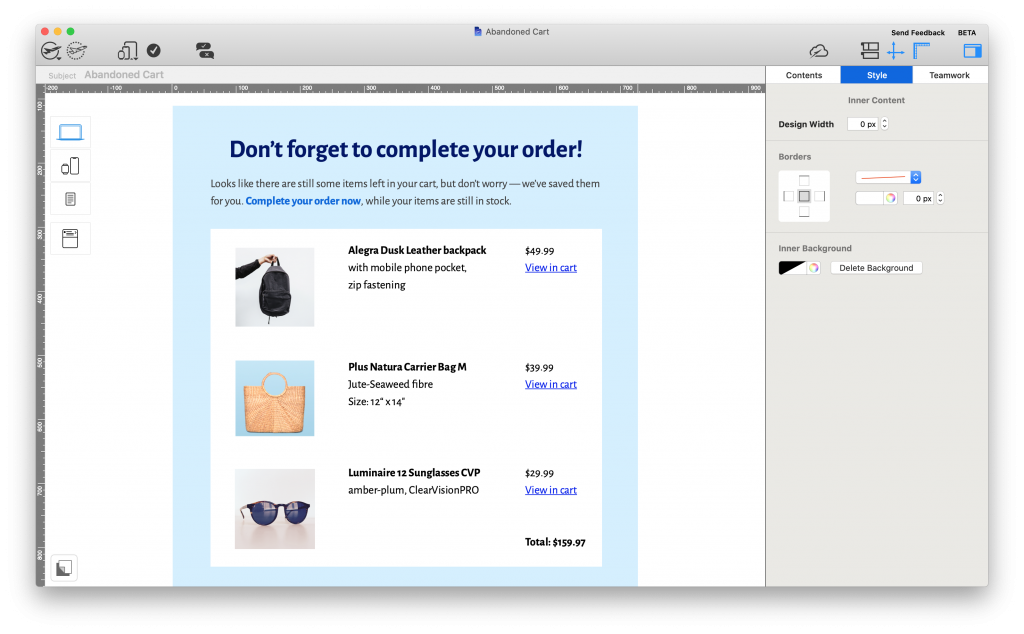
Abandoned cart automated email template created in Mail Designer 365

Abandoned Cart automated email template - exclusively available in Mail Designer 365

Use Mail Designer 365 to create a stylish range of email templates to use together with your email automation platform.

Until next time!

Your Mail Designer 365 Team

Get started with Mail Designer 365 today

Start your 7 day free trial and use your Mac to create stylish email newsletters for your business.

No credit card required
OS X 10.11 - macOS Big Sur

Enjoyed this post?

Get more inspirational tips, tricks, and best practice examples in the Mail Designer 365 Newsletter Academy -
your one stop hub for all things email marketing strategy and newsletter design.

5 emails you need to be sending in 2021

5 Marketing Emails You Need to be Sending in 2021

By Mail Designer 365 Newsletter Academy

The start of a new year offers you a clean slate and a chance to start looking at your email strategy. With email trends changing so quickly, the last year alone has presented tons of new ideas for emails which you can easily adopt into your own plan.

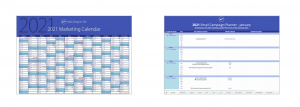
P.S. Have you got your hands on our 2021 Marketing Calendar and Email Campaign Planner yet? Get yours free here to ensure perfect email planning for 2021.

2021 marketing calendar and campaign planner

In this post, we're showcasing 5 must-have marketing emails  for 2021, plus tips on how to recreate them for your own business.

5 Marketing Emails You Need to be Sending in 2021

Freshen up your email strategy right in time for the New Year! Here are 5 inspiring ideas for marketing emails you need to be sending in 2021. Discover examples ranging from automated mailings to standalone campaigns...

1. Abandoned Browse Emails

We all know of the abandoned cart email, but the abandoned browse email takes things one step further. With online shopping becoming a significant part of consumers' everyday lives, your automated sales workflow needs to be taken up a notch.

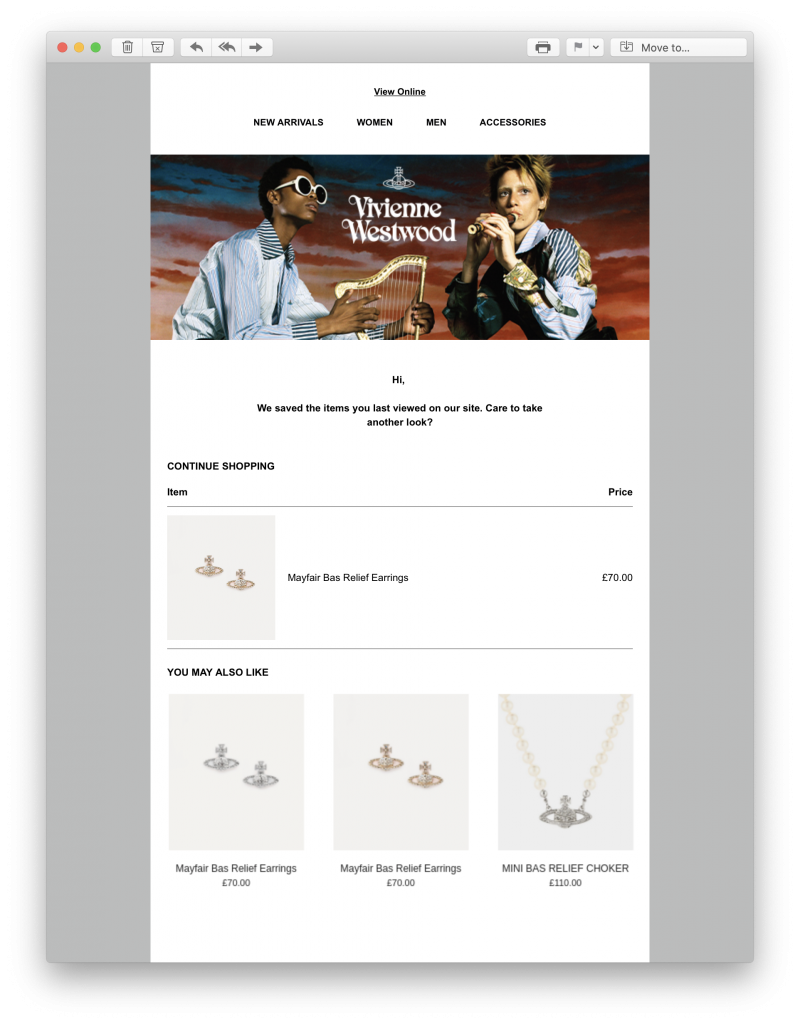
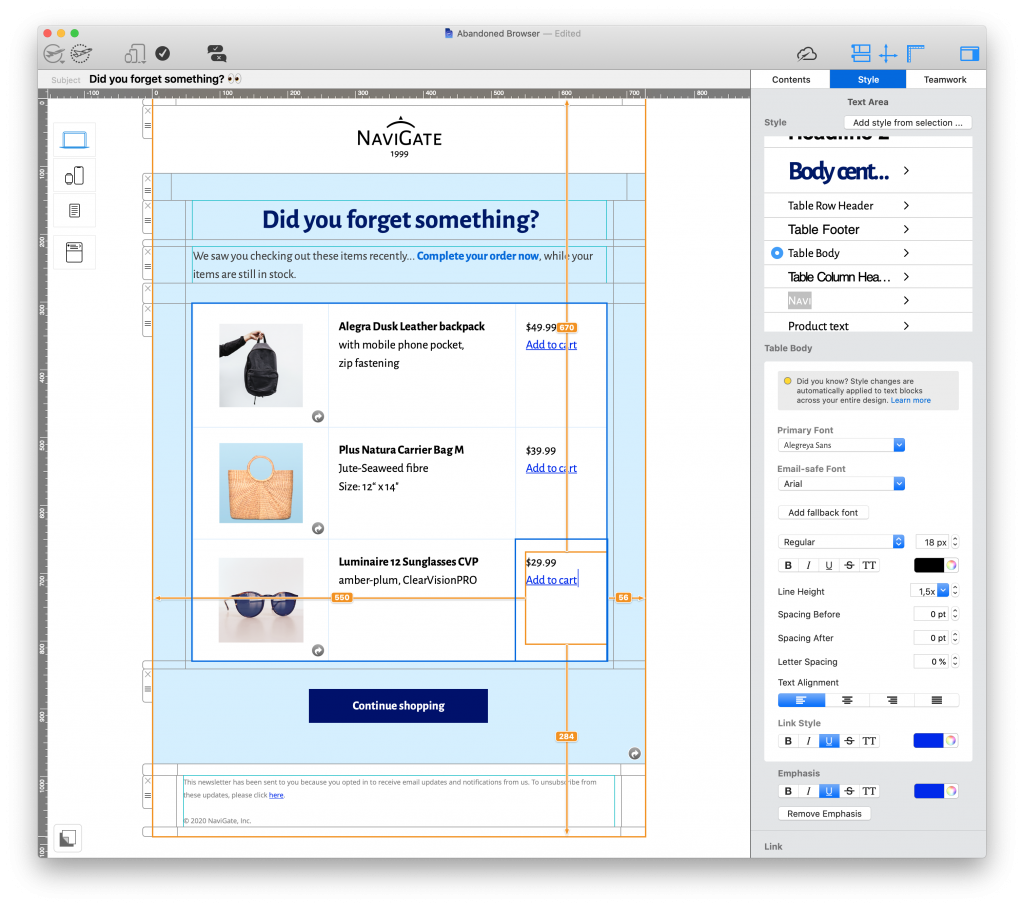
This abandoned browse email by Vivienne Westwood packs a punch and catches the reader's attention by reminding them about products they've recently viewed. Adding a "you may also like" section gives the customer even more relevant purchase options and can help tempt them back to your online store for another look:

Abandoned browse automated email by Vivienne Westwood

Abandoned browse emails go the extra mile for boosting online sales.
What to consider:

  • Timing: Don't wait too long to send these emails, as you risk the customer losing interest or finding an alternative elsewhere.
  • Design: A bold CTA (call-to-action) leading to the product page plus eye-catching product images really are all you need.
  • Subject line: Mention the product in the subject line or use an emoji to quickly pique interest.
Abandoned browse email in Mail Designer 365

You can easily adapt Mail Designer 365's "Abandoned Cart" email template for an abandoned browse message.

Get this template here.

2. Milestone Emails

Whether it's an anniversary, a significant event, or you've reached a key goal  - sending milestone emails is a great way to celebrate achievements and special occasions with your customers.

Your subscribers opted into your email list because they have a genuine interest in your business. Keeping your subscribers up to date on exciting business milestones gives them a look behind the scenes and makes your brand seem more relatable.

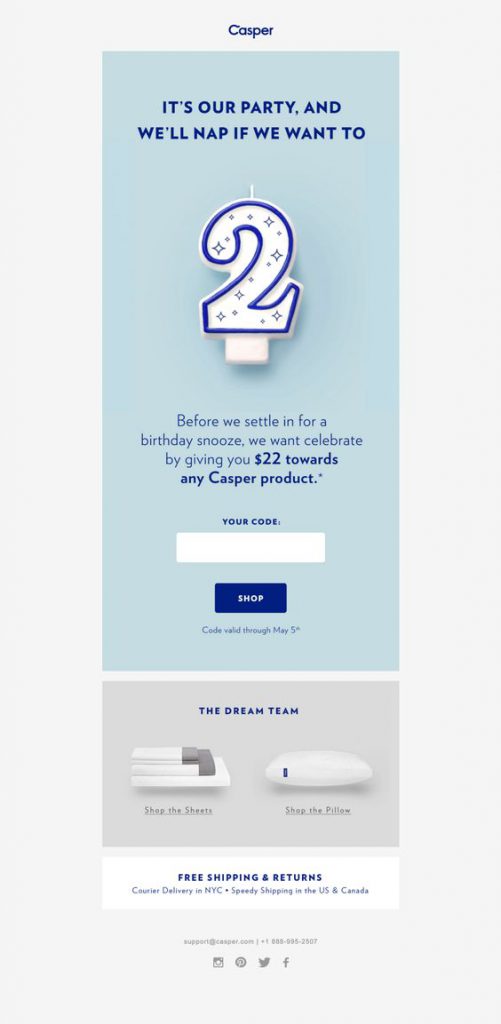
In this email by Casper, the brand celebrate their 2nd birthday milestone with subscribers. As well as a fun design, the email is also great as customers are offered an exclusive $22 discount in celebration of their business anniversary:

Anniversary email by Casper

Casper use email to celebrate a key milestone by offering customers an exclusive discount.

Here are some more examples of milestones you could celebrate in 2021:

  • Donation milestones - $X raised for your charity
  • Product milestones - X years of your product
  • Customer milestones - X customers served / signed up to your service

All of these milestones could be used as an exciting email promotion, or a simple thank you email to customers.

3. Feedback Emails

Obtaining true, honest customer feedback is majorly important for businesses of all shapes and sizes. Knowing what makes your customers tick, and understanding their habits and preferences allows you to optimise your strategy for them.

Putting together an email survey that readers will respond to is a fine art and takes a lot of trial and error. However, when the valuable feedback starts rolling in, the hard work will certainly pay off.

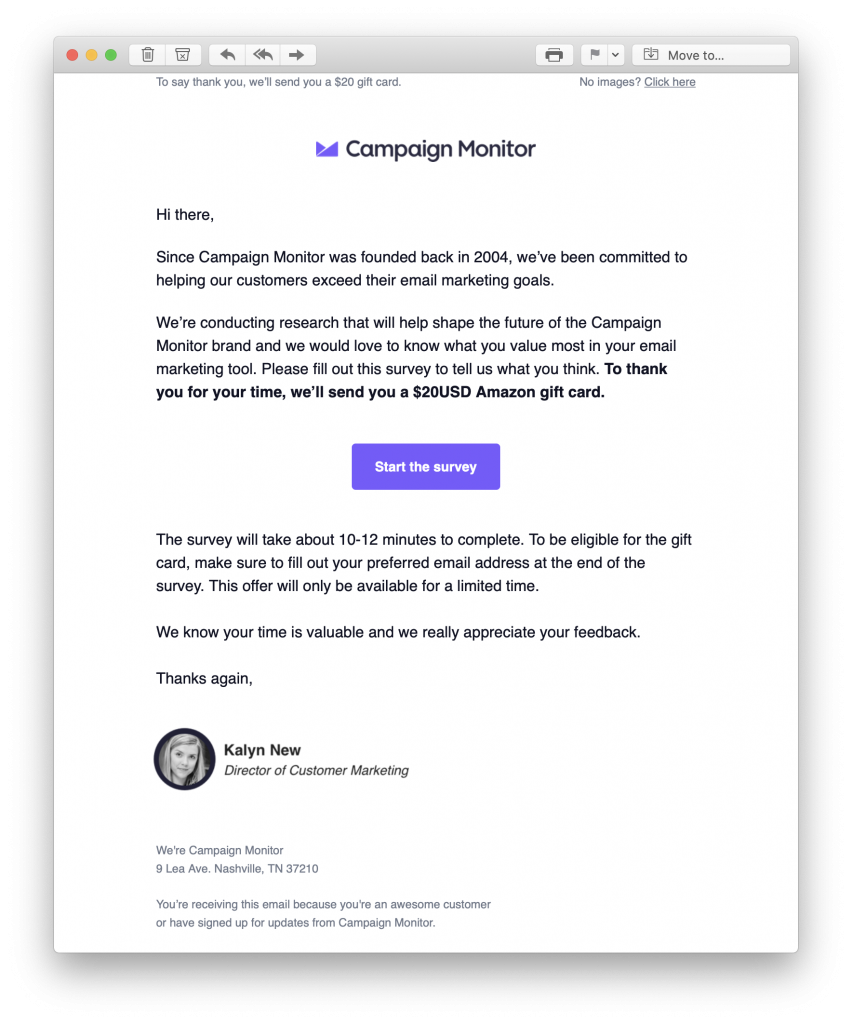
In this feedback email by Campaign Monitor, customers are given a massive incentive to take part, in the form of a $20 gift card. They are also super transparent in advising how long the survey will take, and make sure to thank their customers in advance:

Feedback email by Campaign Monitor

This feedback email by Campaign Monitor is super inviting.

Other incentives for taking part could include:

  • Holding a giveaway
  • A discount code for their next purchase
  • A free gift
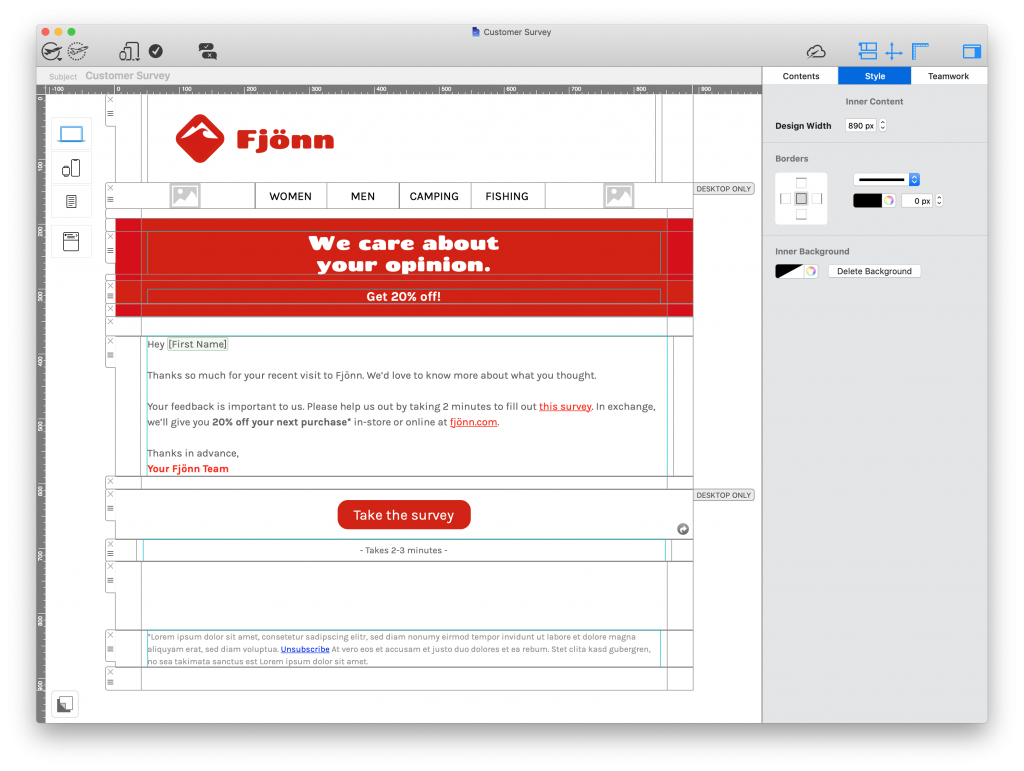
Customer survey email template in Mail Designer 365

This personalised template gets straight to the point and offers readers an incentive to take part in the survey - exclusively available in Mail Designer 365

Get this template here.

4. Digest Emails

Content marketing is on the rise and more and more businesses are using email to showcase their latest content.

Whether it's a run down of your recent Instagram posts, a selection of relevant blogs, useful infographics or guides - sharing great content with your subscribers is an effective way to drive engagement and increase website traffic.

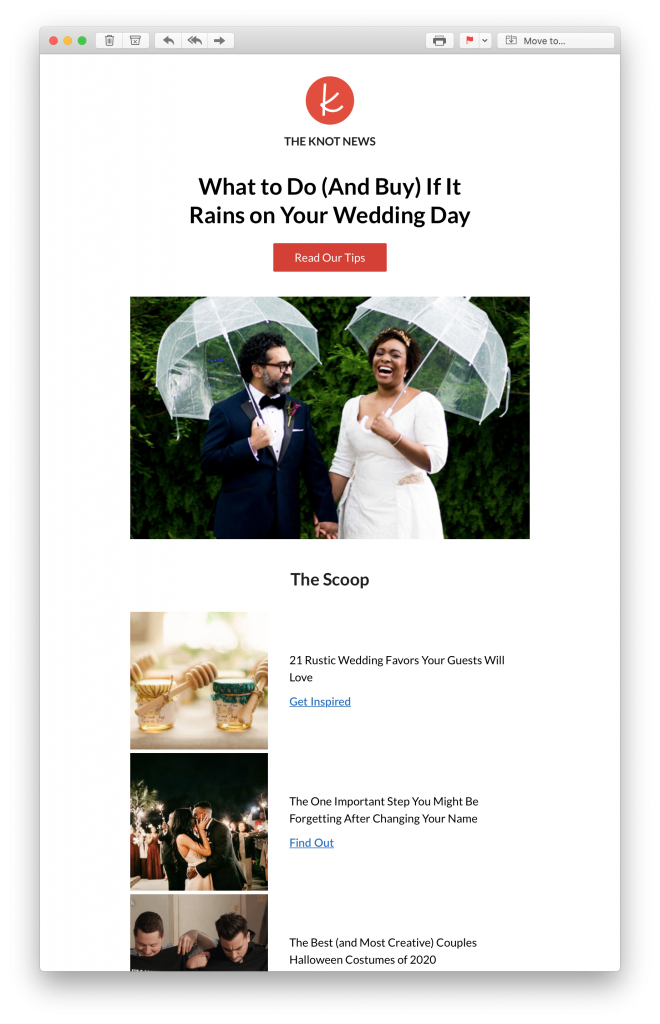
Wedding website service The Knot regularly share relevant blog content with their customers via email. The emails always come with an intriguing subject line and carefully curated content which is guaranteed to speak to the recipient and get them clicking through to their website:

Content marketing newsletter by The Knot

Using email to share relevant blog posts with subscribers can help drive website traffic.

What to consider:

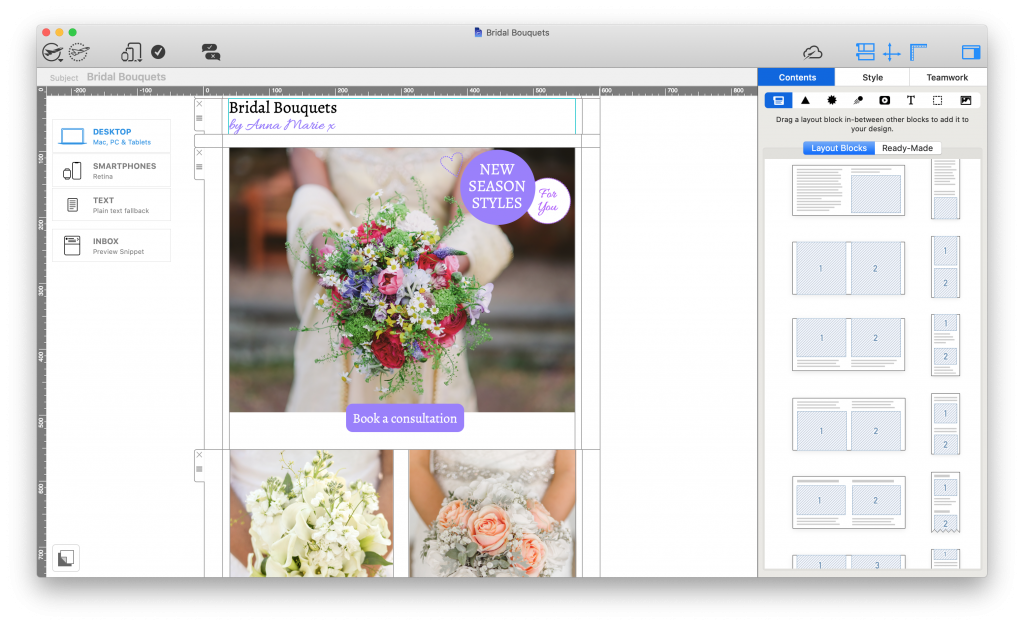
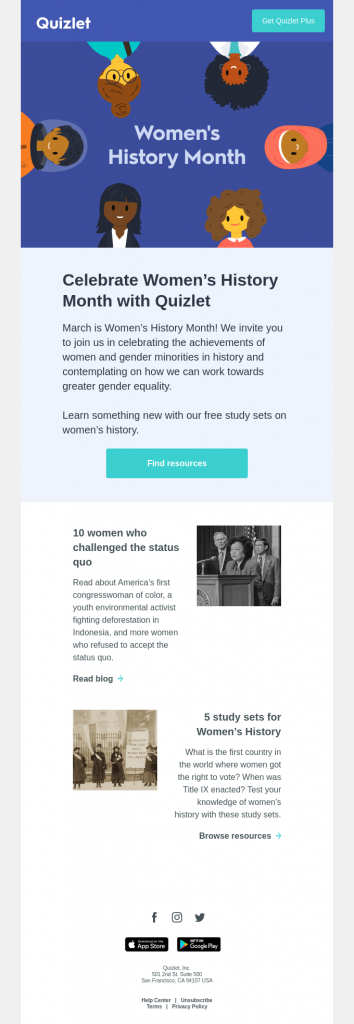
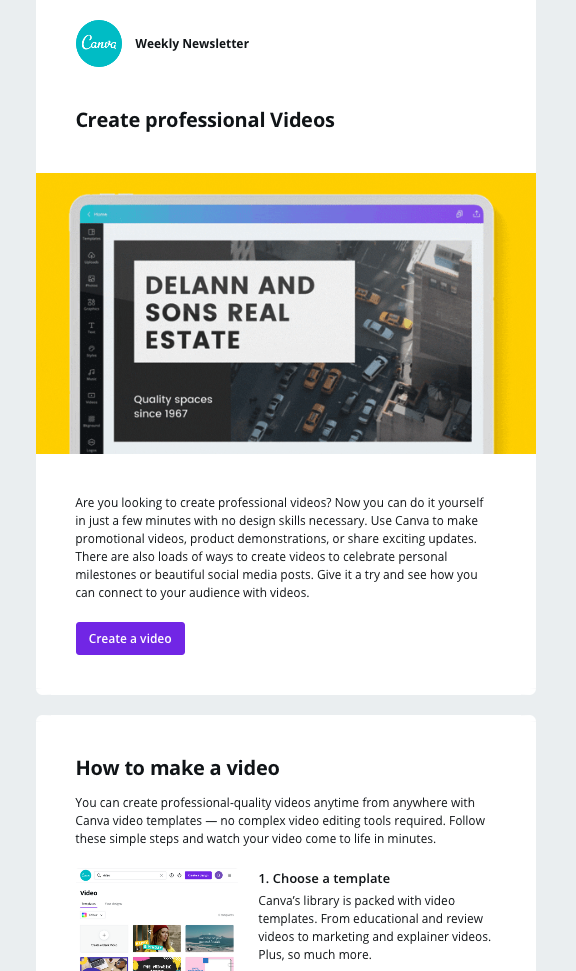
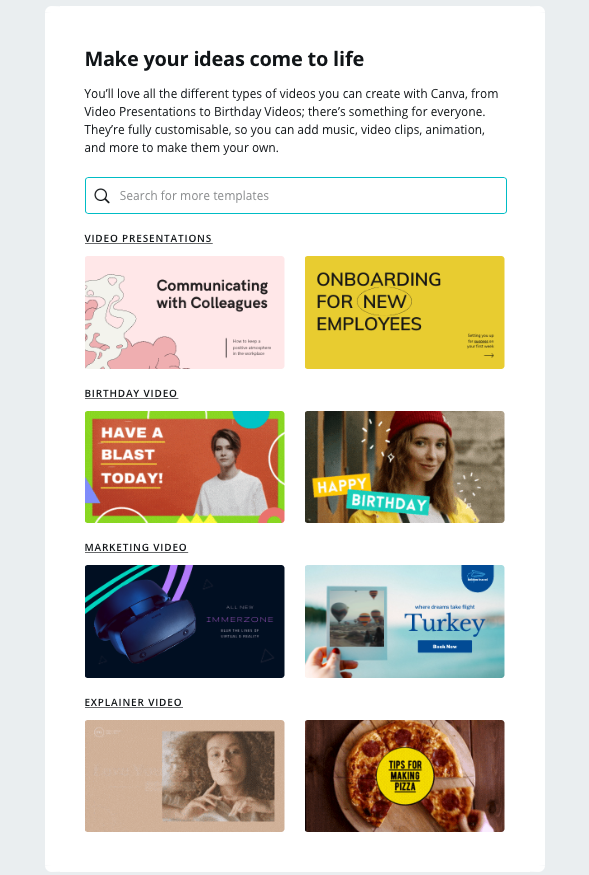
  • Structure: Include a mix of images, article headlines and teaser text to make your posts more appealing - Mail Designer 365 has an array of practical layout options for this.
  • Call to action: Entice subscribers to continue reading your post, watch your video, download your eBook, etc. with a bold CTA button.

5. Online Event Invitation Emails

2020 was undeniably the year that online events really took off; with businesses becoming more and more open to digital events, including webinars, online live classes, virtual conferences and trade fairs, and "Zoom parties".

If your business is looking to branch into the world of online events in 2021, you need to incorporate this into your marketing strategy. Sending online event invitation emails is a smart and efficient way to make subscribers aware of what you have coming up. It also provides them with a useful reference of all the key details.

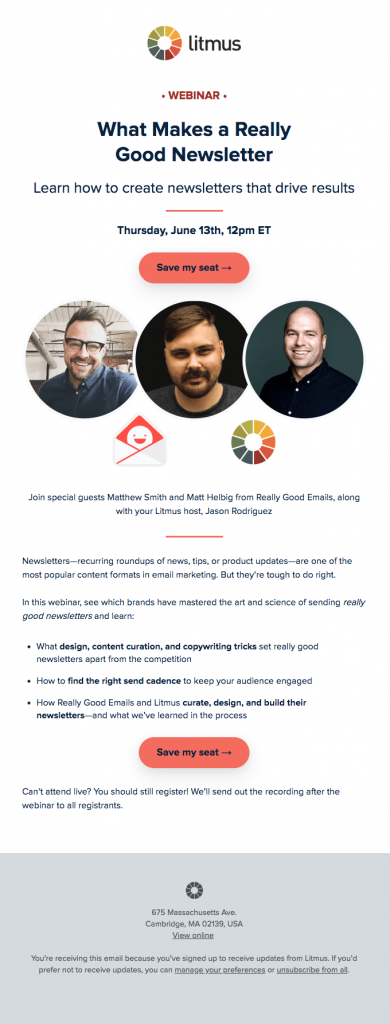
In this email invitation by Litmus, recipients are shown the basics which will be covered in the webinar and the date and time it's scheduled to take place. A vibrant feature image showing the special guests is another way to quickly draw in potential participants:

Webinar invitation by Litmus

Litmus tick all the right boxes with this informative and stylish webinar invitation email.

What to consider:

  • Email copy: Keep this short and sweet. Discuss the main details of the event and what participants should expect.
  • Call-to-action: Use a bold, central CTA button to give readers an easy way to sign up for your event.
  • Branding: The event is all about you and your business. Include typical brand assets like your logo and signature typeface.
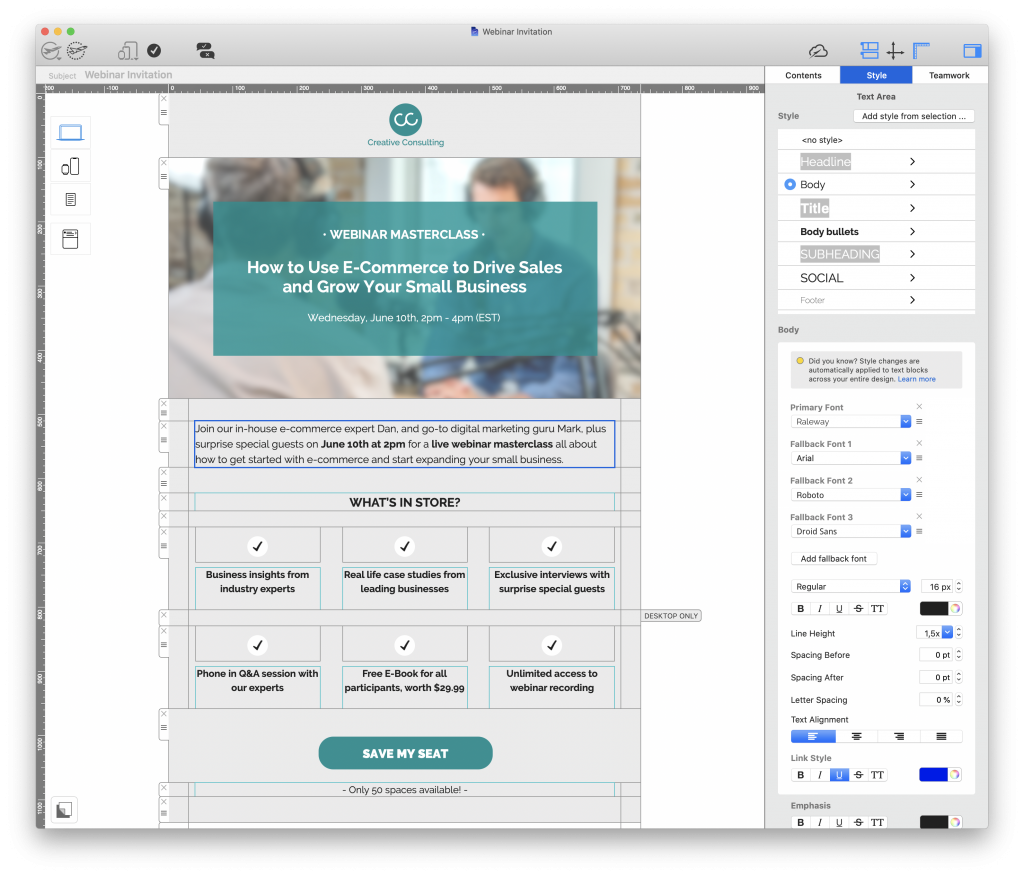
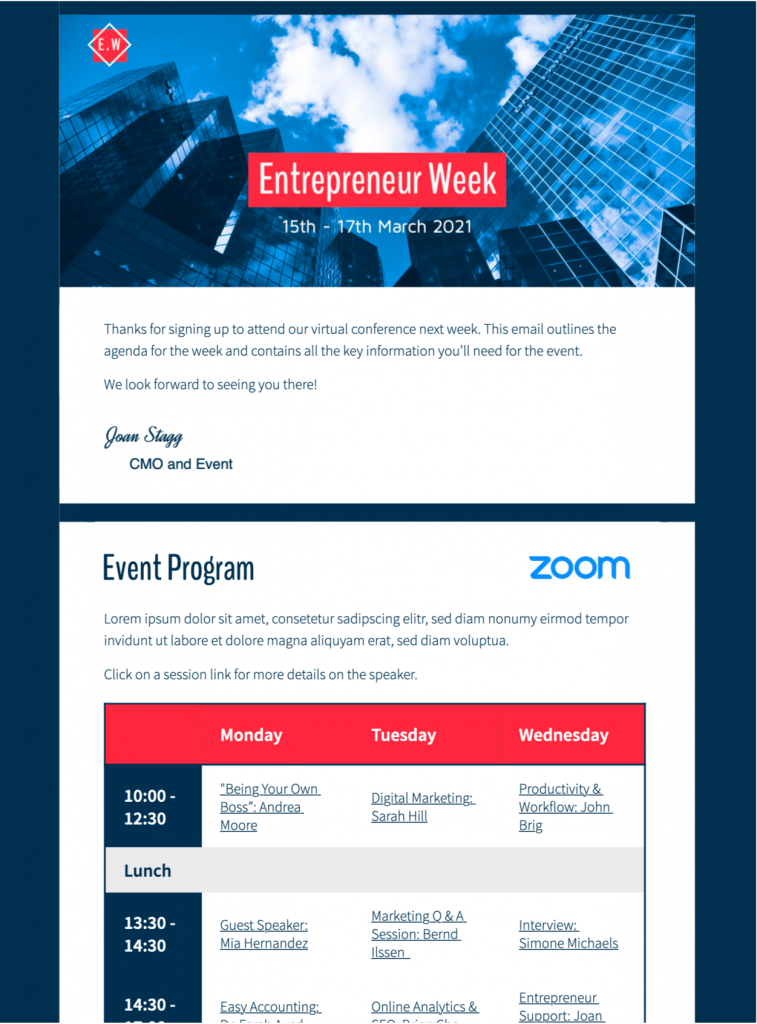
Mail Designer 365 template for online events

This email template offers a stylish layout to list the key details and selling points of your online event - exclusively available in Mail Designer 365
Get this template here.

Give your email strategy an upgrade for 2021

We hope these emails have given you some inspiration for your 2021 planning. Don't forget to secure your free marketing calendar and campaign planner for 2021!

Mail Designer 365 has all the creative tools you need to build amazing HTML emails on your Mac. For a full overview of all ready-to-send HTML email templates, check out our online gallery!

Don't have a Mail Designer 365 plan yet? Try it today for free!

Until next time,

Your Mail Designer 365 Team

Get started with Mail Designer 365 today

Start your 7 day free trial and use your Mac to create stylish email newsletters for your business.

No credit card required
OS X 10.11 - macOS Big Sur

Enjoyed this post?

Get more inspirational tips, tricks, and best practice examples in the Mail Designer 365 Newsletter Academy -
your one stop hub for all things email marketing strategy and newsletter design.

Creating Email Campaigns for Giving Tuesday - Ideas and Best Practice

By Mail Designer 365 Newsletter Academy

In the run up to the holidays, it's easy for businesses to get carried away with sales campaigns and promotional emails. Creating a Giving Tuesday email campaign is one good way to give your subscribers a break from sales-heavy content, while also demonstrating your company's values.

This guide covers all you need to know about Giving Tuesday emails, including campaign ideas, best practice tips, and real examples from big name brands.

What is Giving Tuesday?

Giving Tuesday is a relatively new concept that was founded in 2012 and is described as a "global generosity movement." The day encourages participants - whether businesses or regular citizens - to give back and help others.

Giving Tuesday logo

Although founded in the USA, Giving Tuesday is now celebrated in participating countries worldwide, including the UK, Germany, Brazil, India, Australia and Canada - making it a fantastic cause for your business to get involved with.

When is Giving Tuesday?

Giving Tuesday falls annually on the Tuesday after Thanksgiving, which makes it a great event to add to your holiday marketing calendar to break up your sales campaigns.

Ideas for Giving Tuesday Email Campaigns

Depending on the size and nature of your business, there are plenty of campaign ideas you can try out for Giving Tuesday. Here are five great ideas for Giving Tuesday campaigns plus examples from big name brands.

1. Run a promotion

One of the simplest ways to get involved with Giving Tuesday is by running a promotion for a good cause. Instead of presenting this as a typical sales promotion, be sure to emphasise the fact that your proceeds will be going to charity or a similar good cause.

Strategy tip: Hold an exclusive extended Black Friday/Cyber Monday sale and pledge X% of your profits to a charity. You could also choose a particular product and pledge all profits to the cause.

Giving Tuesday email campaign by Casper

Casper use a promotion on their mattresses to give back to a good cause.

Giving Tuesday promotion by J Crew

J Crew also ran a similar promotion on coats to support those in need during the winter season.

2. Partner up with a charity

This concept may take more planning but can certainly be worthwhile. Partnering up with a charity to release a limited edition product or hold a special event (virtual or physical) is another great way your business can use your platform to give back.

Strategy tip: Inform customers about your new partnership by sending a dedicated email a few weeks before the actual launch. You can also prepare a PR and raise awareness on social media to reach even more people. By the time your event tickets or product go on sale, there will already be a buzz surrounding the launch.

Giving Tuesday campaign by ONA

Camera strap brand ONA partnered up with charity: water to create a limited edition product.

3. Donation matching

Donation matching is another great way to raise awareness of a key cause. Use your email newsletter to encourage customers to donate to a chosen cause by pledging to match their donations.

Strategy tip: Include a section in your newsletter explaining why you've chosen this particular cause. This will help inspire more readers to donate and give your campaign a more personal touch.

Giving Tuesday email by Patagonia

Patagonia encourage customers to support a good cause with this donation matching campaign.

4. Rounding up to the nearest $/£/€

This is also a good technique to motivate your customers to take action. Encourage customers to round their purchase up to the nearest $/£/€ so you can donate the extra "tip" to a charity of your choice.

Strategy tip: Make the CTA (call-to-action) on your website super appealing so that customers can't resist donating that little extra. You could also try building in a counter to show how much you've raised so far to inspire more people to get involved.

Giving Tuesday campaign by Lyft

Lyft highlighted two good causes to support with their Round Up & Donate campaign.

5. Give back to your local community

Particularly for small businesses, an awareness campaign is also a great idea. Helping out the local community by promoting worthy causes and encouraging customers to donate or volunteer is also an effective way to show support.

Strategy tip: As well as mentioning them in your email newsletter, you can also use your social media platforms to point out key causes such as food banks, homeless shelters, and hospitals which may be in need this holiday season. Of course, if you are able to do so, you can also combine this with any of the above ideas for maximum impact.

What to Include in Your Giving Tuesday Emails

The #GivingTuesday tag and logo

Giving Tuesday is a global movement that is growing each year. If you are running your campaign as part of the movement, it's a good idea to stand in solidarity and show this in your emails. This instantly makes the appeal more familiar to recipients.

The GivingTuesday website has a selection of logos you can use if you're getting involved in the movement.

Powerful imagery

A picture speaks a thousand words. Whether it's a moving photo, or a touching illustration, including powerful imagery in your email design is a guaranteed way to convey your message clearly.

Incorporate a bold headline to create a strong feature graphic that really shows readers the meaning of your Giving Tuesday campaign.

Giving Tuesday campaign by PayPal

PayPal use a simple yet strong header graphic to encourages donations in this campaign.

Personalisation

Using name placeholders in your subject line and email body is a great technique to make your appeal more personal and make the recipient feel directly addressed.

Not only does this help to capture the reader's attention faster, it's also an effective way to appeal to them on a one-to-one basis and encourage more support.

Real life stories

Another way to strengthen your appeal is by including real life stories from the group you are trying to help. Again, this helps you connect with the recipient on a more personal level and makes your campaign more relatable.

Incorporating stories from people in need, or success stories of people who've been helped by your chosen charity helps you convey the importance of your cause.

Giving Tuesday campaign by Charity: Water

This email campaign by Charity: Water shares an encouraging success story with recipients.

A heartfelt call to action

Your call to action (CTA) is what signposts your recipients to your main campaign action. This could be a link to a donation page, your sale's landing page, or a blog post raising awareness.

Whatever your CTA is, make this clear in your email by using actionable, emotive text. If you are using a button, it's also good practice to choose a bold color that stands out well against the rest of your email design. Here are a few ideas:

  • Give back today
  • Support the movement
  • Donate now
  • Help the cause

We hope reading this post has inspired you to join in with Giving Tuesday this year. Creating a campaign for a good cause is your chance to give back to the community and show customers you care.

Until next time,

Your Mail Designer 365 Team

Get started with Mail Designer 365 today

Start your 7 day free trial and use your Mac to create stylish email newsletters for your business.

No credit card required
OS X 10.11 - macOS Big Sur
Adapting your holiday marketing for covid 19

Ways to Adapt your Holiday Email Strategy for Covid-19

By Mail Designer 365 Newsletter Academy

The holidays are a special time for both businesses and consumers worldwide. As well as using email marketing as a method to increase sales, companies can also use email to strengthen their relationship with customers and spread festive cheer.

Although the Covid-19 pandemic means the holiday season may look very different this year, there are still many ways in which you can successfully connect with your email audience and keep the holiday spirit going through challenging times.

In this article, we're sharing five practical ways you can effectively adapt your holiday email strategy for Covid-19 and still benefit from one of the most profitable times of the year.

5 Easy Ways to Adapt Your Holiday Email Strategy for Covid-19

1. Use positive, uplifting copy

With so much doom and gloom in the news, many of your customers will likely be finding it tough to get into the holiday spirit this year. Try coming up with positive email copy to help get customers in the mood for celebration.

Although it's important not to just carry on as normal and completely disregard the situation, you also don't want to appear to be spreading more bad vibes, or worse, attempting to profit from fear.

In your email copy, you should work to find a way to put positive spin on the current situation. Sharing useful ideas for safe ways to enjoy the holiday season (whilst also incorporating your products!) is a good way to keep up your marketing efforts and also remain respectful and sensitive in the context of the pandemic.

2. Stick to traditional themes and motifs to get recipients in the holiday spirit

While the holidays may be anything but typical this year, you should still keep to traditional themes. Classic festive design elements such as holiday color schemes, seasonal imagery and winter motifs are all super important for this time of year. Building these into your emails helps get customers feeling festive and in the mood for holiday shopping.

Holiday email design by Anthropologie

Fun, holiday-themed email promotion by Anthropologie.

This sales email by Anthropologie puts a creative, modern twist on traditional Christmas tree motif and definitely sets the holiday tone with a practical gift guide. You can find more fabulous examples of holiday email designs here.

3. Offer free shipping

With so many restrictions in place and a large emphasis on staying at home, online shopping has become even more important for consumers. For this reason, promoting your online store should be a central focus for your email marketing efforts.

One great way to get online orders soaring is by offering free shipping. Oftentimes, high shipping costs are a key reason for abandoned transactions. By centralising your promotion around free/discounted postage, you're providing customers with a safe and attractive alternative to visiting your physical store.

This strategy is especially important for those customers who may be isolating or are concerned about going shopping during the busy holiday period.

4. Optimize your call-to-actions for an optimal online shopping experience

If you do decide to make your online store the centre of your email marketing efforts, you should put extra work into your call-to-action (CTA) buttons.  In this case, an effective CTA should point the customer directly to a particular product or landing page (i.e. for a sale.)

As well as a prominent design, a good CTA also needs an actionable text which speaks clearly to the reader. Actions such as "View online", "Add to cart" or "Shop now" are all super clear and concise.

Looking good is one key thing, but of course the functionality of your buttons is also very important. Before sending, make sure your links are all correct and lead to a sensible destination. Ideally, the customer should be able to jump directly to the advertised product and purchase it in as little steps as possible.

Tip: Mail Designer 365 automatically checks all links in your design and will alert you to any errors:

False link identifier in Mail Designer 365

As part of the pre-flight check system, Mail Designer 365 automatically identifies any incorrect links in your design.

5. Highlight your in-store health and safety measures in your emails

For many of us, holiday shopping is an experience and there will still be customers who would prefer to shop at your physical store. Use your marketing emails to also highlight the health and safety measures you've got in place and help reassure those shoppers that your store is safe for them.

Include a dedicated section in your email design which explains the current health and safety measures in your store. This could include measures such as masks, a one-way system, temperature checks, maximum number of shoppers, or disinfection stations. If you have a large amount of information, linking out to a landing page is a good way to help keep things concise while still keeping customers up to date.

Covid-19 guidelines in an email design

Made in Mail Designer 365: Share your health and safety guidelines with customers in your email design.

Whatever you have in place, it is reassuring for your customers to know what they should expect and also shows your business is taking the situation seriously.

Sending Holiday Emails during Covid-19

Although it will take some adapting from your regular marketing strategy, sending effective marketing emails this holiday season is still very much possible.

Integrating the tips above into your holiday email campaigns will help make your content more suitable for the current situation, while also showing customers you care about their safety and wellbeing.

Happy Holidays and stay safe!

Your Mail Designer 365 Team

Get started with Mail Designer 365 today

Start your 7 day free trial and use your Mac to create stylish email newsletters for your business.

No credit card required
OS X 10.11 - macOS Catalina
Privacy Settings / Datenschutz-Einstellungen