

Healthcare email marketing helps medical practices communicate efficiently with patients and staff while keeping messages clear, timely, and professional. From appointment reminders to patient newsletters, a thoughtful healthcare email marketing strategy can streamline routine communication and strengthen patient relationships.
In this guide, you'll find all you need to know about the benefits of developing an email strategy for your medical practice, as well as some of our best practice tips to get you started!
Why Use Healthcare Email Marketing for a Medical Practice?
As well as being low cost and super easy to use, email is proven to be a highly effective mode of communication.
Communicating with staff and patients via email is an efficient way to share important news, make big announcements, and help simplify the day-to-day administration of your medical practice.

Healthcare Email Marketing Campaign Ideas
As the healthcare sector spans across such a broad range, the world really is your oyster when it comes to building up an email strategy.
That being said, here are some popular ways medical practices and clinics are utilising email to benefit patients and streamline communications:
- Welcome emails and important information for new patients
- Automated emails: Appointment confirmations/reminders, test results, invoices, doctor ratings, feedback forms
- Promotions: Discounted cosmetic procedures (i.e. teeth whitening, laser hair removal)
- Informative Newsletters: Medical tips, healthcare advice, pregnancy advice
- News & Announcements: Clinic closures, new telephone number/opening hours, new equipment, video consultations
- Targeted campaigns: Flu jabs, vaccinations, pap smear test, dental check up
- Internal staff updates, medical board, meeting minutes, health & safety policy
What to Include in Emails for Your Medical Practice: The Essentials
Incorporate your practice's branding
No matter how big or small, every medical practice has its own unique identity which should also be reflected in your emails.
Your branding is what your patients associate with you and often the reason they choose you over other practices. Incorporating important brand elements such as your logo and color scheme helps patients connect the email with your practice and adds to the overall impact.
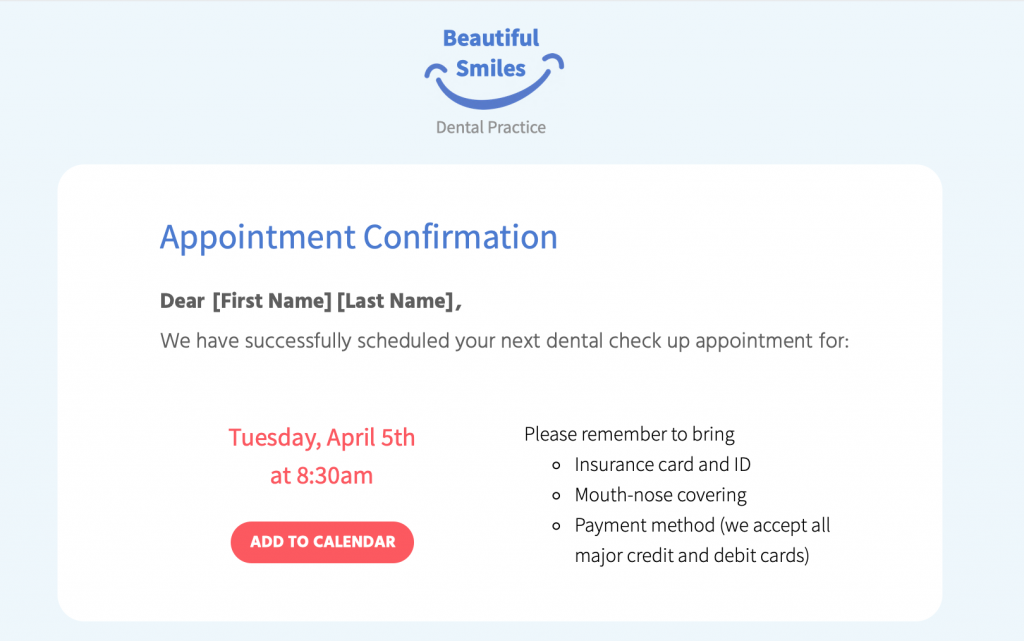
Include your practice's logo in a prominent position within your design to really emphasise your branding
Use personalisation to connect with patient
Connecting to patients on a personal level is an important way of gaining their trust and helping them feel at ease. This also goes for your emails. Using placeholders for personalisation allows you to go the extra mile for patients and tailor emails just for them.
Keep the tone calm, professional and reassuring
In many cases, your emails will be related to sensitive issues such as medical appointments, test results, and important reminders.
It's best practice to ensure the tone of your email copy is calm and reassuring, especially when the aim is to encourage patients to book a check up or attend an appointment.
Keep the email text clear and concise so that your message gets straight to the point.
Use sensible font options
Continuing on from the last point, it is also best to use a simple typeface for your email copy. In most cases, sans serif fonts tend to work best as they are clean and and usually easier to read.
In contrast, using a more elegant or artistic typeface can take away from the key message of your email and also come across as unprofessional. Moreover, elaborate fonts can also be challenging for any patients with visual impairments or reading difficulties to process, making your emails less accessible.
Include a range of contact information
As a medical practice, it's critical your patients are always able to get in touch with you. For this reason, every email you send should contain all your key contact information.
This is particularly useful if patients have questions relating to the content in your email. Having all your contact details on hand makes it easier for them to get the answers they need right away.
Mail Designer 365 offers a range of link types, including mailto links, telephone links and SMS links. Configure your mailto links with a pre-determined