
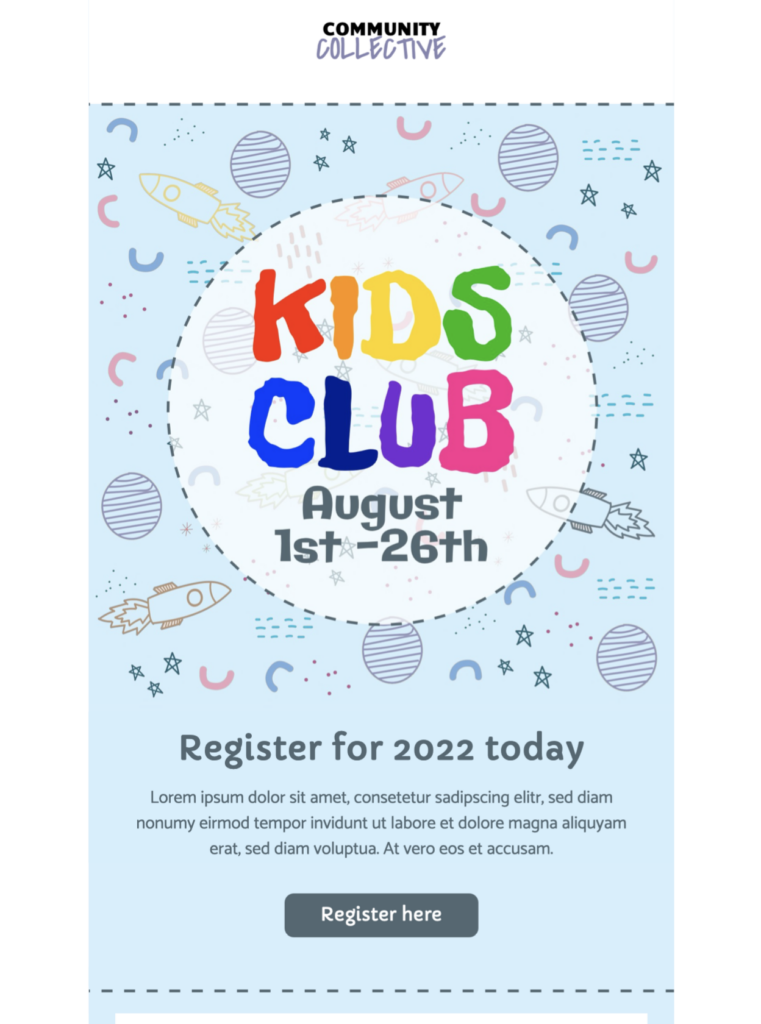
Email Template for Kids Club Events
This email template for kids helps you promote a fun club event, summer programme, or family activity with a practical, mobile-responsive timetable. Exclusively available in Mail Designer 365—sign up free today to get started.
Key Features:
- Sales & Events
- Premium Design (learn more)
- Customise for your business
- Mobile responsive
- Send via your ESP
- Send via your own email address
- Export as HTML
Works with:








Plan an email template for kids activities
Choose one purpose before editing the design: announce a club timetable, promote a holiday programme, invite families to an event, share registration details, or explain an activity update. Put the date, age range, location, and main action near the top so parents and guardians can quickly decide what to do next.
Include practical information for families
State the activity name, dates and times, venue, age or ability requirements, capacity, price, what is included, what participants should bring, and how registration works. Explain supervision, pickup arrangements, accessibility, cancellation terms, and the contact route for questions when they apply.
Customize the family-friendly design
Replace the sample logo, colors, images, timetable, button label, and destination with your own brand elements in Mail Designer 365. Keep essential details as live text rather than placing them only inside artwork. Use photographs and illustrations that accurately represent the activity and intended age group.
Write clearly and responsibly
Address adults who make booking decisions and avoid collecting unnecessary personal information about children. Use inclusive language, describe safety or consent requirements plainly, and link to complete policies where needed. Segment messages by location, age group, membership, or previous interest when that improves relevance.
Test accessibility and registration links
Use readable type, sufficient contrast, descriptive links, and meaningful image alternatives following W3C accessibility guidance. Preview mobile and desktop layouts, send a proof, open every registration and map link, and verify dates, prices, capacity, tracking parameters, legal footer, preference controls, and unsubscribe link. Browse more Mail Designer 365 email templates if another event layout better fits the programme.
Keep the registration page available through the stated deadline and provide a clear contact route for booking, accessibility, schedule, or safeguarding questions.