
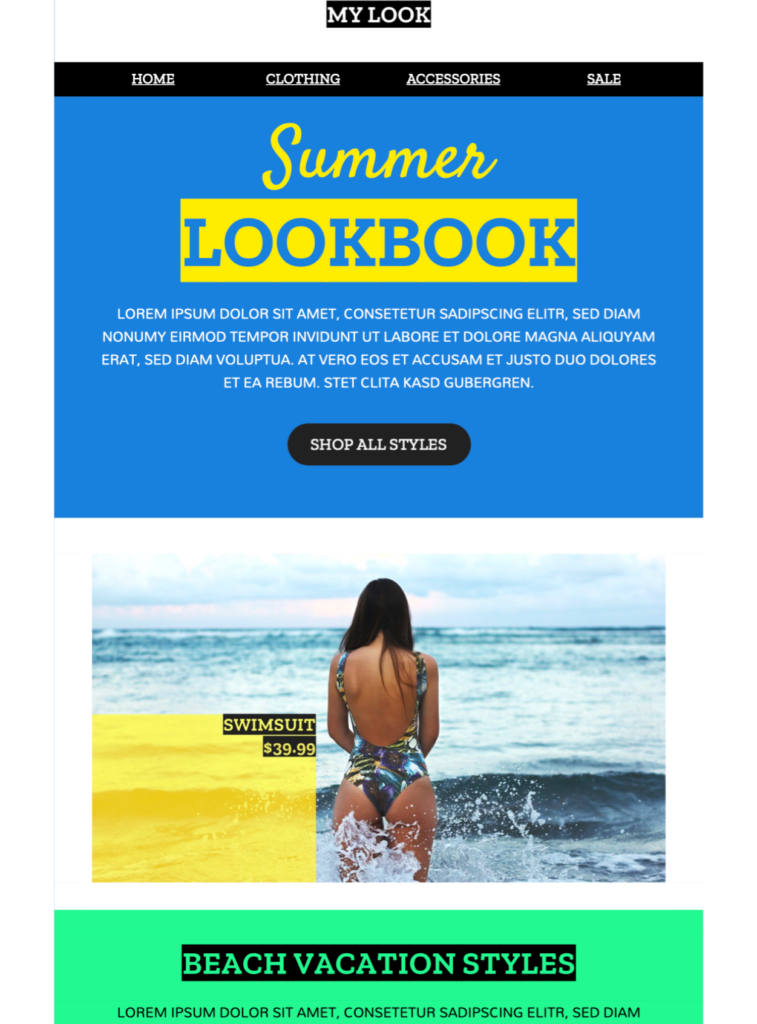
Summer Fashion Email Templates
Exclusively available in Mail Designer 365, these summer fashion email templates help clothing, footwear, and accessories brands introduce a warm-weather collection or seasonal sale with a bold color-blocked layout. Customize the products, offer, colors, and call to action, then preview the responsive design before sending.
Key Features:
- Sales & Seasonal
- Customise for your business
- Mobile responsive
- Send via your ESP
- Send via your own email address
- Export as HTML
Works with:








Customize Summer Fashion Email Templates for Your Brand
Replace the sample logo, colors, product images, and copy with assets that match your current collection. Keep one clear campaign goal, such as announcing a launch, highlighting seasonal essentials, or inviting customers to a sale. A focused layout helps readers understand the offer quickly on desktop and mobile.
Plan a Strong Seasonal Message
Connect the design to a specific moment in your calendar: vacation planning, warm-weather products, festival season, summer opening hours, or an end-of-season promotion. Use a concise headline and supporting copy that explains why the featured items matter now, then direct readers to one primary call to action.
Choose Bright, Accessible Visuals
Summer campaigns often use energetic colors and lifestyle photography. Maintain sufficient contrast between text and backgrounds, follow W3C image accessibility guidance, add descriptive alt text, and avoid placing essential prices or dates only inside images. Consistent spacing and image proportions keep the email polished across different inbox sizes.
Preview, Test, and Schedule
Check that featured products are still available in the promoted sizes and colors, and state delivery cutoffs or return conditions close to the offer. Verify every product link, coupon, price, and destination on both desktop and mobile. Send proofs to colleagues, confirm the reply-to address and legal footer, and schedule the campaign for the audience’s local time.
Before sending, check every product link, promotional code, date, and delivery condition. Preview your summer fashion email templates on desktop and mobile, send test messages, and confirm that the design works with your selected email service provider. Schedule the campaign early enough for customers to act while the offer remains relevant.