
One designer on Mac. The whole team everywhere else.
Review and approve from any device
Your designer creates the campaign in the Mail Designer 365 app on Mac. Colleagues can review, comment, and sign off in their browser—whether they use Windows, Mac, iPhone, iPad, or Android.


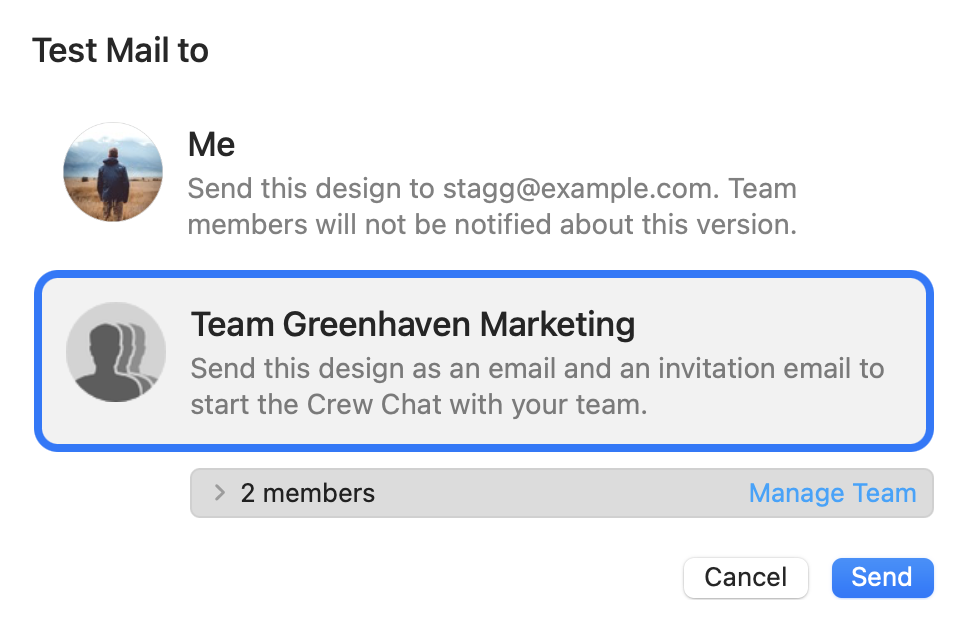
Test together before you send
Send a Testmail to yourself and your team so everyone can check the campaign on the devices and email apps they actually use.

Schedule and send from any device
Once the campaign is approved, authorized team members can schedule or send it from any modern browser—on Windows, Mac, or mobile. Contacts, reports, and delivery tools stay available wherever the team works.

Built for mixed Mac and Windows teams
Let the designer work on Mac while colleagues review and approve in their browser. Add up to 10 participants for free to discuss revisions together in Crew Chat—from Windows, Mac, or mobile.

Mail Designer 365 FAQs
How can I start using Mail Designer 365?
Sign up here free to create your first Mail Designer 365 project. Then, save a design to share it with project participants and start using features like Crew Chat and Testmail.
Sign up here free to create your first Mail Designer 365 project. Then, save a design to share it with project participants and start using features like Crew Chat and Testmail.
Can I edit my email design online?
Designs created in the Mail Designer 365 Mac app are automatically saved and synchronised in your Mail Designer 365 project. Afterwards all project participants have access to the design. In order to change a design which has been shared in your project, the Mail Designer 365 app as well as a Mail Designer 365 plan is required.
Designs created in the Mail Designer 365 Mac app are automatically saved and synchronised in your Mail Designer 365 project. Afterwards all project participants have access to the design. In order to change a design which has been shared in your project, the Mail Designer 365 app as well as a Mail Designer 365 plan is required.
Can I use delivery features without the Mail Designer 365 app?
Yes. Your designer creates and edits the campaign in the Mail Designer 365 app on Mac. Everyone else can use a modern browser on Windows, Mac, or mobile to review, comment, approve, schedule, and send campaigns. Larger TeamCloud Storage and Audience quotas are available in Delivery plans.
Are sending features included with Mail Designer 365 plans?
Each team comes with a base license providing core Mail Designer 365 sending features. Additional upgrade plans (i.e. for more contacts) are available as a monthly add-on. View all plans.
Each team comes with a base license providing core Mail Designer 365 sending features. Additional upgrade plans (i.e. for more contacts) are available as a monthly add-on. View all plans.
Upload email contacts
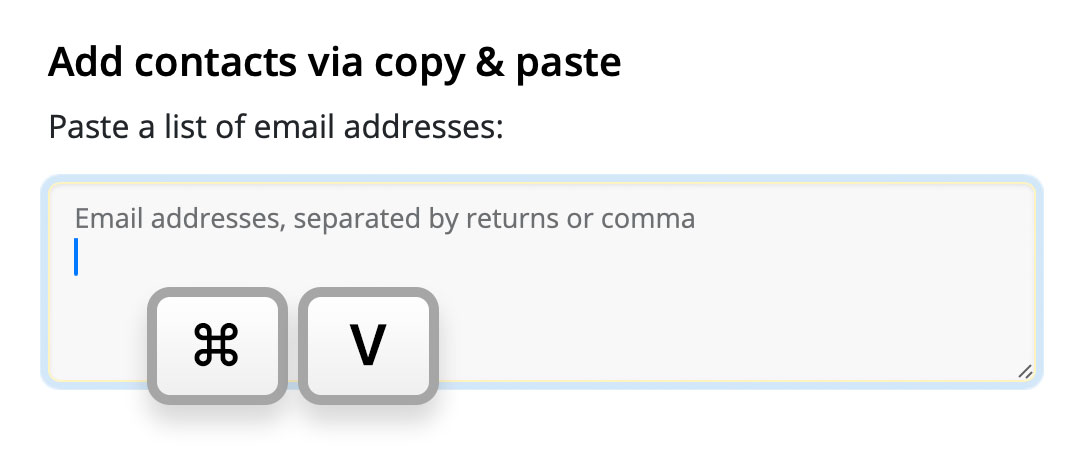
Conveniently add email addresses via copy & paste, upload via CSV – e.g. when exporting from another service, or import directly using your Mailchimp or Campaign Monitor API key.
Add custom attributes on the fly
In comparison to other sending services using predefined, table-based systems, Mail Designer 365 Delivery is powered by dynamic key values.
Assign contacts custom attributes and store personalized user data like purchase history, interests, etc. Perfect for sending tailor-made email campaigns.
Segmentation made easy
Want to filter out subscribers who are cat lovers? Use attribute data to set up target groups for specialized campaigns:


Select custom layout and design options to match your brand's look and feel, then add the finished code to your site.
Schedule emails ahead of time
Vacation coming up? Schedule emails days or weeks in advance to ensure your content is still making waves, even when you're out of the office.

The Scheduled Campaigns overview makes it easy for you to check over upcoming campaigns and make changes if needed – on any device, wherever you are.

How did your campaign do?
Post delivery, head to the Statistics view for detailed insights on email opens, click-throughs, unsubscribe rate, and email bounces.

Edit links after sending
Accidentally included an incorrect link in your campaign? We've all been there! Use Mail Designer 365 Link Rescue to edit links even after you've sent your email – perfect for those inevitable oops moments, or if you have a last minute change of plan.
How it works: Open the analytics view for your campaign and switch to the Link Overview tab:

Here you can select any link and edit it at any time for all recipients. Available in Seoul plans and onwards. Compare all plan options.


Mail Designer 365 for Mac
Download Mail Designer 365 for Mac to create polished email designs. Then invite your team to review, approve, schedule, and send from any device.

Set up your email for sending
Get your from: email addresses set up and verified in just a few simple steps to improve your email deliverability rate.

What to look for in an email service
Looking for the best email service provider for marketing emails can be a daunting process. Luckily, we're here to help!