Category

Mail Designer 365 Newsletter Academy

Email Marketing Guide for Restaurants

By Team equinux Mail Designer 365 Newsletter Academy

With a market value of over 465 Million Euros in Western Europe alone, it's safe to say that the food industry is one of the largest, most powerful industries in the world. For the average restaurant owner, this makes it extra important for you to stand out from your competitors and strengthen your connection with your customers.

Here are some of our top tips on how you can use email marketing to boost sales in your restaurant and build up long-lasting relationships with your diners...

Branding and Style

To kick things off, let's start by thinking about your brand and your target audience. This will massively help you to determine the style of your email and create the right aesthetic to really speak to your customers.

For a down to earth, family friendly eatery, feel free to use bright colors and focus on the happy, fun atmosphere of your restaurant. This vibrant email from Giraffe shows customers that the whole family is welcome:
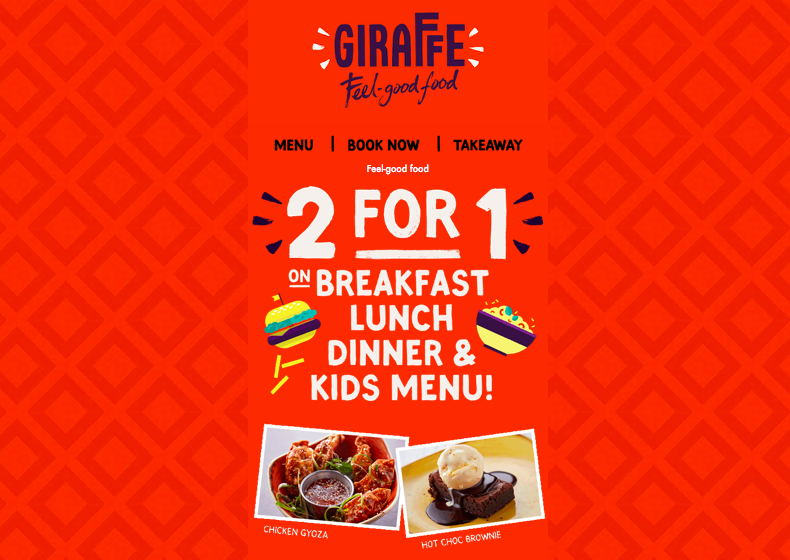
Use bright colors and bold typeface to show off your restaurant's fun atmosphere.

A more sophisticated restaurant may want to opt for a refined approach, focussing solely on the atmosphere and quality of the food. Pizza Express use a minimalistic color scheme in this email and shine the spotlight on their delicious food:
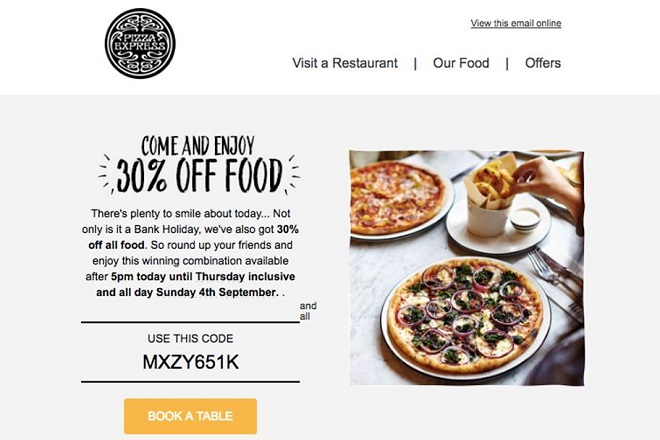
A down to earth, minimalist theme is a great way to emphasise the quality of your food.

Building up your email list

The best way of getting contacts for your email list is by recruiting customers who already know and love your restaurant and want to stay informed. These are the customers who genuinely want to read your emails and will give you positive click through results.

One effective way of getting customers to sign up for your newsletter is by advertising it on your website and in the restaurant itself. If you want to go the extra mile, you can even offer an incentive such as a discount code when they register.

Here are some great examples of sign up boxes you could try on your website...
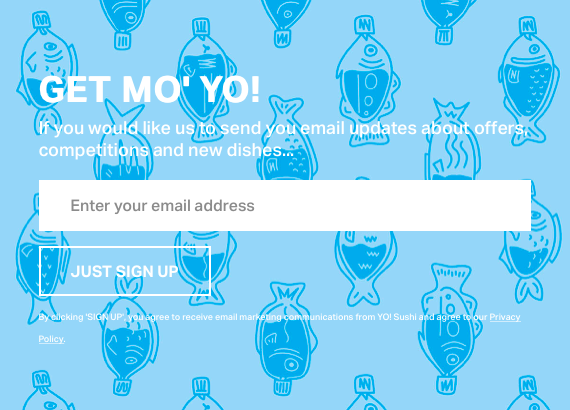
Bright and eye-catching from YoSushi.
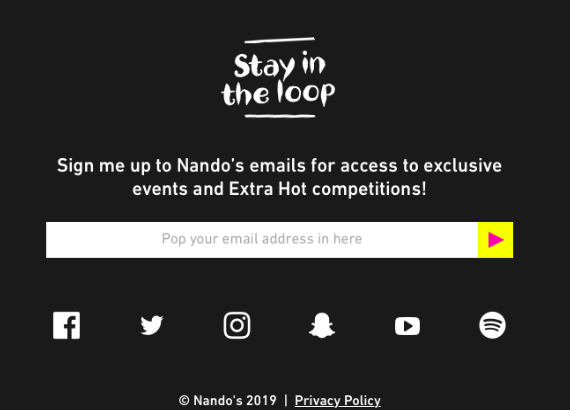
Sleek and cool by Nando's.
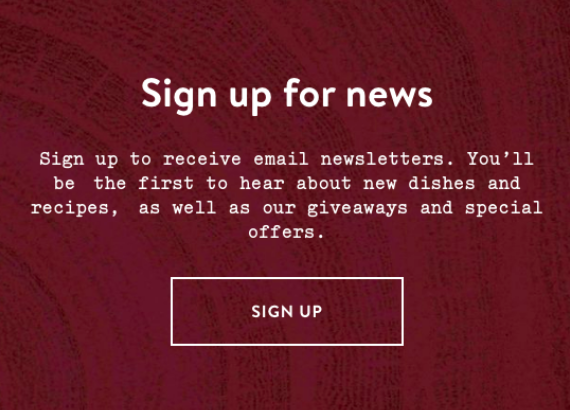
Warm and inviting design by Wildwood.
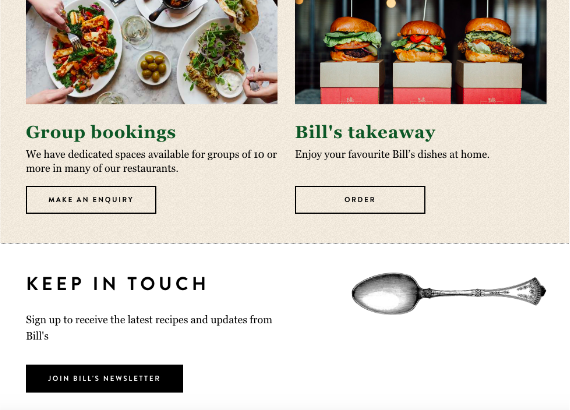
Classic and inviting from Bill's.

Types of Emails

Now that you've got your email list built and ready to go, it's time to start deciding which types of emails you want to send your customers. For restaurant owners, there is a huge variety of options available to you when it comes to contacting your customers. Here are some of the most popular ideas...

The discount email

One of the most effective ways to kick off your email marketing journey is by offering all your new sign-ups a discount to say thank you. This will encourage them to come back to your restaurant and also make them feel appreciated.

The seasonal promotion

If you're lacking in ideas, take a look at your calendar for inspiration. See what events are coming up and plan an email campaign around them. This Father's Day promotion from Toby Carvery is a brilliant way to get customers to come and dine with their families and celebrate their dads:
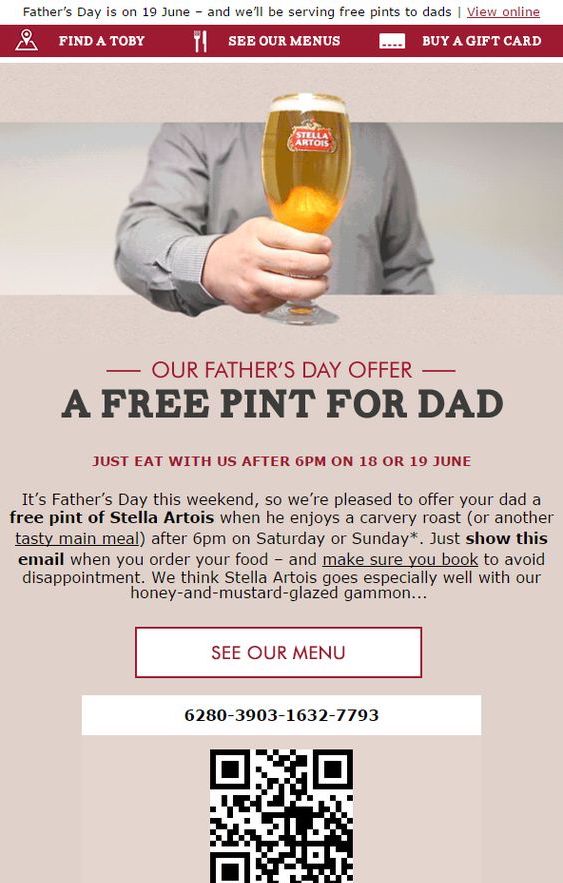
Get inspired by seasonal events to create tempting promotional offers.

The family-friendly email

Do you have a lot of families visiting your restaurant or cafe? If so, this is another great theme you can utilise in your emails. Offer busy parents an incentive to choose you by emphasising the family-friendly nature of your business. This "kids eat free" promotion from Jimmy Spices is a clever way of attracting families to eat at their restaurant:
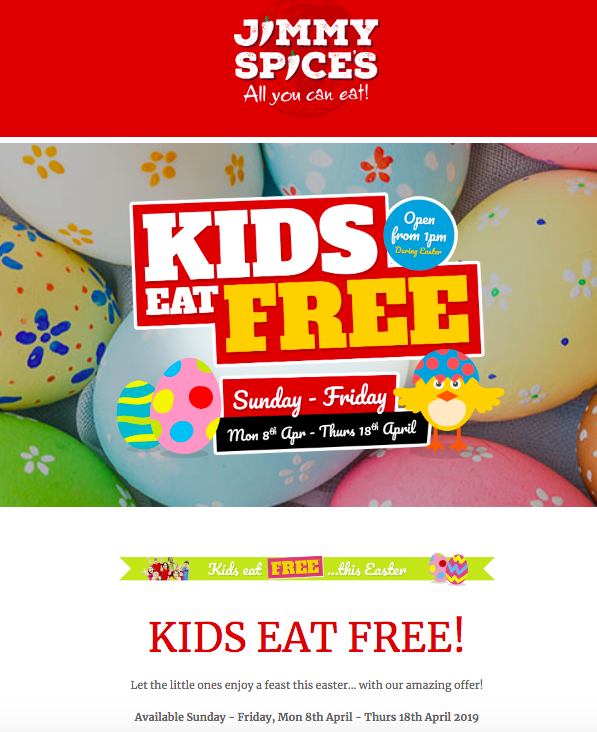
Show parents that they are more than welcome to bring their whole family along.

The newsletter

Many of your customers will have signed up to receive your emails because they are interested in what is going on with your business. Keep customers in the loop by sharing your most important news with them via your email newsletter. Alongside offers and promotions, this could also include information about...

  • Upcoming events (e.g. Open mic, quiz night, charity fundraisers.)
  • New menus or seasonal menus
  • Booking information for busy holidays
  • Important news such as closures or renovation work
  • Themed nights (e.g. Mexican night, Italian night...)

The Birthday email

Sending out a Happy Birthday email is a great way to build on your customer relationships and make them feel valued. This can be easily achieved by asking customers to fill in their birthday as part of the newsletter sign up process.

This example from YoSushi also provides an exclusive birthday offer to make the customer feel even more special on their big day:
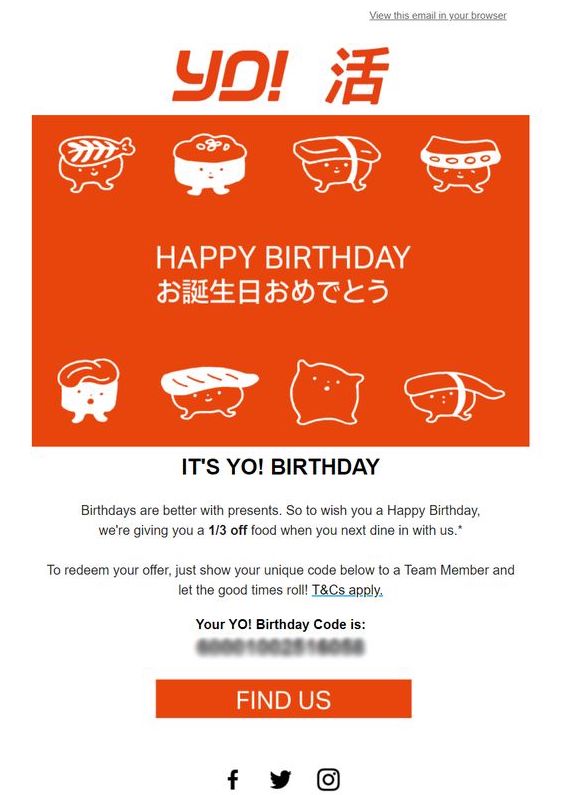
Wish your customers a Happy Birthday and leave them feeling appreciated.

Booking confirmation emails

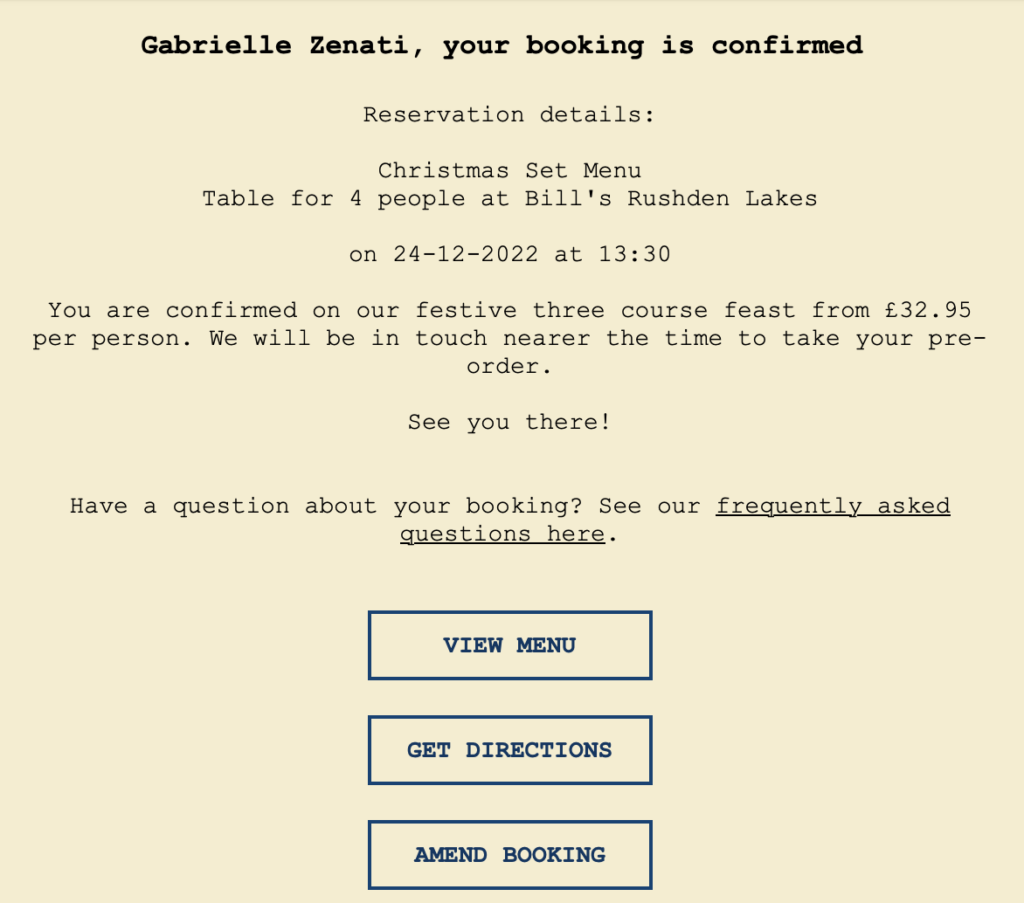
Sending a confirmation email to guests who have reserved a table at your restaurant is a great way to welcome them in advance and get them excited for their visit.

Show your restaurant's welcoming atmosphere by using personalization and a warm greeting. Don't forget to include all the essential details like date & time of the reservation, number of guests, location, your contact details, and a link to your menu so guests can start planning ahead!
The follow up email

Last but not least, a follow up email can also be a super effective way of showing your customer you care about their experience in your restaurant. This is easiest to achieve with a loyalty card system in place, so you can track when customers have visited your restaurant. Alternatively, you could also provide customers with a website where they can give their feedback.

A good follow up email will give customers the chance to rate their dining experience and help you improve in the future. This example from Nando's is a cheerful and colorful way to get customers to share their views:
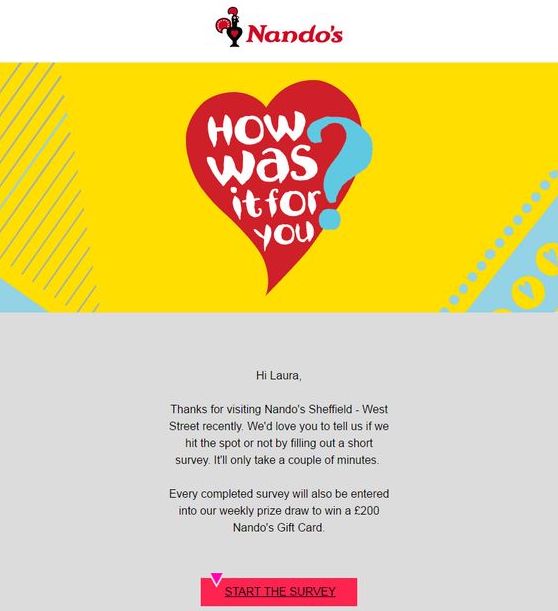
Follow up with customers and use their feedback to improve your service.

We hope you have found these tips and ideas useful and will consider trying them out in your restaurant. For more information on how you can use Mail Designer 365 to create and send emails for your restaurant, head over to our dedicated restaurants page.
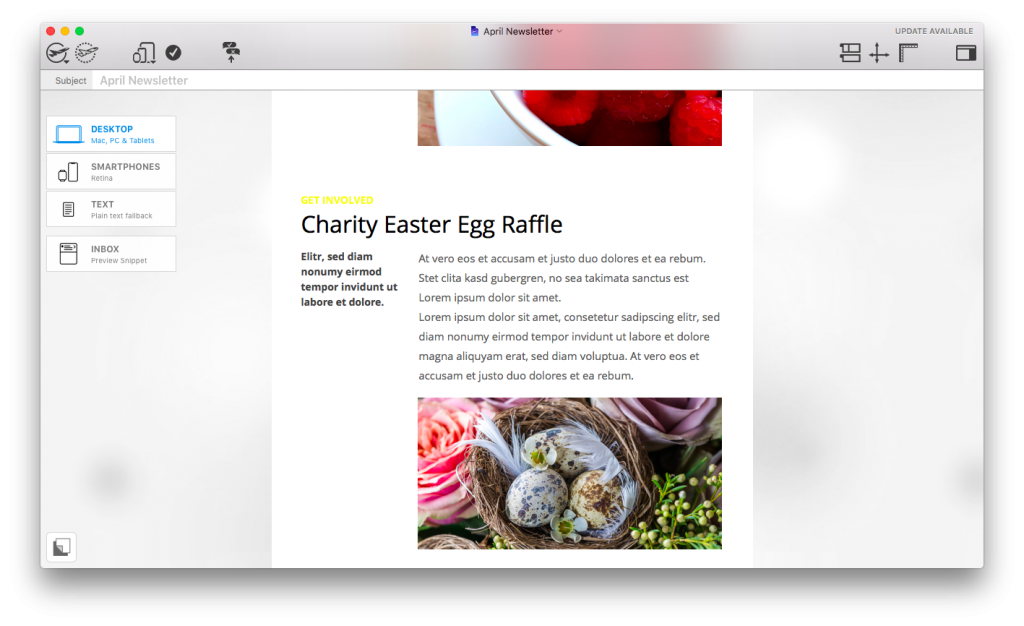
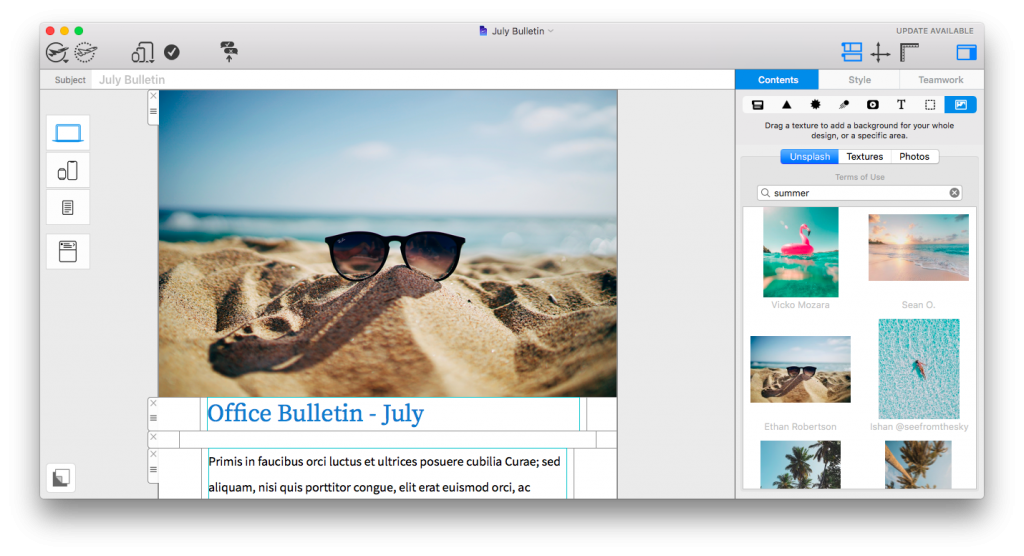
Get started with Mail Designer 365 today

Start your 7 day free trial and use your Mac to create stylish email newsletters for your business.
No credit card required
Compatible from macOS 10.13 onwards

Inspiration for your 2019 Email Marketing Calendar

By Mail Designer 365 Newsletter Academy

2018 is coming to an end, and for email marketers and businesses, going into a new year can be a daunting prospect. With so much to plan and consider, we wanted to make things a little more straightforward for you in 2019. Here are 12 inspiring dates for your 2019 email marketing diary...

January 21st: Blue Monday

Officially named the most depressing day of the year, Blue Monday is hardly a cause for celebration. As marketers, you can be clever and do your best to take advantage of this day by giving your customers something to smile about. This may be a special offer or discount, or simply a kind email to remind readers to hang in there!

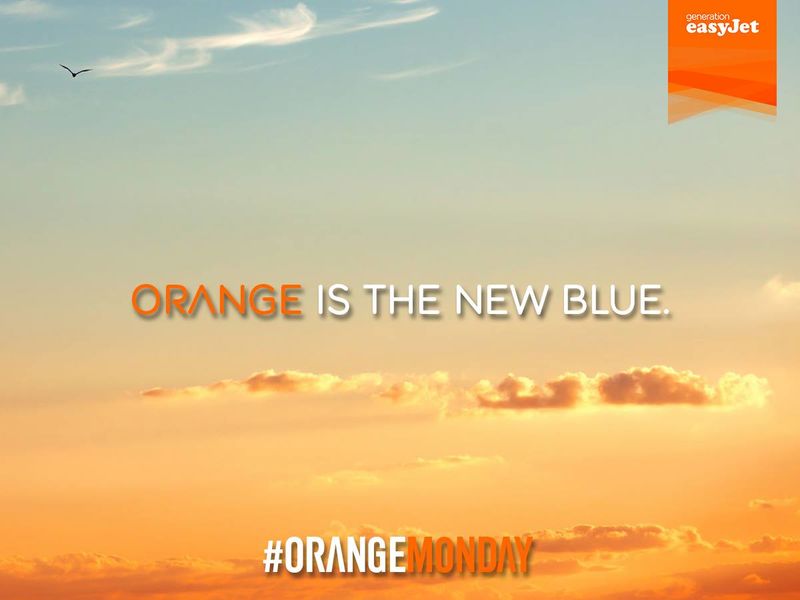
Travel company EasyJet launched an 'Orange Monday' campaign offering discounts across flights and holidays as a way to cheer up customers from the Blue Monday gloom.

Take your customers' minds off the Blue Monday gloom by offering a sale or promotion like EasyJet's Orange Monday...

February 5th: Chinese New Year

Vibrant and colorful, the Chinese New Year is an exciting event observed by Chinese families worldwide. Get involved by integrating some aspects of Chinese culture into your email campaigns to celebrate the start of their year.
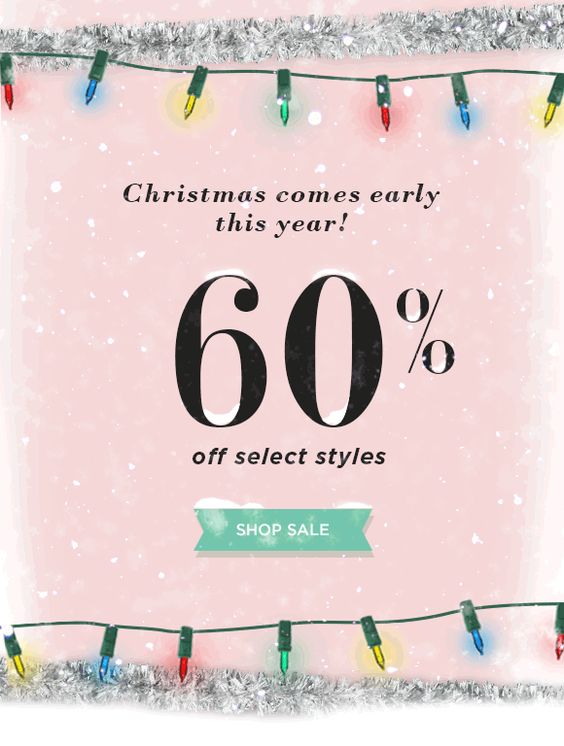
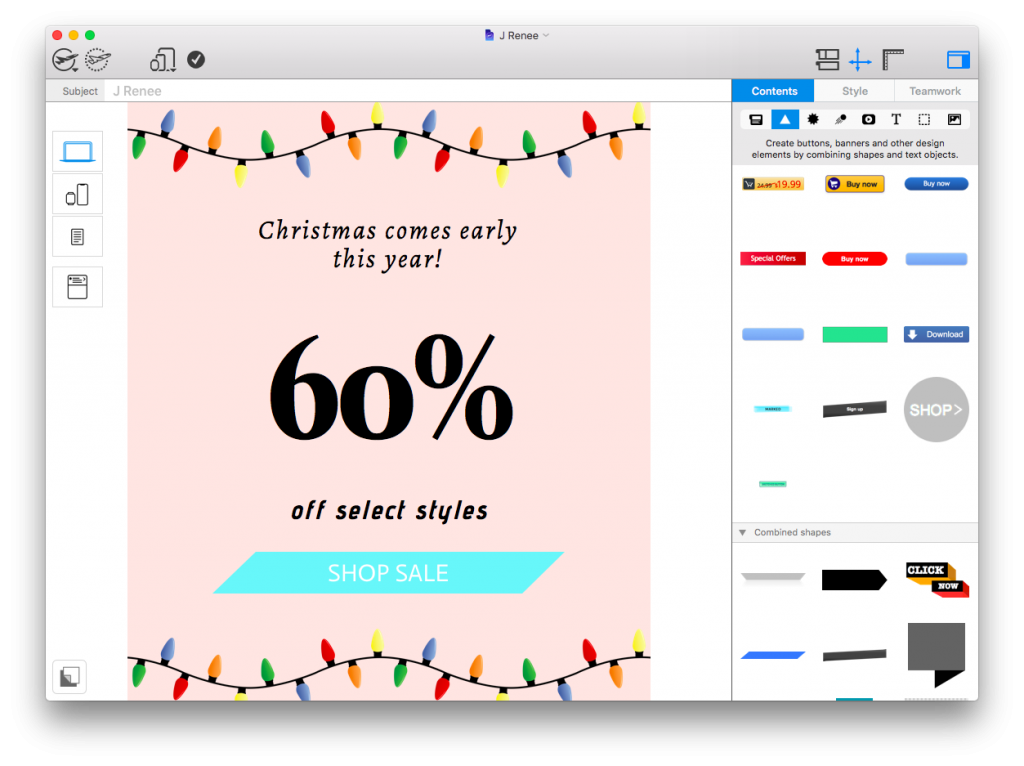
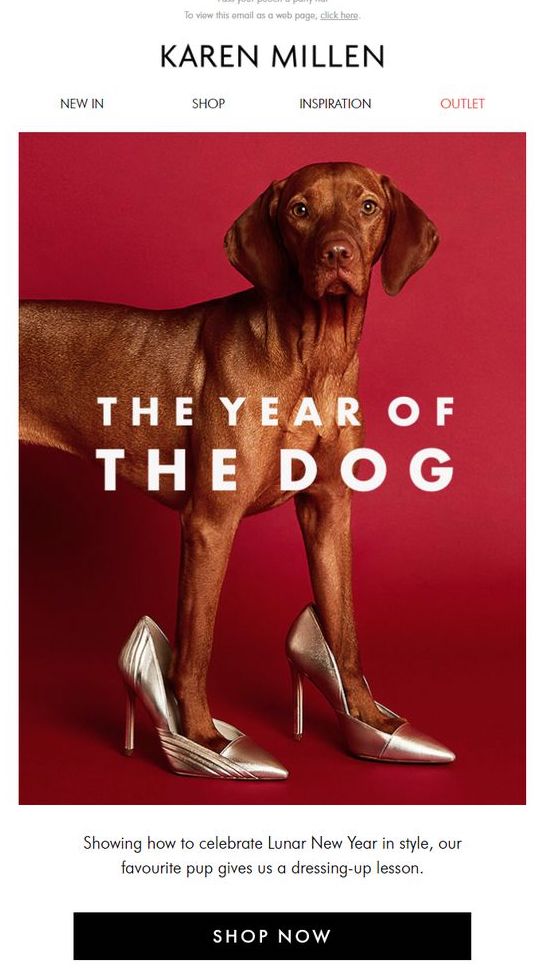
This clever email from Karen Millen is a humorous way to incorporate Lunar New Year celebrations into a marketing campaign:

March 8th: International Women's Day

International Women's Day is a great opportunity for you to celebrate your female customers and colleagues. A marketing campaign giving back to women's charities or simply an email recognising the day would be highly effective way to show women your appreciation.

April 1st: April Fool's Day

Widely known as a day to joke around and have fun, April Fool's Day gives you the perfect chance to show off your funny side to your customers. Try integrating an appropriate level of wit and humour into your emails to make your campaigns more interesting, but remember to stay on brand whilst doing so!

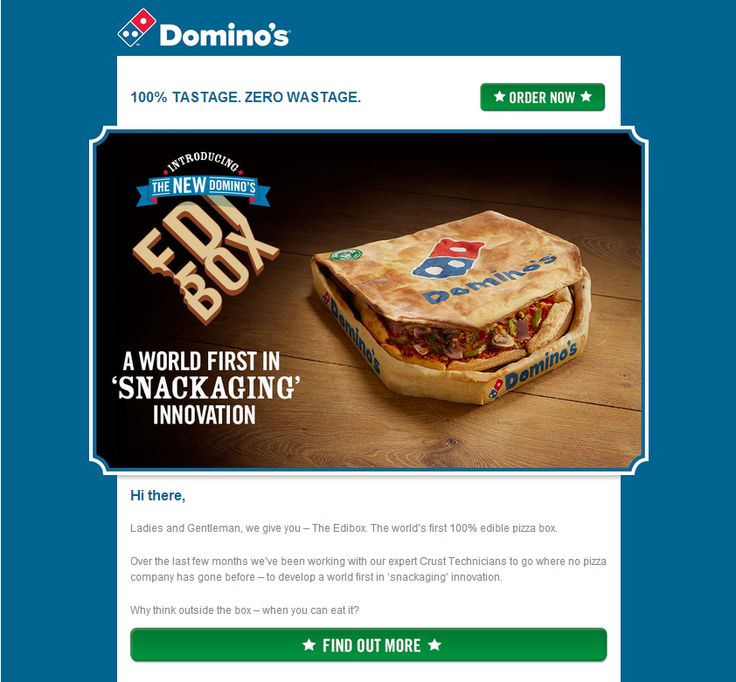
This funny email from Domino's Pizza is well on brand and incorporates just the right amount of humour for readers to appreciate it as an April Fool's campaign:

Keep the humour of your April Fool's campaigns on brand and relevant to your business

May 15th: International Day of Families

It is important for businesses to be family friendly and cater to different age groups. The International Day of Families is a great time to show that your business does just that. Try coming up with a promotion to benefit families, such as kids eat free, or discounts across children's toys or clothing.

June 1st: LGBT+ Pride Month

LGBT Pride is quickly becoming one of the biggest celebrations of the calendar, with large scale events and parades taking place worldwide. As a business, it's important for you to show your support for this movement and email marketing offers you a convenient way to make this happen. Whether you incorporate the rainbow theme into your design, or build a specialised campaign, any support will be widely appreciated.

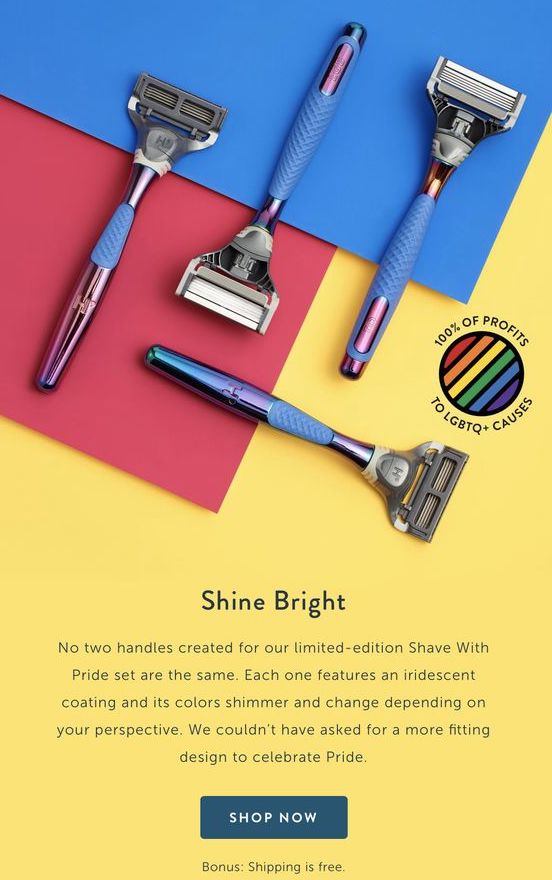
This bright and colorful email by Harry's effectively communicates their support for the Pride movement. Donating the proceeds of their shave set to LGBT+ causes is a further way to give back.

Bright colors and genuine displays of solidarity like this one from Harry's are highly effective

July 20th: Moon Landing Anniversary

This year marks the 50th anniversary of the moon landing. Depending on the nature of your business, this could make a unique and interesting theme for an email campaign. Try incorporating celestial imagery such as stars and planets to create a space theme, or take the opportunity to promote any products with a connection to outer space.

August 11th: Eid Al Adha

Eid Al Ada is a great celebration for Muslims all over the world and for many, marks the start of the pilgrimage to Mecca. If you know you are likely to have many customers celebrating Eid, it would be a good idea to send out an email greeting, wishing recipients a happy Eid.

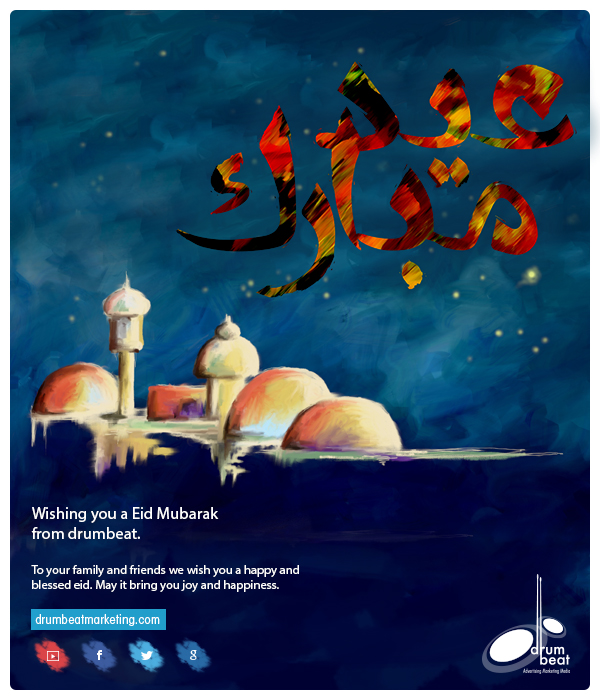
This effective email design from drumbeat is a lovely way to reach out to customers celebrating Eid and shows they care as an organisation:

Reach out to customers celebrating Eid by sending out an email greeting

September 13th: International Programmers' Day

This is one for all the software and tech firms out there... Show appreciation for your fellow programmers by giving a nod to them in your email campaign! Try offering a discount on new software which developers may find useful, or provide programmers with early access to your beta releases. They'll definitely appreciate you going the extra mile for them.

October 27th: Diwali

Diwali is a Hindu festival of light, which is particularly prominent in India, but also celebrated throughout the world with fireworks and colorful lights. Recognising Diwali in your email campaigns is a nice way to include all the recipients on your list who may also be celebrating this festival.

November 11th: Singles' Day

Originating in China, Singles' Day is a day dedicated to celebrating single people and is now massively growing in popularity. Many businesses use this as an opportunity to offer discounts and great deals to their customers. In particular, this holiday is popular with younger people in China, the UK and the USA.

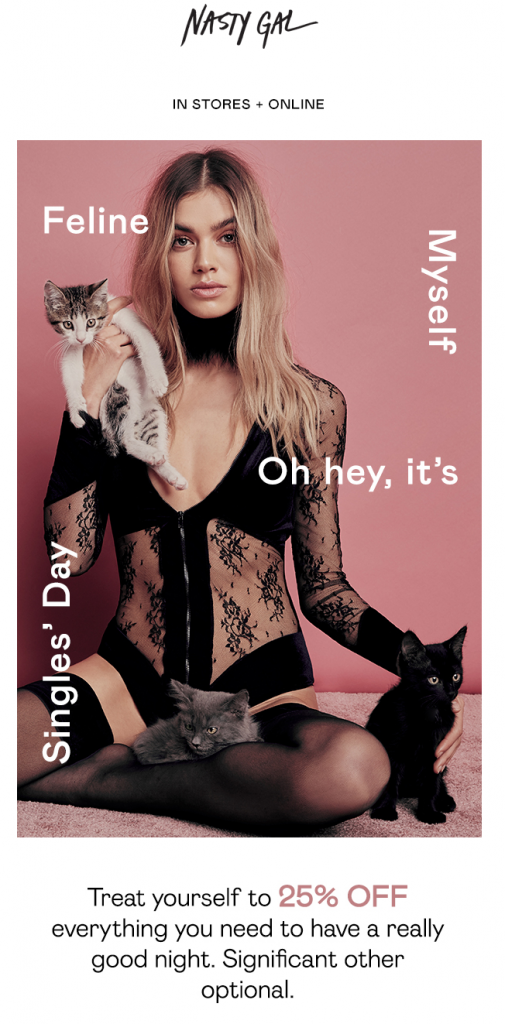
NastyGal effectively celebrate singles with this cat themed email design offering 25% off their entire site:

Give your single customers something to celebrate by offering deals and discounts for Singles' Day

December 3rd: Giving Tuesday

Taking a break from the hype of Black Friday and Christmas marketing, Giving Tuesday is another charitable way to demonstrate your business's CSR and encourage customers to get involved in good causes. In the last few years, many big brands have gotten involved in the Giving Tuesday campaign.

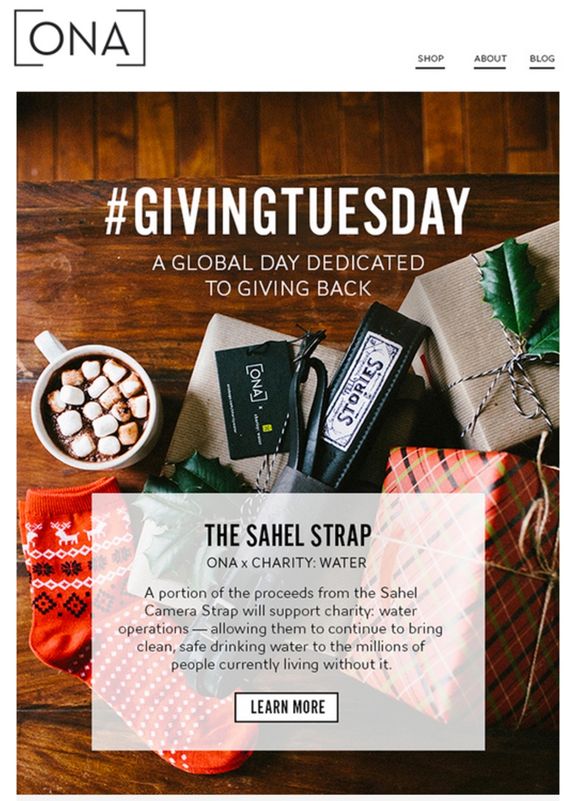
This festive email design from ONA inspires customers to purchase a camera strap to support charity water:

Choose a charity to support and encourage your customers to give back for Giving Tuesday

We hope we have given you some ideas and inspiration for your 2019 email marketing calendar. Alongside the regular holidays and events in your planner, these events should give you some fresh and interesting new subject matter to create engaging emails with in 2019.

Until next time,
Your Mail Designer 365 Team

Give Mail Designer 365 a try today for free...

Mail Designer 365 helps you create stylish, professional HTML emails on your Mac. Download for free to see what you can achieve.


Try for free

Optimize Your Pricing Tables to Boost Sales

By Mail Designer 365 Newsletter Academy

Pricing tables are a must have for any business looking to help customers understand the key differences between product offerings. Whatever you're selling, it's crucial your customers understand the main selling points of that product or service.

Here are some of our top tips on how you can put together informative pricing tables which make the shopping process easier and, in turn, will help boost your sales.

Get expert email best practice tips delivered directly to your inbox!


There was a problem registering your email address.
Please check and try again.
Thank you for registering! Please check your email inbox.
We've just sent you an email for you to confirm your email address, if you haven't already.

Top Tips for Optimizing Your Pricing Tables

Use a clear font

A clear to read font is a must have for any pricing table.

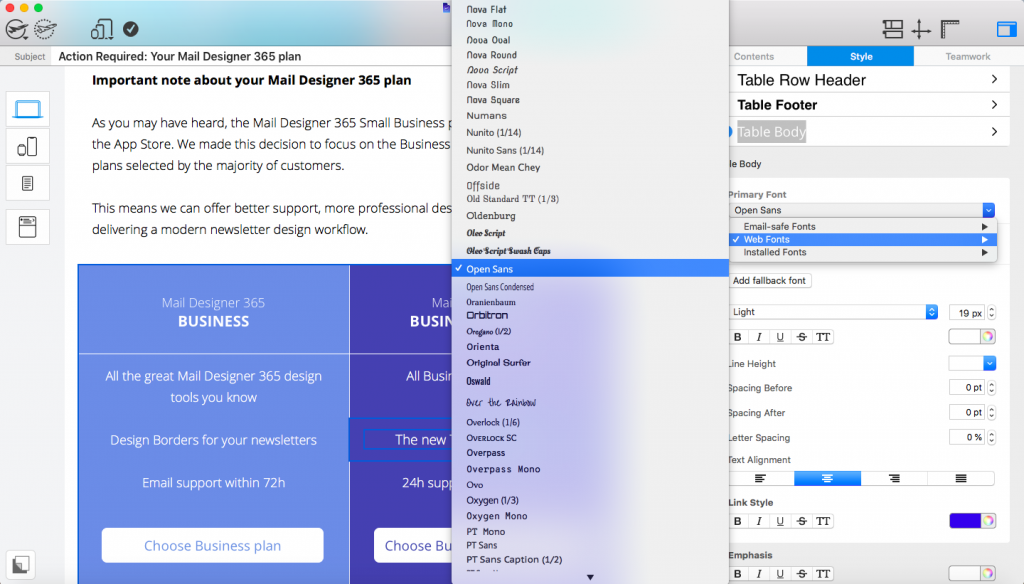
Your customers need to be able to read and understand the information presented in your table. This means you should choose a font size which isn't too small and also aim to avoid any cursive, italic, or calligraphy style typefaces. We recommend using a sans serif font, as these are the clearest to read and also add a modern touch to your design.

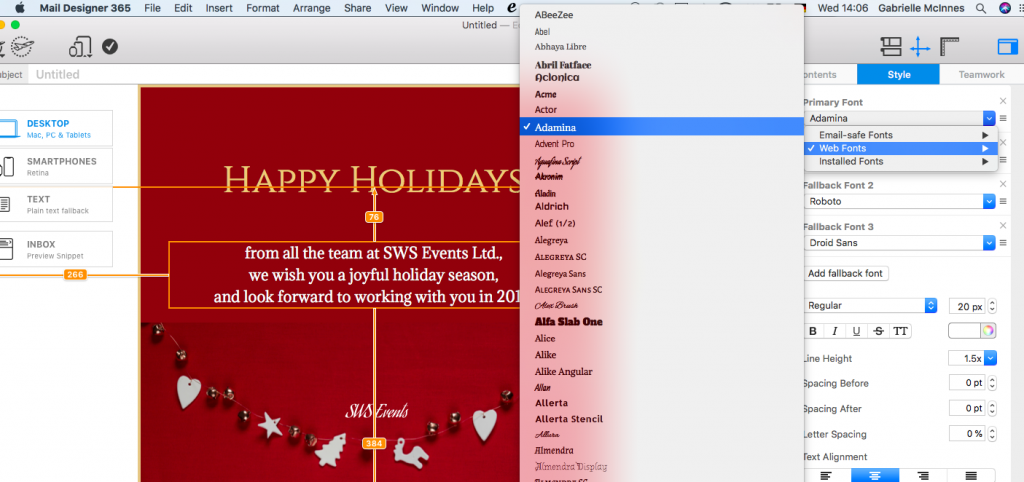
Mail Designer 365 offers a wide range of sans serif fonts which you can easily apply to the text in your pricing table. Some of our favorites include: Open Sans, Encode Sans, and Martel Sans - all available under Web Fonts.

Find modern and stylish sans serif fonts for your pricing table in the Web Fonts section in Mail Designer 365.

Include product photos

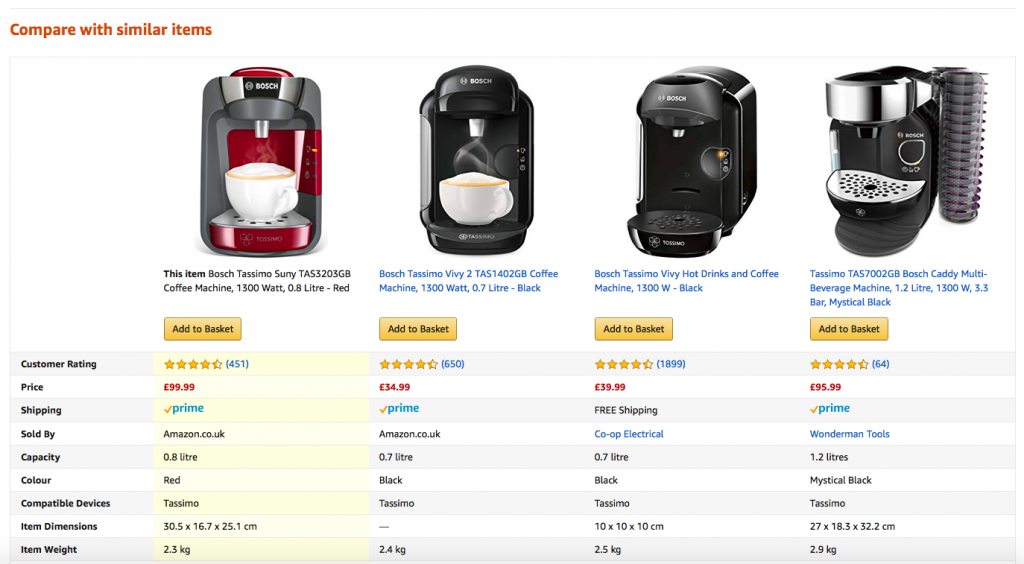
Including a photo of your different product offerings is a great way to help customers visually distinguish them from each other. As the saying goes, a picture speaks 1000 words, and will make your tables much more interesting and informative. Having a picture is also more likely to entice customers to take more of an interest in the product.

Amazon often include useful product tables where shoppers can compare items based on their specifications and other criteria. These tables include images of the products to help shoppers visualise the product better:

Amazon's comparison tables incorporate product photos to make them more informative for customers.

Top tip: In Mail Designer 365 you can created mixed text and image tables. This means it's easy to incorporate images of your best product offerings into your pricing table. Simply click on a cell to change its content type in the style menu.

Use color coding

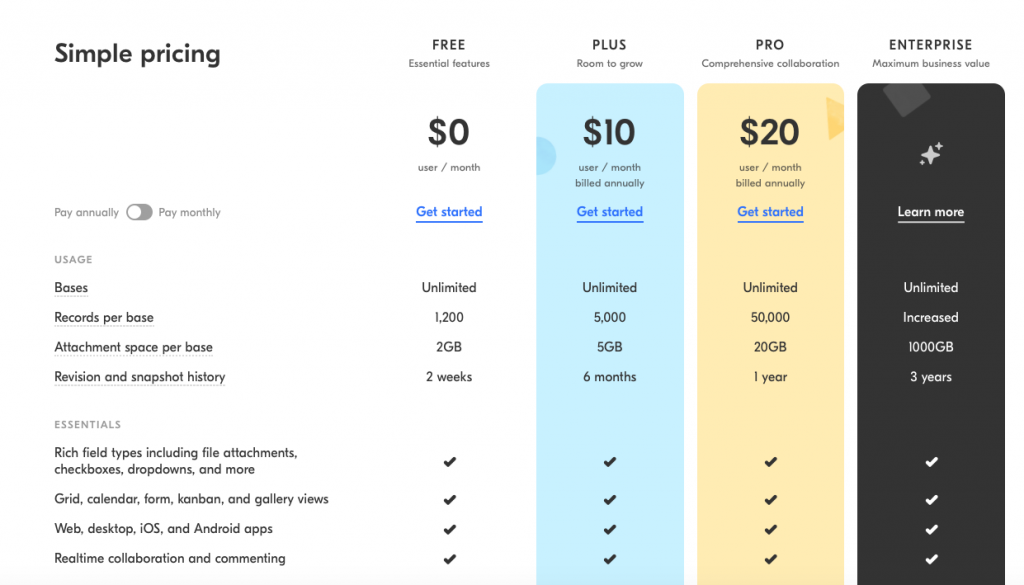
Color coding is another visually effective way to make your various product or service offerings easier to compare. For example, if you are a service based business offering different tiers, you may find it useful to color code each tier based on the pricing. This makes it easier for your customers to remember the differences.

This price comparison table from Airtable subtly includes color coding to add value to their different plans. The two higher priced plans are labelled gold and black which clearly demonstrates that they are the more premium option:

Try and label your plans according to their value. Gold and black stand out here.

Top tip: In Mail Designer 365 you can apply colors to your table by clicking on any cell, column or row, and adjusting the colors in the style menu.

Keep detail to a minimum

It's important for you to not include too much content in your tables. Overloading customers with unnecessary information can make the decision process more difficult.

Aim to only include the key information your customers need and link out to more detailed information if required.

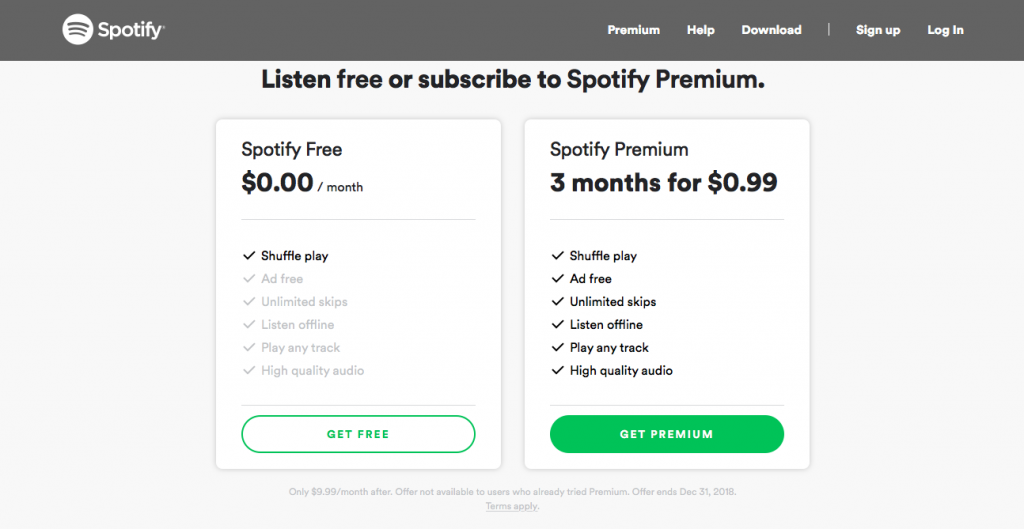
You should also try and narrow down your comparison criteria to price and key features or characteristics. Generally, a bullet pointed list is more effective than paragraphs.

In this example from Spotify, they have narrowed down their criteria to the most important information which will be of interest to customers:

Bullet point the most essential information in your table.

Highlight the best option

If you have a plan or product option which you think your customers should be purchasing, let them know! You can use an eye-catcher to inform customers of which option you think they should go for. Phrases such as "most popular" or "best value" are particularly convincing.

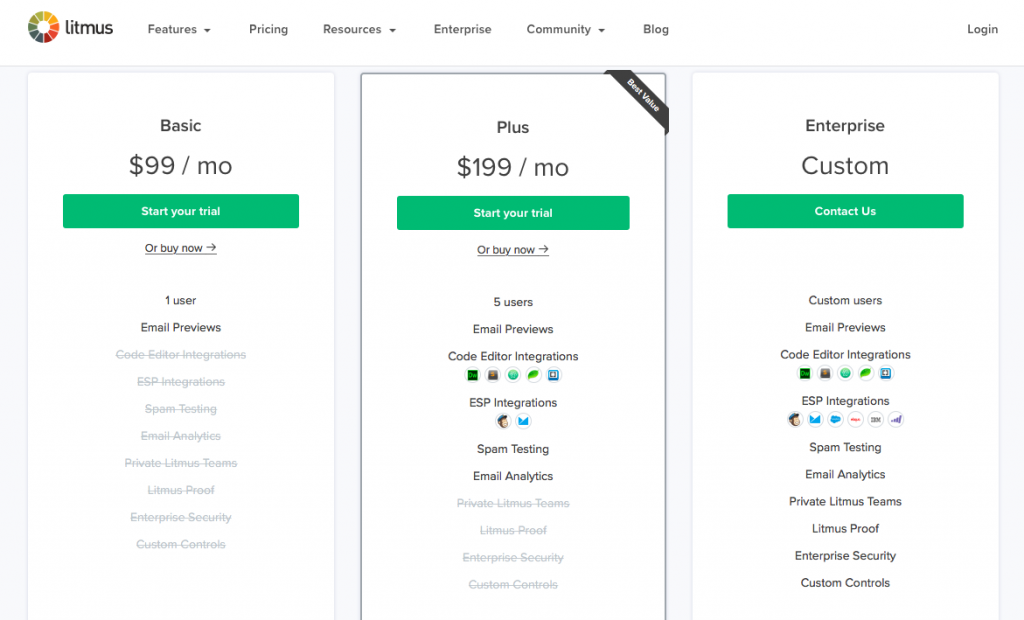
Thanks to a clear eye-catcher, this pricing table from Litmus clearly demonstrates which plan is the best value for money. Not only is this helpful for their customers, it also encourages more people to buy the plan or product you want to sell more of.

Highlight the best deal in your table to help your customers decide.

Don't forget the CTA

You've filled out the table with text and product photos, now it's time to integrate an effective call-to-action (CTA) button to show customers exactly how they can purchase your product. This is one of the most important parts of your table's design, as it helps to finalise the sales process.

Make sure your CTA button is visible by choosing a color which stands out from the rest of your design.

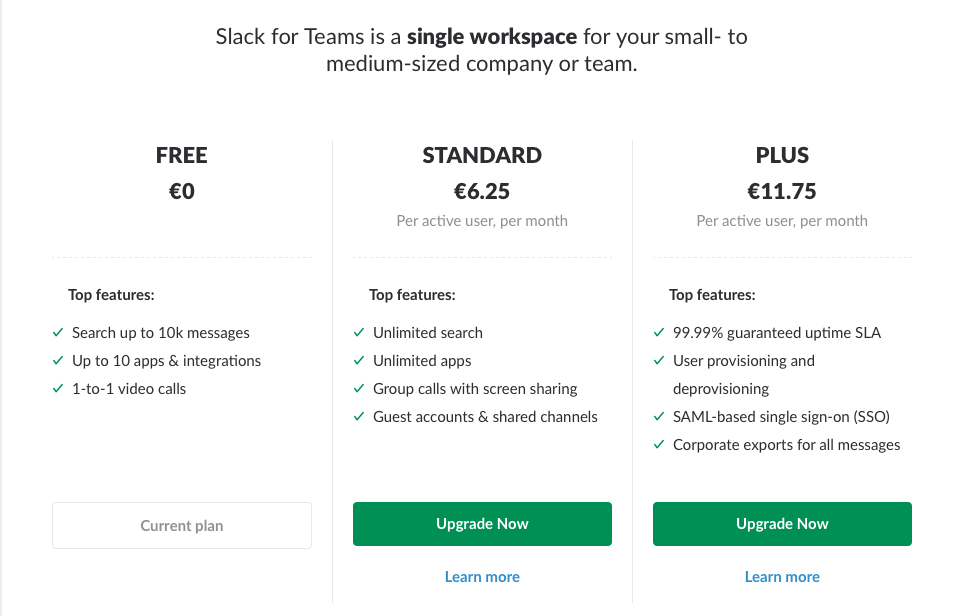
In their comparison table, Slack use a vibrant green for their upgrade CTA, which clearly shows customers how to go about purchasing one of their plan offers:

Make your CTAs vibrant so that they stand out to your customers.

Top tip: In Mail Designer 365, you can take advantage of pre-made CTA buttons, or use our range of shapes and text styles to easily create your own. Explore the Content menu to find out more.

Make it mobile

The last, but arguably most crucial part of your table design is making it mobile responsive. Because so much content is consumed on mobile devices, it's massively important to make sure your tables look just as good on mobile as they do on desktop.

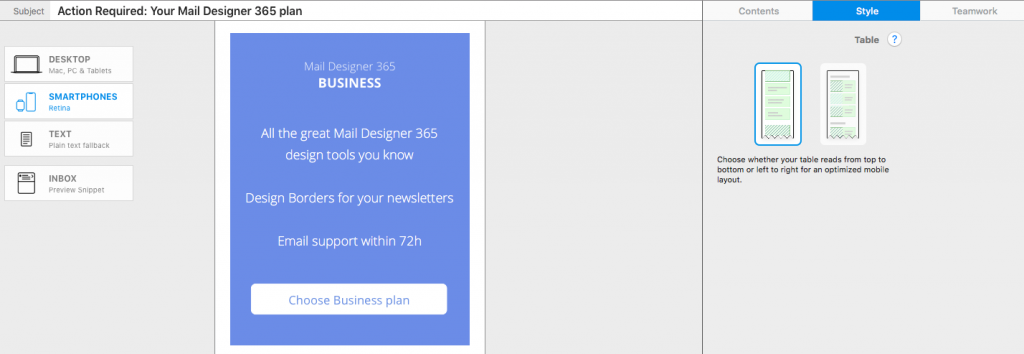
In Mail Designer 365 this is easy, as the app automatically creates a mobile version of your table with a stylish card style. You can even edit mobile content separately in the Smartphone view:

Mail Designer 365 creates a special card layout of your table for mobile.

We hope these tips for building effective pricing tables have been useful to you! Remember, you can use the Tables tool in Mail Designer 365 to quickly and easily build mobile responsive tables to integrate into your next email newsletter.

Get started with Mail Designer 365 today

Start your 7 day free trial and use your Mac to create stylish email newsletters for your business.
No credit card required
Compatible from Mac OS X 10.11 onwards

Enjoyed this post?

Get more inspirational tips, tricks, and best practice examples in the Mail Designer 365 Newsletter Academy -
your one stop hub for all things email marketing strategy and newsletter design.

Privacy Settings / Datenschutz-Einstellungen