Design responsive email templates and send them with Direct Mail
Direct Mail HTML emails are easier to create when the design and sending steps each have the right tool. Mail Designer 365 is a native Mac app for building responsive HTML emails visually, while Direct Mail manages contacts, delivery, and campaign automation.
Use drag-and-drop tools to create the layout, add your own colors, images, buttons, and text styles, and adjust the mobile version separately. If you are looking for a Direct Mail designer workflow, this combination lets you prepare the design without coding and transfer it directly to the Direct Mail app.
Download Mail Designer 365 and create your Direct Mail HTML email, then connect the two apps using the steps below.
HOW IT WORKS
Connect your Direct Mail HTML workflow
Mail Designer 365 allows you to build custom HTML emails to use with Direct Mail for Mac. To use Direct Mail with Mail Designer 365, you will need to download the plugin for Mail Designer 365. Tip: You will need Direct Mail version 5.1 or later to download this plugin.
- Choose “Window” > “Integrations”
- Select Mail Designer 365
- Click “Install Plug-In”
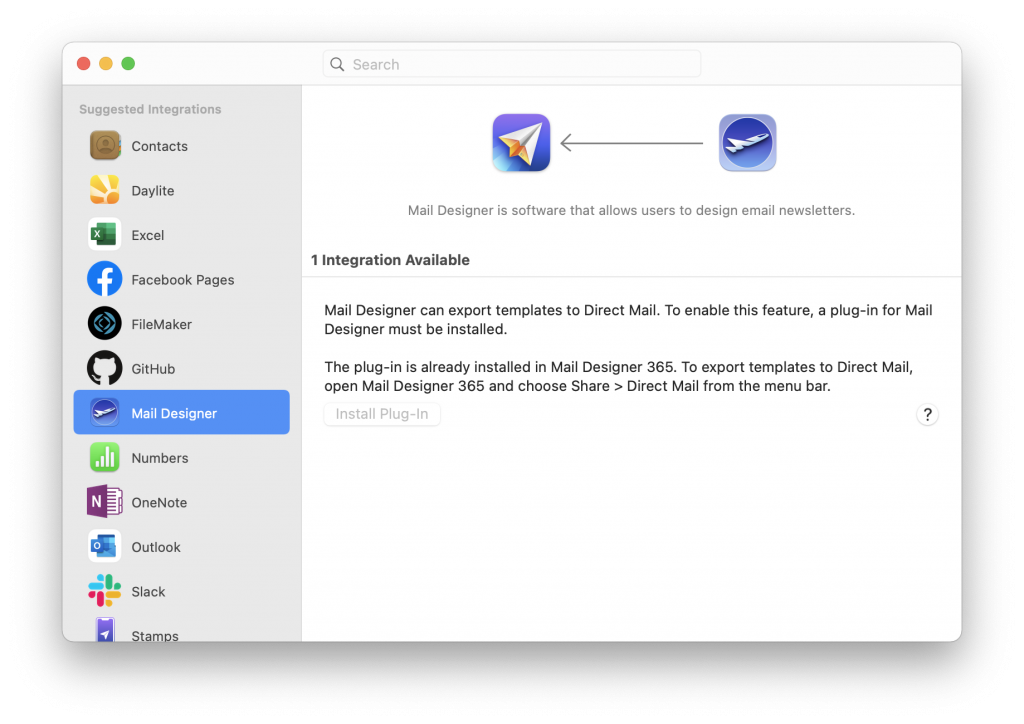
Export your HTML email to Direct Mail
Once you've installed the plugin, exporting your Mail Designer 365 template to use with Direct Mail is super straightforward:
- Click on "Share" in the top menu and select "Direct Mail"
- Your design will then be exported to Direct Mail
- You can now use your Mail Designer 365 template with the automation tools provided in the Direct Mail for Mac platform.
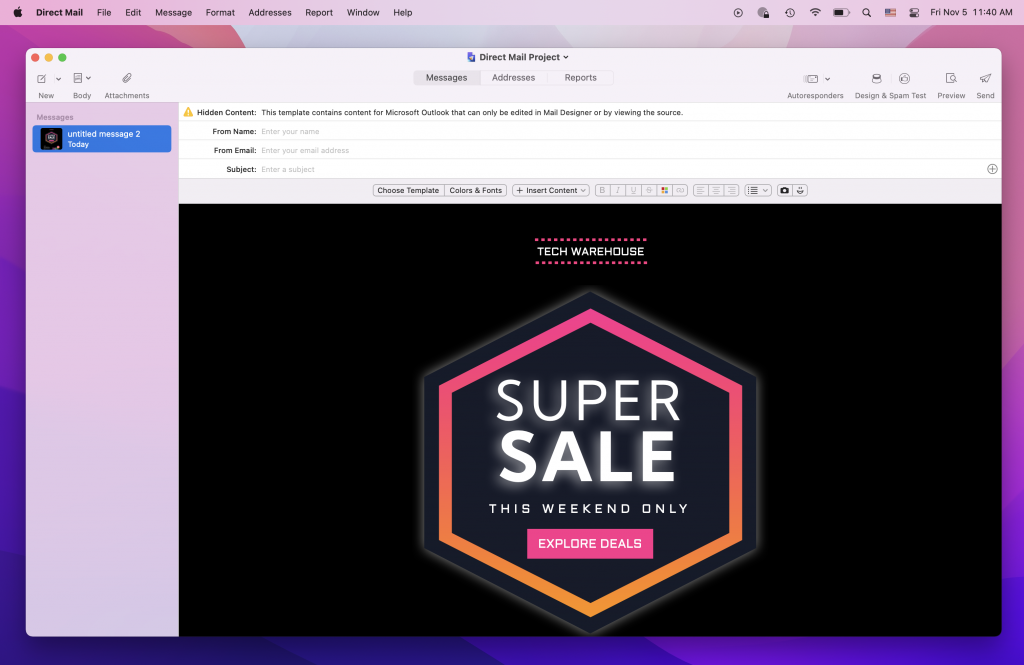
Use your HTML email design with the Direct Mail platform.
Watch the video tutorial
Need support?
Our team is always on hand ready to give you support. If you have specific questions regarding HTML export to Direct Mail, or just need some extra help getting set up, get in touch!
Mail Designer 365 works seamlessly with all leading email marketing services. If you're looking for a different service, check out our full range of integrations and compatible platforms on our integrations page.
Start using Mail Designer 365 with Direct Mail today
Start your 7-day free trial and create responsive emails on your Mac for your next Direct Mail campaign.