
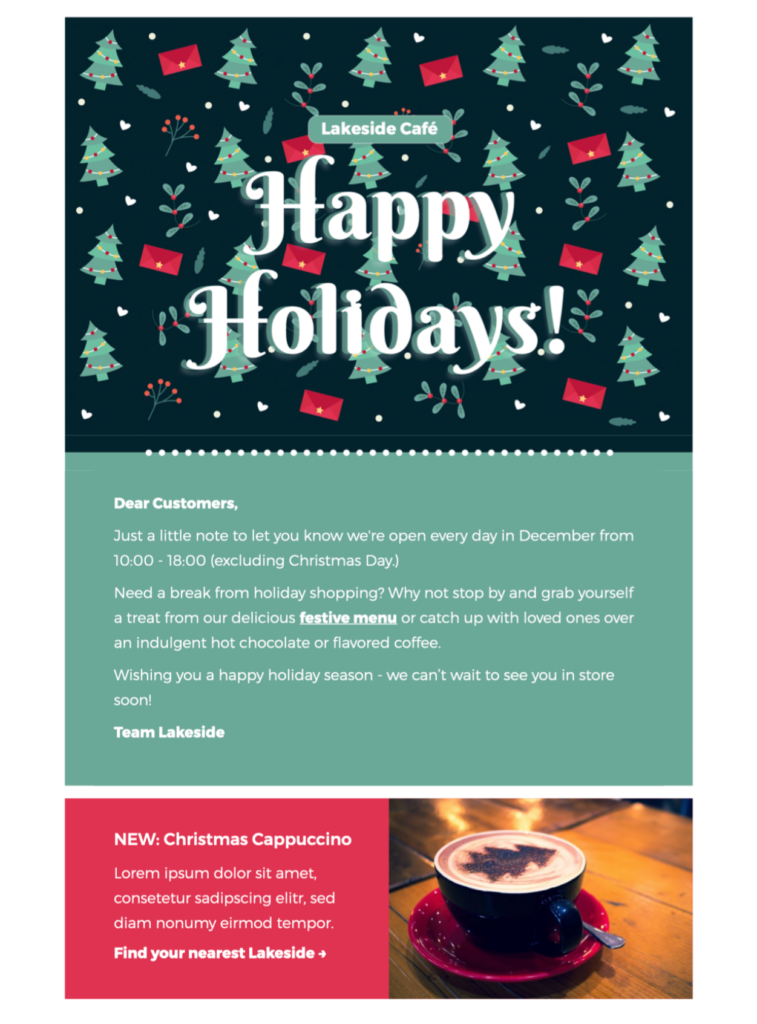
Happy Holidays HTML Email Template for Small Businesses
This Happy Holidays HTML email template gives small businesses a vibrant way to thank customers and share a cheerful seasonal message. The festive design can support a customer greeting, opening-hours update, end-of-year thank-you, local event, or simple holiday promotion without taking ownership away from the formal season’s-greetings or faith-specific Christmas blessing pages.
Customize the design in Mail Designer 365 with your logo, approved brand colors, opening hours, offer details, links, and a message that fits your audience. Keep one primary purpose so recipients can understand the greeting and next step quickly.
How to customize this Happy Holidays HTML email template
Begin by deciding whether the campaign is primarily a greeting, an operational update, or a promotion. A greeting should lead with appreciation and warm wishes. An opening-hours email needs dates, times, and contact details. A promotion should make the offer, eligible products or services, deadline, and conditions easy to find near the main call to action.
Keep the holiday message inclusive
“Happy Holidays” works well when you want a broad seasonal greeting for a mixed audience. Keep the wording welcoming and aligned with your organization’s normal tone. If your campaign is specifically a religious blessing or a formal business season’s greeting, use the dedicated design page for that intent instead of making this template compete for the same search purpose.
Adapt the festive design to your brand
The preview uses a vibrant Christmas-themed visual treatment. In Mail Designer 365, replace sample wording and brand elements while preserving a clear contrast between the background, text, and buttons. Add concise alternative text to meaningful images, and avoid placing critical dates or offer conditions only inside graphics.
Add practical seasonal information
Retailers can include delivery cutoffs, collection details, promotional terms, and return information. Restaurants and local venues can add holiday hours, reservation links, menus, or event dates. Service businesses can share office closures, emergency contact routes, and the date normal service resumes. Specific details make the email genuinely useful.
Use one clear call to action
Match the primary button to the campaign goal: view holiday hours, shop the offer, reserve a table, read the year-end update, or visit an event page. Link directly to that destination rather than a generic homepage. Supporting links can appear later, but they should not distract from the main action.
Review before sending
Confirm names, dates, times, discount terms, destination links, and sender details. Preview the email at desktop and mobile widths and send a test message to check spacing, image loading, and buttons in a real inbox. These checks help the Happy Holidays HTML email template feel polished without adding generic filler. If your list includes Gmail recipients, review Google's official email sender guidelines before launch.
Key Features:
- Sales & seasonal
- Customise for your business
- Mobile responsive
- Send via your ESP
- Send via your own email address
- Export as HTML
Works with:







