
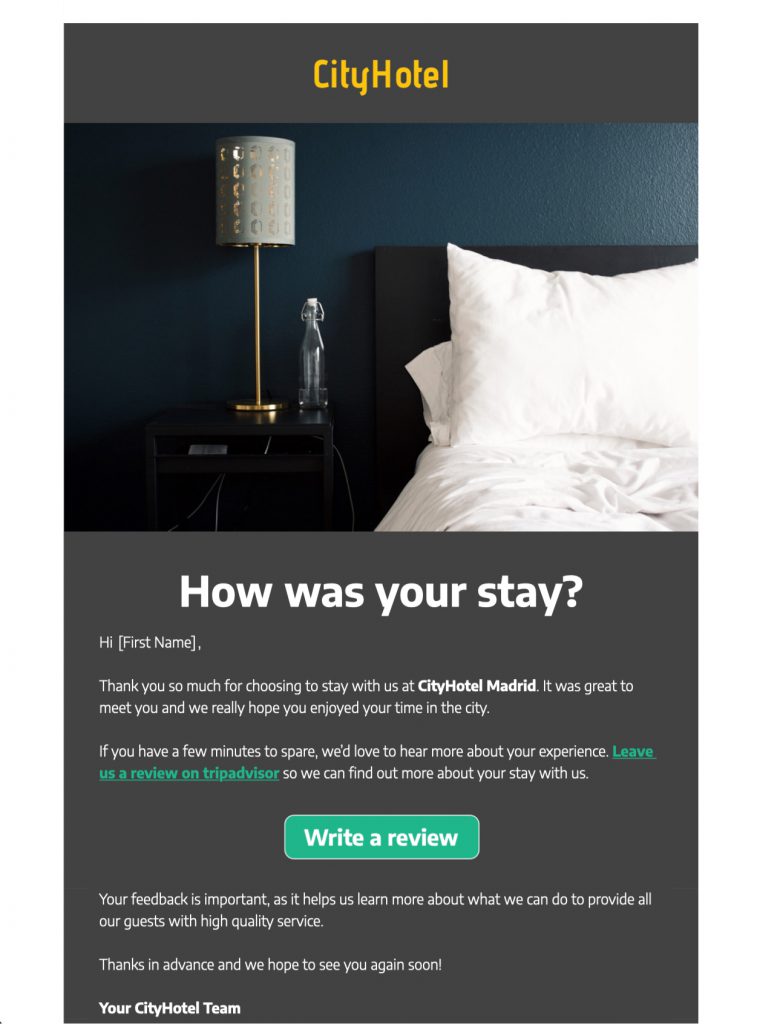
Customize this review request template in Mail Designer 365
Use this friendly review request template to invite customers to share useful feedback after a purchase or service experience. Customize the message, branding, review link and call to action in Mail Designer 365, then test the email before sending.


Already a Mail Designer 365 user? Open the Design Idea here.
What to include in a review request template
Keep the request focused on one clear action. Remind the customer what they purchased or experienced, explain why their feedback matters, and link directly to the correct review page. A short subject line and a recognizable sender name help recipients understand the purpose of the message before opening it.
Adapt the customer review email template
Replace the sample logo, colors and type styles with your own brand elements. Use the central button for the review destination and keep any secondary links visually separate. The preview image demonstrates a friendly, compact layout that can work for shops, hospitality businesses and service teams.
Check the review request before sending
Confirm that the review link opens the intended profile, product or feedback form. Preview the design on desktop and mobile, check the message when images are blocked, review the W3C image accessibility guidance, and make sure the request reaches customers at an appropriate point in their journey. This review request email template should make the next step obvious without overwhelming the reader.
Key Features:
- Transactional & Automated
- Customise for your business
- Mobile responsive
- Send via your ESP
- Send via your own email address
- Export as HTML
Works with:








Review request template checklist before sending
Choose a moment when the customer has had enough time to use the product, attend the event, or experience the service. Explain why the feedback matters and what the recipient should review. A short, specific request usually feels more credible than a generic demand for a five-star rating. Keep the tone appreciative, make the response link easy to find, and avoid offering rewards that could influence the honesty of a public review.
Check the destination page on mobile and desktop, confirm that the correct customer or order details are inserted, and test every button. If you ask for private feedback as well as a public review, separate those options clearly. Include a support route for customers who need help, and respect local consent, privacy, and platform rules. After sending, compare response rates and useful comments rather than judging the message only by clicks. Use those results to refine the timing, subject line, wording, and call to action in your next review request.
Customize this review request template in Mail Designer 365 and test the final review destination before sending.