
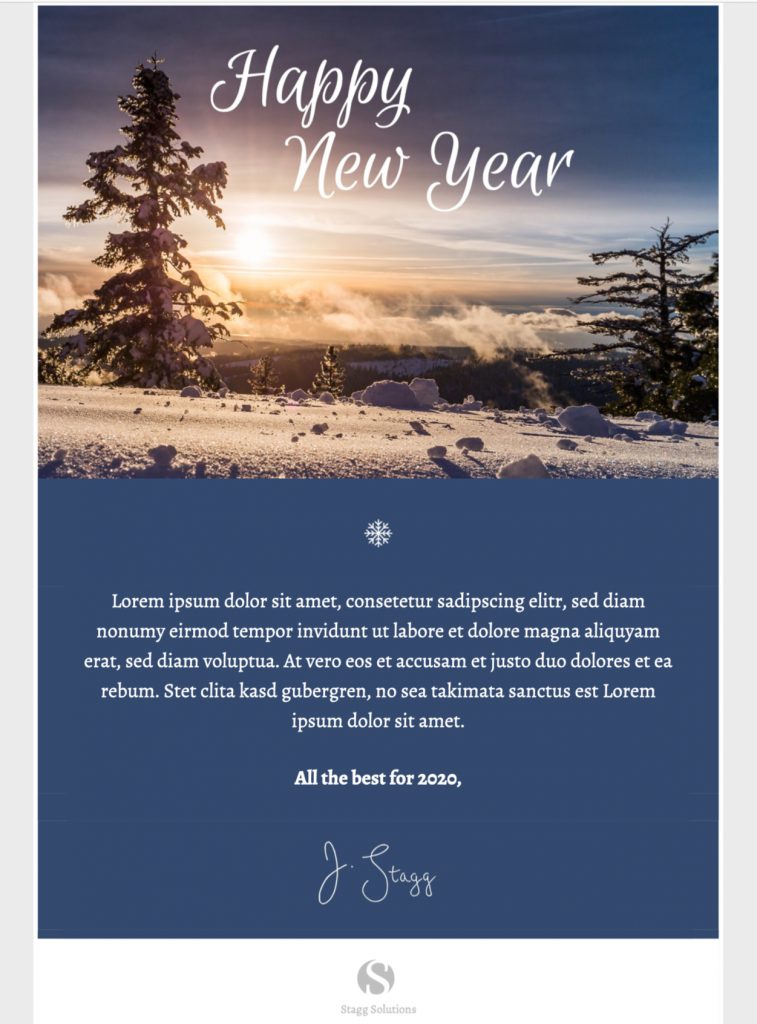
Happy New Year Email Greeting Template
Create a happy new year email greeting for customers, colleagues, or friends with this calm winter design. Customize the message in Mail Designer 365 and send a thoughtful seasonal note.


Already a Mail Designer 365 user? Open the Design Idea here.
Key Features:
- Sales & Seasonal
- Customise for your business
- Mobile responsive
- Send via your ESP
- Send via your own email address
- Export as HTML
Works with:








Happy New Year Email Greeting for a Personal Seasonal Message
This happy new year email greeting template is designed for a warm seasonal message to customers, colleagues, members, or friends. Its snowy landscape, handwritten “Happy New Year” headline, and cool blue color palette create a calm winter setting without turning the message into a sales promotion.
Use it when the main purpose is to thank recipients, recognize the year you shared, and send good wishes for the year ahead. If your campaign is primarily about a discount or limited-time offer, use the separate New Year promotion email template so each page and campaign keeps a clear purpose.
What to Customize in the Greeting
Choose the Right Audience
Decide whether the message is for customers, employees, partners, association members, or a personal list. That choice should guide the greeting, sender name, and level of formality. A customer note can thank readers for their trust, while an internal message can recognize a shared project or milestone.
Replace the Sample Message
The preview includes placeholder copy beneath the winter image. Replace it with a concise greeting written for your audience. Mention a real point of appreciation, then add one forward-looking sentence. Avoid broad promises about the coming year that your organization cannot guarantee.
A useful structure is: greeting, specific thank-you, positive wish, and sender signature. Keep the central message brief enough to remain readable on a phone. If you need to include opening hours, support availability, or a return date, place that practical information in a separate short paragraph.
Adapt the Visual Style
The supplied design uses a snowy landscape, a prominent handwritten headline, and a dark blue message area. In Mail Designer 365, you can replace the image, adjust colors and fonts, add your logo, and edit the text while preserving a clear visual hierarchy. Check that text remains legible against every background and that the main greeting is not repeated unnecessarily.
Use a Call to Action Only When It Helps
A pure seasonal greeting does not always need a button. If recipients need practical information, use one clear link such as “View holiday hours,” “Read our year in review,” or “Contact our team.” Do not add a promotional button merely because the layout has space for one. A focused greeting is more credible when every element supports the message.
Happy New Year Email Greeting Checklist
- Confirm the recipient group and sender name.
- Replace all placeholder text in the design.
- Check names, dates, year references, and contact details.
- Use an accessible font size and sufficient color contrast.
- Add concise alt text if you replace the main image; use the W3C image decision tree to decide whether an image needs alt text.
- Review the desktop and mobile layouts separately.
- Send a delivered test and check every link.
- Confirm required sender and unsubscribe information.
Prepare the Template in Mail Designer 365
Open the design idea from this page, replace the sample wording, and adjust the visual elements for your organization. Review how the winter image crops on smaller screens and keep the important greeting visible even if images are blocked. The surrounding text and sender information should still explain who the message is from and why it was sent.
Before scheduling, read the final email as a recipient would. Remove placeholder language, confirm the year, and make sure the tone fits the relationship. A thoughtful happy new year email greeting should feel specific, easy to read, and genuinely appreciative.