
New Year Promotion Email Template: 7 Fresh Campaign Checks
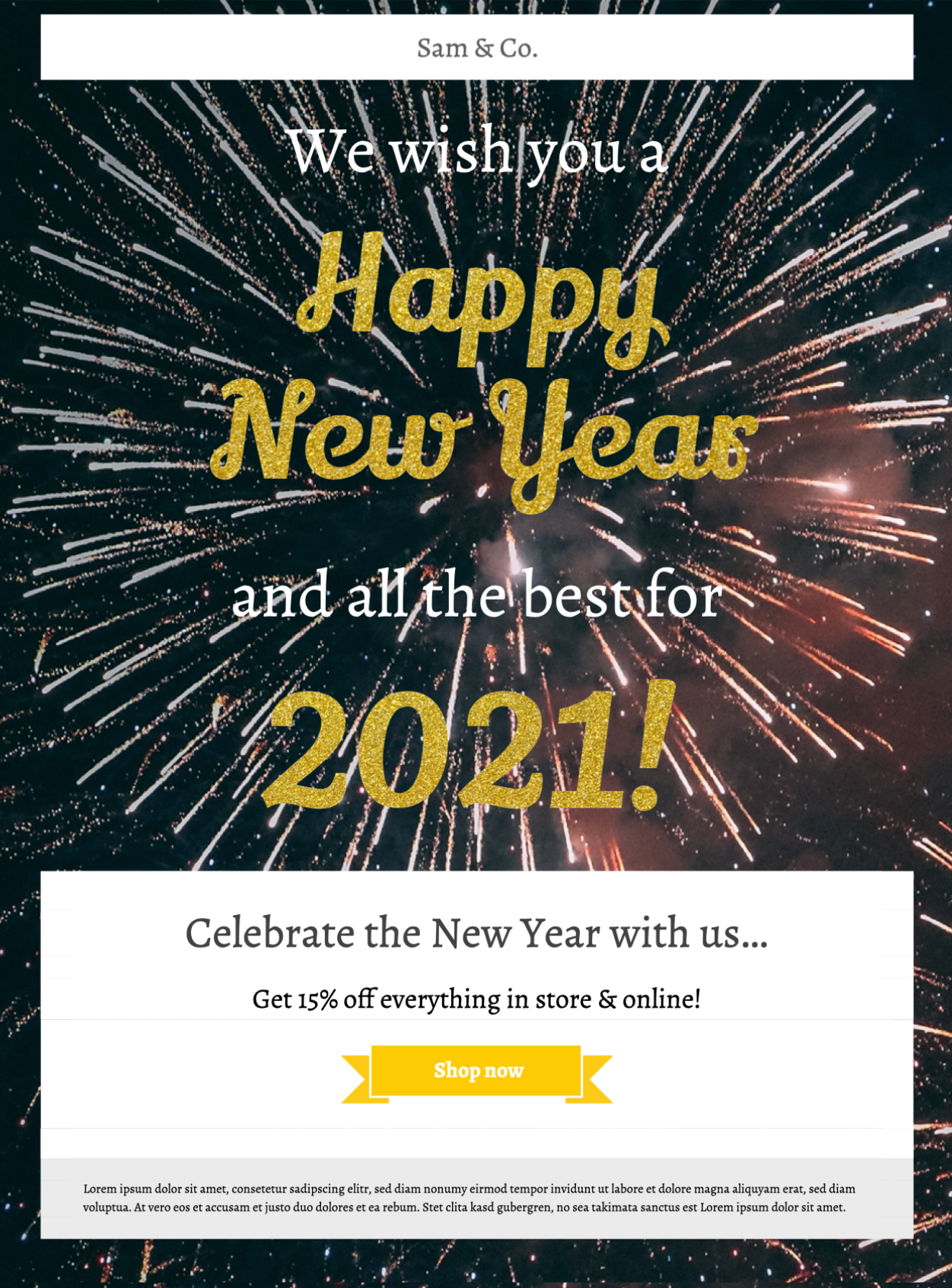
This New Year promotion email template uses a glittering gold design for a seasonal offer, event, product launch, or limited-time campaign. Customize the message, imagery, dates, and call to action in Mail Designer 365, then test the finished design for your audience and sending platform.


Already a Mail Designer 365 user? Open the Design Idea here.
Template workflow:
- Replace the sample offer, products, dates, and button destination.
- Customize the gold palette and typography for your brand.
- Preview the responsive desktop and mobile layouts.
- Send directly or export for a compatible email service.
- Test links, personalization, tracking, and footer details.
- Archive an approved copy and a reusable undated master.
Works with:








1. Give the New Year promotion one clear goal
Choose the action before customizing the design: shop a seasonal offer, reserve an event, explore a launch, renew a plan, or claim a limited benefit. A single goal keeps the headline, supporting copy, and button aligned. Use a descriptive label such as “Explore the New Year offer” instead of a vague “Learn more.” If this New Year promotion email template includes a discount, state the currency, eligibility, end date, time zone, delivery limits, and exclusions beside the offer or on a maintained landing page.
2. Use the gold design without hiding information
The preview uses glittering gold typography and a dark background to create a celebratory mood. Keep essential prices, dates, and instructions as live text rather than embedding them only in artwork. Simplify decorative effects behind body copy and check text and button contrast against the W3C contrast guidance. When adapting the New Year promotion email template, use one primary button style so readers can identify the next step quickly.
3. Update dates, inventory, and operational details
Use the New Year promotion email template to plan details that often cross midnight, time zones, shipping cutoffs, holiday opening hours, or limited inventory. Assign an owner to verify every changing detail shortly before the send. Write the full date and time zone, distinguish New Year’s Eve from New Year’s Day, and explain when an offer starts and ends. Link to a maintained terms or event page for information that may change after delivery.
4. Pair the subject line with accurate preview text
Pair the New Year promotion email template with a subject and preview text that work as one accurate promise. The subject can name the promotion and main value; the preview can add the deadline, audience, or next step. Avoid implying a discount, gift, or availability that the landing page does not confirm. Use celebratory emoji sparingly and never as the only way to communicate a date or offer. For segmented sends, vary the content only when geography, eligibility, purchase history, or customer status makes the promotion more useful.
5. Customize imagery and accessible alternatives
Replace sample imagery with a consistent campaign crop and leave enough quiet space around live text. Write concise alt text for meaningful images that describes their purpose in this promotion. Decorative sparkles can use empty alt text when the sending workflow supports it. Preview the New Year promotion email template with images blocked to confirm that the sender, offer, deadline, and main action remain understandable.
6. Test the mobile layout, links, and inbox output
Review narrow and wide layouts, confirm that the reading order is logical, and keep tap targets separated. Send tests to representative desktop and mobile inboxes. Open every product, policy, contact, social, and unsubscribe link; confirm that redirects preserve intended campaign parameters. Verify personalization fallbacks, sender and reply addresses, footer and consent text, plus the plain-text alternative. The landing page should repeat the same price, availability, date, and promise shown in the email.
7. Archive the approved promotion and a clean master
Save a dated approval copy with its audience, subject, preview text, offer, links, and tracking values. Keep a separate reusable master without expired dates or prices. Before reusing it next year, repeat the operational, accessibility, inbox, and landing-page checks instead of copying the campaign unchanged. Browse more Mail Designer 365 Design Ideas if another layout better matches the promotion or audience.