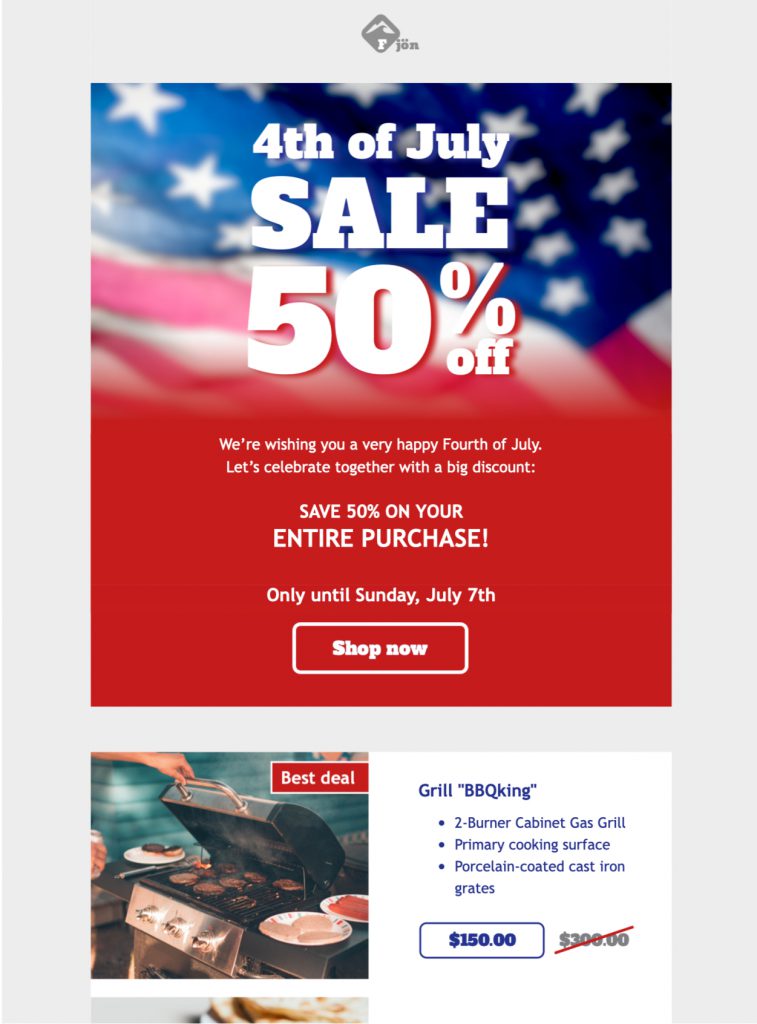
Who should use this Independence Day email template?
The template can support a seasonal sale, restaurant menu, community event, fundraiser, concert, travel offer, store-hours notice, or service promotion. Before editing, choose one main outcome such as a purchase, reservation, ticket registration, donation, or visit. Build the headline and strongest button around that action.
Consider whether a patriotic visual style fits the sender and audience. A community announcement may need a more informational tone than a retail promotion. If the email references military service, public institutions, or historical events, review the wording carefully and avoid implying an affiliation or endorsement that does not exist.
Customize the Independence Day email template
Replace sample copy with the real offer or event details. For a promotion, state eligible products, discount, code, start and end dates, time zone, minimum spend, exclusions, shipping conditions, and store hours. For an event, include date, start time, location, accessibility, registration or ticket requirements, weather plans, and a contact.
Adjust the red, white, and blue palette to work with your brand while preserving readable contrast. Use live text for essential terms instead of placing them only inside artwork. Choose a clear button label such as “Shop the July 4 sale,” “Reserve a table,” or “Get event tickets,” and confirm that its destination matches the promise.
Independence Day email template accessibility and mobile design
Patriotic graphics can be visually busy, so maintain a clear hierarchy with concise paragraphs and meaningful headings. Add descriptive alternative text to informative images and do not rely on color alone to communicate availability, urgency, or pricing. Avoid rapid flashing animation; if a GIF is used, the first frame should still communicate the main point.
Preview the design in Mail Designer 365’s smartphone view. Confirm that headlines wrap cleanly, product or event details remain associated with the correct images, and buttons are large enough to tap. Long discount terms and location names should be tested with final copy rather than placeholders.
Independence Day email template campaign ideas and timing
Possible campaigns include an early-access offer, long-weekend promotion, outdoor dining message, local event roundup, fireworks viewing reservation, museum schedule, charity drive, or a final-order reminder. Audience location matters: July 4 messaging is U.S.-specific, so avoid sending it broadly to subscribers for whom the holiday is irrelevant unless the content has another clear purpose.
Write the subject line around the real value and use the preheader for a useful second detail such as the final order date, event time, or pickup location. Avoid vague urgency and only use scarcity claims that inventory or capacity supports.
Verify the Independence Day email template before sending
Check prices, discount codes, dates, time zones, opening hours, delivery deadlines, event capacity, weather policies, accessibility information, and legal terms. If the campaign includes a contest, alcohol, fundraising, or regulated products, follow the applicable rules and internal approval process. Use accurate flag imagery and avoid altering protected marks in ways that could mislead recipients.
Send test messages to relevant inboxes and review desktop and mobile layouts. Verify the sender name, reply-to address, subject, preheader, personalization, links, tracking parameters, and footer. View the email with images disabled and confirm that the offer or event and its call to action remain understandable.
A distinct role among patriotic email pages
This page owns the specific Independence Day email template intent. Broader July 4 marketing guides, subject-line collections, event examples, and other patriotic designs should keep separate focus keywords. That separation prevents cannibalization while letting this landing page serve users who want a customizable Mail Designer 365 design.
Edit the Independence Day email template in Mail Designer 365