
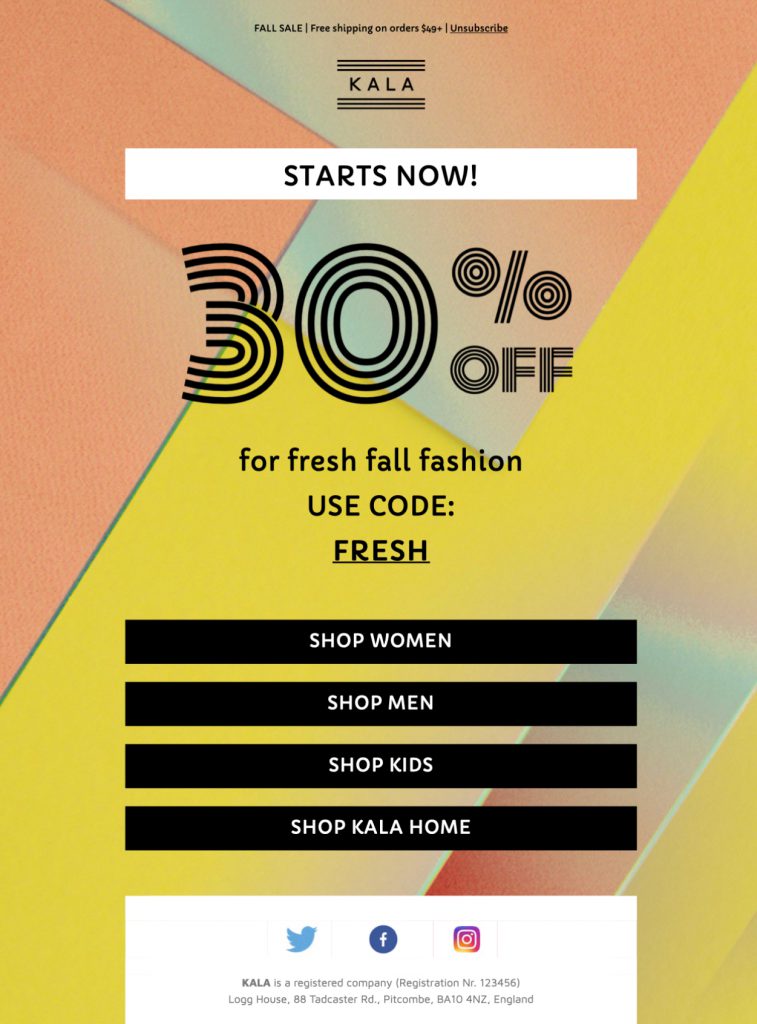
Fall Sales Email Template for Seasonal Promotions
This fall sales email template helps retailers, restaurants, and service businesses turn an autumn promotion into a clear, mobile-friendly campaign. The colorful seasonal design gives you space for a headline, offer details, supporting imagery, and a focused call to action without losing the warm fall atmosphere.
Customize the sales email template in Mail Designer 365 with your own products, prices, dates, colors, links, and brand assets. Use it for an end-of-season sale, a fall collection launch, a limited-time discount, or a local autumn event.

Already a Mail Designer 365 user? Open the Design Idea here.
How to customize this sales email template
Start with one primary promotion and make its value immediately clear. Replace the sample headline with the offer, then add the deadline and any important conditions close to the main button. If the campaign highlights several products, keep the strongest item near the top and use supporting sections for the rest so the email remains easy to scan.
Adapt the fall design to your brand
The preview uses bold seasonal color and autumn imagery to establish the campaign mood. In Mail Designer 365, you can replace the sample images, adjust the color palette, and add your own logo while preserving the responsive structure. Keep enough contrast around text and buttons, and use concise alternative text for meaningful product imagery.
Give subscribers a clear next step
Link the primary button directly to the advertised collection, booking page, menu, or event rather than a generic homepage. Match the button wording to that destination and repeat the deadline when it helps readers decide. This keeps the sales email template focused on the fall campaign instead of competing with broader summer, holiday, or Black Friday template pages.
Include the information shoppers need
State whether the discount is automatic or requires a code, which products or services qualify, and when the promotion ends. Mention delivery cutoffs, regional restrictions, minimum order values, or booking requirements when they apply. Clear terms reduce uncertainty and help the campaign deliver useful information as well as seasonal inspiration.
Check the campaign before sending
Confirm product availability, prices, promotional terms, dates, and destination links. Preview the design at desktop and mobile widths, then send a test email to check spacing, image loading, and the sender details in a real inbox. These practical checks make the finished campaign more useful than simply repeating the offer.
Key Features:
- Sales & Seasonal
- Customise for your business
- Mobile responsive
- Send via your ESP
- Send via your own email address
- Export as HTML
- Use the W3C image decision tree when choosing alt text for sale imagery.
Works with:







