
Winter Sale Email: 7 Clear Campaign Checks
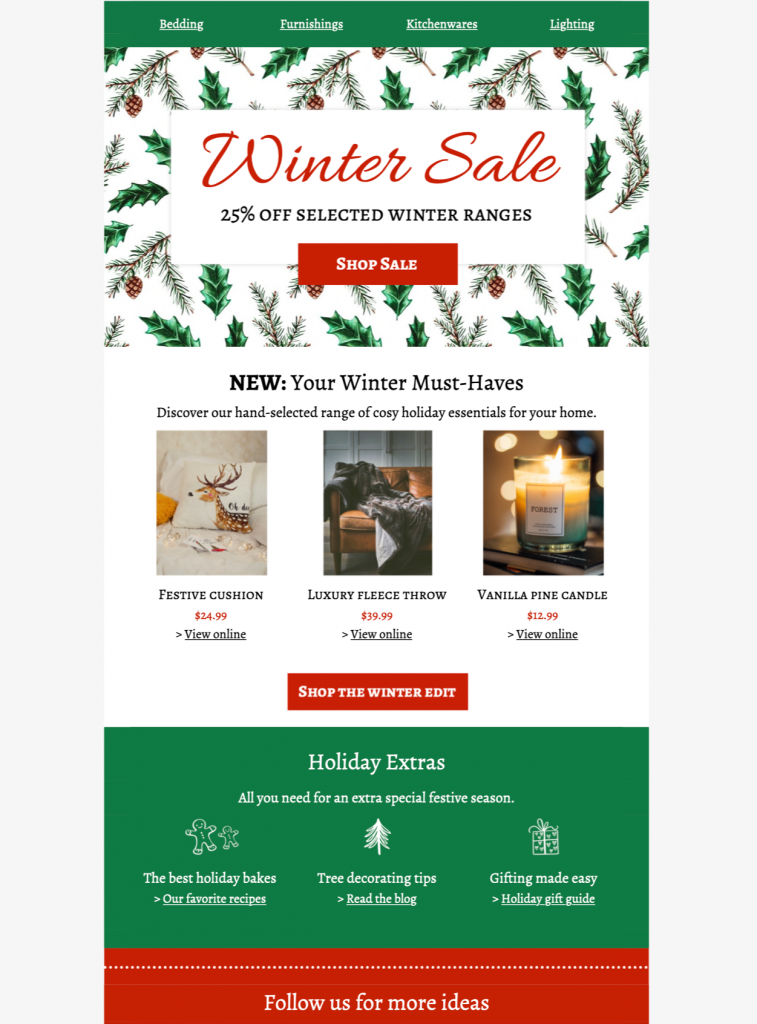
Use this winter sale email template to present one timely promotion with clear terms and a direct path to shop. Customize the real seasonal design in Mail Designer 365, then verify the offer, product details, mobile layout, links, and checkout before launch.


Already a Mail Designer 365 user? Open the Design Idea here.
1. Define the winter sale offer before designing
Write down the discount, eligible products, minimum spend, exclusions, start time, end time, currency, region, and delivery conditions first. Show the most important condition beside the main call to action instead of hiding it in fine print. If stock or prices can change, assign an owner to confirm every detail immediately before the send.
2. Match the message to the seasonal design
The supplied winter sale template uses a strong promotional layout and a clear image-led hierarchy. Replace placeholder copy with one headline, one primary offer, and a short explanation of why the products suit the season. Keep live text for essential terms so recipients can understand the campaign even when images are blocked.
3. Customize the winter sale email in Mail Designer 365
Update the logo, brand colors, typography, products, prices, destination links, and legal footer in Mail Designer 365. Keep the original visual hierarchy while making the offer recognizable as your own. Use a clean working copy for edits and preserve an approved master for reuse.
4. Check contrast and image alternatives
Confirm that offer text, buttons, and links remain legible against every background. The W3C contrast guidance recommends at least 4.5:1 for normal text and 3:1 for large text. Add concise alternatives to meaningful images and avoid repeating decorative wording.
5. Pair the subject line with preview text
State the real offer in the subject line without exaggeration, then use preview text for a deadline, category, or eligibility detail that adds new information. Keep both accurate if inventory, timing, or delivery terms change. Send variants only when the corresponding landing page supports the same promise.
6. Review mobile, inbox, and image-blocking behavior
Read the winter sale email on a narrow screen and check the order of the headline, products, price, terms, and button. Send test messages to representative inboxes, confirm that live text remains readable with images disabled, and make sure the primary action is obvious without relying on color alone.
7. Test every path to purchase
Open every product, category, terms, unsubscribe, and account link from the test email. Verify tracking parameters, destination availability, sale prices, regional behavior, discount codes, and checkout totals. After approval, archive the sent version with its audience, subject line, offer window, links, and final proof so the next winter sale starts from a reliable master.
Works with:







