
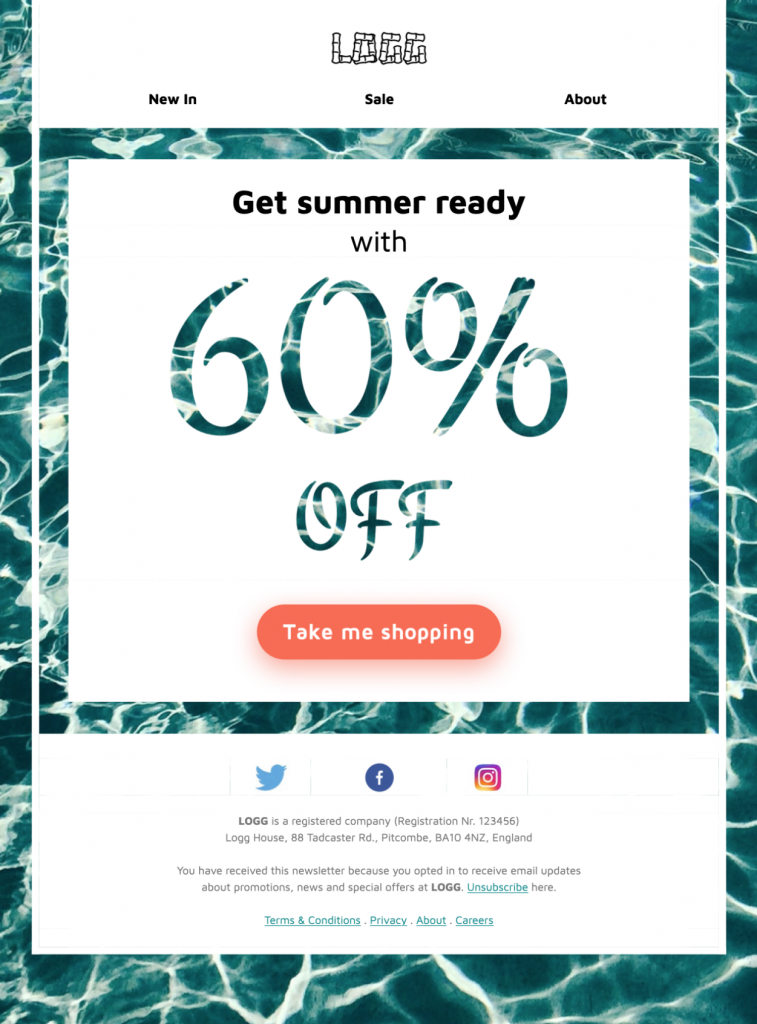
Promotional Email Design for a Summer Sale
Promotional email design for a summer sale should make the offer instantly clear. This pool-themed Mail Designer 365 template provides a responsive starting point for a seasonal promotion, with room for branded imagery, concise copy, and a focused call to action.


Already a Mail Designer 365 user? Open the Design Idea here.
Key Features:
- Sales & Seasonal
- Customise for your business
- Mobile responsive
- Send via your ESP
- Send via your own email address
- Export as HTML
Works with:








Promotional Email Design for a Summer Sale
This pool-themed promotional email design gives a seasonal campaign a clear visual direction without hiding the offer. Replace the sample copy with one specific benefit, name the sale period, and explain what subscribers can expect after they click. The water-inspired imagery works well for travel, leisure, fashion, food, and retail promotions.
Customize the Visible Template
Start with the large summer visual, then apply your brand colors and type styles consistently. Keep the headline short enough to remain readable on a phone. Use the supporting copy for the offer conditions rather than squeezing every detail into the hero. If the campaign includes a discount code, repeat it in live text and check every character before sending.
Build a Clear Promotion Path
Use one primary button for the sale or featured collection. Its label should describe the destination, such as “Shop the summer sale” or “View the new collection.” Secondary links can support individual products, but they should not compete with the main action. Link directly to a matching landing page so the message, price, and deadline remain consistent after the click.
Prepare the Design in Mail Designer 365
Open the Design Idea, replace the sample images, and check crop positions in desktop and mobile layouts. Add descriptive alternative text to meaningful images and avoid placing essential offer details only inside artwork. Preview text should complement the subject line. Send a test through the service provider you plan to use and confirm the sender, links, personalization, footer, and unsubscribe option.
Summer Promotion Checklist
- State the offer and deadline clearly.
- Keep one primary action visually dominant.
- Check contrast, image crops, and button size on mobile.
- Make terms and discount codes accurate.
- Test every link before scheduling the campaign.
Use concise alternative text for every meaningful campaign image so the offer remains understandable when images are blocked. The W3C image decision tree helps determine whether each image needs a description or is decorative. Recheck the landing-page price, stock status, and deadline immediately before the promotional email design is scheduled.