
Newsletter Templates for Startups: 5 Helpful Campaign Tips
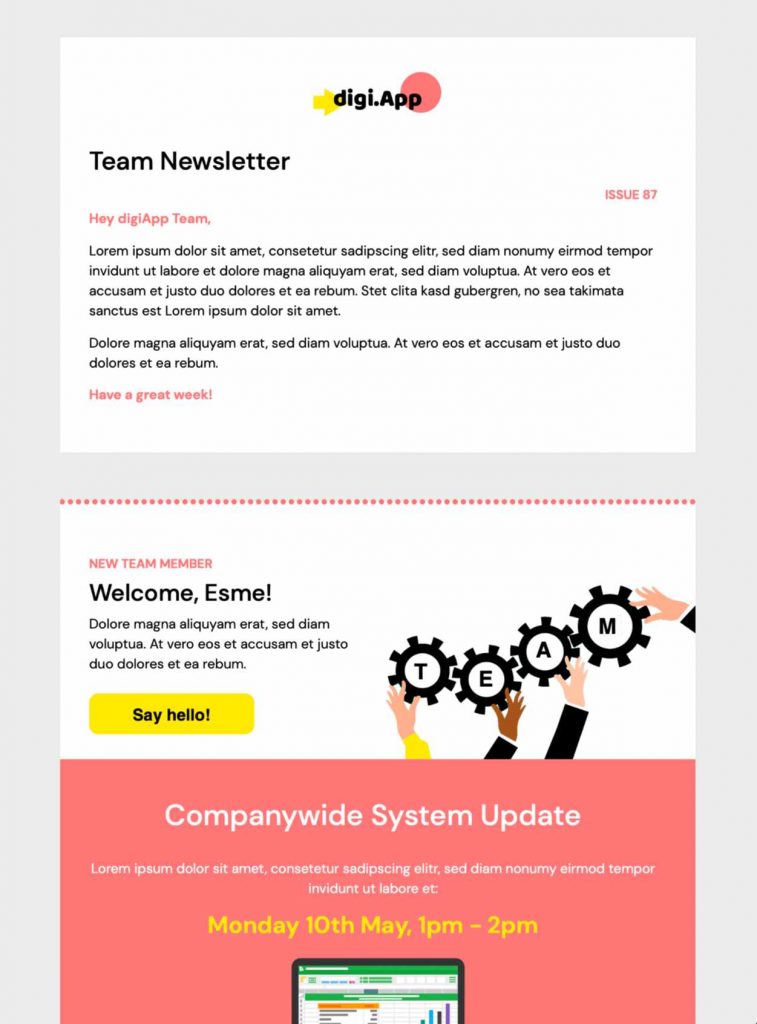
Looking for newsletter templates for startups? Share your startup's latest news and updates with staff using this vibrant HTML email design. This template is exclusively available in Mail Designer 365. Sign up free today to get started.


Key Features:
-
- Business and Professional
- Premium template
- Customise for your business
- Mobile responsive
- Send via your ESP
- Send via your own email address
- Export as HTML
Works with:








Choose newsletter templates for startups by campaign goal
A startup newsletter should help one audience understand one meaningful update. When comparing newsletter templates for startups, use a product-launch message for a new feature, an onboarding edition for first steps, a customer newsletter for practical tips, or an investor update for measurable progress. Keep the opening specific, explain why the news matters now, and place the primary call to action where readers can find it quickly.
Prepare credible startup content
When adapting newsletter templates for startups, replace every sample name, metric, logo, image, and link before sending. When you mention growth, funding, customer results, sustainability, or product performance, check that the claim is accurate and supported. Use short sections, descriptive headings, and plain language so customers, partners, candidates, and investors can scan the email without losing the main point.
Make the newsletter accessible and mobile friendly
Use sufficient color contrast, readable type, descriptive link labels, and meaningful alternative text for informative images. Keep essential information as live text instead of embedding it only in graphics. Preview the layout at narrow and wide widths, then verify that buttons remain easy to tap and that images crop as intended.
Test every path before launch
Before launching newsletter templates for startups, send a proof to colleagues, open every destination, check tracking parameters, and confirm that signup, demo, download, or account links lead to the expected page. Review the sender name, subject line, preview text, legal footer, and unsubscribe path. If you need a different campaign layout, browse the Mail Designer 365 email templates and select the design that best matches the audience and action.
Adapt this startup newsletter before sending
Match the message to one audience and one measurable action. Replace placeholder copy, verify every product or funding claim, add a descriptive subject line and preview text, and send a proof to mobile and desktop inboxes. Confirm the sender, footer, unsubscribe path, image alternatives, and destination links before launch.
Customize this startup newsletter template in Mail Designer 365