
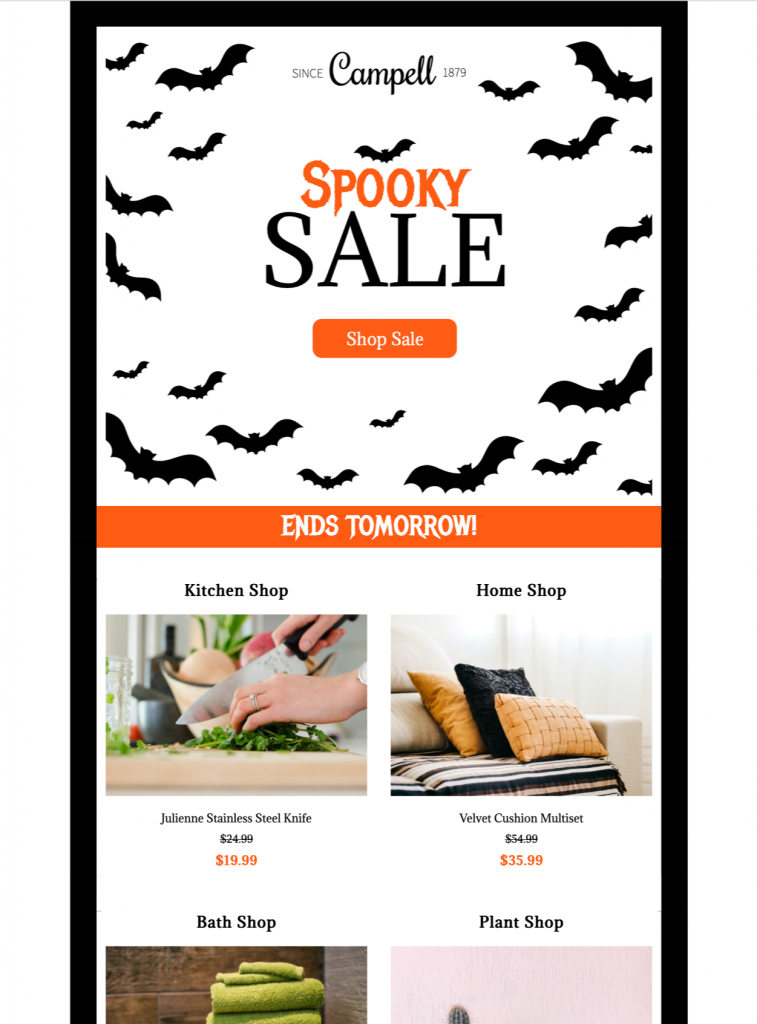
Customize a Halloween Sale Email
Use this Halloween sale email to promote seasonal products or a limited-time discount with a fun, bat-themed design. Customize the imagery, offer, expiry details, colors, and call to action in Mail Designer 365, then preview the responsive layout before sending.


Present the offer and deadline clearly
Lead with the discount or promotion, state any expiry date and conditions, and use one prominent action that takes shoppers to the relevant sale page.
Customize and verify the sale campaign
Replace the sample products and copy with your own brand content, confirm prices and links, and send a test email before launching the Halloween promotion.
Key Features:
- Sales & Seasonal
- Customise for your business
- Mobile responsive
- Send via your ESP
- Send via your own email address
- Export as HTML
Works with:








Plan a Halloween sale email around one offer
Choose one primary promotion before editing the design: a percentage discount, limited product bundle, early-access event, free delivery threshold, or seasonal collection. Put the benefit and deadline near the top, then use one prominent button that takes shoppers to the matching sale page.
Explain the promotion clearly
State the discount or benefit, eligible products, minimum purchase, redemption method, start and end dates, time zone, stock limits, shipping cutoff, and exclusions. If the promotion applies only online or at selected locations, say so close to the call to action and link to complete terms.
Customize the spooky design
Replace the sample logo, colors, products, imagery, button label, and destination with your own brand elements in Mail Designer 365. Keep important prices, dates, and conditions as live text rather than placing them only inside artwork. Ensure the playful theme still matches the audience and product category.
Build urgency without confusion
Use a specific deadline instead of vague phrases, and avoid implying that stock or time is more limited than it really is. Segment the audience by location, product interest, loyalty status, or purchase history when it improves relevance. Suppress customers who already completed the promoted action where appropriate.
Test accessibility and sale details
Use readable type, sufficient contrast, descriptive links, and meaningful image alternatives following W3C accessibility guidance. Preview mobile and desktop layouts, send a proof, open every link, and verify prices, coupon behavior, tracking parameters, sender details, legal footer, preference controls, and unsubscribe link. Browse more Mail Designer 365 email templates if another seasonal layout better fits the promotion. Archive the final Halloween sale email with its approved offer terms, audience, test results, and destination URL so the next seasonal campaign starts from a verified baseline.