
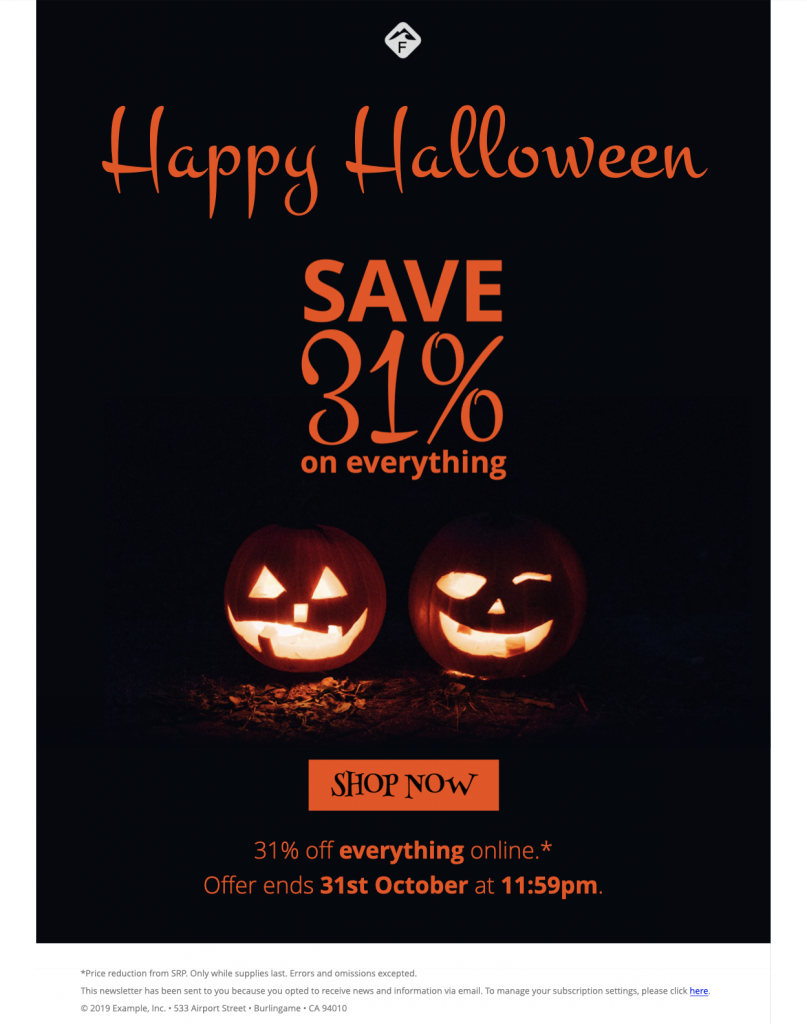
Customize a Happy Halloween Email Template
Use this happy Halloween email template to announce a seasonal promotion, party, or special event with a dark, mysterious design. Customize the imagery, message, offer details, and call to action in Mail Designer 365, then preview the responsive layout before sending.


Make the Halloween message easy to scan
Lead with the promotion or event name, include any important date or offer terms, and use one clear action that takes subscribers to the relevant page.
Customize and test the spooky campaign
Replace the sample content with your own branding, confirm every link and detail, and send a test email to check the desktop and mobile layouts before launch.
Plan your happy Halloween email template offer
Decide whether the email promotes a sale, event, contest, menu, or limited collection. Put the main value and deadline near the top, then support it with only the details a subscriber needs to act. For a promotion, state the discount, eligible products, exclusions, and end time. For an event, include the date, time zone, venue, age guidance, ticket or registration requirement, and a contact option. Use one primary button with a specific label such as “Shop the Halloween offer,” “Reserve a place,” or “View event details.”
Keep the spooky design readable
Dark colors and atmospheric imagery can create a strong Halloween mood, but the message still needs clear contrast and a logical reading order. Keep body copy short, use descriptive headings, and avoid placing essential information inside images. Follow the W3C image guidance when writing alt text for meaningful graphics. Describe the promotion or event purpose instead of repeating a filename, and use empty alt text for purely decorative flourishes. Check that text and buttons remain easy to read on a small screen.
Check every detail before sending
Review the happy Halloween email template on desktop and mobile, test every button and linked image, and confirm that the landing page repeats the same offer, deadline, and event information. Send a test to another reviewer so spelling, prices, coupon codes, dates, and contact details receive a second check. If the campaign uses personalization, verify the fallback text for recipients with missing profile data. Schedule the message in the audience’s time zone and monitor replies or delivery results after launch.
Key Features:
- Sales & Seasonal
- Customise for your business
- Mobile responsive
- Send via your ESP
- Send via your own email address
- Export as HTML
Works with:








Ready to send your Halloween campaign?
Schedule and send the finished campaign in Delivery Hub after the offer, audience, sender details, and links have passed the final review.