
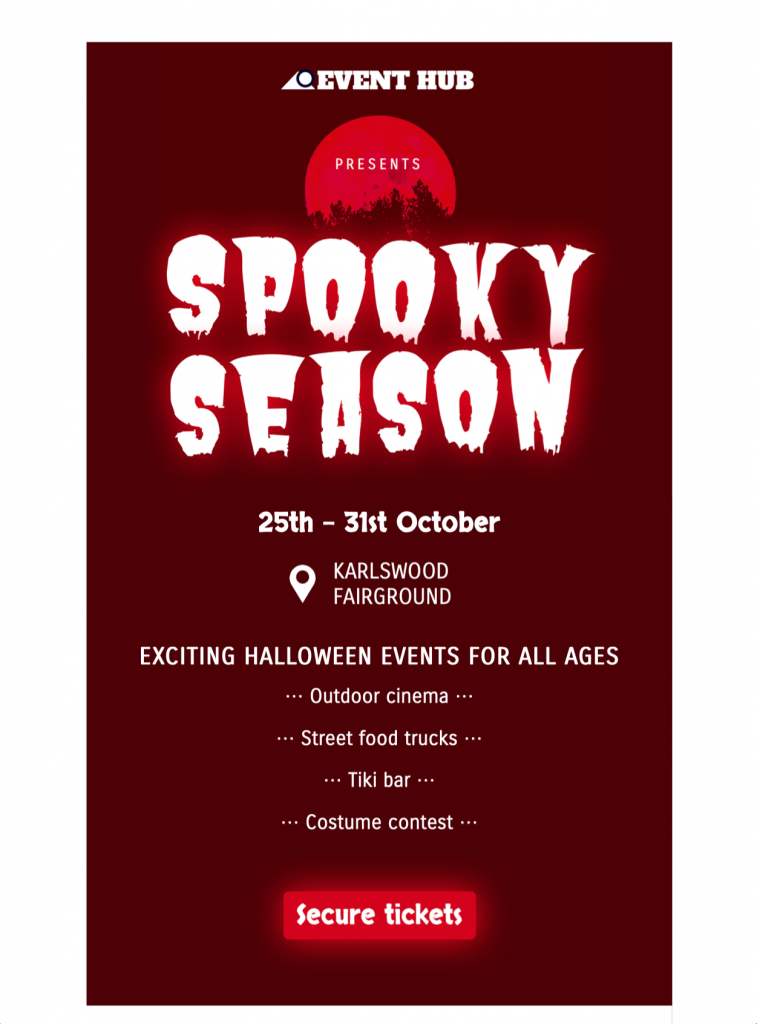
Customize Halloween Email Templates for Events
Use these Halloween email templates to promote a party, sale, haunted attraction, or seasonal event with a bold, spooky design. Customize the imagery, event details, colors, and call to action in Mail Designer 365, then preview the responsive layout before sending.


1. Confirm every Halloween event detail
Lead with the event name, date, start time, end time, time zone, venue, age guidance, accessibility information, price, capacity, and ticket or registration deadline. Assign an owner to recheck each fact before the send and update the landing page at the same time.
2. Choose one audience and registration goal
Decide whether the campaign promotes a party, haunted attraction, costume event, seasonal sale, family activity, or another clearly defined occasion. Use one primary action for tickets, registration, reservations, or full event details, then keep secondary links visually quieter.
3. Customize the visible Halloween design
The supplied design uses a bold, image-led seasonal layout. Replace the sample imagery, colors, logo, event copy, and call to action in Mail Designer 365 while preserving a clear reading order. Keep important details in live text rather than embedding the entire invitation in one image.
4. Check contrast and image alternatives
Test text, buttons, and links against every dark or decorative background. The W3C contrast guidance recommends at least 4.5:1 for normal text and 3:1 for large text. Add concise alternatives to meaningful images so the invitation remains useful when images are blocked.
5. Pair the subject line with preview text
Use the subject line for the event and main reason to open, then let preview text add a date, location, ticket status, or deadline. Avoid repeating the same phrase twice, and update both fields whenever availability or timing changes.
6. Review Halloween email templates on mobile
Check the invitation on a narrow screen and verify the order of the event name, key facts, main image, action, and terms. Send tests to representative inboxes, review with images disabled, and confirm that the message does not depend on color or hover behavior alone.
7. Test registration, ticket, and tracking paths
Open every ticket, registration, map, calendar, terms, privacy, and unsubscribe link from the test message. Verify tracking parameters, regional behavior, capacity messages, confirmation pages, and checkout totals. Archive the approved email with its audience, subject, event facts, destinations, and final proof so later Halloween email templates start from a reliable master.
Works with:







