
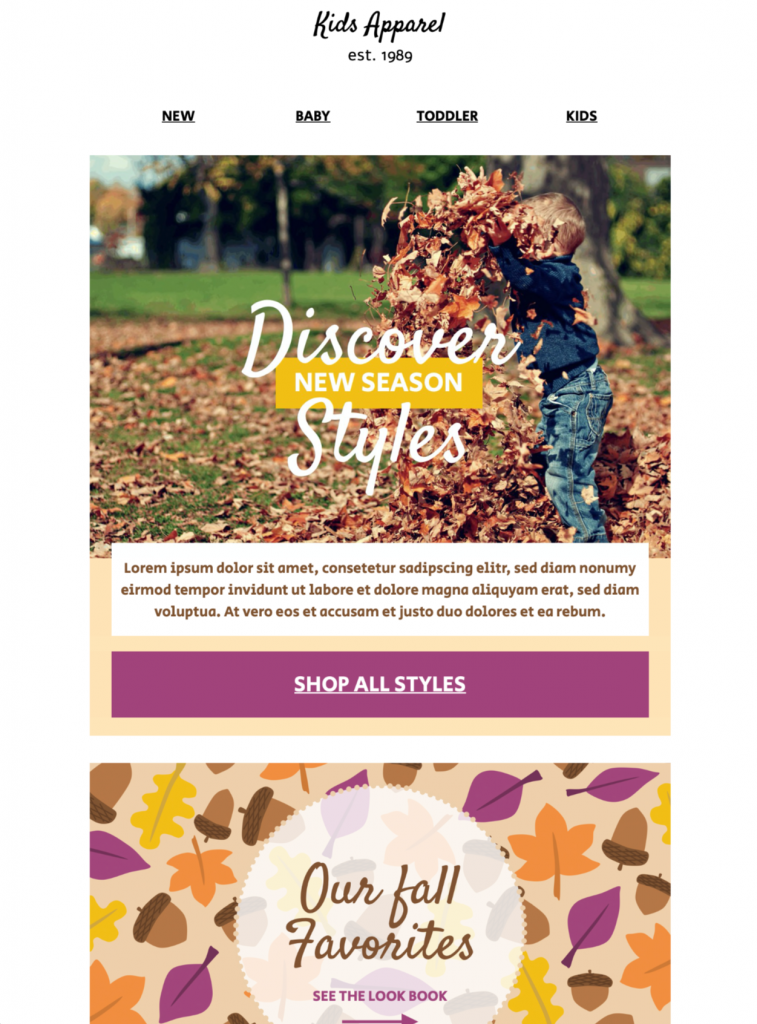
Customize a Fall Email Template
Use this fall email template to introduce an autumn collection, seasonal products, or a limited-time offer with a warm, product-led design. Customize the imagery, colors, copy, and call to action in Mail Designer 365, then preview the responsive layout before sending.


Showcase a focused autumn collection
Select a concise group of products, use consistent photography, and lead with the season or collection name so subscribers can understand the campaign at a glance.
Customize and test the fall email template
Choose one seasonal goal before editing: introduce a new collection, highlight a limited offer, promote an in-store event, or re-engage customers after summer. Match the headline and button to that goal. If the campaign includes a discount, explain eligible products, minimum spend, exclusions, code, start time, and expiration close to the offer so readers do not need to search for the terms.
Use real product photography and colors that fit the collection rather than relying only on generic leaves or pumpkins. Keep prices, sizes, dates, and delivery information as live text. Add concise alternative text to meaningful images, leave decorative elements with empty alt text, and check contrast around warm brown, orange, red, and gold backgrounds. One specific CTA such as “Shop the fall collection” is clearer than several competing buttons.
Check seasonal inventory and timing
Confirm that promoted products are available in the featured variants and regions. State delivery cutoffs, pickup options, return rules, and weather-related event plans where relevant. Segment by climate or location when an autumn message is not equally timely for the full audience, and schedule the send for each audience’s local time.
Preview the responsive design on desktop and mobile, send proofs to common inboxes, and click every product, coupon, navigation, and preference link. Test the complete path through checkout or registration. Verify the sender name, reply-to address, legal footer, and analytics labels before launch. For more ideas, explore the Mail Designer 365 email templates and the W3C accessibility design tips.
Replace the sample products with your own brand content, confirm prices and availability, test every link, and send a preview before launching the fall campaign. Archive the approved fall email template with its offer terms, audience, test results, and destination URLs so the next seasonal campaign starts from a verified baseline.
Key Features:
- Sales & Seasonal
- Customise for your business
- Mobile responsive
- Send via your ESP
- Send via your own email address
- Export as HTML
Works with:







