
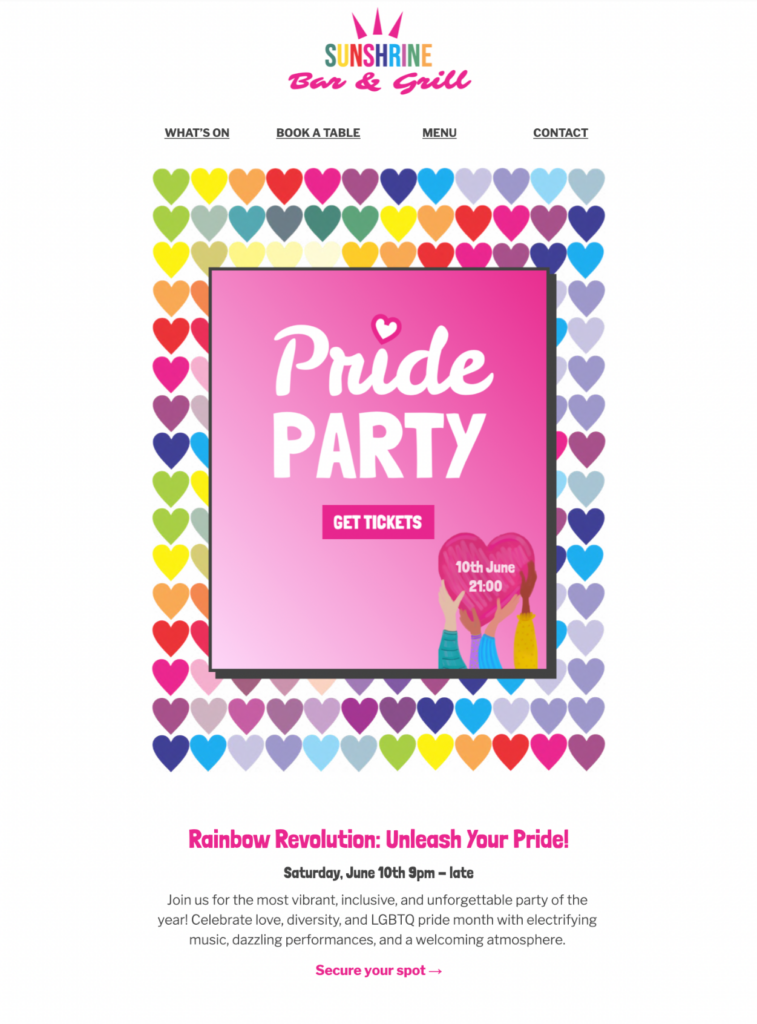
Pride Event Email Template for Invitations
This Pride event email template helps community groups, venues, employee networks, and organizers invite subscribers to an LGBTQ+ Pride celebration with clear event details and one useful next step.
Plan a clear Pride event invitation
Start with the information guests need to decide whether they can attend: the event name, date, start and finish times, venue or online location, accessibility details, age guidance, admission terms, and the organizer’s contact information. If registration or tickets are required, make the deadline and destination easy to find.
Use the supporting phrase Pride party invite naturally only when the event is genuinely a party. A march, workshop, fundraiser, employee gathering, or community program should be described by its real format so recipients know what to expect. Confirm the preferred spelling of partner names and explain whether proceeds support a named organization.
Customize this Pride event email template
The bold Pride-themed preview gives the event a strong visual identity while leaving room for practical invitation details. In Mail Designer 365, adapt the headline, event description, image, button label, and footer to match the organizer and audience. Keep the main action focused: register, buy a ticket, view the schedule, or add the event to a calendar.
Make the invitation useful after the initial announcement. Add transport guidance, venue access information, weather plans, or a link to the latest program where relevant. If capacity is limited, state that accurately rather than creating artificial urgency.
Make the invitation inclusive and accessible
Use live text for the event name, timing, location, ticket terms, and call to action. Add concise alternative text to meaningful imagery, check contrast across the multicolor design, and keep heading order logical. Descriptive links such as “View the Pride event schedule” are more useful than vague wording.
Ask informed reviewers to check tone, names, pronouns, accessibility details, and partner claims when appropriate. Avoid speaking for the entire LGBTQ+ community or implying year-round commitments that the organizer cannot substantiate. Review the W3C accessibility design tips while adapting the campaign.
Test every event path before sending
Preview the Pride event email template on desktop and mobile, send proofs to the responsible organizers, and click every registration, ticket, map, calendar, and contact link. Test confirmation screens and transactional messages from beginning to end. Check the sender name, reply handling, legal footer, privacy wording, and cancellation or refund information before the campaign goes live.
For more campaign inspiration, browse the Mail Designer 365 email templates.
Key Features:
- Sales & seasonal
- Customise for your business
- Mobile responsive
- Send via your ESP
- Send via your own email address
- Export as HTML
Works with:







