
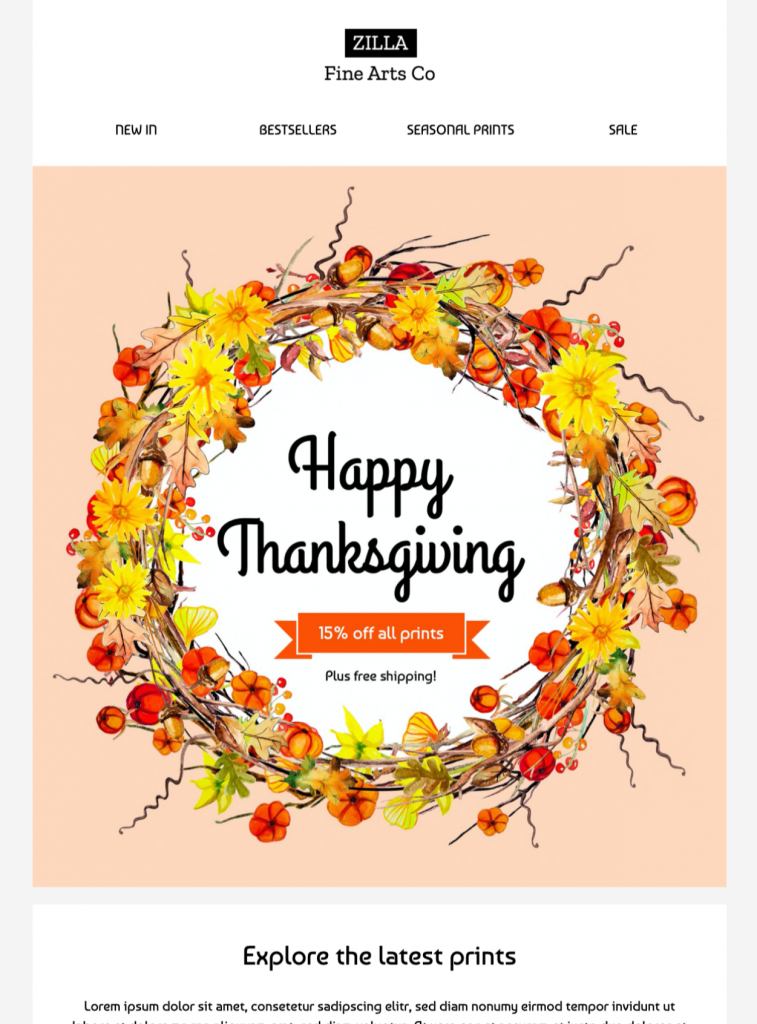
Thanksgiving Offer Email Template for Seasonal Campaigns
Exclusively available in Mail Designer 365! Promote a new Thanksgiving offer or share a stylish Thanksgiving greeting with subscribers, using this warm and inviting email template. Sign up free today to get started.


Key Features:
- Sales & Seasonal
- Customise for your business
- Mobile responsive
- Send via your ESP
- Send via your own email address
- Export as HTML
Works with:








Plan a clear Thanksgiving offer campaign
Choose one primary goal before editing the design: promote a seasonal collection, reward loyal customers, announce holiday hours, invite guests to an event, or send a simple thank-you message. State the benefit early, keep the main action obvious, and avoid combining unrelated promotions in the same email.
Explain the offer without ambiguity
Include the discount or benefit, eligible products, minimum purchase, redemption method, start and end dates, time zone, stock limits, shipping cutoff, and exclusions. If the promotion applies only online or at selected locations, say so close to the call to action. Link to complete terms when readers need additional detail.
Customize the Thanksgiving design
Replace the sample logo, colors, images, button label, and destination with your own brand elements in Mail Designer 365. Use one prominent button such as “Shop the Thanksgiving offer” or “View holiday hours.” Keep essential dates and conditions as live text rather than placing them only inside decorative artwork.
Write inclusive seasonal copy
Use a warm tone that fits the relationship with your audience and avoid assumptions about how every subscriber celebrates. Segment the list when customers need different regions, languages, delivery dates, or offers. Respect communication preferences and suppress recipients who already completed the promoted action.
Test accessibility and campaign details
Use readable type, sufficient contrast, descriptive links, and meaningful image alternatives following W3C accessibility guidance. Preview mobile and desktop layouts, send a proof, open every link, and confirm the sender name, subject line, preview text, legal footer, preference controls, and unsubscribe link. Browse more Mail Designer 365 email templates if another seasonal layout better fits the campaign.