
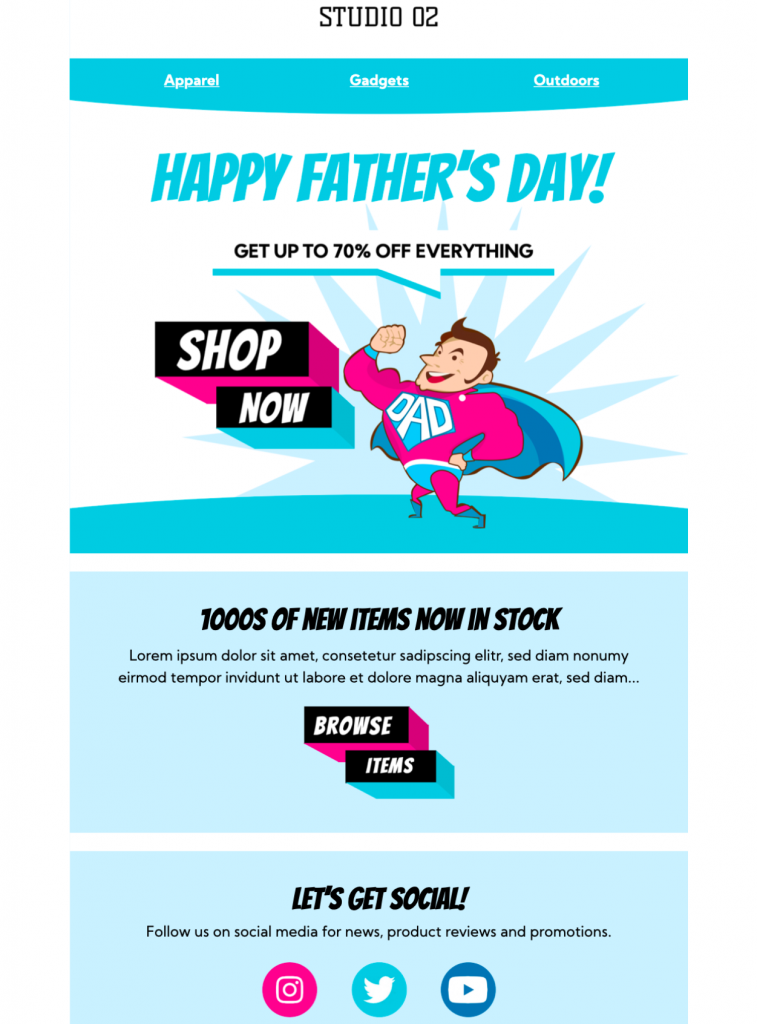
Father's Day Email Template
Use this Father's Day email template to launch a clear seasonal promotion with a bold superhero theme. Customize the message, offer, imagery, and call to action in Mail Designer 365, then test the finished campaign before sending.


Key Features:
- Sales & Seasonal
- Customise for your business
- Mobile responsive
- Send via your ESP
- Send via your own email address
- Export as HTML
Plan a Father's Day email template for your audience
A Father's Day campaign can support a retail promotion, restaurant offer, event, membership message, or a simple customer greeting. Decide whether the email should celebrate, inform, or sell before adapting the template. Keep the message inclusive by recognizing fathers, caregivers, mentors, and the different ways recipients may mark the day.
Use the superhero design with a clear purpose
The supplied preview uses a bold superhero-inspired visual and a prominent promotional message. Replace the sample offer with the real product, event, or service you want to feature. Keep the main headline short, make the benefit easy to understand, and use one primary button for the most important next step.
In Mail Designer 365, customize the logo, brand colors, fonts, imagery, product details, discount wording, and button destination. If the campaign includes a code, state the exact code, expiry date, eligible items, and important exclusions in live text. Avoid placing essential terms only inside an image.
Check the Father's Day email template before sending
Preview the finished Father's Day email template on desktop and mobile. Confirm that the greeting, offer, dates, prices, code, and landing page all agree. Click every link, verify that the button destination works, and send a delivered test to check text size, image loading, alternative text, and dark-mode contrast.
Use concise alternative text for meaningful images and keep the core message readable when images are blocked. If your audience includes recipients who may not want seasonal family messages, consider whether your mailing preferences or segmentation should offer an appropriate choice.
Works with:








> See all compatible email service providers...
Schedule the campaign with enough time for recipients to use the offer, but avoid sending so early that the occasion feels disconnected. Keep the email frequency appropriate for your audience, and coordinate this message with other seasonal campaigns so subscribers do not receive overlapping promotions or conflicting discount terms.