
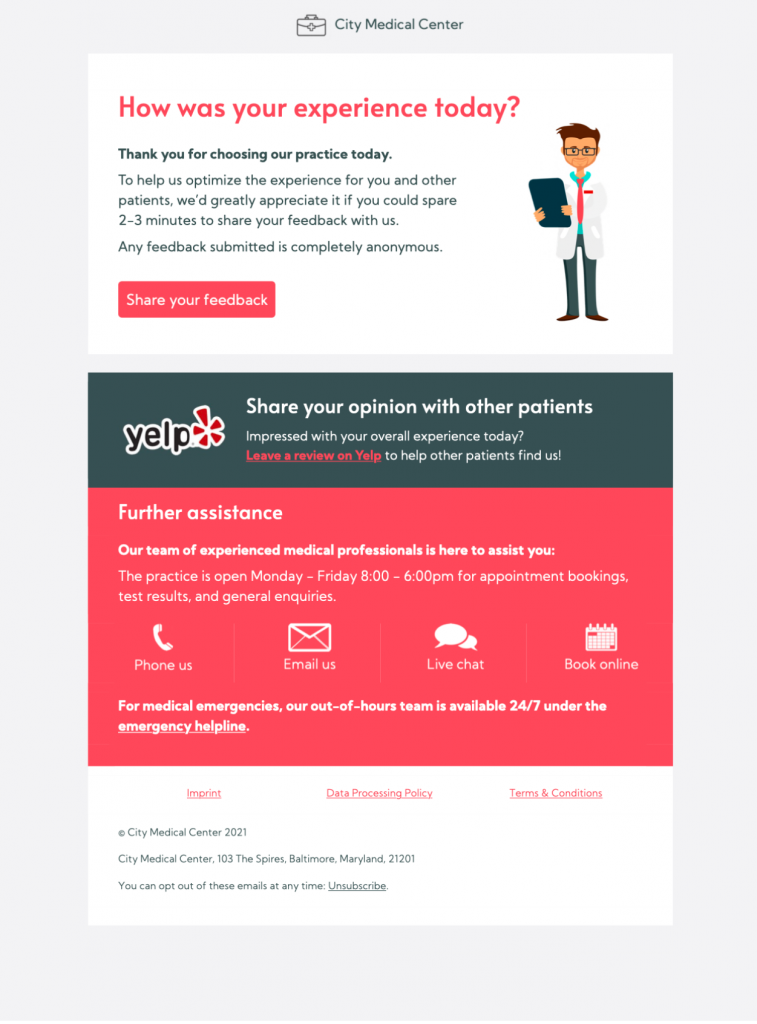
Appointment Feedback Email Template for Patient Surveys
Customize a Clear Post-Appointment Feedback Request
Use this appointment feedback email template to invite patients or clients to share a short survey after a visit. A clear message, a recognizable sender, and one focused feedback link make the request easy to understand.
Customize the design in Mail Designer 365 with your practice logo, brand colors, contact details, and survey button. Explain why the feedback matters, how long the survey takes, and whether responses are anonymous. Keep medical or private appointment details out of the email unless your approved process specifically requires them.
Before sending, confirm the recipient has consented to follow-up email, test the survey and privacy links, and preview the appointment feedback email template on desktop and mobile. Add useful image descriptions so the request remains understandable when images are blocked. Sign up free today to get started.


Already a Mail Designer 365 user? Open the Design Idea here.
What to Include in a Post-Appointment Feedback Request
Tell recipients who is asking, refer to the recent visit in general terms, and explain how their response will help improve the service. Use one prominent survey button and state the approximate completion time. If the survey is anonymous, say so accurately; otherwise explain how responses are handled and link to the appropriate privacy information.
- Use a direct subject line and a short thank-you message.
- Ask only the questions your team can act on.
- Keep the survey link and reply contact easy to find.
- Avoid including diagnoses, treatment details, or other sensitive information in ordinary email.
- Check consent, accessibility, mobile layout, and every destination before sending.
Adapt the Appointment Feedback Email Template
Match the colors, logo, typography, and tone to your organization, then adjust the wording for a clinic, salon, consultancy, or other appointment-based service. Send a test to colleagues before the campaign goes live and confirm the feedback page works without requiring unnecessary personal information.
Key Features:
- Transactional & Automated
- Customise for your business
- Mobile responsive
- Send via your ESP
- Send via your own email address
- Export as HTML
Works with:







