
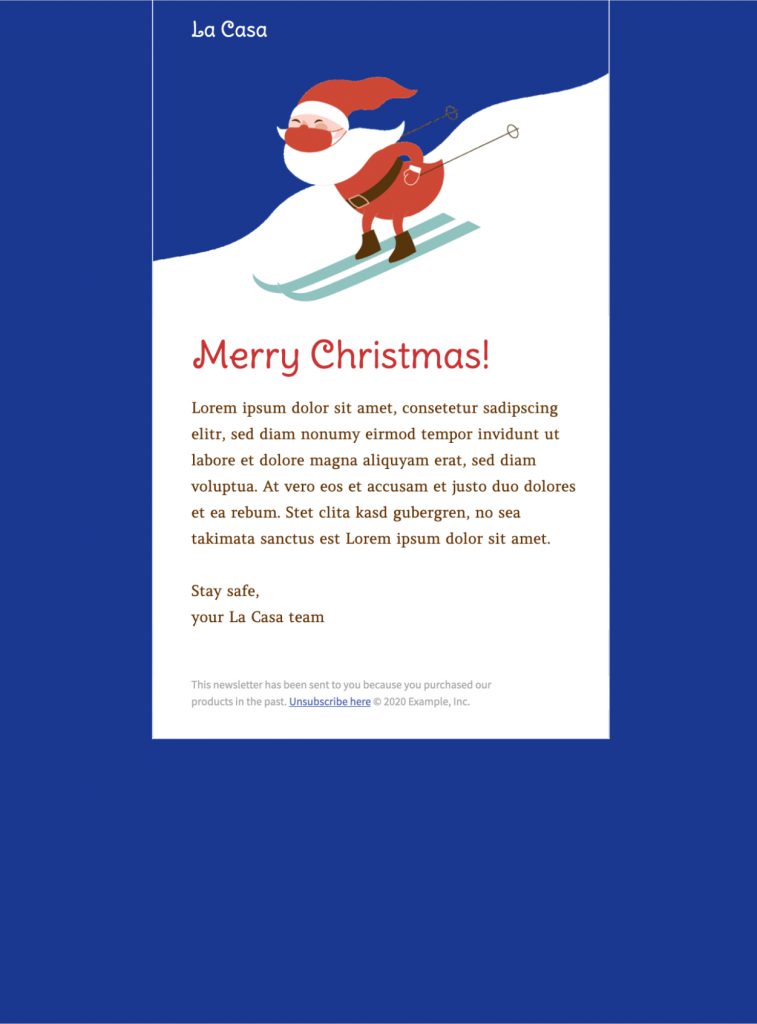
Skiing Santa HTML Email Template
The skiing Santa HTML email template gives holiday campaigns a playful winter focal point. Its animated Santa, snowy slope, bold blue frame, and prominent Merry Christmas greeting suit seasonal customer messages, team greetings, event invitations, and end-of-year announcements.
Customize the Skiing Santa HTML Email Template
Start with the message your audience needs most. Replace the sample greeting and placeholder copy with a short holiday note, an invitation, or a seasonal offer. Keep the main message easy to scan and place the most important link near the top, especially when the email has a deadline.
In Mail Designer 365, adapt the type, colors, text, and links to match your organization. The blue-and-white winter palette already creates a clear setting, while the red Santa and greeting provide contrast. If your brand uses different seasonal colors, adjust supporting elements without losing that strong visual hierarchy.
Use animation with a reliable fallback
The skiing Santa HTML email template adds movement without requiring a complicated layout. Check the first frame before sending so recipients using an email client that does not play animated GIFs still see a complete, understandable design. The greeting and essential message should remain useful even when the animation is paused or images are blocked.
Write a clear holiday message
Use a subject line and preview text that explain the purpose of the email instead of relying on the illustration alone. A customer campaign may highlight holiday opening hours, delivery deadlines, or a seasonal promotion. An internal message can focus on appreciation, event details, or practical information for the holiday break.
Keep dates, time zones, contact details, discount terms, and button destinations accurate. If the message is a general seasonal greeting, use inclusive wording that fits the audience and the relationship you have with them.
Check accessibility and mobile readability
Add descriptive alternative text to the main preview and any image that carries meaning. Maintain strong text contrast, use readable type sizes, and make linked buttons easy to identify. Do not place essential dates or instructions only inside the image. A short text summary helps the campaign remain useful when images are unavailable.
Preview the finished message at mobile width and confirm that headings, paragraphs, and buttons stay readable without horizontal scrolling. Keep the layout focused so the animated scene supports the message rather than competing with it.
Review the campaign before sending
Send a test copy and check the subject line, preview text, from name, links, and fallback frame. Proofread the holiday message and verify every time-sensitive detail. If you are sending through an external email service provider, test the exported campaign in the intended workflow before scheduling it.
A final review on desktop and mobile helps catch broken links, awkward line breaks, missing alternative text, and outdated information. Once those checks pass, the skiing Santa HTML email template is ready for your audience.
Also check the destination page that each button opens. The landing page should match the promise made in the email and work well on a phone. Remove links that are no longer needed, and make sure unsubscribe and sender information remain available in the final campaign. If the message includes an offer, state the valid dates and any important conditions in text.
Choose a sending time that gives recipients enough time to act on the message. For a greeting, avoid sending so late that it arrives after the relevant holiday moment. For an event or deadline, repeat the date in the email body and on the destination page so readers do not have to infer it from the design.


Already a Mail Designer 365 user? Open the Design Idea here.
Key Features:
- Sales & Seasonal
- Customise for your business
- Animated GIF
- Premium Design (learn more)
- Mobile responsive
- Send via your ESP
- Send via your own email address
- Export as HTML
Works with:







