
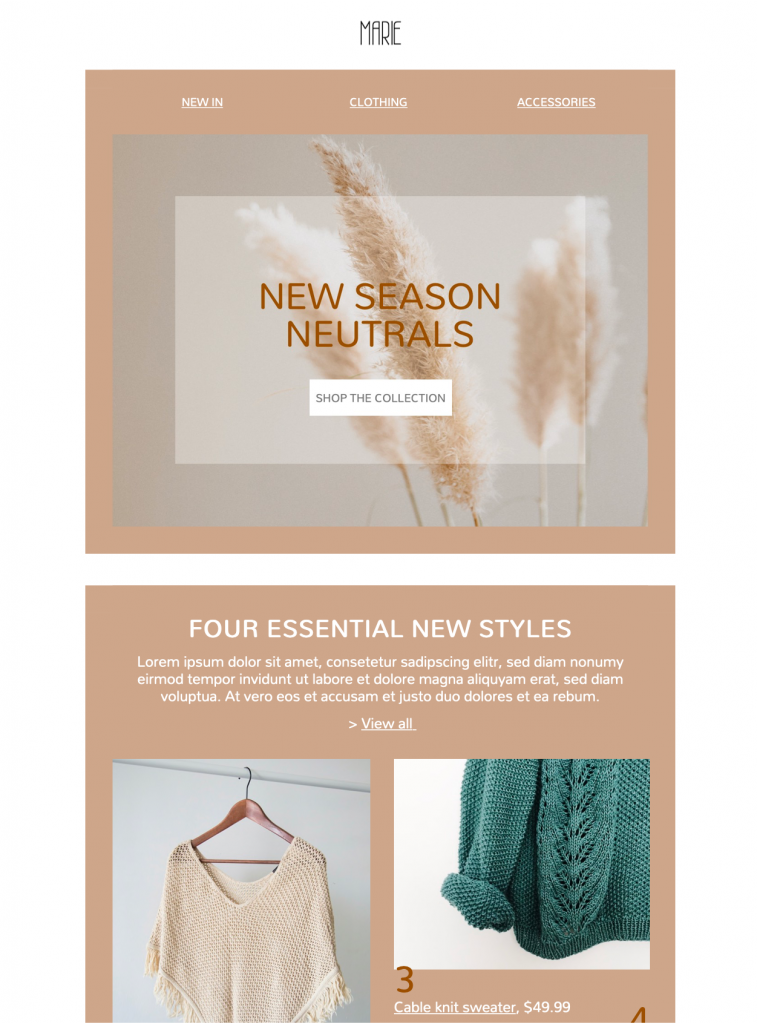
Fashion Email Templates: 5 Checks for a New-Season Launch
Use these fashion email templates to introduce a new-season collection with a stylish, minimal layout. Customize the product imagery, colors, copy, and call to action in Mail Designer 365, then adapt the responsive design for your clothing brand and audience.


Already a Mail Designer 365 user? Open the Design Idea here.
Present a cohesive new-season collection
Effective fashion email templates use a focused group of products and consistent photography so subscribers can understand the collection at a glance. Lead with the season or collection name, keep descriptions concise, and use one clear primary action that takes readers to the relevant store page.
Customize and test the fashion campaign
Before sending fashion email templates, replace the sample images and text with your own brand content, confirm prices and availability, and check every product and button link. Preview desktop and mobile layouts, then send a test email before launch to verify rendering and campaign details.
Key Features:
- Sales & Seasonal
- Customise for your business
- Mobile responsive
- Send via your ESP
- Send via your own email address
- Export as HTML
Works with:








Build fashion email templates around one launch goal
Decide whether the campaign should introduce a full collection, feature a small edit, announce restocked products, or drive traffic to a seasonal landing page. Lead with the collection name and the strongest audience benefit, then use one prominent button that takes readers to the matching product selection.
Show products accurately
Use consistent photography, truthful colors, clear product names, and concise descriptions. Include prices, currency, size availability, material details, delivery timing, and return information when they affect the buying decision. If stock or regional availability is limited, state that close to the call to action.
Customize the visual hierarchy
Replace the sample logo, palette, typography, imagery, button label, and destination with your own brand elements in Mail Designer 365. In fashion email templates, keep essential product details as live text rather than embedding them only inside images. Use headings to separate the hero, featured products, supporting story, and final action.
Design for mobile and accessibility
Use readable type, sufficient contrast, descriptive links, and meaningful image alternatives following W3C accessibility guidance. Check that product names and prices remain understandable when images are blocked, and make buttons large enough to tap comfortably on a phone.
Test before the collection launch
Preview desktop and mobile layouts, send a proof, open every product and navigation link, and verify prices, stock, tracking parameters, sender details, subject line, preview text, legal footer, preference controls, and unsubscribe link. Confirm the landing page matches the products and promise shown in the email. Browse more fashion email templates from Mail Designer 365 if another layout better fits the collection.