
Email Marketing for Bakeries: Ideas, Templates, and Tips
Email marketing for bakeries helps local cake shops, patisseries, cafés, and home bakers turn seasonal interest into repeat business. A useful bakery email does more than show attractive pastries: it gives subscribers a reason to order, makes availability and pickup details clear, and keeps the business memorable between visits.
This guide covers practical campaign ideas, list growth, content planning, bakery email design, ordering information, and pre-send checks. It also shows how the Petite Paris design in Mail Designer 365 can be adapted for menus, preorder campaigns, product launches, and local promotions.
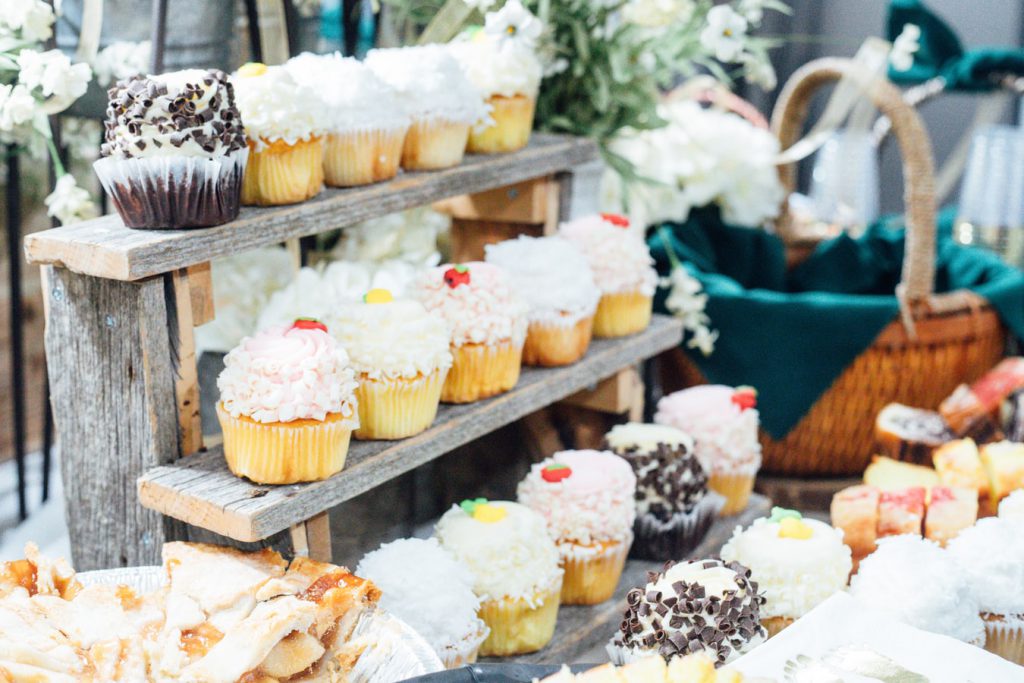
Set one goal for each bakery email
Start with the action that matters most for the campaign. That may be ordering a celebration cake, reserving a seasonal box, viewing a weekly menu, booking a tasting, registering for a class, or visiting the shop. Build the headline, supporting copy, products, and main button around that single goal. Secondary information can appear lower in the email without competing with the primary action.
Local bakery campaigns should state practical details early. Include the ordering deadline, pickup location, collection window, delivery area, minimum order, lead time, and contact method. If quantities or flavors may change, explain availability honestly. Clear information reduces avoidable questions and helps customers complete an order with confidence.
Grow a useful bakery email list
Invite customers to subscribe at checkout, on the website, through a QR code in the shop, and on order-confirmation pages. Explain what they will receive, such as weekly specials, preorder openings, event dates, or occasional baking tips. Use a consent process appropriate to your market and make unsubscribing straightforward.
A smaller list of local, interested subscribers is more valuable than a broad list with little purchase intent. Ask only for information you will use. Location can help separate pickup and delivery messages; product preferences may support relevant segments such as vegan, gluten-free, wedding, or corporate orders. Do not infer dietary needs from unrelated behavior.
Bakery email campaign ideas
- Weekly menu: Highlight a short selection with availability and ordering details.
- Seasonal preorder: Open reservations for holiday boxes, cakes, or limited pastries.
- New product launch: Introduce the story, ingredients, price, and release date.
- Celebration reminders: Explain cake lead times, sizing, consultations, and customization.
- Workshop or tasting: Share the date, capacity, skill level, accessibility, and booking link.
- Behind the scenes: Introduce bakers, techniques, suppliers, or preparation without revealing private customer information.
- Loyalty message: Reward repeat customers with genuine early access or a clearly explained benefit.
Plan recurring messages around real production and ordering cycles. A campaign calendar can include major holidays, local events, wedding seasons, school dates, and quieter periods when a workshop or evergreen product deserves attention. Verify dates every year rather than copying an old calendar without review.
Use the bakery email template in Mail Designer 365
The Petite Paris design provides a visual starting point for an online-order message. Replace the sample copy with your bakery name, product photography, menu or collection, fulfillment details, and brand colors. Keep prices and deadlines as live text so they remain readable when images are blocked.
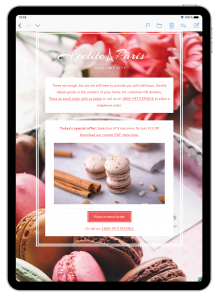
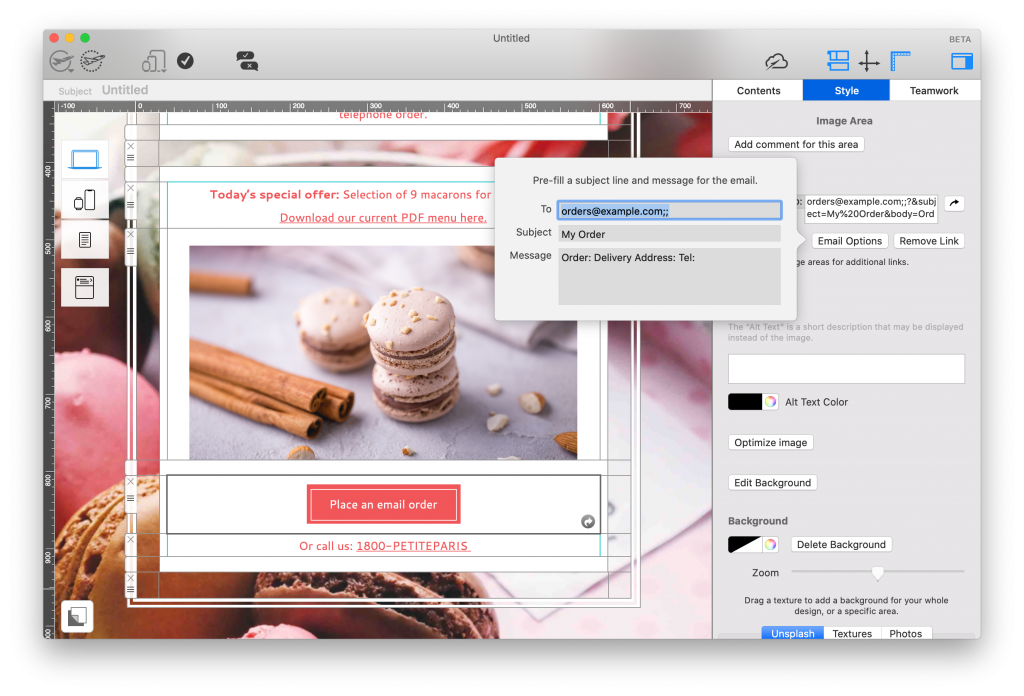
The design includes space for a practical email order form. If you accept orders by email, specify exactly what customers should provide: product, size, quantity, date, pickup or delivery preference, contact details, and any customization request. Do not request sensitive payment information by ordinary email.
Design for appetite, clarity, and accessibility
Use a focused selection of strong images rather than a crowded catalog. Each product photo should correspond clearly to nearby text, price, and action. Add descriptive alternative text where an image communicates product information. Preserve sufficient contrast, readable type, logical headings, and buttons that are easy to tap on a phone.
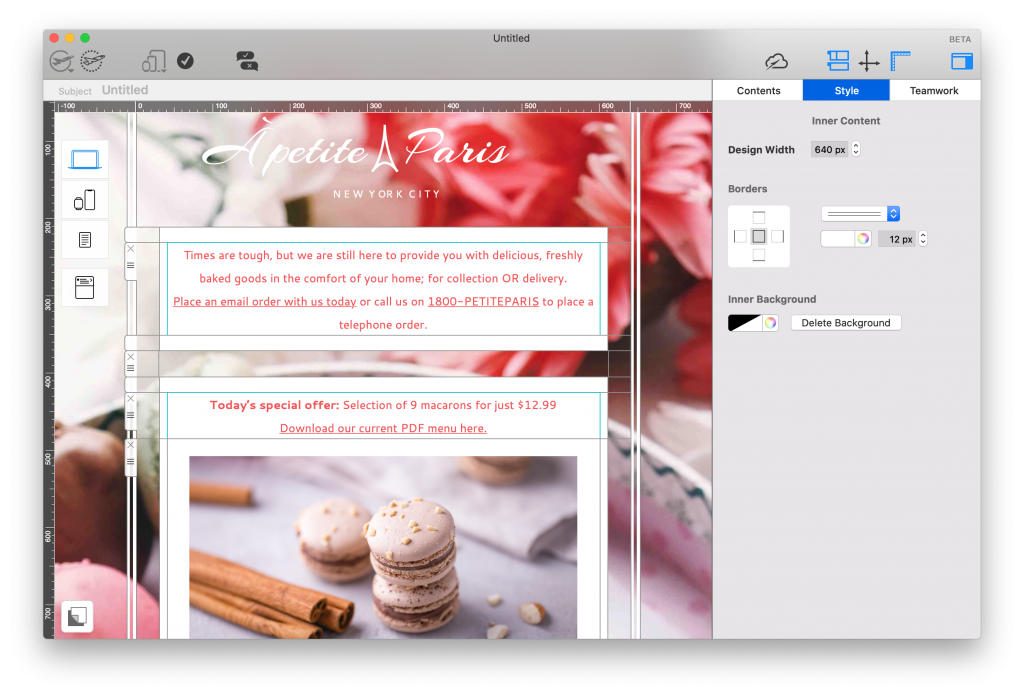
Preview the campaign in desktop and smartphone views. Long cake names, ingredients, and pickup instructions can change wrapping and spacing. Check that product details remain associated with the correct image and button. If the campaign mentions allergens or dietary suitability, follow the bakery’s verified labeling process and link to complete information where appropriate.
Write subject lines and preheaders that help
Lead with the real reason to open: a preorder date, new menu, limited collection, workshop, or practical reminder. The preheader should add a useful second detail such as the final order date or pickup location rather than repeat the subject. Avoid exaggerated urgency and only use scarcity claims that operations can support.
Inside the email, open with the main value, show the most relevant products, state how ordering works, and end with a direct action. Button labels such as “Preorder the pastry box,” “View this week’s menu,” or “Book a cake consultation” are clearer than “Click here.”
Measure and improve bakery campaigns
Track clicks to menus, product pages, order forms, and booking pages. When possible, connect campaign tracking with completed orders while respecting consent and privacy requirements. Compare campaigns with similar goals rather than treating every send the same. A preorder email may be judged by revenue or reservations, while a workshop message may be judged by registrations.
Use results to improve timing, product selection, and clarity. If many recipients click but few complete an order, inspect the landing page, mobile experience, availability, and fulfillment details. If opens are weak, test a clearer sender name, subject, and delivery time rather than simply sending more often.
Pre-send checklist for bakery emails
- Confirm the sender name, reply-to address, subject, and preheader.
- Verify product names, prices, ingredients, availability, deadlines, pickup times, and delivery area.
- Check every link, button, tracking parameter, and contact detail.
- Review desktop and smartphone previews and send tests to relevant inboxes.
- View the message with images disabled and confirm that the offer and action remain clear.
- Check alternative text, color contrast, legal footer, consent language, and unsubscribe link.
More email marketing resources
Continue with our guides to small-business email tools and the beginner’s guide to email design. This page specifically owns the email marketing for bakeries intent; general small-business advice, template landing pages, and guides for other industries should keep separate primary keywords.