
Easily create professional mail designs and email designs on your Mac. Mail Designer 365 offers modern templates and intuitive tools to streamline your mail design process—no coding needed.

HTML-NEWSLETTER MADE EASY
Why Choose Mail Designer 365 for Your Mail Design and Email Design?
Mail Designer 365 is a native Mac app built for professional email design and mail design. Unlike browser-based editors, it offers powerful tools to create mail designs and HTML email templates with pixel-perfect precision, rich typography, and flexible drag-and-drop layouts. Enjoy a fast, reliable editing experience optimized for your Mac—no internet connection or laggy web tools needed.
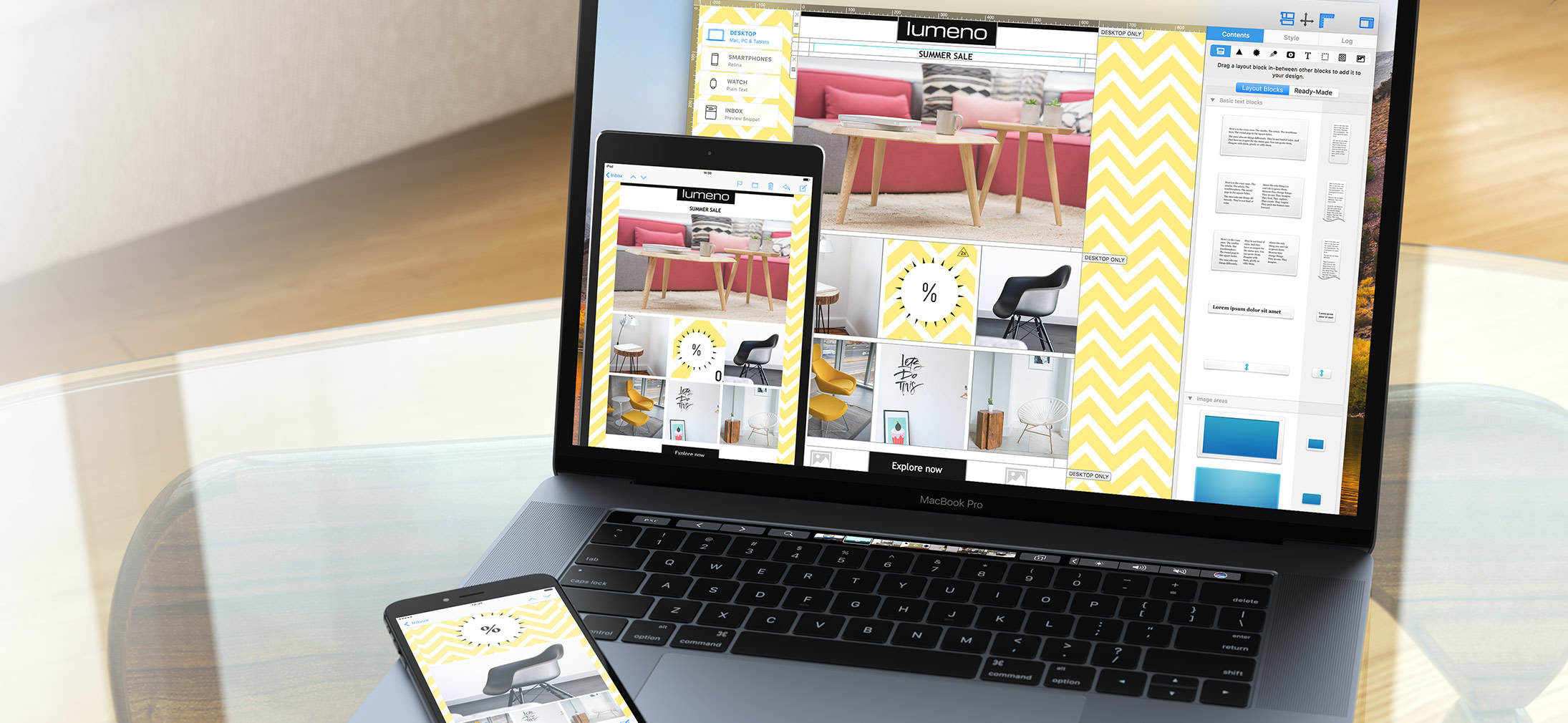
BUILD YOUR MAIL DESIGN LAYOUT IN MINUTES
Professional Tools for Creating Email Designs on Mac
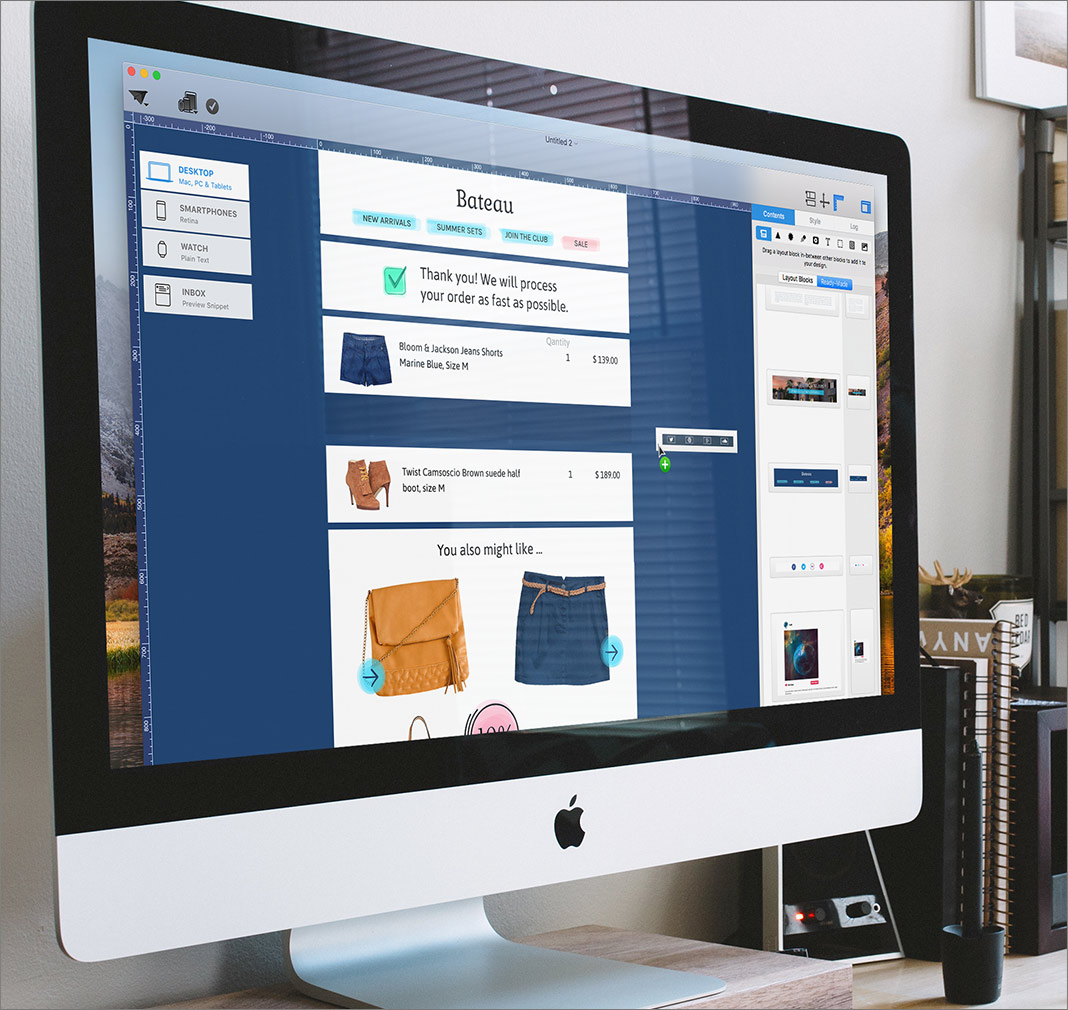
Break free from rigid online editors—Mail Designer 365 is a native Mac app that lets you create mail designs with total creative freedom. Use its powerful layout engine and over a million flexible combinations of ready-made blocks to design modern email designs featuring stylish headlines, product grids, pricing tables, and polished footers—all in just a few clicks.
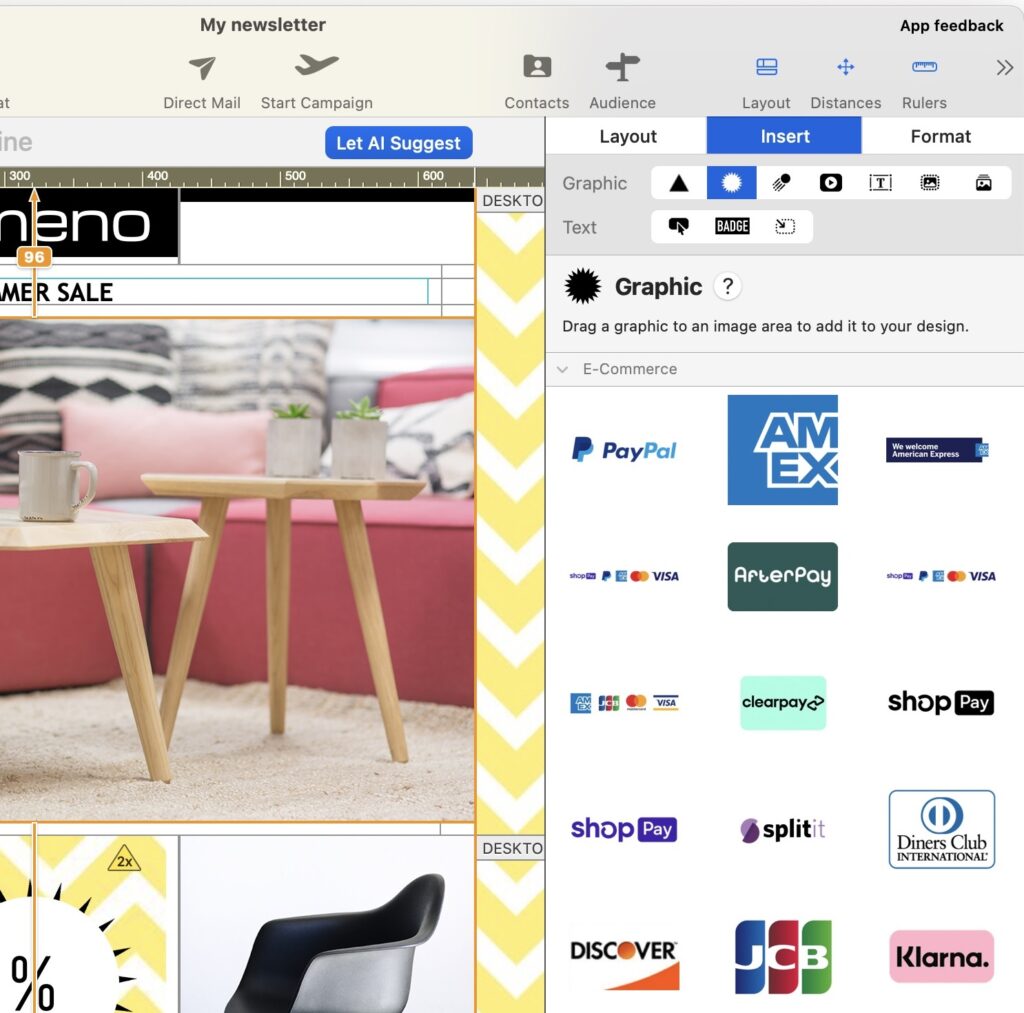
Personalize your mail designs with 100+ customizable buttons, stickers, graphics, and animations from an updated content library. Need a head start? Choose from hundreds of professional, responsive email templates tailored to your brand and message.
SHOW OFF YOUR STYLE
Drag-and-Drop Editor to Create Mail Designs Easily
Design standout email designs effortlessly with Mail Designer 365—the native Mac app built for professional mail design. Our intuitive drag-and-drop editor lets you create mail designs with precision and see real-time previews as you work.
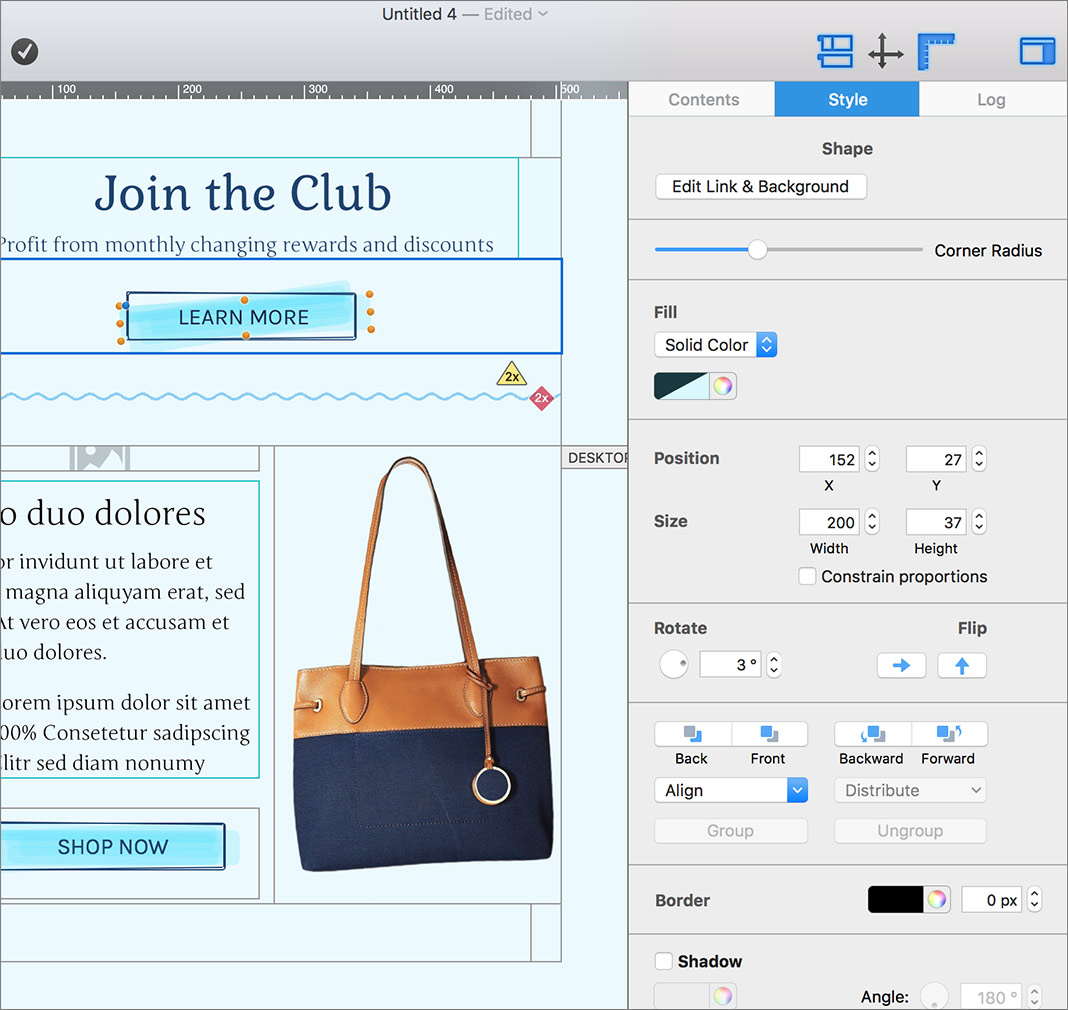
Customize CTA buttons with flexible shapes, choose from over 700 fonts, and enhance your email design with photo backgrounds, graphics, and animations. All the creative tools you need for flawless mail design are built right in—ready whenever inspiration strikes.
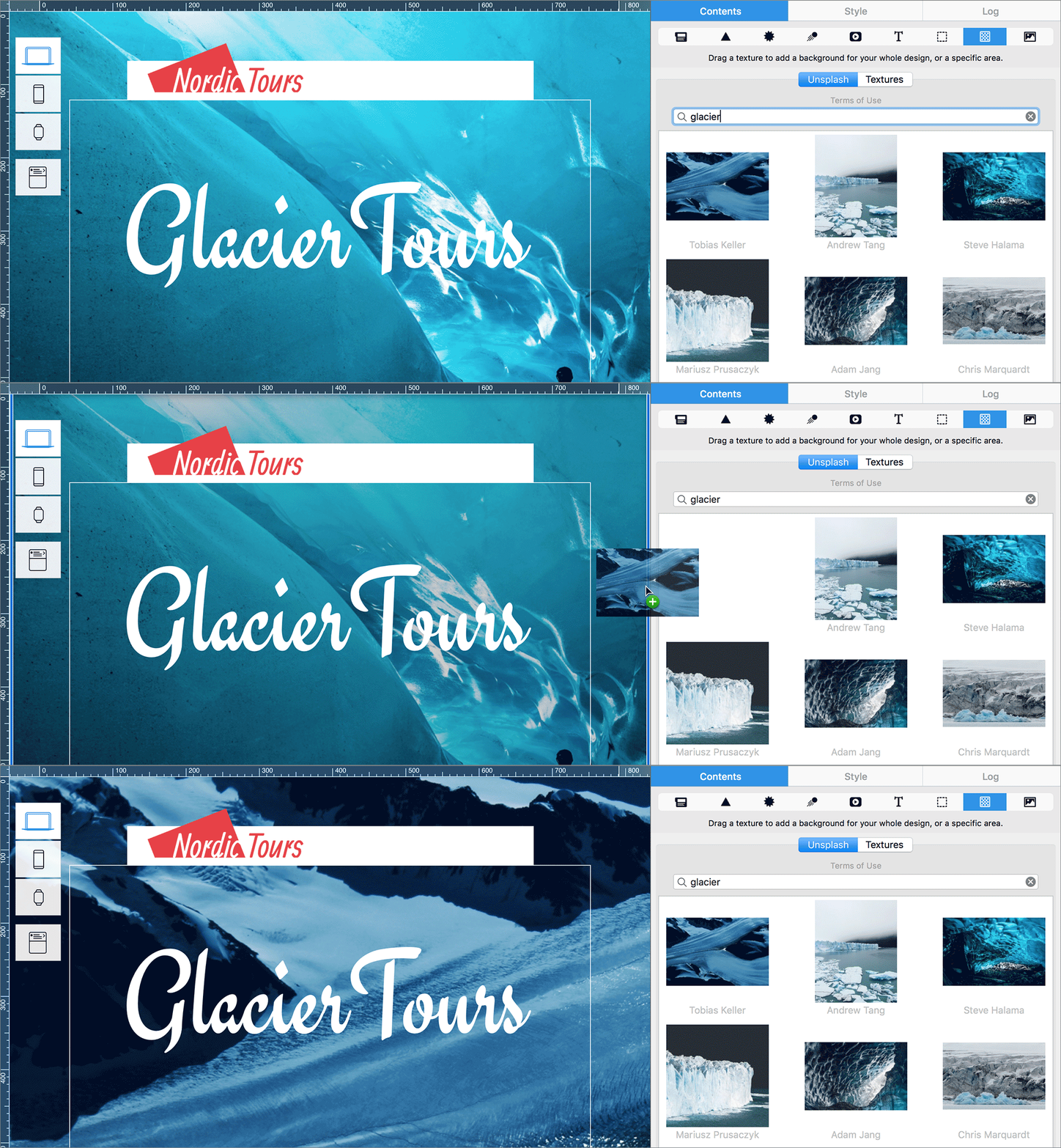
Fuel Your Creativity with Stunning Visuals
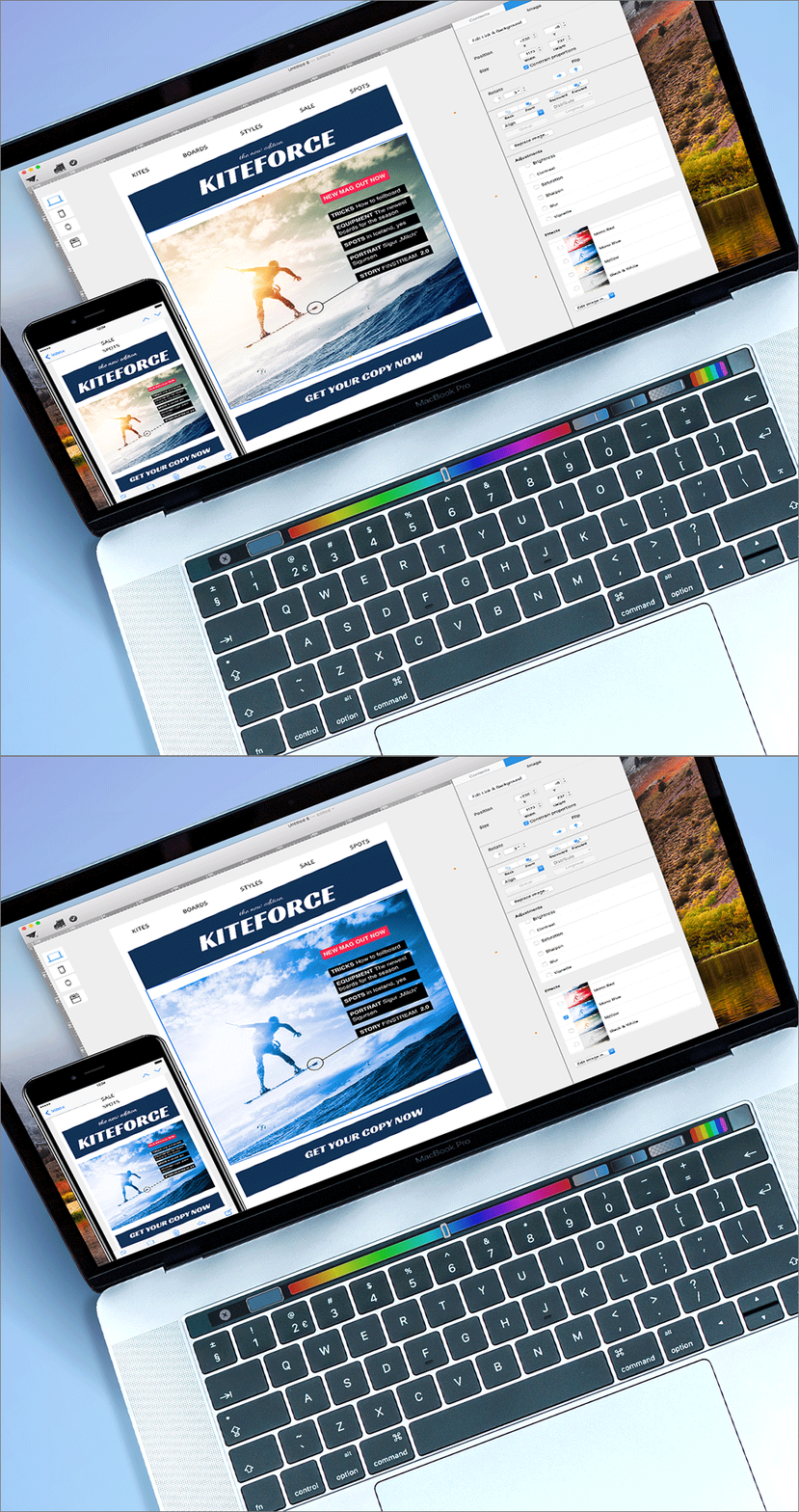
Elevate your mail design and email design with our new built-in Unsplash collection in Mail Designer 365, the premier Mac app to create mail designs. Instantly access thousands of high-quality, license-free images to enhance your layouts. Add eye-catching photo backgrounds or find the perfect visuals for any campaign—all without leaving the app.
MOBILE OPTIMIZATION
Mobile-Ready and Pixel-Perfect Mail Designs

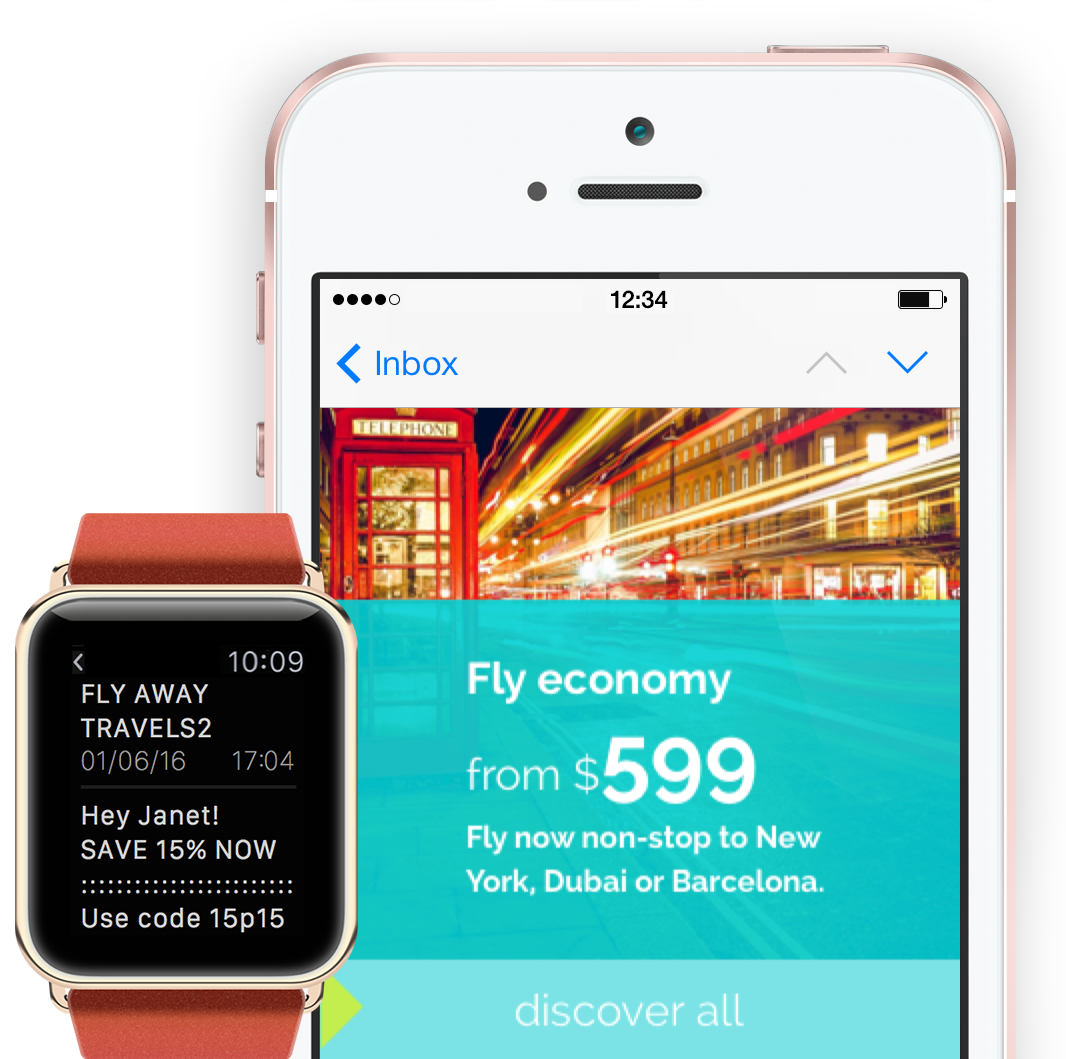
With Mail Designer 365—the email template creator for Mac—your designs are automatically optimized for mobile, no coding needed. Create dedicated smartphone content and preview it instantly on devices like iPhone, Pixel, and even Apple Watch.
Our built-in mobile preview and inbox optimization tools ensure your emails look perfect and stand out before your readers even open them.
ULTIMATE PRODUCTIVITY FOR YOUR TEAM
Collaborate and share your Mail Design Together in Mail Designer 365
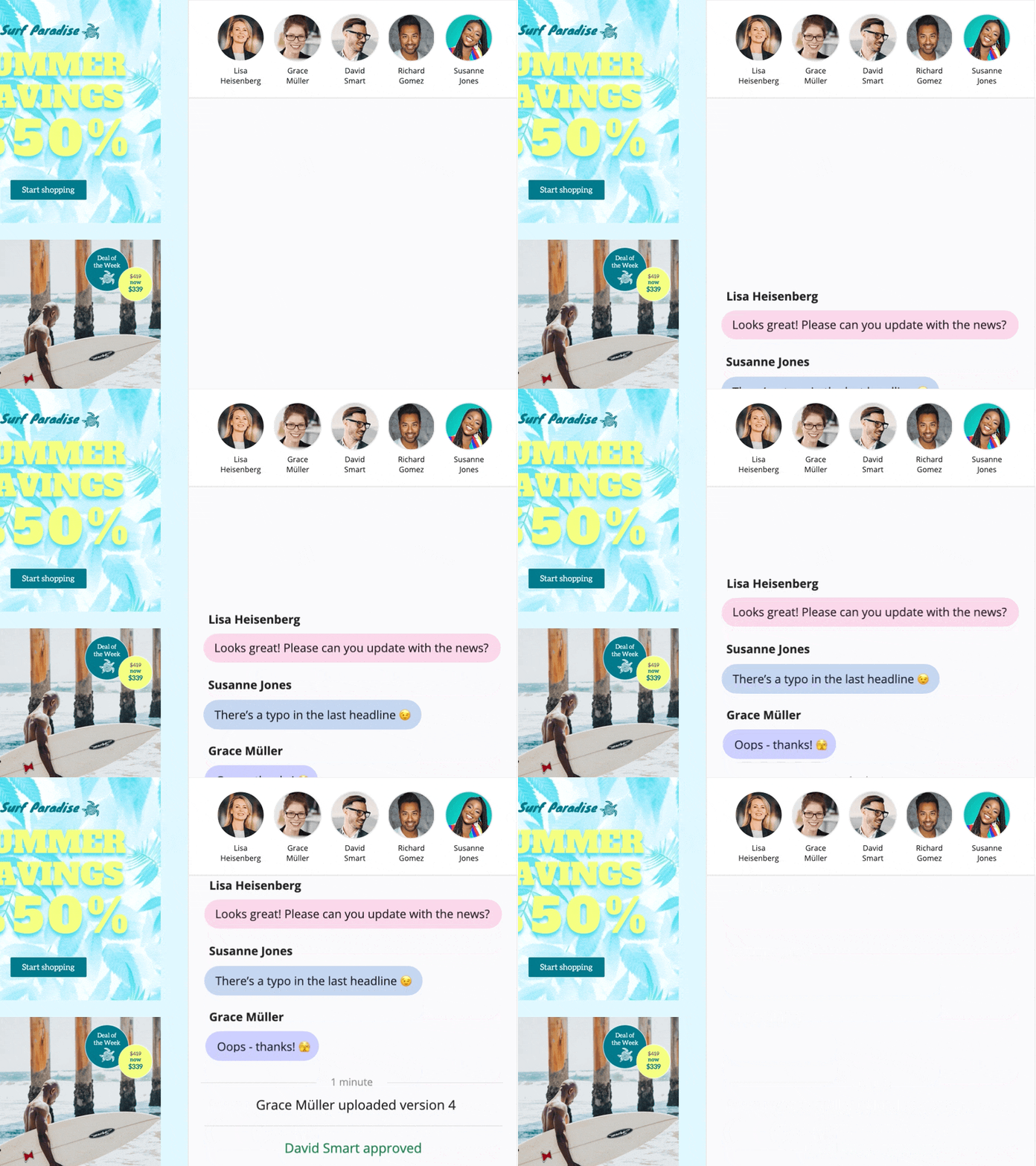
Mail Designer 365 is the email template creator for Mac built with teamwork in mind. The all-new Teamwork tools simplify your entire design process and help you create better newsletters, faster—together. Simply set up your team in Mail Designer 365 and assign plans to your colleagues to get started.
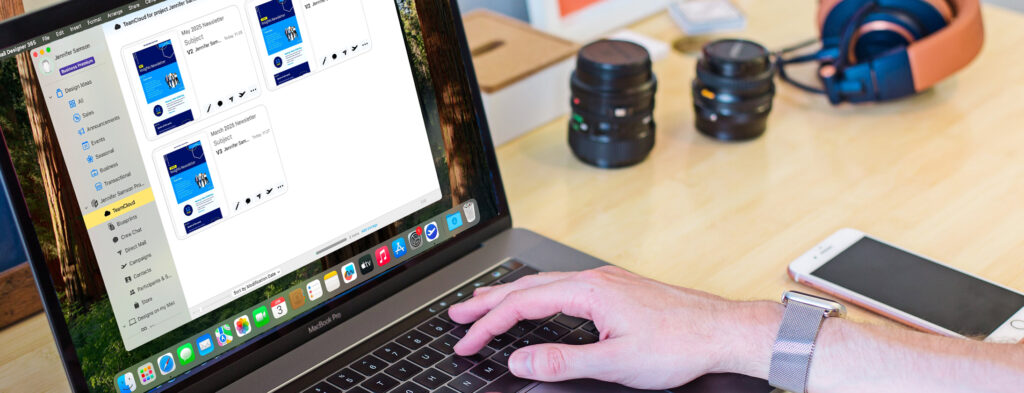
With powerful new features like Crew Chat and cloud-based template sharing, your team can work on designs collaboratively—whether you’re in the same office or working remotely. Save templates to the cloud so teammates can jump in, edit layouts, and finish up designs at any time.
Use Crew Chat to leave feedback directly on any template, ask questions, or approve changes without ever leaving the app. Say goodbye to back-and-forth emails and hello to seamless communication. With Mail Designer 365, your team stays in sync—making it the most productive email template creator for Mac.

SEND YOUR MAIL DESIGN YOUR WAY
Built-in Delivery or Export to Your Preferred Service
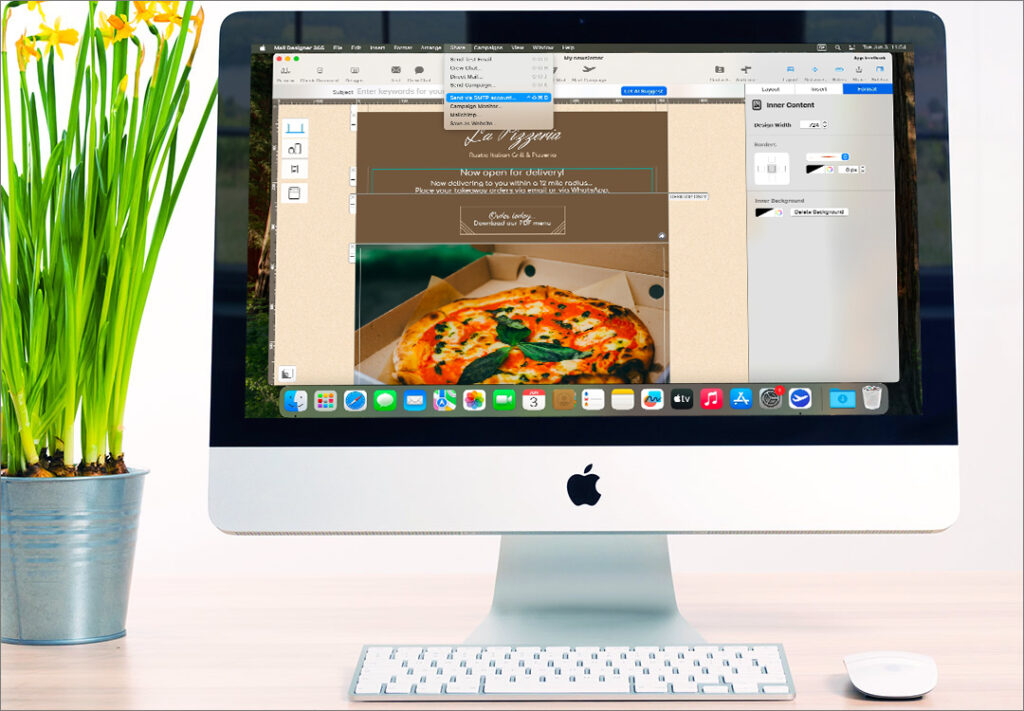
For the easiest and most reliable way to send your newsletters, we recommend using the built-in Mail Designer Direct Mail and Delivery Service—no need for third-party tools or complicated setup. Just design, preview, and send directly from the app.
Prefer to use your own email system? No problem. Mail Designer 365 gives you full flexibility: export your design as responsive HTML, send via SMTP for corporate communications, or upload to your favorite email platform like Mailchimp, Campaign Monitor, or others.
Check out our integration guides here ›
CONSISTENT COMPATIBILITY
Your designs, displayed brilliantly in all email clients
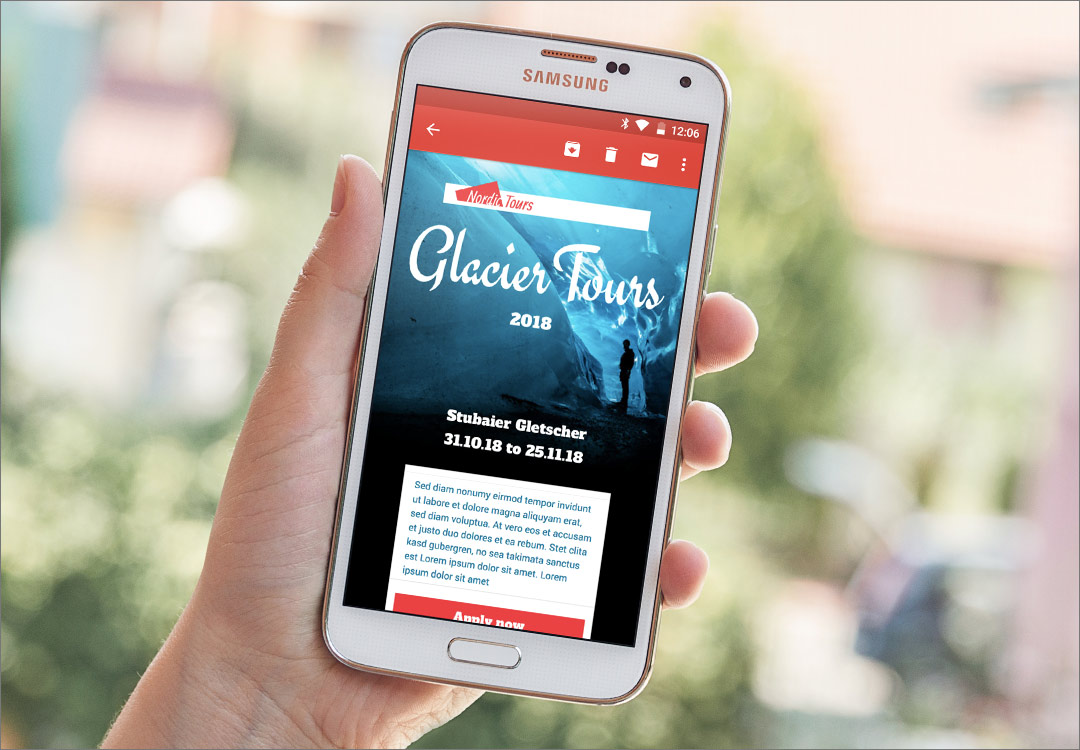
Whether you're sending to Gmail, Outlook, or Apple Mail, Mail Designer 365's HTML engine is constantly being optimized for the newest email clients. Thanks to high definition graphics, your emails will appear super crisp on retina displays. The test-send option also allows you and your colleagues to check and preview your newsletters while they're still in the initial design stages. Perfect your email designs before you launch your email campaigns!
MAIL DESIGNER 365 BENEFITS FOR PROFESSIONAL MAIL DESIGN
Everything You Need for Professional Email Design on Your Mac
• Made for macOS: Enjoy a smooth, responsive experience in a fully native Mac app — no browser tabs, no compromises.
• All-in-one design toolkit: Create stunning emails with layout blocks, image editing, smart backgrounds, and access to over 1000 fonts.
• Mobile-Optimized Designs: Automatically generate responsive versions for smartphones and smartwatches — no coding required.
• Flexible Sending Options: Use the built-in Mail Designer Delivery Service or export via HTML, SMTP, or to your preferred ESP.
• Seamless Team Collaboration: Save templates to the cloud, share feedback with Crew Chat, and keep your workflow connected.
• Reliable & Privacy-Focused: Built and hosted in Germany with strict GDPR compliance — your data stays protected and in your control.
MAIL DESIGNER 365: FEATURE OVERVIEW
Everything You Need to Create Email Designs on Your Mac

Responsive Design, Made Smart
• Auto mobile layout
• Flowing Mail Designs
• Optimize for all devices

Make creative HTML newsletters
• Layouts with drag-and-drop
• Choose background style
• Add links to text and elements

Perfect emails for Apple Watch
• Create mails for Apple Watch
• Apple Watch real-time preview
• Dedicated Apple Watch versions

Integrate animations and videos
• Integrate animated graphics (GIFs)
• Link to videos (YouTube, Vimeo …)
• Supports HTML 5 content
Perfect mobile emails previews
• Retina & retina HD support
• Live Preview for mobile devices
• Ensure perfect mobile results

Inbox and text optimization
• Create a custom inbox preview text
• Real time inbox preview tool
• Streamlined plain text editor

Your design options
• Use 1000+ web fonts
• Save individual text styles
• Create emails without HTML coding

Quality and control
• Send test emails
• Optimize email performance
• Automatically test links

Native macOS Email Design App
• macOS Photos app integration
• Support for key Apple features
• Fully optimized for macOS systems

Create graphic elements easily
• HTML Text buttons and badges
• Design headers and backgrounds
• Library with shapes, graphics, icons

Newsletter Team Collaboration
• Share access to all designs
• Discuss ideas and feedback
• Seamless team collaboration

Flexible Export & Email Sending
• Use Mail Designer Delivery Service
• Export via HTML or SMTP
• Connect to Mailchimp, Campaign Monitor, and others
Try Mail Designer 365 for free
Design emails without code – 7 days free on your Mac.
Compatible with macOS 10.13 or later
Mail Designer 365 - Email Design FAQ
Email template design is the process of creating a pre-formatted layout that serves as a reusable foundation for email campaigns. These templates are usually built using HTML and inline CSS and contain structured placeholders for dynamic content—like personalized text, product images, or call-to-action buttons. Instead of starting from scratch each time, marketers and teams can use these templates to maintain consistency, save time, and ensure professional-quality emails every time.
A well-designed email template typically includes:
- Header with logo and navigation
- Hero image or featured content section
- Text areas for messages or offers
- CTA buttons to drive user action
- Footer with unsubscribe links and contact details
Why are email templates important?
Email templates ensure that emails remain consistent across devices, comply with design standards, and render properly in major email clients like Gmail, Outlook, or Apple Mail. They also help:
- Enforce brand consistency
- Save production time
- Reduce design and coding errors
- Improve responsiveness on mobile devices
Common use cases
- Newsletters: Regular updates sent to subscribers
- Promotions: Highlight product launches or sales
- Transactional emails: Send order confirmations, receipts, or alerts
- Event announcements: Share details and invitations
Reusability: A core benefit of email templates
The greatest advantage of an email template is its reusability. Once created, a template can be used again and again across different campaigns. Just update the specific content while maintaining the layout and branding. This makes scaling email marketing fast, consistent, and reliable—especially for teams working on regular mailings.
Blueprints in Mail Designer 365
Mail Designer 365 takes email template design even further with its unique Blueprints feature. A Blueprint acts as a protected master version of a design. When you or a team member opens it, a new draft is created automatically, leaving the original untouched. This means multiple versions can be customized—each tailored to different recipients or campaigns—without overwriting the base design. Want to learn more? Check out our full guide on using Blueprints for email design in teams.
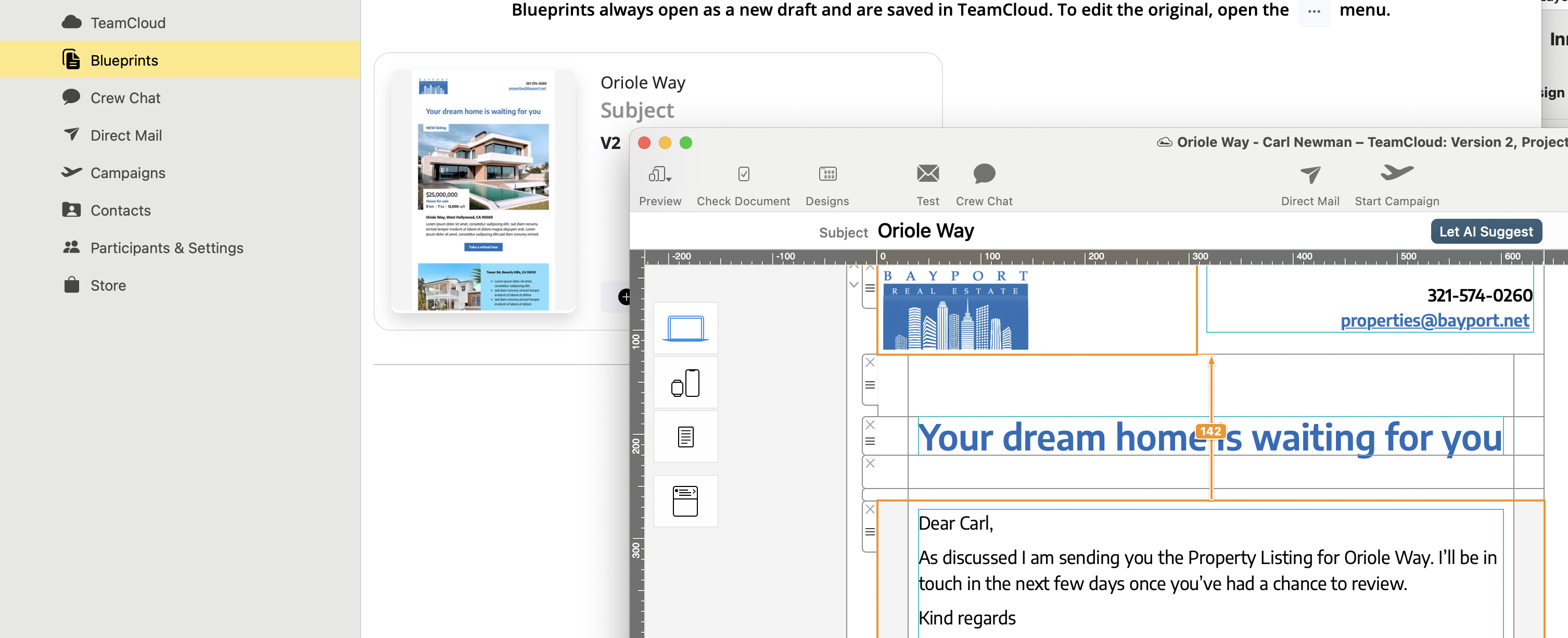
Caption: Easily customize a Blueprint in Mail Designer 365 to create unique versions for each recipient—without ever altering the original design.
This collaborative workflow is perfect for teams: one person creates the base template, while others adapt it to their use case—ensuring quality and consistency across the board.
Want to create reusable, professional email templates on your Mac?
Get started with Mail Designer 365’s Email Template Creator
Email design refers to the strategic and visual process of crafting emails that not only look good but also drive engagement, deliver key messages clearly, and perform well across all devices. A well-designed email supports your marketing goals by guiding readers toward specific actions—like clicking a link, completing a purchase, or exploring more content.
Why is email design important?
Effective email design impacts open rates, click-throughs, and conversions. With limited time to capture attention, a clean, clear, and engaging layout can make all the difference. Good email design also reinforces your brand and ensures your messages are accessible across platforms and devices.
What does a good email layout include?
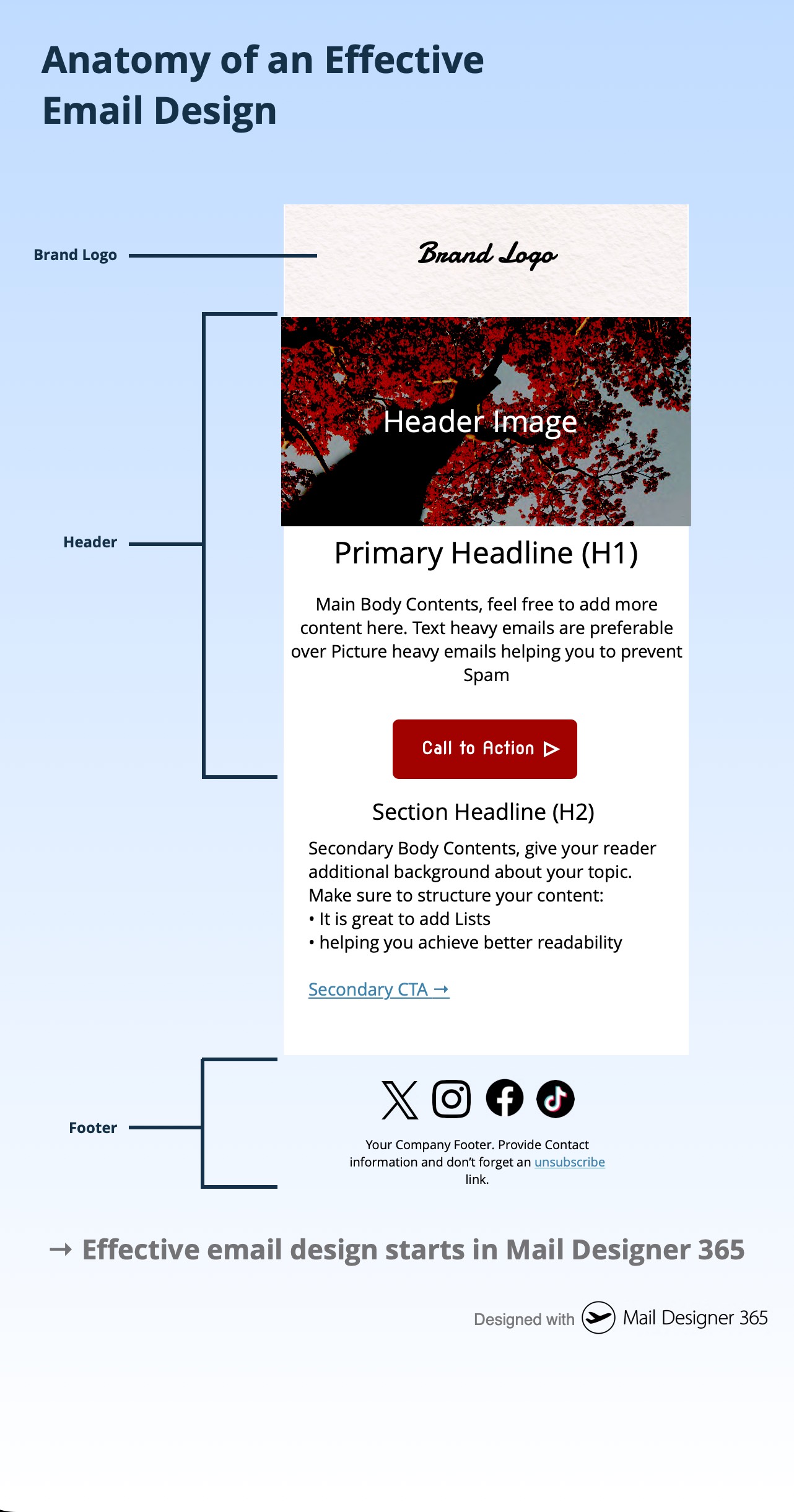
A strong email layout is made up of several key elements that work together for clarity and impact. As shown in the infographic below, these elements include:
- Header: Contains your brand logo and optional pre-header text
- Hero image: Visually engages and supports the main message
- Primary headline (H1): Grabs attention and sets the topic
- Body text: Clearly structured content that explains or informs
- CTA (Call to Action): Visually distinct buttons or links that guide readers
- Footer: Includes legal information, social links, and an unsubscribe option
What are the essential elements of email design?
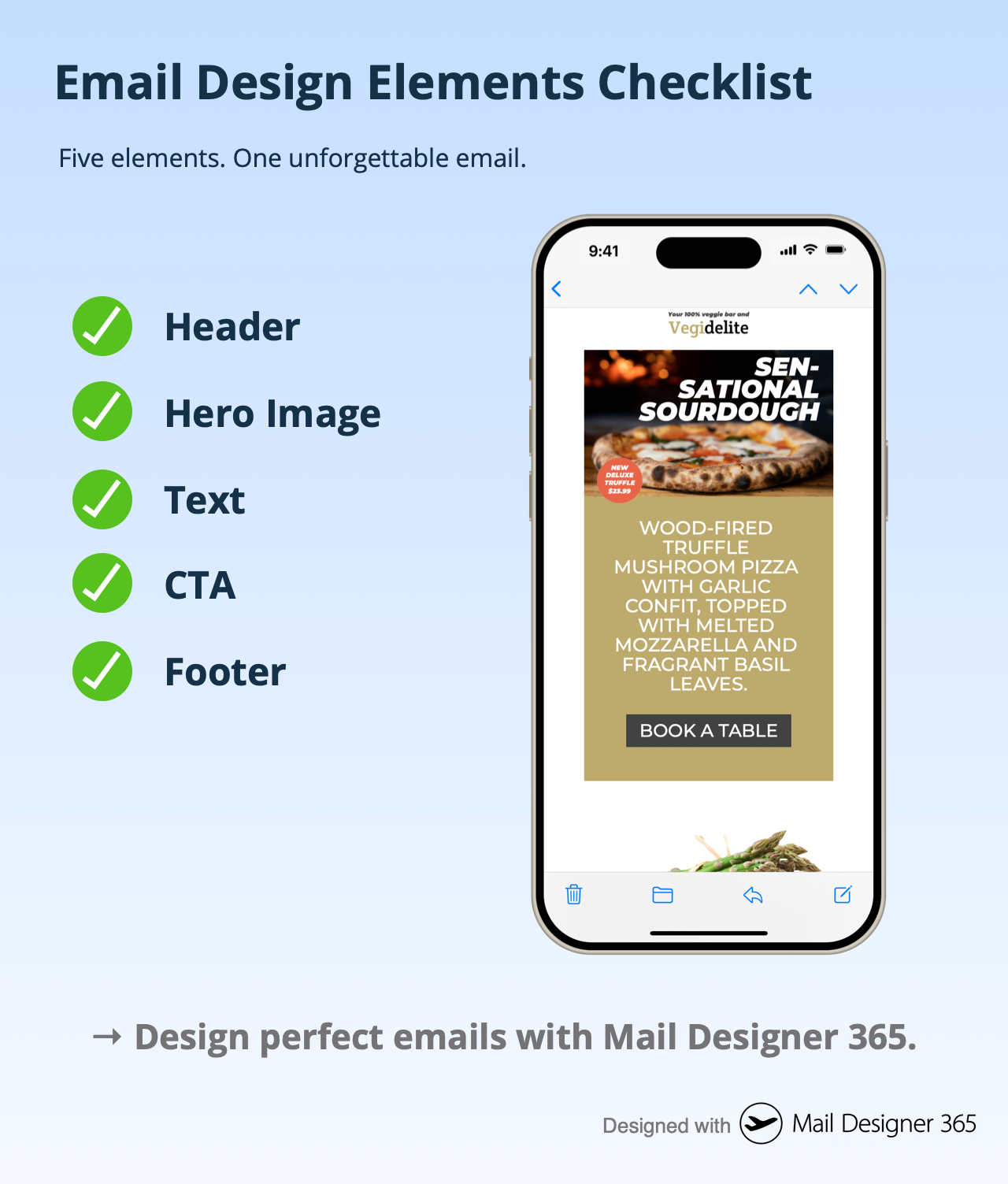
The following checklist highlights five essential components that every email should include:
- Header
- Hero Image
- Text
- CTA
- Footer
What makes an email design responsive?
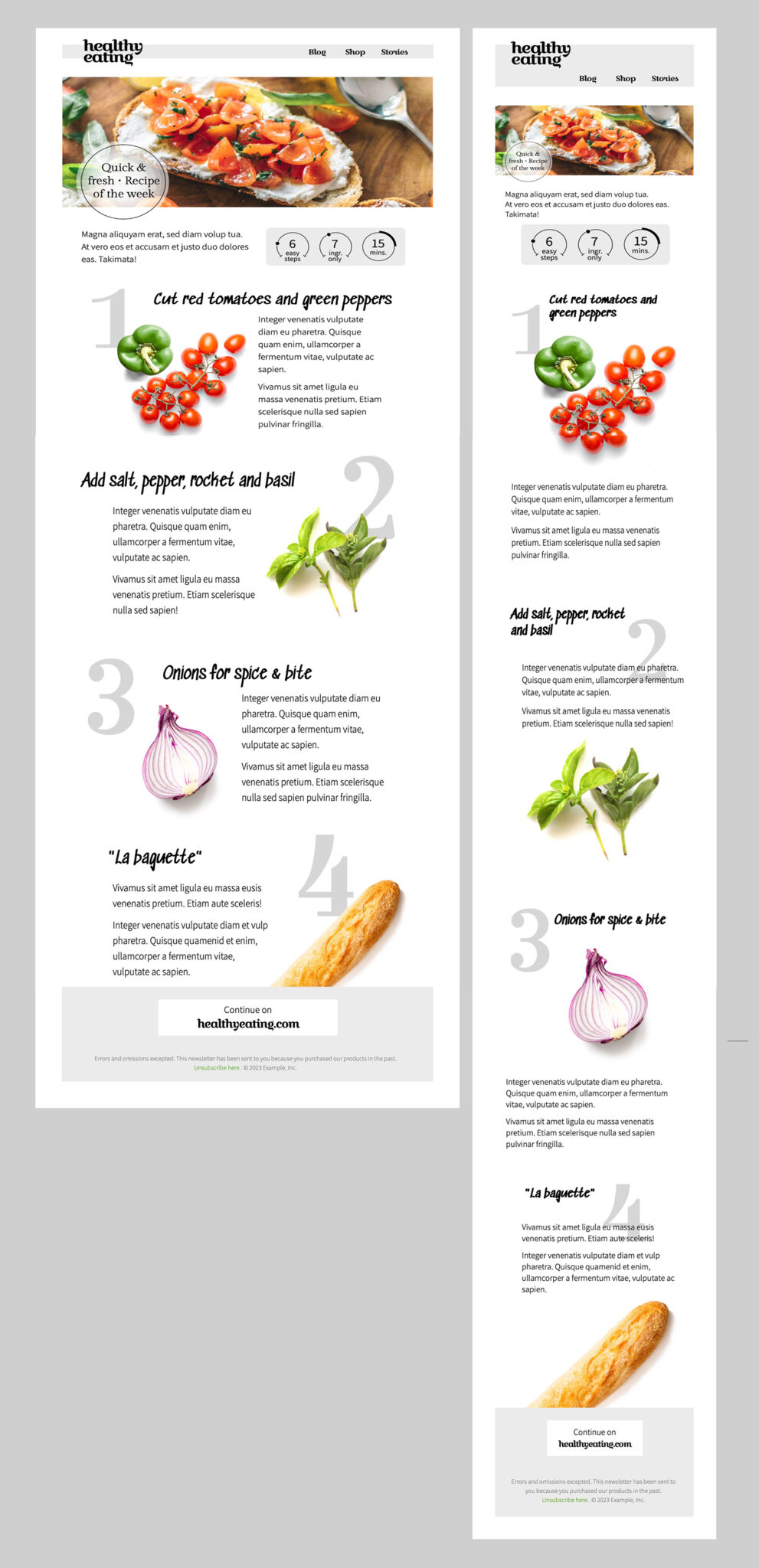
Responsive email design means your email adapts fluidly to different screen sizes—whether it’s opened on a desktop, tablet, or smartphone. The side-by-side comparison below shows how a good design maintains structure and readability across formats. Mobile users make up a significant portion of email opens, so responsive layouts are essential.
What tools help you design effective emails?
Designing an effective email doesn’t require code. Visual email builders like Mail Designer 365 let you create responsive, professional HTML emails using intuitive drag-and-drop tools, reusable blocks, and built-in preview options. Whether you’re crafting a promotional newsletter or a product announcement, Mail Designer 365 gives you full control over every design element.
Effective email design starts in Mail Designer 365.
Create better, smarter, and more beautiful emails with purpose-built tools. Start Designing your Emails with Mail Designer 365.
Definition
A newsletter is a form of written communication, usually distributed via email, that is sent to a group of people with a shared interest. It typically contains updates, news, tips, or promotional content and is a key tool for engagement and communication.
Purpose
The main purpose of a newsletter is to inform, engage, and build a relationship with your audience. Newsletters are commonly used to:
- Share product updates or company news
- Promote special offers and events
- Drive traffic to a website or online store
- Deliver valuable content such as tips or how-tos
With Mail Designer 365, you can easily design beautiful, branded newsletters that fulfill all of these goals.
Common Newsletter Content
Newsletter content can vary, but typical elements include:
- News and announcements about your business or organization
- Promotions such as sales or discount codes
- Educational content like how-tos, guides, or tutorials
- Customer stories or testimonials
Explore design ideas to find inspiration for your next newsletter campaign.
How Newsletters Are Delivered
Most newsletters today are delivered via email using a newsletter platform or email service provider (ESP). With Mail Designer 365, you can:
- Export directly to Mailchimp or Campaign Monitor
- Send via your preferred email platform
- Generate ready-to-send HTML for custom setups
Who Uses Newsletters?
Newsletters are used by a wide range of individuals and organizations:
- Businesses to market products and retain customers
- Non-profits to keep supporters informed and engaged
- Educational institutions to update students, parents, and staff
- Content creators and bloggers to grow and monetize their audience
How Often Should You Send a Newsletter?
There’s no one-size-fits-all answer. Frequency depends on your content strategy and audience expectations. Common cadences include:
- Weekly newsletters for time-sensitive content
- Monthly roundups or company updates
- Quarterly newsletters for less frequent communication
Why Are Newsletters Important?
Newsletters remain one of the most effective communication tools available. Key benefits include:
- High ROI — Email marketing consistently delivers one of the highest returns among digital channels
- Direct connection — Newsletters land in your subscribers’ inboxes, allowing for personalized and targeted communication
- Brand building — Consistent communication strengthens your brand and keeps your audience engaged
How to Start Your First Newsletter
Ready to get started? With Mail Designer 365, you can choose from a wide range of professionally designed templates, customize them to your brand, and export your finished newsletter in just a few clicks.
Conclusion
Newsletters are a powerful and flexible communication tool. Whether you're a small business, large organization, or creative professional, Mail Designer 365 gives you everything you need to create eye-catching, effective newsletters with ease.
New Mac? No problem. The latest version of Mail Designer 365 offers full support for Macs with M1 and M2 chips, as well as compatibility with the latest macOS versions, including macOS 15 Sequoia.
Download the latest version here.
Yes you can! Mail Designer 365 recently launched a brand new table editing tool to allow you to integrate tables into your email design.
Currently, the Tables feature is only available in Mail Designer 365 Premium Business plans. To find out more about purchasing or upgrading to a Premium Business plan, visit this page.
-
You can adjust the width of individual columns, if you have multiple text areas within a single layout block. You can also adjust the width of individual columns, if you have multiple image areas within a single layout block. However, when working with columns, you cannot adjust the number of columns within a layout block. You will need to select the appropriate layout block with the specific number of columns that you want (either 2 or 3 columns for text areas).
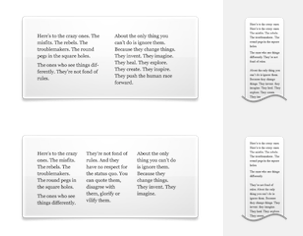 You cannot switch automatically from 2 columns to 3 columns or vice versa. However, you can just add another layout block with the correct number of columns. Afterwards, just copy the text from your original layout block and then paste the text onto the new layout block.
If you want more than 3 columns for text areas, you will need to work with a single text area and space your message accordingly. In this scenario, you will basically be simulating your own table with multiple columns.
Compared to layout blocks with text areas, you have more options when it comes to layout blocks with image areas. You can use a layout block with up to 6 image areas in a column style.
You cannot switch automatically from 2 columns to 3 columns or vice versa. However, you can just add another layout block with the correct number of columns. Afterwards, just copy the text from your original layout block and then paste the text onto the new layout block.
If you want more than 3 columns for text areas, you will need to work with a single text area and space your message accordingly. In this scenario, you will basically be simulating your own table with multiple columns.
Compared to layout blocks with text areas, you have more options when it comes to layout blocks with image areas. You can use a layout block with up to 6 image areas in a column style.
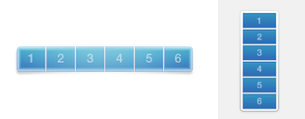 With this layout block, the image areas are displayed next to each other in the desktop view. However, please note that the image areas will be displayed on top of each other in the mobile view. This was designed so that recipients will easily be able to click on the images if they are linked to a landing page and so that the images are still clearly visible when the email is opened with a mobile device.
-
If you want to add multiple layout blocks that have similar layouts or formats, it may be easier to duplicate an existing layout block instead of choosing your font and color options once again.
There are 3 ways you can duplicate layout blocks:
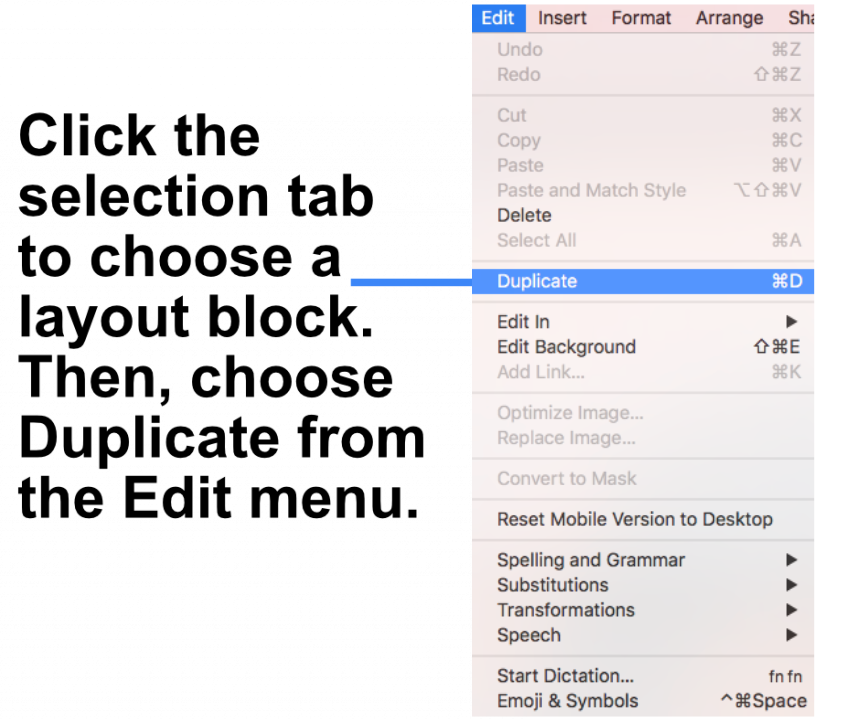
Option 1: "Edit" > "Duplicate"
‣ Click the selection tab at the side of a layout block.
‣ Choose "Edit" > "Duplicate"  from the menu bar.
Option 2: Using the layout handle
‣ Click on the layout handle on the left side of the layout block.
‣ Hold down the option key or the alt⌥ key on your keyboard.
‣ Drag the layout block that you want to duplicate.
Now, you can drop it into position to create a copy. Afterwards, you can edit your text and choose other options accordingly.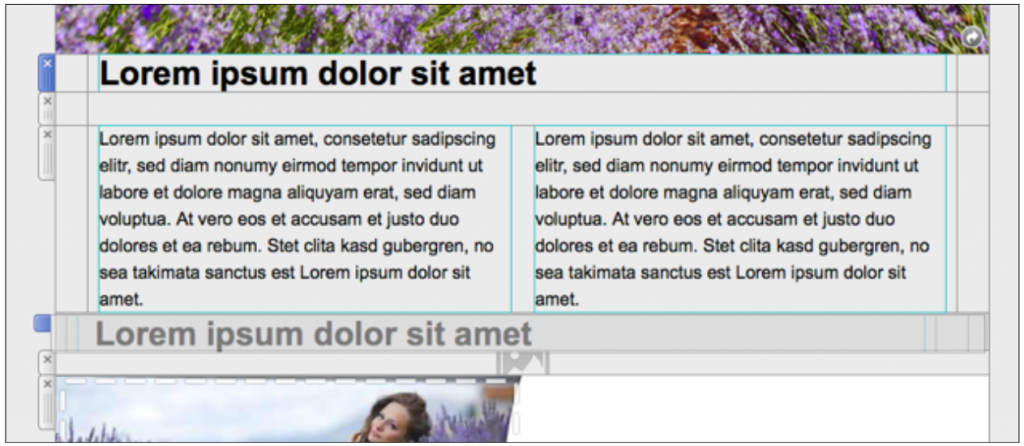
Option 3: Command⌘ D
‣ Click on the layout handle on the left side of the layout block.
‣ Press Command⌘-D on your keyboard
Please refer to the following page for a guide on how you can duplicate layout blocks: -
Mail Designer 365 allows you to add lists within your text areas.
‣ Drag and drop a text area into your email template. ‣ Double-click on the text area. ‣ Type your list. Highlight the text where you want the list to appear.
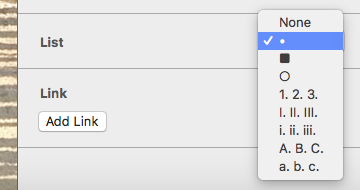
Please refer to the following page for further information on how to create a list: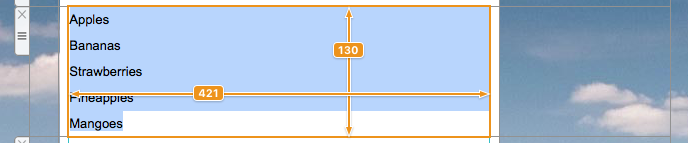 ‣ On the right side of the screen, you will find a side bar in which you can choose the list style under "Lists."
‣ Choose the list style you want.
‣ On the right side of the screen, you will find a side bar in which you can choose the list style under "Lists."
‣ Choose the list style you want.
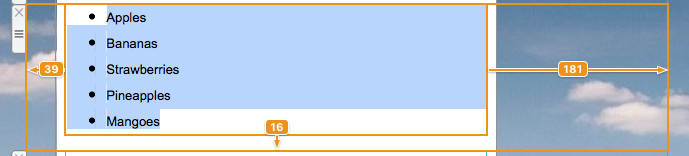
 ‣ It will automatically transform your words into a list with your chosen bullet point.
Yes, absolutely! We offer a free seven-day demo for Mail Designer 365 where you can explore the benefits of the software for yourself. In the seven-day trial version you can create and save your own designs and campaigns and also send test emails to yourself.
Please bear in mind that the full subscription version of Mail Designer 365 is required to export your designs as HTML.
You can download the free trial version here.
Yes, with Mail Designer 365 you can track whether an email was opened. The built-in Mail Designer Delivery email tracking features give you detailed statistics for every email and campaign you send.
Whether you're using Direct Send or sending a newsletter campaign: If you send your email using the built-in delivery service in Mail Designer 365, you'll get access to detailed analytics – including open rate, click rate, and many other important metrics.
You can view analytics for your newsletter campaigns here:
https://my.maildesigner365.com/team/deliveries/campaigns/finished
Detailed tracking is also available for Direct Send emails. You can find the relevant statistics here:
https://my.maildesigner365.com/team/deliveries/direct/finished
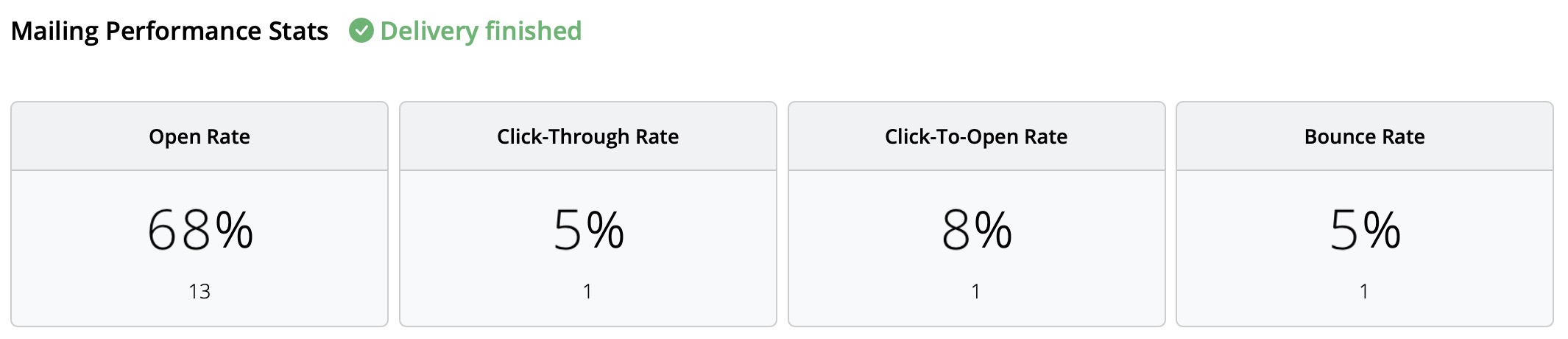
No matter which sending method you choose, Mail Designer 365 provides the following analytics:
- Open rate and total opens
- Click rate and total clicks
- Delivery status and bounces
- Unsubscribes (unsubscribe rate)
- Detailed link click tracking
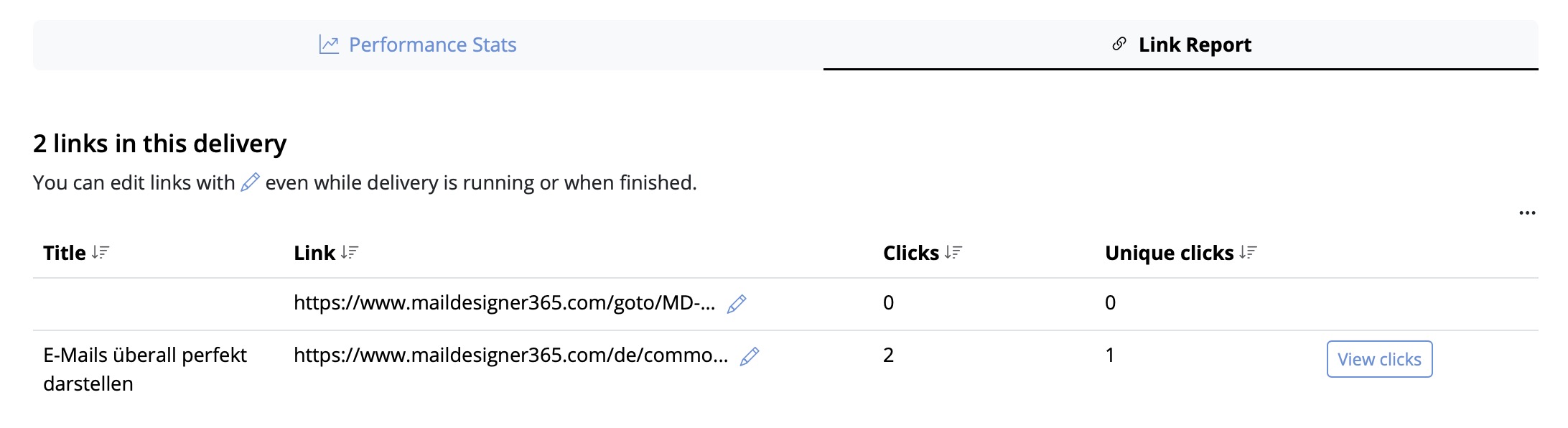
- Recipient-level statistics
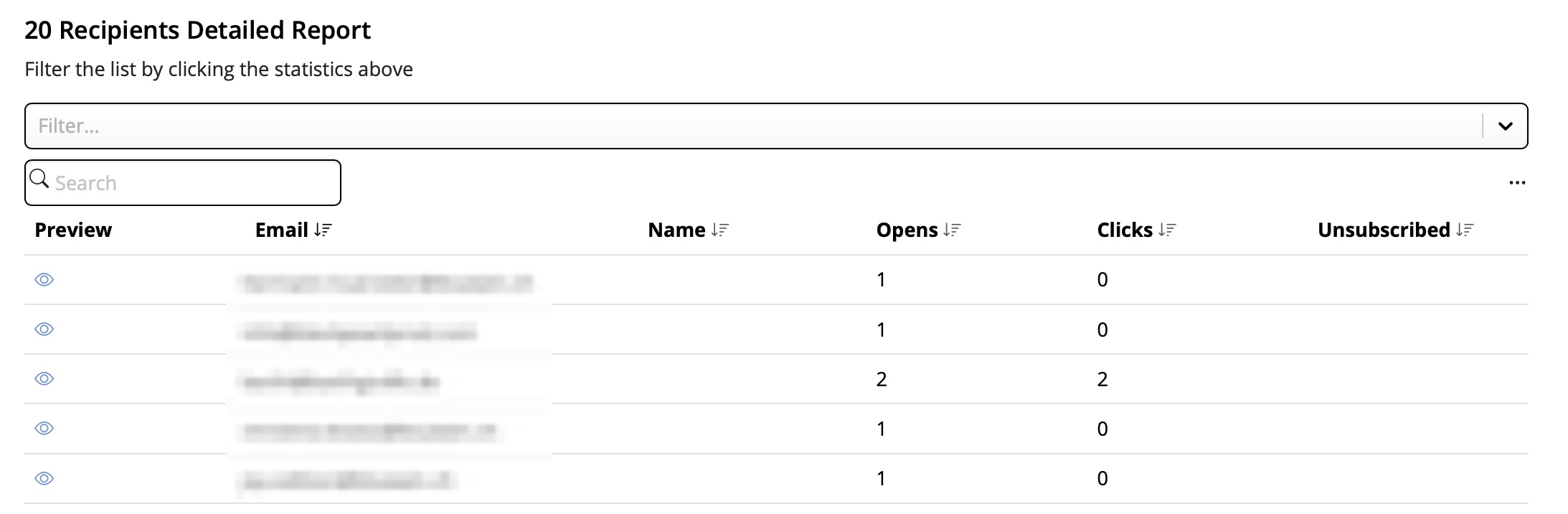
This performance analysis helps you better understand the success of your email campaigns and improve your content accordingly.
Tip: For accurate results, we recommend checking your statistics at least 24 hours after sending. This ensures your recipients had enough time to open and engage with your email.
-
How to View Your Email Campaign Performance Report
So you've sent out your email campaign and now want to see how well it has performed – no problem! Mail Designer Delivery Hub offers you a detailed performance report for all your sent campaigns.
How it works
You can access performance reports for any given campaign under https://my.maildesigner365.com/team/deliveries/campaigns/finished.
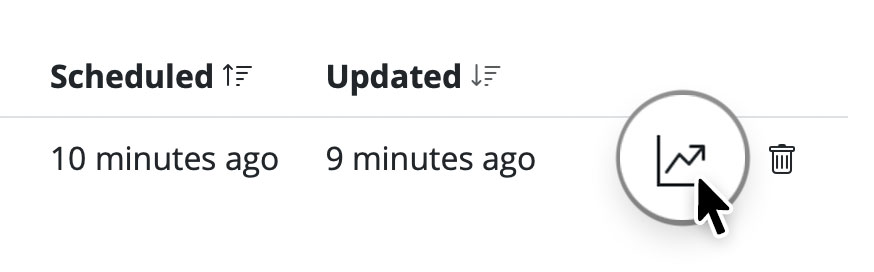
Find your chosen campaign and click the statistic icon to open its performance report:
During the delivery
As soon as an email campaign is sent, you can use Delivery Hub's live reporting tools to track the progress of your newsletter in real time. This includes email deliveries, bounces, and opens.The numbers in the overview will be updated live as your email is delivered to your target group.
After the delivery
Once delivery has completed, you can view an overview of all campaign statistics.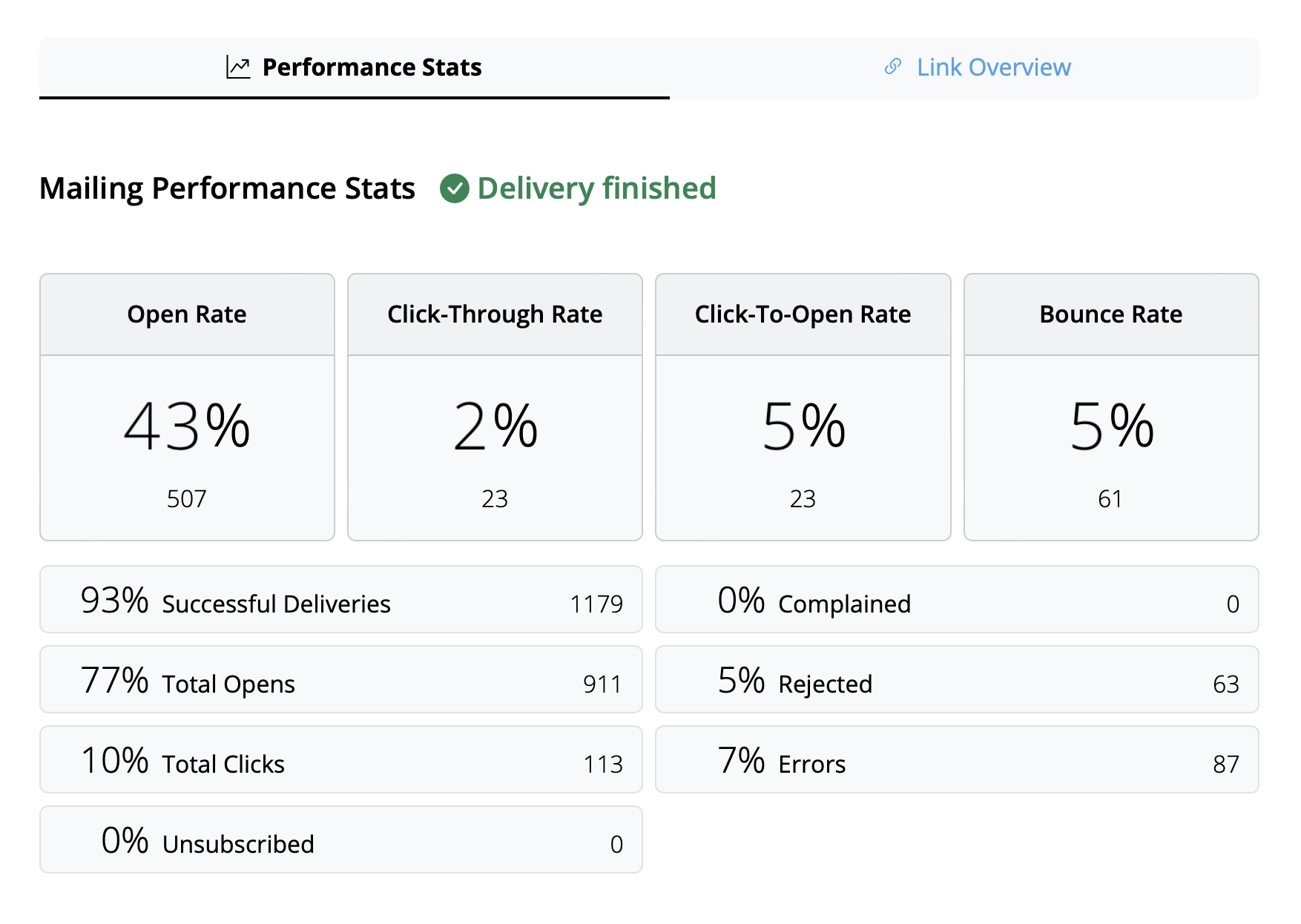
Tip: For best results, we recommend carrying out your final analysis from 24 hours after delivery. This helps ensure all recipients have had time to read and interact with your campaign.
Interpreting email metrics
The performance report covers a wide range of analytics data which aim to help you better understand how your campaign did and what you can improve on next time.
Here is a breakdown of the most important email metrics, what they represent and some current industry benchmarks:
- Open Rate: The number of times your email was opened compared to the amount of successful deliveries. The benchmark for this can vary depending on industry but anything above 25% can be considered a good result.
- Click-Through Rate: The number of email link clicks compared to the number of successful deliveries. This value is often quite low, with an average of around 2–3% across all industries.
- Click-To-Open Rate: The number of email link clicks compared to the number of email opens. This helps you understand how your email content resonated with readers. A good benchmark to aim for here is 10%.
- Bounce Rate: The percentage of emails which were not successfully delivered to the recipient – e.g. because the email address is incorrect or inactive. Here, the lower the number, the better. Anything above 3–5% should be cause for concern.
- Unsubscribe Rate: The percentage of recipients who unsubscribed from your email list after receiving this email. Again, you want this number to be as low as possible – ideally 0! However, anything under 0.5% can be considered a good result.
Tip: If you are noticing higher unsubscribe rates, you should take a look at the type of content you are sending, the frequency of your emails, and also consider segmenting your audience appropriately.
Other useful statistics
These metrics are also worth a mention and shouldn't be overlooked in your email analysis:- Complained Rate: This calculates the number of recipients who marked your email as spam. This is never a good sign and if you notice your emails being marked as spam, check out this post for our tips →
- Rejected Rate: This calculates the number of times your email was rejected by an email provider (e.g. Gmail, Outlook, Yahoo, etc.) and can be an indicator for a more serious issue. If your emails are being rejected, please ensure you are sending from a verified email domain. More information →
Mail Designer 365 supports all the latest macOS versions from macOS 10.13 High Sierra, macOS 10.14 Mojave, macOS 10.15 Catalina, macOS 11 Big Sur, macOS 12 Monterey, and macOS 13 Ventura, macOS 14 Sonoma as well as the newly announced macOS 15 Sequoia.
It sure does! And it does it brilliantly too!
Mail Designer can export an HTML file containing your entire design. This opens up a whole host of great options for you, as the user, to explore:
- Upload your design to third-party newsletter services
- Offer recipients, with email client programs that don’t support rich HTML content, the option to view your message as a webpage in their browser
- Create a link to your newsletter directly from your website: A great option for people that would like to see a newsletter before they subscribe
The best thing is: It's so easy to export your design as an HTML document
- Open your design
- Choose “Share > HTML...” from the menu bar
- Choose a location to save your design
By the way: If you plan on uploading your images to a separate web server, you can enter an absolute URL prefix for images.