Learning how to stop emails going to spam in 2026 starts with one simple idea: inbox providers want mail that is authenticated, expected, and easy to leave. A polished email design still matters, but deliverability now depends just as much on your sending setup, list quality, complaint rate, and subscriber experience.
The good news is that most improvements are practical. Use this guide to review your domain, campaign, and contact list before your next send.
- Why emails go to spam in 2026
- Authenticate your sending domain
- Send only to people who asked to hear from you
- Keep your email list clean
- Make unsubscribing easy
- Use a recognizable sender and an honest subject line
- Balance text, images, and email size
- Test every campaign before sending
- Control your sending frequency
- Monitor complaints and deliverability
- Spam prevention checklist for 2026
Why emails go to spam in 2026
Spam filters do not make decisions based on a single word or image. They consider a combination of signals, including domain authentication, sender reputation, recipient complaints, bounce patterns, message content, link quality, and how people have responded to previous emails from the sender.
Requirements have also become more specific. Gmail and Yahoo apply additional rules to bulk senders, generally those sending around 5,000 or more messages a day to their users. Microsoft introduced similar authentication requirements for domains sending more than 5,000 messages per day to Outlook.com consumer addresses. Even if your list is smaller, following the same fundamentals gives your campaigns a stronger foundation.
Authenticate your sending domain
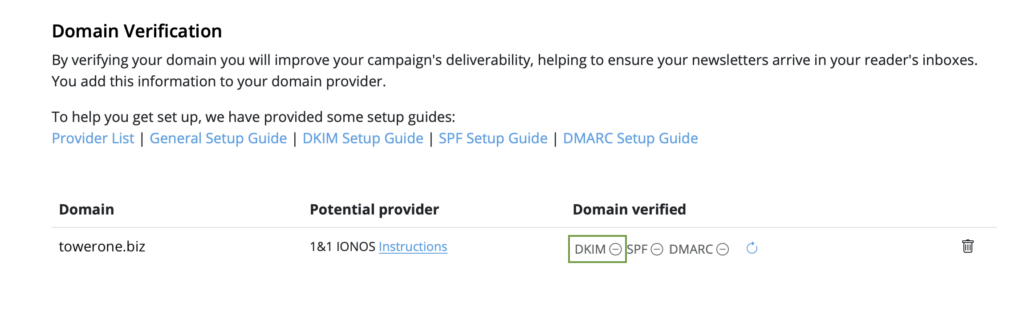
Sending from a verified domain is one of the most important steps you can take. SPF identifies the servers that are allowed to send for your domain. DKIM adds a cryptographic signature that helps receiving providers verify that the message is genuine and has not been altered. DMARC tells providers how to handle mail that fails authentication and provides reporting that can reveal misuse of your domain.
For bulk senders, Gmail, Yahoo, and Microsoft expect SPF, DKIM, and DMARC to be configured correctly. Gmail also requires the visible From domain to align with the domain authenticated by SPF or DKIM. Non-compliant messages can be sent to spam or rejected.

If you send with Delivery Hub, verify the email domain shown in your sending settings. Our step-by-step DKIM setup guide explains the process in more detail. DNS changes can affect real mail delivery, so ask whoever manages your domain for help if you are unsure.
Send only to people who asked to hear from you
A healthy campaign begins before the first email is designed. Use a clear sign-up form, explain what subscribers will receive, and send only to people who gave permission for that type of message. Never buy, rent, scrape, or reuse a list collected for a different purpose.
Double opt-in adds a confirmation step after sign-up. It can reduce fake addresses and accidental subscriptions while giving you a clearer record of consent. It is especially helpful when public forms are vulnerable to bots or when list quality is more important than rapid growth.
Protect public forms with sensible bot prevention, but keep the experience accessible. A CAPTCHA can help in some situations; quiet anti-bot checks, rate limits, and email confirmation may create less friction.
Keep your email list clean
Remove hard bounces and suppress addresses that repeatedly fail. Watch for sudden sign-up spikes, misspelled domains, and contacts that never confirmed their subscription. These are signs that a form or import may need attention.
Inactive contacts need a more considered approach. First try a focused re-engagement campaign that reminds people why they subscribed and lets them update their preferences. If they still show no interest, reduce the frequency or stop sending to them. Continuing to email a large unresponsive audience can weaken your performance signals and increase complaints.
Make unsubscribing easy
A clear unsubscribe link protects your audience and your sender reputation. If somebody no longer wants your emails, a quick opt-out is much better than a spam complaint. Keep the link easy to find, process requests promptly, and do not require a login or a long questionnaire.
For bulk marketing mail, Gmail and Yahoo also require one-click unsubscribe headers in addition to a visible link in the email body. This is a technical sending feature based on RFC 8058, not simply a link to a preference page. Check that your sending service implements it correctly. Gmail says unsubscribe requests should be honored within 48 hours.
Use a recognizable sender and an honest subject line
Choose a sender name that subscribers will connect with the brand or person they signed up to hear from. A stable name such as “Jamie at Example Studio” is usually more useful than a generic label such as “Webmaster.” Make sure replies reach a monitored inbox whenever possible.
Subject lines should describe the email accurately. ALL CAPS, repeated punctuation, fake reply prefixes, and misleading urgency can make a campaign look untrustworthy to readers. However, there is no universal list of “spam trigger words” that automatically sends an otherwise legitimate email to spam. Relevance, permission, authentication, and reputation carry far more weight.
Add useful preview text so the inbox view supports the subject line instead of repeating it. See our guide to optimizing email preview text for practical examples.
Balance text, images, and email size
Avoid image-only emails. Text gives recipients immediate context when images are blocked, improves accessibility, and makes the message easier to scan. Important information such as the offer, date, call to action, contact details, and unsubscribe option should not exist only inside an image.
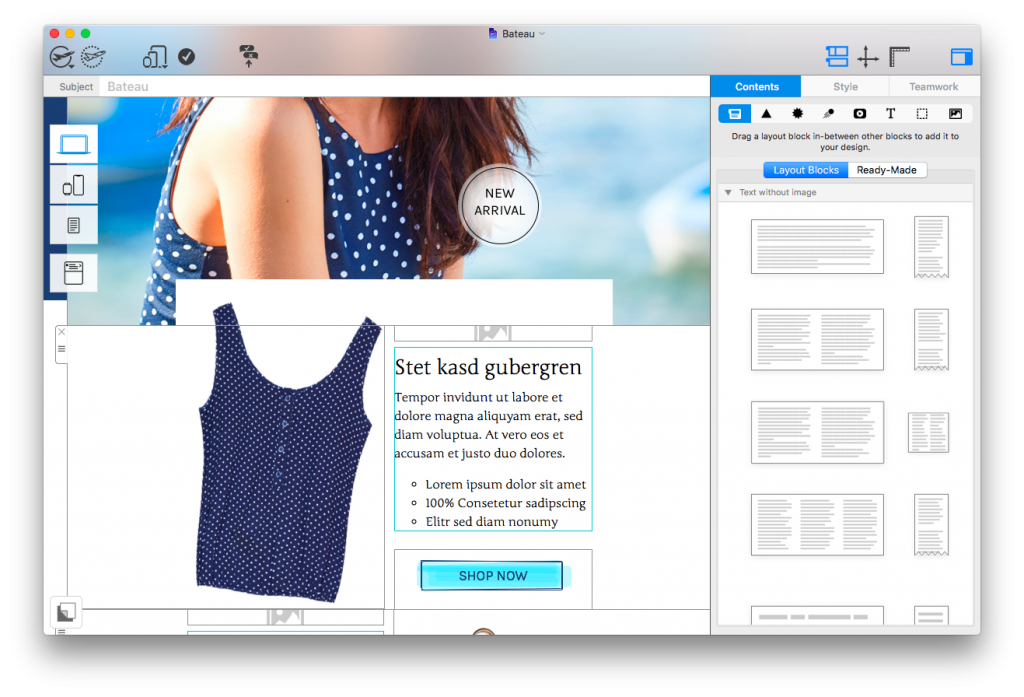
Image-heavy emails can also become unnecessarily large. Compress assets, use appropriate dimensions, add descriptive alt text, and build the campaign with a useful balance of text and image layout blocks. Large files can load slowly or be clipped by some inboxes, but size alone is not a simple pass-or-fail spam test.

Combine real text and images so the message remains clear and accessible.
Our guide to reducing email size covers image optimization and other useful checks.
Test every campaign before sending
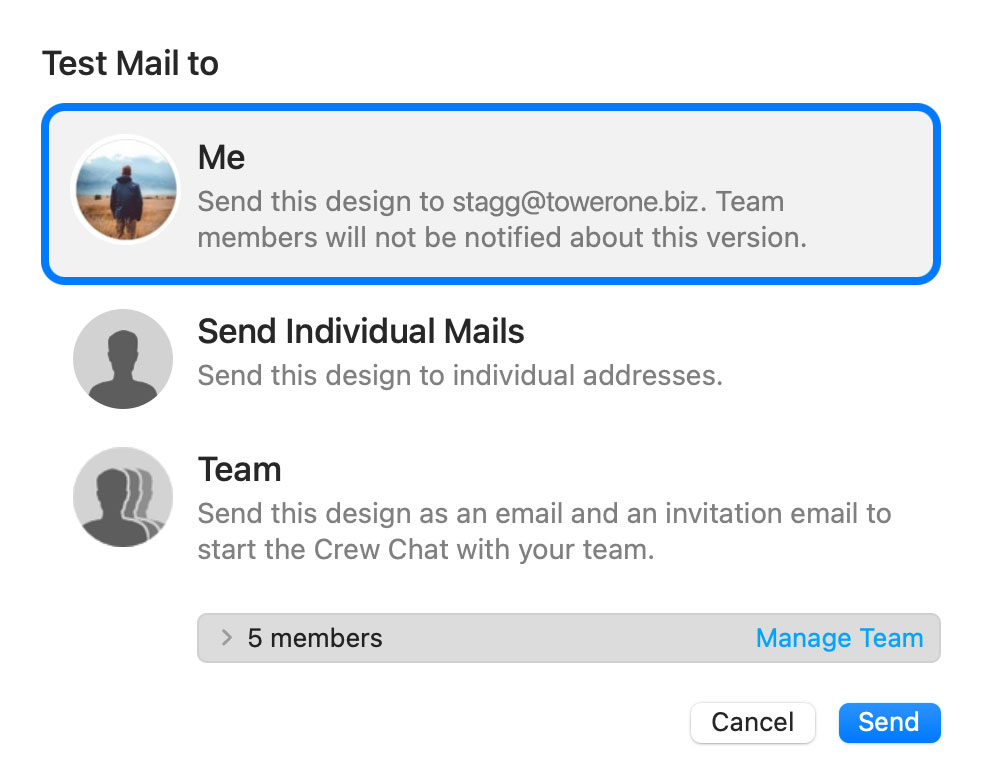
Send a Testmail before you launch the campaign. Check the sender name, subject line, preview text, links, personalization, spelling, mobile layout, dark mode appearance, alt text, and unsubscribe flow. Test with several major inboxes when the campaign is important.

A Testmail cannot predict every provider’s final decision, but it can catch the broken links, display problems, and confusing details that cause recipients to lose trust or report a message.
Control your sending frequency
There is no ideal volume that suits every sender. Match the cadence promised at sign-up, send when you have something useful to share, and avoid sudden bursts after a long period of silence. When you move to a new domain, change sending platforms, or increase volume substantially, ramp up gradually and begin with your most engaged contacts.
Consistency helps people remember who you are. Our guide to building a consistent email schedule explains how to create a rhythm your team can maintain.
Monitor complaints and deliverability
Review hard bounces, spam complaints, unsubscribes, clicks, and conversions after every send. Open rates can still be useful for broad trends, but privacy features make them less precise than they once were. A growing complaint rate or a sudden drop in clicks deserves attention.
Gmail advises senders to keep the user-reported spam rate below 0.1% and prevent it from ever reaching 0.3%. Yahoo tells bulk senders to remain below 0.3%. Use Google Postmaster Tools and the reporting available from your sending provider to spot problems early. If you send directly through an ordinary SMTP account, remember that reporting, bounce handling, and authentication support may be limited; read more about the disadvantages of SMTP sending.
Spam prevention checklist for 2026
- Configure SPF, DKIM, and DMARC for your sending domain.
- Send only to contacts who clearly opted in.
- Remove hard bounces and investigate suspicious sign-ups.
- Include a visible unsubscribe link and support one-click unsubscribe where required.
- Use a recognizable sender name and an accurate subject line.
- Combine real text with optimized images and descriptive alt text.
- Send a Testmail and check every important link and layout.
- Increase volume gradually and avoid erratic sending bursts.
- Monitor complaints, bounces, clicks, and conversions after every campaign.
Good deliverability is an ongoing relationship with your subscribers, not a one-time technical test. Authenticate your domain, respect the permission people gave you, make every campaign easy to recognize and leave, and use your results to improve the next send.