These transactional email design ideas help everyday automated messages look as polished as one-off sales campaigns. Explore three ready-to-edit designs for opt-in, welcome, and abandoned-cart emails in Mail Designer 365.
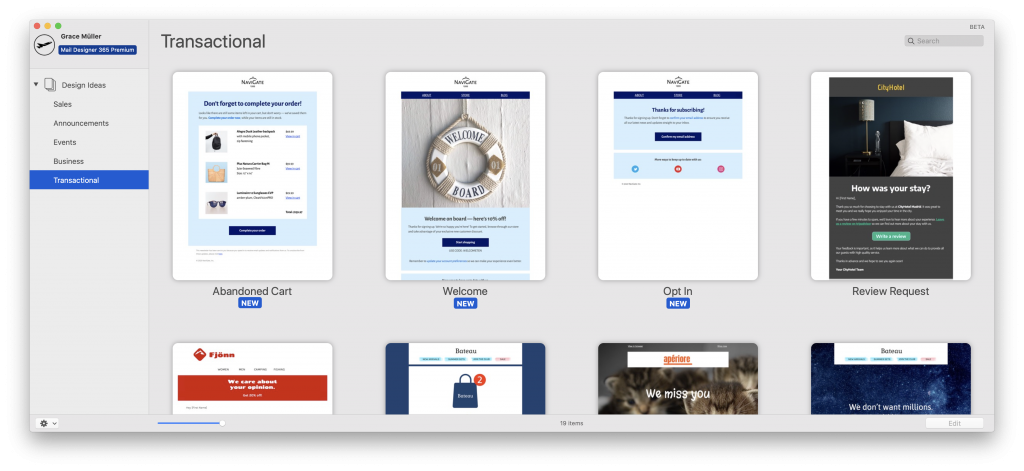
Opt-In Transactional Email Design Idea
The double opt in process is seen by many as the gold standard of GDPR compliance. Use this short and sweet email Design Idea to send new subscribers stylish opt in emails and ensure they complete the sign up process effectively.
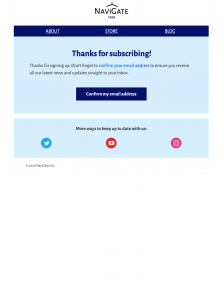
Key features:
- Prominent space for your logo ensures consistent corporate identity
- Large call-to-action so subscribers don't miss the chance to confirm their email address
- Secondary social media call-to-action to up your engagement on other platforms
- Available in Business and Business Premium plans: View in Mail Designer 365
Welcome Transactional Email Design Idea
First impressions are everything, so your welcome email needs to tick all the right boxes. This nautical-themed Design Idea is the perfect way to greet new customers and introduce them to your business.
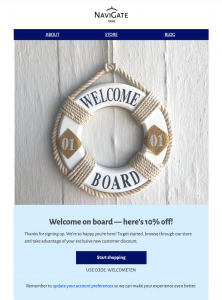
Key features:
- Customisable website navigation menu helps new customers get to the right place faster
- Fun feature image is eye-catching and suitable for businesses of all types
- Bold call-to-action button paired with exclusive discount offers gets new customers in the mood for shopping
- Available in Business and Business Premium plans: View in Mail Designer 365
Abandoned-Cart Transactional Email Design Idea
A customer's transaction can be interrupted for all kinds of reasons. Rather than passing up on a great sales opportunity, use this Design Idea to boost sales and get customers back on your website.
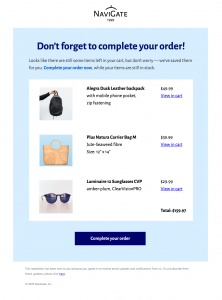
- Large, centred headline instantly outlines the intended call-to-action
- Table layout presents product photos and information in a clear and easy to read manner, making it easier for customers to carry on shopping. The Tables feature is exclusively available in Business Premium plans. Learn more...
- Call-to-action button helps customers get back to their cart faster
- Available in Business Premium plans: View it in Mail Designer 365
How to adapt transactional email design ideas
Before using any automated design, replace placeholder branding, links, product details, legal text, and sender information. Keep the main action obvious, make status information easy to scan, and include a plain-language explanation of why the recipient received the message. For opt-in emails, test the confirmation link and consent flow. For welcome emails, confirm that navigation and offer terms are current. For abandoned-cart messages, verify product data, prices, availability, and checkout links. Send test messages to desktop and mobile inboxes, and check accessibility, fallback text, and personalization before activating the automation.
Getting started with your automated email campaigns
We hope you enjoy getting to know these new Design Ideas. Once you have adapted them for your own business, it's easy to start using them with your email service provider to set up automated email campaigns. For more information on exporting templates to use with external services, please check our export guides.
We massively value your feedback. If there are any other templates, you'd love to see in Mail Designer 365, please let us know!
P.S. Not got a Mail Designer 365 plan yet? Sign up free today to start testing these Design Ideas and over 120+ more HTML email templates.
Until next time,
Your Mail Designer 365 Team
Get started with the Mail Designer 365 service today for free...
Sign up free today to see what you can achieve.