A Mother's Day newsletter design idea works best when the offer, imagery, and call to action all support one clear gift-buying moment. This lilac Mail Designer 365 example shows how a focused product story can help readers move from appreciation to a thoughtful purchase.
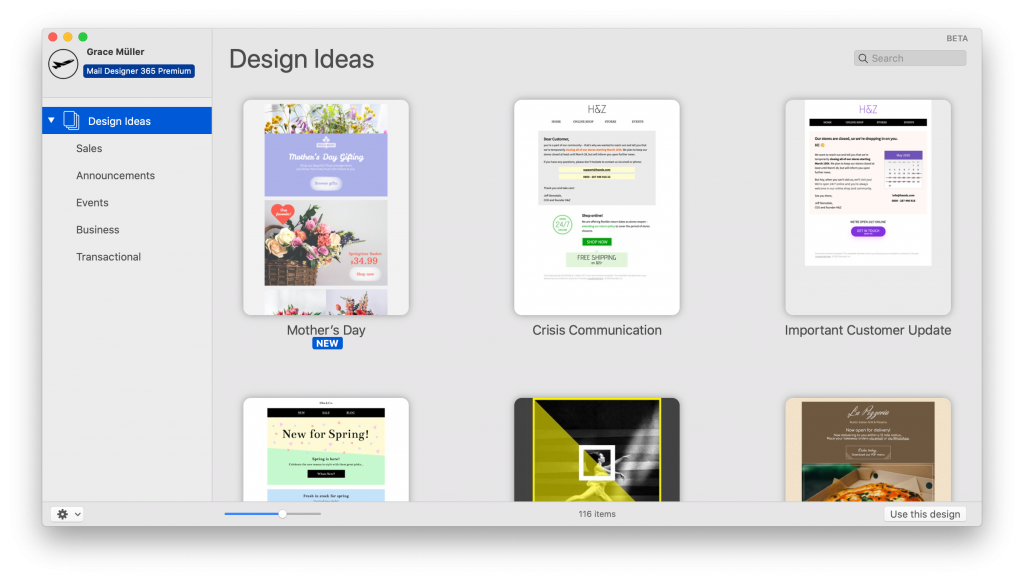
Choose one Mother's Day campaign purpose
Start by deciding what the email should achieve. A gift-range launch, a limited promotion, and a simple brand message need different hierarchies. For this design, the large product areas and prominent buttons suit a focused gift collection. Select a small group of products that belong together, then give the primary offer the strongest position.
The audience matters too. A florist may highlight preorder dates and local pickup, while a retailer may emphasize shipping deadlines and gift wrapping. Keep the language inclusive: readers may be celebrating a mother, parent, caregiver, mentor, or another important person. Clear choices help the message feel warm without assuming that every subscriber marks the day in the same way.
Use the visible design strengths
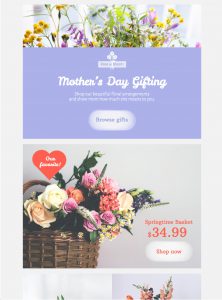
The soft lilac palette creates a calm seasonal frame, while the heart-shaped focal area gives the opening a recognizable theme. Large image blocks let products carry the story, and the contrasting buttons make the next action easy to find. These elements are most effective when they remain visually consistent from the first screen to the final offer.
Use product photos with similar lighting and cropping. Keep headlines short enough to scan on a phone, and reserve the strongest button treatment for the main action. Secondary products can use quieter links so they do not compete with the primary offer.
Add essential message details
A useful Mother's Day campaign design answers practical questions before the reader clicks. State what the offer includes, when it ends, and whether a code is required. Add the final order date for delivery, plus pickup information when relevant. If stock or availability varies, connect every button to the current product or collection page rather than a generic storefront.
Subject lines and preview text should set the same expectation as the email. Avoid vague urgency. A specific deadline or benefit is more helpful than an unexplained “last chance.” Our guide to email preview text explains how the two lines can work together in the inbox.
Customize the Mother's Day newsletter design idea
In Mail Designer 365, adapt the example to your own brand rather than copying every visual choice. Replace the sample logo, type styles, colors, products, and button labels. Crop images around the item being promoted, then check that important details remain visible on the mobile layout. Descriptive button copy such as “Shop the gift collection” is clearer than a generic “Learn more.”
For broader planning inspiration, see these Mother's Day email campaign ideas. You can also browse more Mail Designer 365 design ideas when another layout better fits an event invitation, editorial story, or service business.
Run practical pre-send checks
Test every product, policy, and unsubscribe link. Confirm prices, discount conditions, inventory, delivery dates, and time zones against the live destination pages. Send test messages to desktop and mobile inboxes, and check the design with images blocked. The headline, offer, deadline, and main action should still be understandable from text alone.
Use concise alt text for meaningful images and sufficient contrast for text and buttons. The W3C accessibility design tips provide a useful review reference. Finally, verify that tracking parameters identify this campaign consistently, then archive the approved version so the team can reuse its structure without carrying over an expired offer.
Create a focused Mother's Day email