
Mail Designer 5.0 introduced a redesigned app experience, Projects for organizing work, a clearer design picker, and integrated sending and collaboration tools. This update guide explains the major Mail Designer 5.0 features and where to find them.
Discover everything that's new in our comprehensive update guide...
Mail Designer 5.0 Features: New App Icon
The first thing you'll notice when launching the new app version for the first time is our new look Dock Icon. Perfectly fitting for an app makeover – check it out below!

Hello new Dock Icon!
Introducing Projects
What are you working on today? Mail Designer 365 version 5.0 allows you to sort and organize your work into dedicated Projects – whether it's for various clients, different departments within a company, or separating business and personal use cases.
Set up a new Project for your email designs, invite and manage collaborators, and tailor delivery settings to your individual needs.
P.S. Looking for your team(s)? Mail Designer 365 teams are now known as Projects and can be located in the app sidebar. Don't worry, all your team's existing data – including designs, team members, and domains – can still be accessed as usual.
Get all essential design details at a glance
Working with lots of designs? The Design Picker has a brand new card layout, providing you with a practical overview of all the most important design details – including design version, subject line, last edited date, and recent comments.
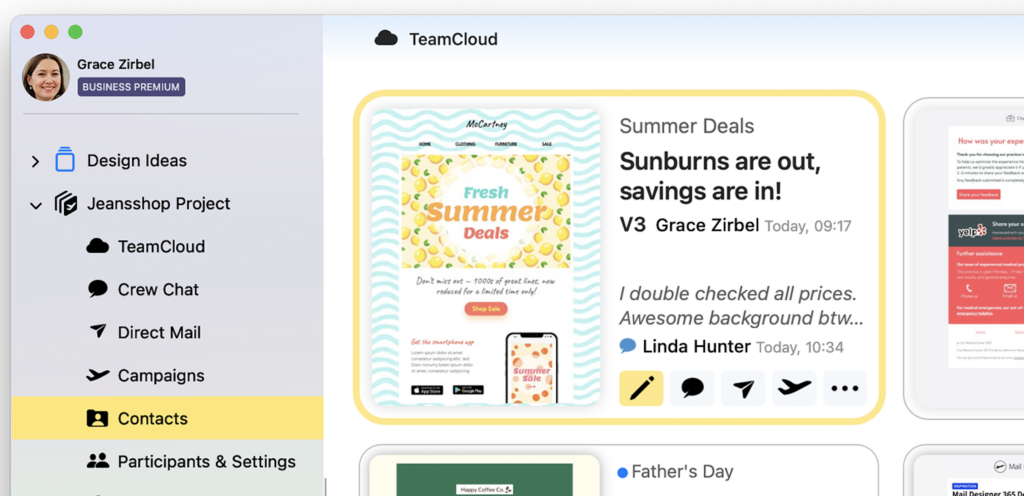
New card layout for essential design details
Ready to go? Send from within the app
Mail Designer 365 5.0 fully integrates all essential web services into the Mac app you know and love: Access Crew Chats for designs, manage contacts and audiences, update Project settings and collaborators, and send your email designs – all in one place.
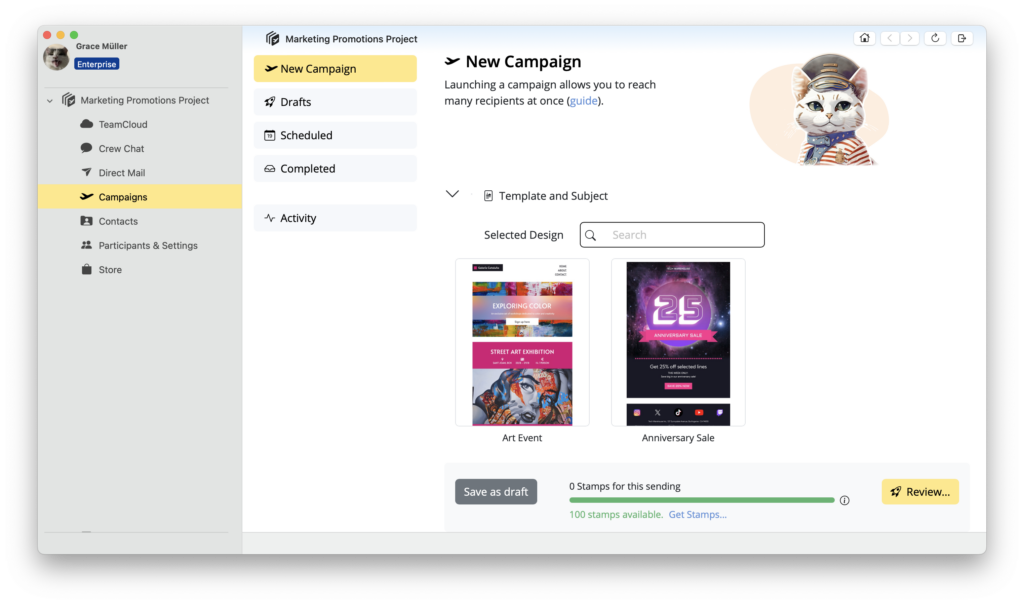
New: Send emails directly from the app
Good to know: All services are still available on the web so you can enjoy access to projects on the go on mobile devices and in your web browser.