
Frequently Asked Questions
No images showing in Mail on Mac

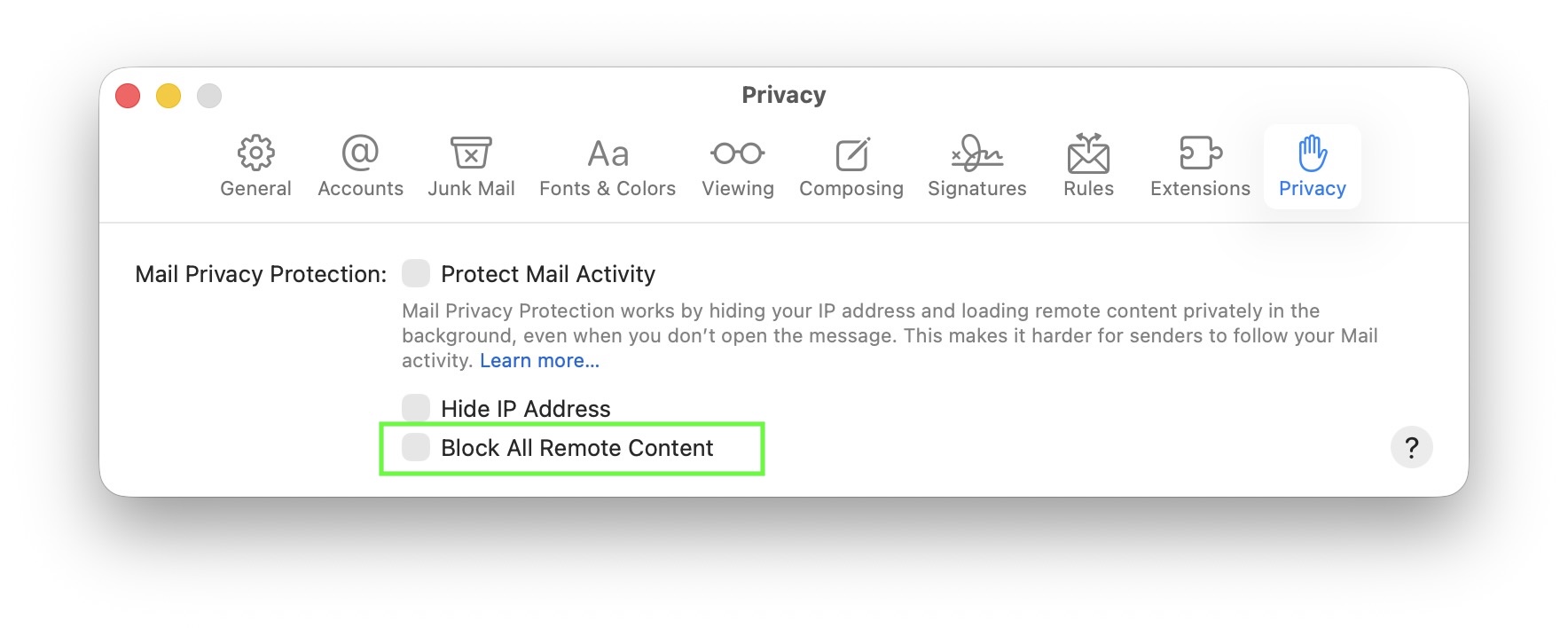
If you don’t see images in your emails on macOS, this may be caused by a privacy option in Apple Mail that blocks all remote content. This setting can be found in Mail > Settings > Privacy under “Block All Remote Content”.
When this option is turned on, Mail will not load any images or other external content. You’ll see a message at the top of your email saying “This message contains remote content” with the button Load Remote Content:
Normally, this setting is off by default, so most users will not experience this issue. It only occurs if you’ve manually enabled the option to block remote content.
To allow images to load automatically again, open Mail, go to Mail > Settings > Privacy, and make sure “Block All Remote Content” is not selected: