
Do you know the disadvantages of SMTP sending?
If you are still using your standard office email server (SMTP) to send out your marketing campaigns, you might be working harder than you need to. While SMTP sending can work for one-on-one emails, it wasn't built for the demands of modern, professional email marketing.
What is SMTP?
SMTP stands for Simple Mail Transfer Protocol. It is the fundamental technology used by email clients (like Outlook or Apple Mail) to send messages to a mail server and then on to the recipient. Think of it as the basic postal service of the internet. It's fine for sending a letter to a friend, but not necessarily built for serious business activities or marketing campaigns.
Disadvantages of SMTP Sending
In 2026, there are many disadvantages of SMTP sending. Sending out an email blast via SMTP to a larger group of recipients will potentially cause problems with new security procedures put in place by major providers. This means that if you continue to use this process, your emails will most likely get blocked by the recipient email provider (Gmail, Yahoo, etc.), resulting in only a few of your recipients actually receiving them.
Further disadvantages of SMTP sending include:
- Strict Sending Limits: Most standard providers (Gmail, Microsoft 365) limit how many emails you can send per day. Exceeding these can result in a locked account.
- Low Deliverability: Office servers aren't "warmed up" for bulk sending, which means your emails are far more likely to be flagged as spam.
- No Visibility: SMTP provides no data. Once you hit send, you have no idea if your email was opened or if links were clicked.
- Manual Management: Handling unsubscribes and bounces manually via SMTP is time-consuming and risks legal non-compliance.
"But I'm not a mass marketer..."
We often hear from users who feel that "Campaigns" sounds too corporate because they only send to small, select groups—perhaps just 50 clients or a small team update.
If you want to keep that personal touch without the delivery risks of SMTP, Direct Mail via Mail Designer 365 is your solution. It allows you to send high-quality, personalized emails to smaller groups using our professional "pipes." You get the same one-on-one feeling of a standard email, but with the peace of mind that your message won't be blocked by modern provider filters.
The Alternative to SMTP Sending - Six Reasons to Choose Mail Designer 365
As a Mail Designer 365 user, you have a clean and powerful alternative to the undeniable disadvantages of SMTP sending right under your nose. By switching to Mail Designer 365’s integrated sending service, you’re upgrading to a professional infrastructure designed to bypass these blocks. Here is how it helps:
1. Higher Deliverability: Straight to the Inbox
Standard email providers often limit how many emails you can send at once. Our sending service uses high-reputation, "warmed-up" IP addresses, ensuring your emails land right where they belong: in the inbox.
2. Real-Time Analytics: Stop Guessing
Sending via SMTP is a "black hole." With Mail Designer 365, you get a full analytics dashboard. Track opens, clicks, and engagement in real-time so you can see exactly what is working.
3. Audience Management: Keep Track of Every Send
One of the biggest headaches of SMTP is losing track of your history. With integrated sending, you maintain a clear delivery history. Both Campaigns and Direct Mail allow you to see exactly what you sent to whom. This organized overview helps you manage your contacts better and ensures you never miss a client by mistake.
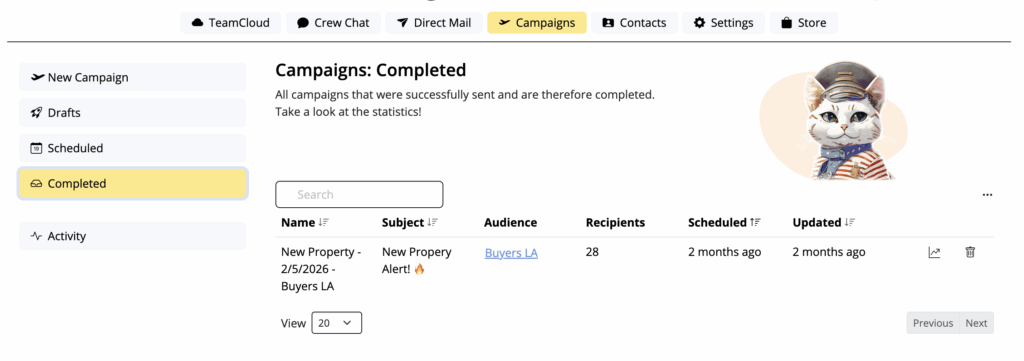
Mail Designer allows you to keep track of what you sent to who
4. Built-in Security & Authentication
In 2026, verification isn't optional. Without DKIM, SPF, and DMARC, your emails are a security risk. Mail Designer 365 helps you stay certified:
- If you don't have your own domain: We automatically replace your From Address with one of our verified domains (e.g. YOUREMAIL@sentwith.maildesigner365.com). Since this domain is fully DKIM certified, your emails won't be blocked.
- If you have your own domain: Mail Designer Campaigns allows you to DKIM verify your own address, so you can send from your own domain without being blocked by providers.
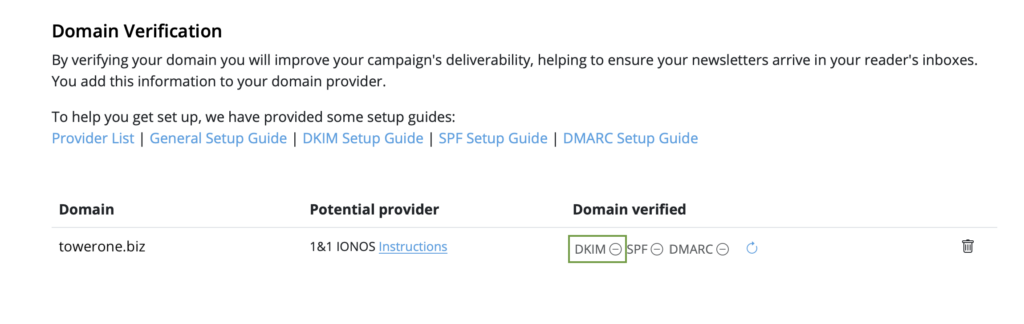
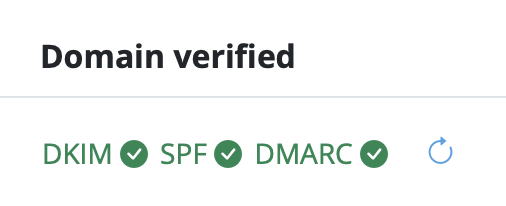
DKIM status verified in Mail Designer
5. Effortless Legal Compliance
Laws like GDPR and CAN-SPAM require every marketing email to have a working unsubscribe link. We handle unsubscribe management automatically, keeping you compliant and your customers happy without you lifting a finger.
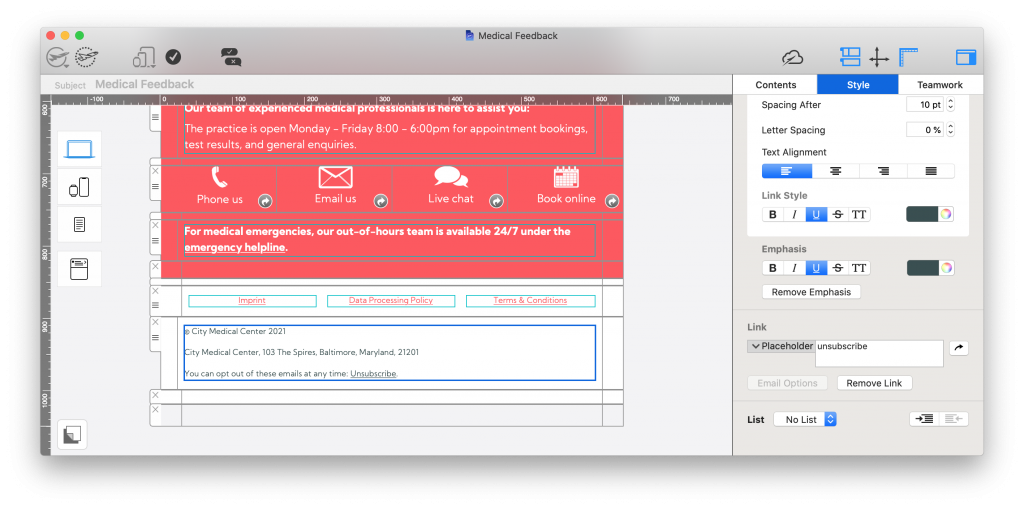
Unsubscribe links are a legal requirement for all promotional emails and handled seamlessly in Mail Designer
6. Scheduling: Set it and Forget it
One of the major disadvantages of SMTP sending is the lack of flexibility. Because SMTP requires you to send "in the moment," you lose the ability to plan ahead.
Stay productive, even while out of office: Imagine you’re heading out for a well-deserved vacation. With Mail Designer 365, you can schedule your client updates or newsletters days or weeks in advance. Your emails will land in your clients' inboxes right on time while you’re off the grid. You stay productive and your business keeps moving, even when you’re officially out of the office.
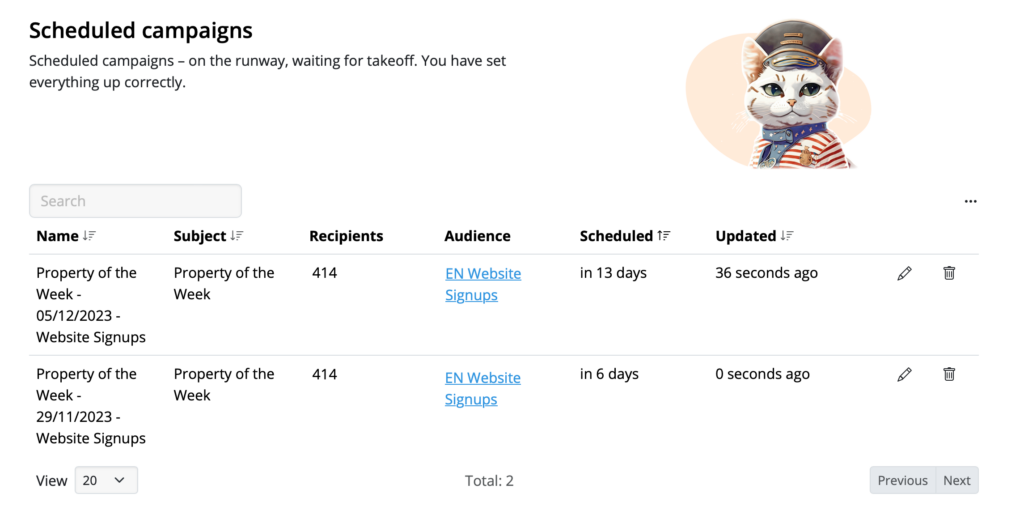
Schedule campaigns and direct emails in Mail Designer
The Verdict: SMTP vs. Integrated Sending
Using SMTP is like trying to deliver a thousand flyers by hand—it’s slow, unmonitored, and exhausting. Integrated sending is like hiring a professional courier service with GPS tracking, scheduling capabilities, and a full delivery log.
Next Steps: Switching from SMPT
Now you have an understanding of the disadvantages of SMPT sending, it's time to take action! Switching to Mail Designer 365 sending is easy and our team is happy to help you get set up so you can continue sending seamlessly. Get in touch today to arrange a free 1:1 support session.