
Create responsive MailWizz email templates in Mail Designer 365, export the HTML package, host the images, and upload the finished template to your MailWizz account.

Mail Designer 365 is a visual HTML email editor for MailWizz. Create a polished HTML email design with the visual editor and export to MailWizz in just a few clicks. Use your Mail Designer 365 template for transactional emails, automated email campaigns, sales, promotions, and more.
HOW IT WORKS
How to Create MailWizz Email Templates
- Build your HTML email design in Mail Designer 365 and select "Share” > “Website / HTML…
- Enter the image URL prefix for the online server where you will be hosting your images. You will need this later on so that your images can be located and displayed accurately in your design. (Learn more about this step here.)
- Following export, select the images in the folder and upload them to the server from the previous step.
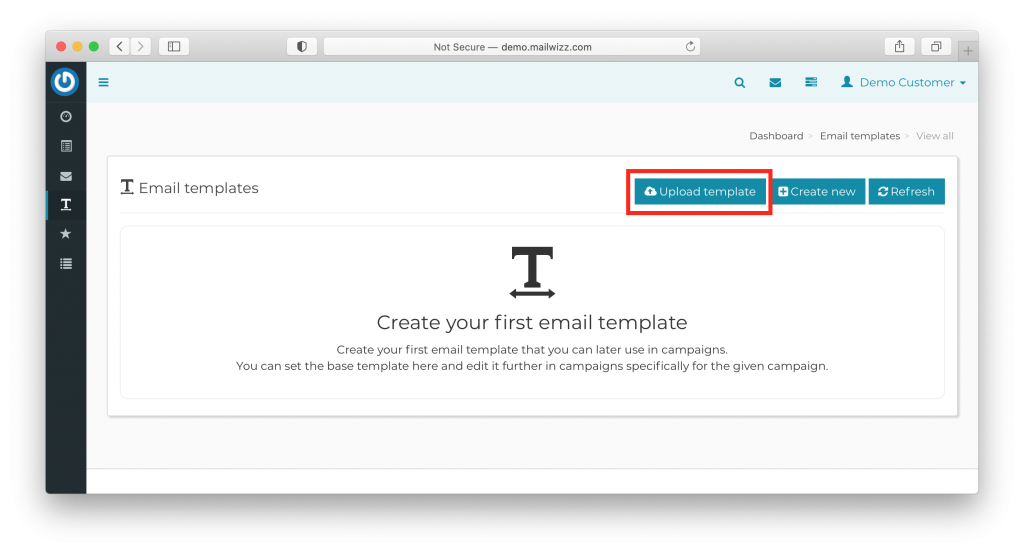
- Sign in to your MailWizz dashboard, go to "Email Templates" in the sidebar and click "Upload Template":
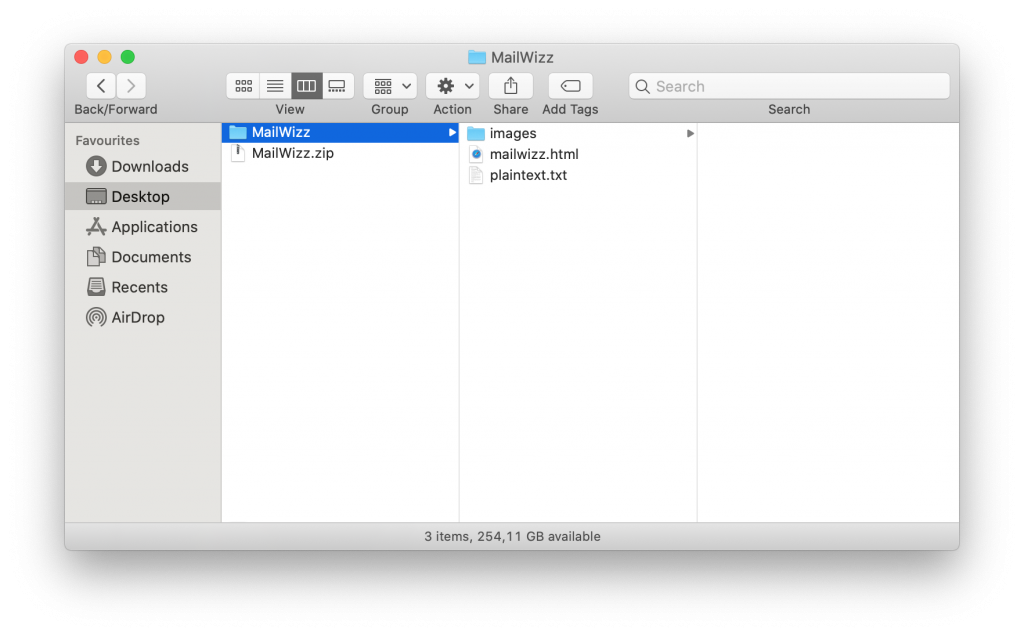
- Locate the folder you exported from Mail Designer 365, then right click and select "Compress" to create a .zip file to upload to MailWizz - make sure the contents of the folder represent the structure required by MailWizz (shown in screenshot):
- You can now use your Mail Designer 365 HTML design with the automation tools provided in the MailWizz platform.
Important: Please refrain from making any adjustments to your Mail Designer 365 email template within the MailWizz editor. Any changes should be carried out within the Mail Designer 365 app and designs can then be reexported to MailWizz once finished.
Support
Our team is always on hand ready to give you support. If you have specific questions regarding HTML export to MailWizz, or just need some extra help getting set up, get in touch!
Mail Designer 365 works seamlessly with all leading email marketing services. If you’re looking for a different service, check out our full range of integrations and compatible platforms.
Get started with Mail Designer 365 today
Create and update your MailWizz email templates in Mail Designer 365, then export a fresh HTML package whenever the design changes.
Build visually, then export for MailWizz
Keep the Mail Designer source file for future template updates