
Newsletter preview text is the short line shown beside or below an email subject in many inboxes. A clear preview can help recipients understand the message before opening it and makes the subject line work harder. In this guide, you’ll learn how to write and check newsletter preview text with Mail Designer 365’s Inbox Optimization tools.
Why Newsletter Preview Text Matters
1. Enhancing Visibility:
Inbox Optimization goes beyond the conventional approach to email marketing. It provides a sneak peek into your email content right in the recipient's inbox, making your messages stand out amidst the sea of unread emails.
2. Strategic Text Snippets:
The feature empowers you to strategically display a brief, engaging snippet of text alongside your email subject line. Craft this text to complement your subject line and entice recipients to open your email.
3. Increased Engagement:
By leveraging the capability to showcase a teaser of your email content, you significantly increase the likelihood of recipients not only opening your emails but also engaging with them. It's a powerful way to capture attention and drive action.
How to Optimize Newsletter Preview Text
Step 1: Finish Your Newsletter
Once you've crafted your compelling newsletter content, you're ready to optimize its visibility.
Step 2: Click on the Inbox Preview Icon
Navigate to the left side of your email marketing platform and click on the Inbox Preview Icon.
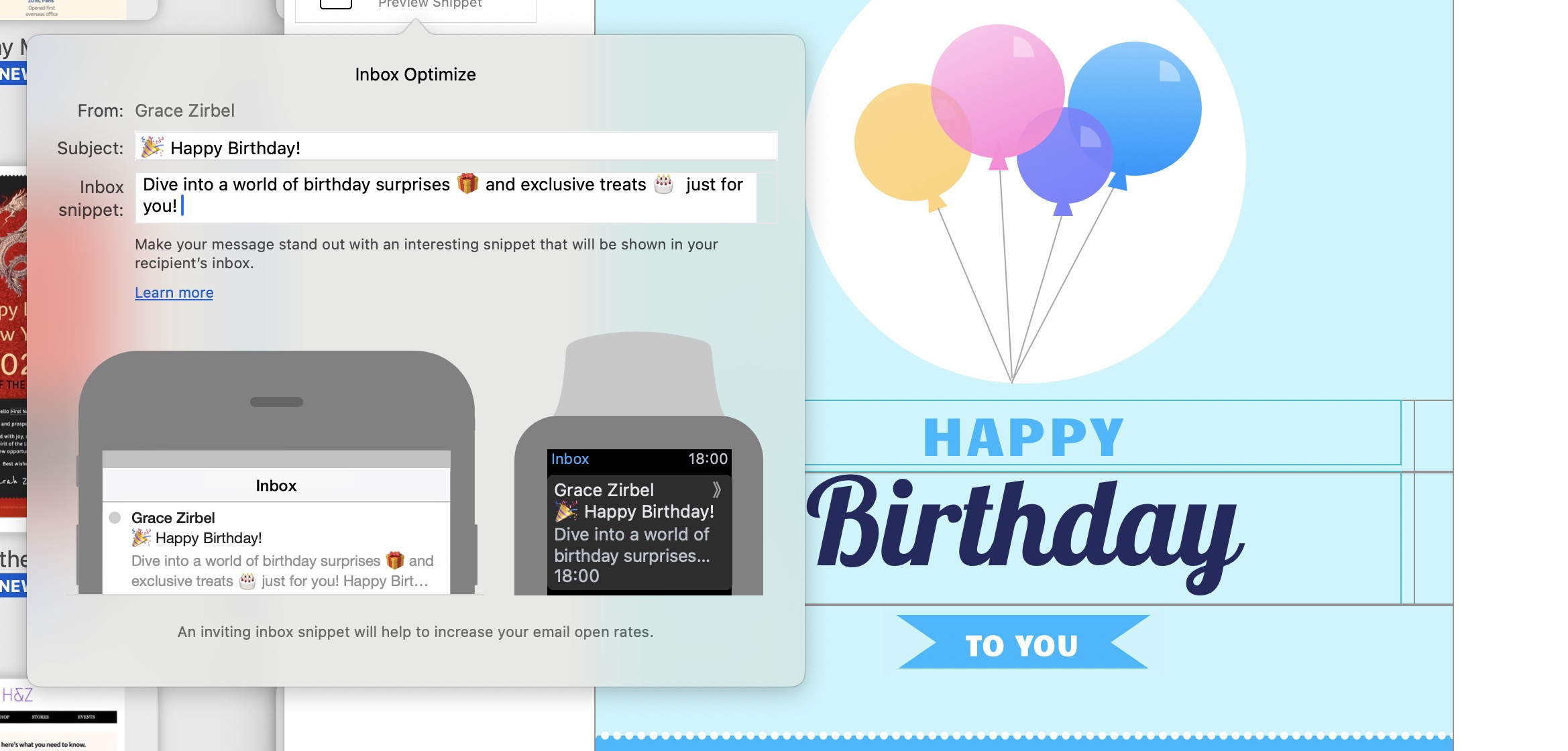
Step 3: Edit Subject Line and Preview Text
A small window will open, giving you the opportunity to fine-tune your email's subject line and the Preview Text that recipients will see in their inboxes.
Step 4: Preview for Mobile Devices
Ensure your content has the optimal length for both smartphones and smartwatches. Preview the finished text to guarantee a seamless and engaging experience across devices.
Newsletter Preview Text Best Practices
Inbox Optimization is a must-have tool for any marketer looking to boost the performance of their email campaigns. By strategically optimizing your email preview text, you'll not only enhance visibility but also increase engagement and drive the success of your campaigns. Elevate your email marketing game with Inbox Optimization and leave a lasting impression on your audience. Start using this feature today and watch your open rates soar!