
The Apple AI Summarise feature on macOS and iOS is changing how people consume email. For email marketers and designers, this is more than a trend or tech curiosity, it’s a clear signal that email design and copywriting need to work harder to get noticed.
Email is still a powerful marketing channel, but the rules are constantly evolving. AI email summarisation tools reward clarity, structure, and readability and penalise clutter and visual-only content. Understanding this shift is critical for email marketers.
What is Apple AI Summarise?
Apple AI Summarise is an Apple Intelligence feature that automatically condenses emails into short, digestible overviews. Instead of reading an entire message, users now just need to click – or tap on iOS – to see a brief summary highlighting the most important points:
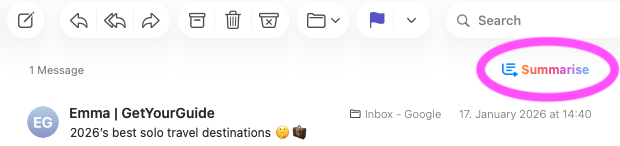
Users can click the Summarise icon to get a brief summary of the email
Why it matters for email marketing:
- Faster reading: Users can quickly grasp your message without looking at the actual email.
- New first impressions: The summary often becomes the primary way your email is consumed. Think subject line but with less intrigue.
- Design impact: Poorly structured emails risk being misinterpreted or the core message downplayed.
In short, Apple AI Summarise makes your email design and copy more important than ever.
Which Other Email Clients Are Using AI Summarise?
At present, two major email clients are leading the charge when it comes to AI Summarise features:
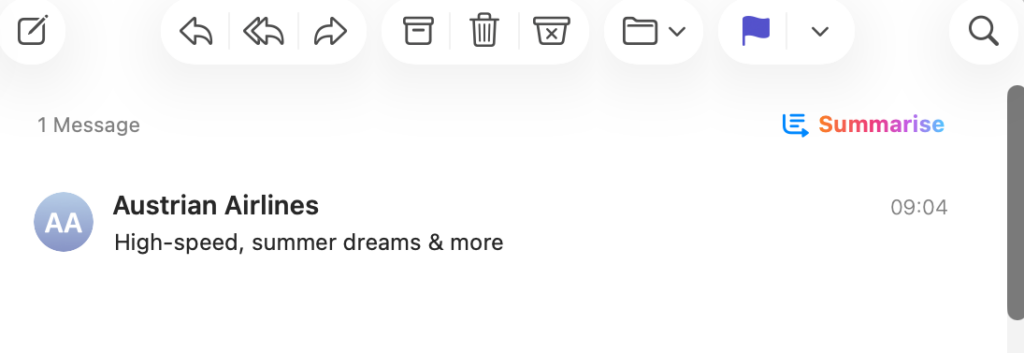
Apple Mail
- Offers a built-in AI Summarise feature on macOS 15.1 or later (Apple M Chips) and iOS 18.1 onwards (iPhone 15 Pro, 15 Pro Max, and iPhone 16/7).
- Summaries appear directly in the inbox, giving recipients a quick overview.
- Encourages glanceable email design, making hierarchy and clarity essential.
Gmail
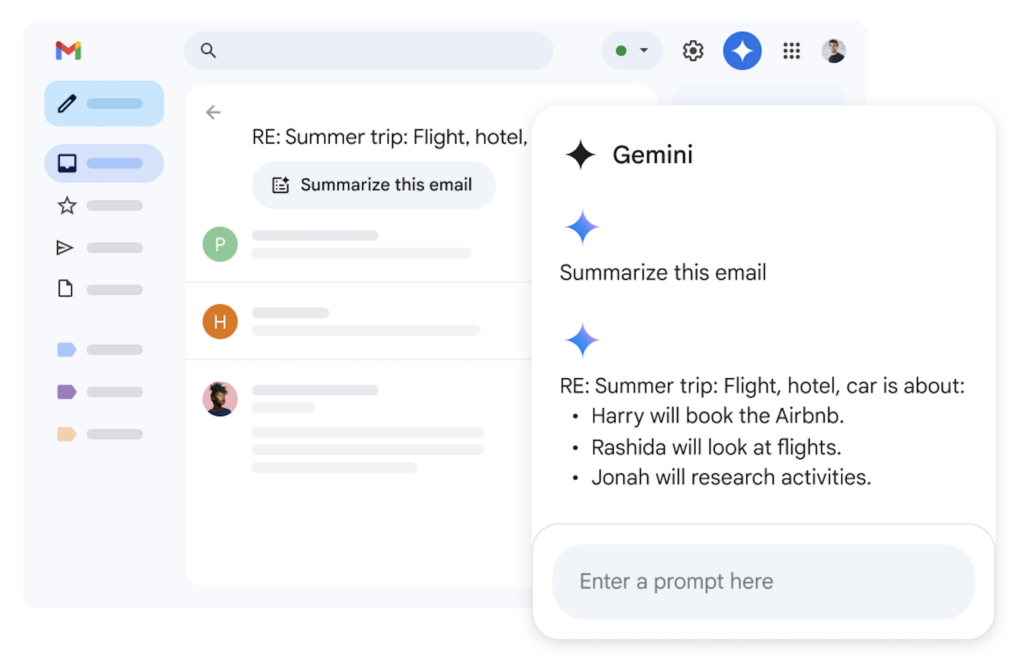
- The Gemini sidebar in Gmail uses AI to summarise emails – including long threads and complex conversations.
- Provides condensed overviews of key points, decisions, and next steps.
- Rewards concise and structured copy for better AI summarisation.
Other clients, including Yahoo and Canary Mail are exploring similar features, but Apple Mail and Gmail represent the largest user base and the clearest implementation.
How Apple AI Summarise Affects Your Emails and Recipients
The AI email summary works as the new email preview. If the reader isn't drawn in by what they see there, the chances of them scrolling down to the main design are low. This means many recipients may never view the whole email.
What this means for you? The summary needs to be effective in order to accurately convey your message and convince readers to scroll down and click your CTA (call-to-action.)
How to Design Emails for AI Summarise
In order for AI summaries to be accurate and engaging to the recipient, email marketers and designers need to optimise email structure and readability.
Here are 5 useful tips on how to successfully create emails for AI:
1. Lead with the main point
Benefit-driven messaging works really well here. Try and make your “why it matters” obvious in the first paragraph so that the summary picks it up right away.
2. Use real text
Images are great to add visual flair but now it's more important than ever to use real text for everything that matters. Headlines, subheadings, and prices should all be actual text, not baked into images.
Example 1: This email promotion by character.com is image heavy, and as a result, Apple's AI Summarise isn't able to include the hero hook or any of the offer prices in its summary:
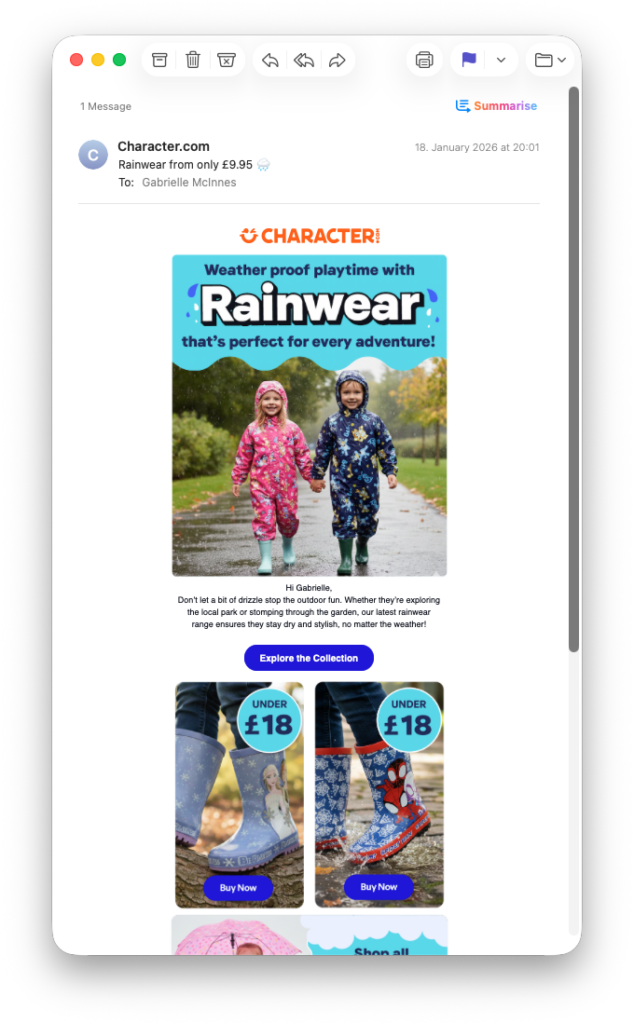
Image-heavy emails don't work well with Apple AI Summarise

Example 2: In contrast, this email from Thornton's uses real text for the main part of the email - including the offer code. Because of this, the Apple AI Summarise was able to include the code directly in the summary, giving recipients an extra opportunity to redeem even if they don't scroll all the way down.
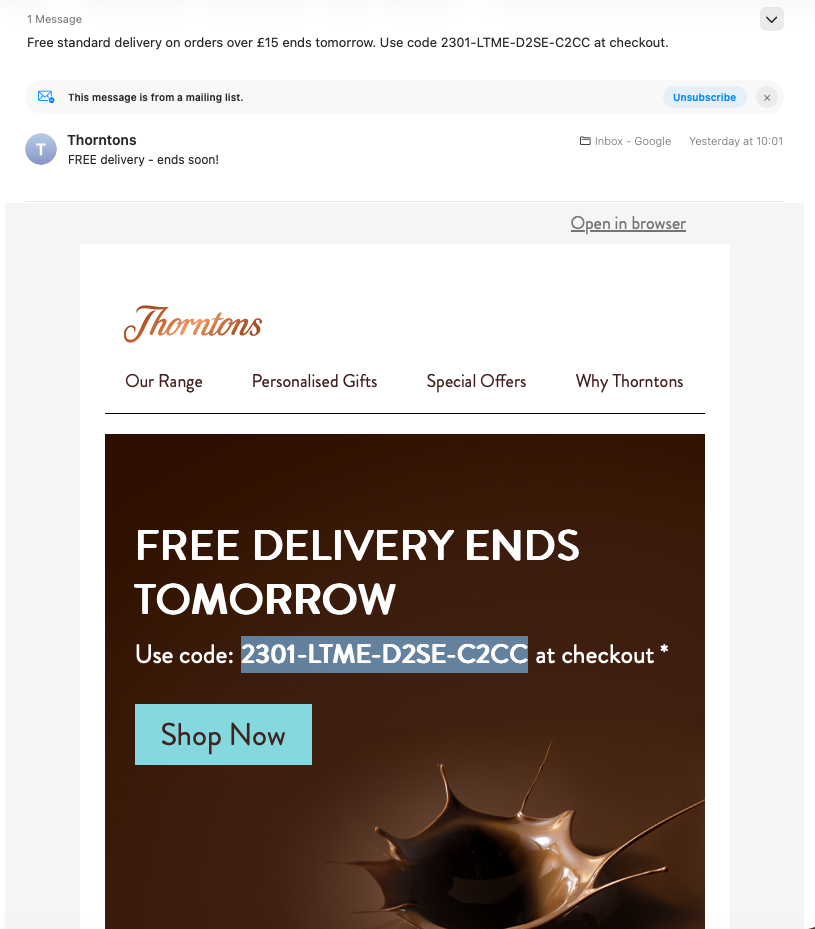
This summary works much better due to the use of real text in the design
3. Opt for text buttons instead of images
On a similar note, it's also advisable to use text buttons for your email's CTAs. This has always been a best practice to avoid rendering issues but now also helps ensure that AI can include your core call-to-action in its summary.
To add a text button in Mail Designer 365, simply highlight your chosen text and go to Insert > Text Button in the app menu. You can then choose from a wide range of pre-defined styles or create your own:
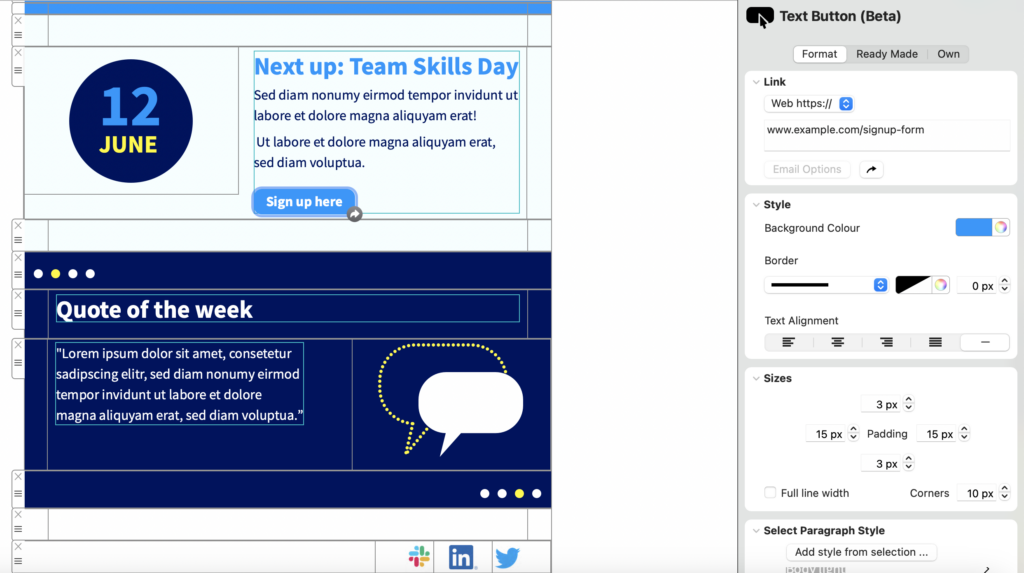
Apple AI Summarise can interpret text buttons much easier than images
4. Establish hierarchy with text styles
Use headings, subheadings, and body text consistently to guide readers and AI summarisation on the most important aspects of your campaign.
Mail Designer 365 supports default text styles for all email designs: new layout blocks will automatically be assigned headline or body text which ensures consistency and a clear hierarchy within your email.
5. Include alt text
This is not only an accessibility best practice, but also important for AI summarisation. If you are using images in your design, including an alt text is a way to tell the AI technology exactly what the image shows, whether it's a special offer, new product or important news. Forgoing the alt text means important visual elements of your newsletter may not be included in the summary.
Optimise Your Emails for Apple AI Summarise with Mail Designer
AI summarise in clients like Apple Mail and Gmail isn’t a threat. In fact, it’s a useful signal to focus on clarity, hierarchy, and readability even more than before. Emails that are structured, concise, and scannable perform better for both AI and human readers.
Looking for a design tool for AI friendly emails? Mail Designer makes it easy to include best practices for AI in your email designs without compromising on style or branding.