These summer email ideas use two contrasting visual directions: a bright sunflower sale and a pool-inspired promotion. Use the examples and practical checks below to plan a seasonal campaign that is clear, accessible, and easy to update.
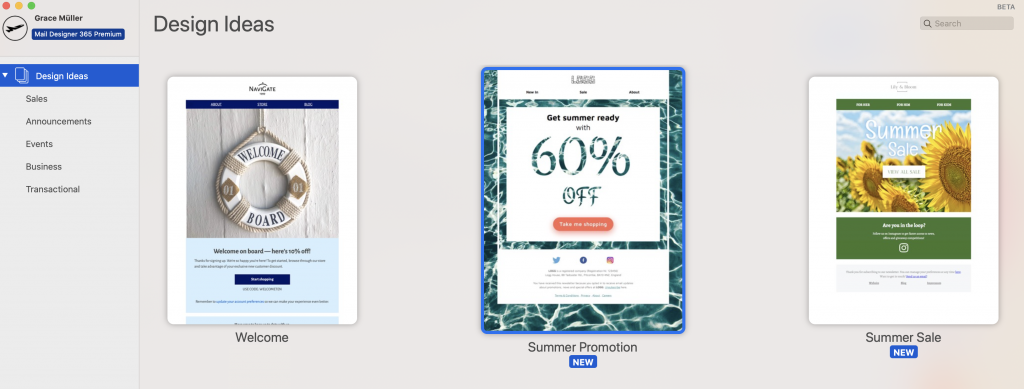
Summer email idea 1: a sunflower sale
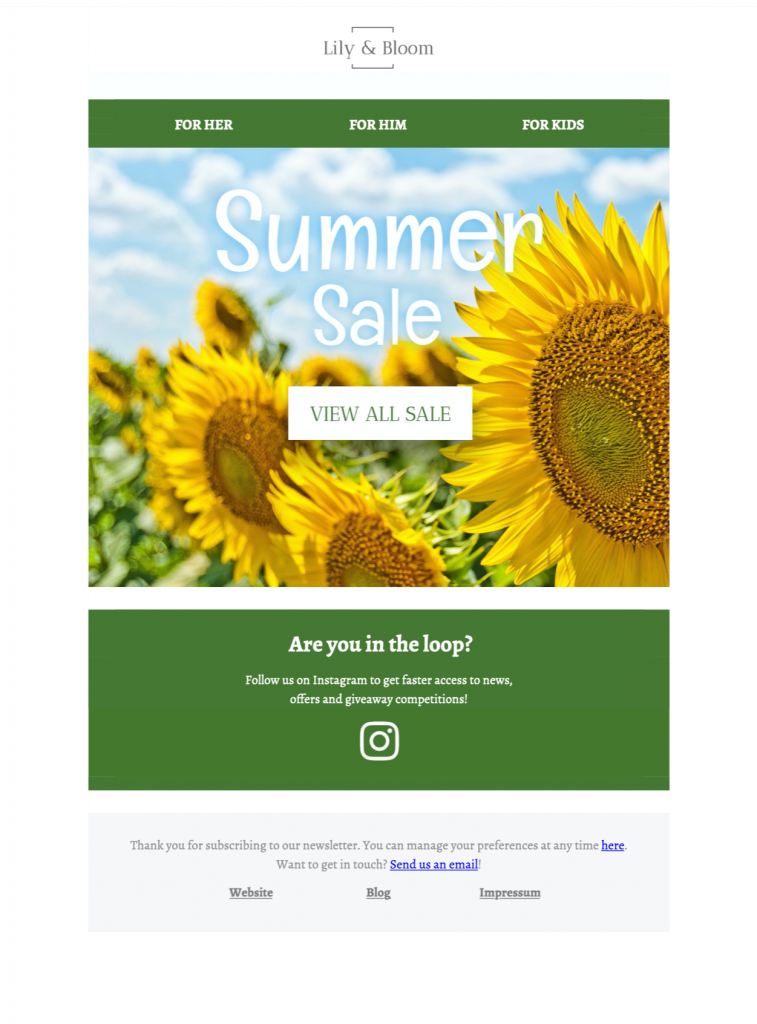
The sunflower design establishes a warm seasonal mood immediately. Its bold headline, product area, and high-contrast button make it a useful starting point for a store promotion, limited collection, or end-of-season sale.
What to adapt:
- Replace the sample headline with one specific offer and deadline.
- Use consistent product crops so the merchandise remains the visual focus.
- Keep one primary button style for the most important destination.
- Use the secondary social block only when it supports the campaign goal.
- Confirm price, currency, availability, delivery, and discount conditions before sending.
Sunflower yellow can feel energetic, but it should not reduce readability. Place text on a solid or quiet area of the image and check the contrast of every button and label. If a seasonal graphic contains important words, repeat that information as live text so the offer is understandable when images are blocked.
Summer email idea 2: a pool promotion
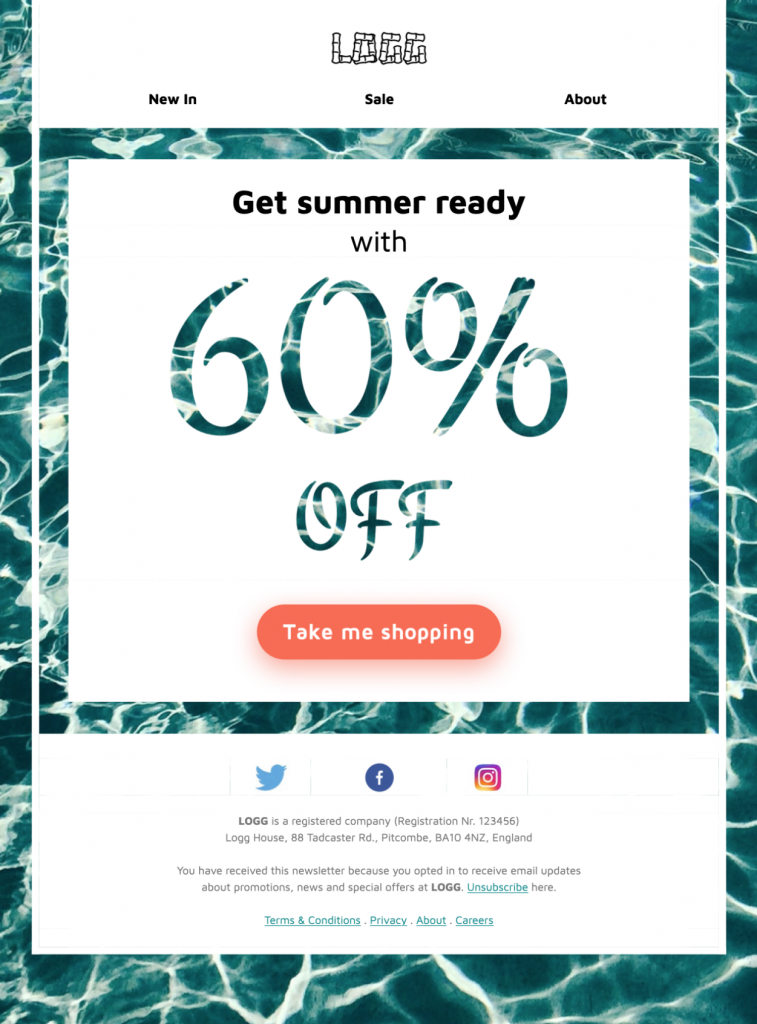
The pool-inspired layout uses rippling typography and Polaroid-style imagery for a playful campaign. It can support an event announcement, travel offer, leisure product, or summer launch when the copy stays concise.
What to adapt:
- Choose one image that communicates the destination, event, or product quickly.
- Limit decorative effects around dates, prices, and other essential facts.
- Write a descriptive button label such as “View summer offers” or “Reserve your place.”
- Keep supporting details close to the relevant image and action.
- Preview the composition on a narrow screen before approving the final crop.
A strong visual theme should reinforce the message rather than compete with it. Readers should be able to identify the sender, offer, deadline, and next step within a few seconds. Use the ripple effect as an accent and keep operational information in plain, readable text.
Plan useful summer email ideas
Start with the audience and purpose. A local event, travel promotion, product sale, customer thank-you, and service update need different content even when they share the same seasonal palette. Define the single action the reader should take, then build the headline, preview text, hero image, and button around that action.
Summer schedules can change because of stock, weather, opening hours, transport, or staff availability. Assign an owner to verify those details shortly before send time. Include the full date, time zone, location, eligibility, and cancellation information when relevant, and link to a maintained page for details that may change after the email is delivered.
Segment only when the variation is useful. Location, climate, purchase history, or event eligibility may justify different images or offers. Avoid sending a travel or heat-themed message to readers for whom it is irrelevant. Keep a reusable master design, then archive each approved variant with its audience, offer, links, and tracking values.
For more seasonal planning examples, see our guide to summer email campaigns. You can also compare these layouts with the broader collection of Mail Designer 365 Design Ideas.
Test every summer campaign before sending
Check the subject line and preview text together so they set an accurate expectation. Send tests to desktop and mobile inboxes, test with images blocked, and confirm that the core offer and main action remain understandable. Add concise alt text to meaningful images and use sufficient color contrast; the W3C accessibility design tips provide a practical review reference.
Open every product, policy, social, contact, and unsubscribe link. Confirm that the landing page repeats the same price, date, availability, and promise as the email. Use consistent campaign parameters and verify that redirects do not remove or replace them. Finally, proofread the plain-text content and retain a dated copy of the approved campaign for the next seasonal review.
Create your summer email campaign