
Restaurant Marketing Email Template
This restaurant marketing email template looks super fresh on both desktop and mobile. Use it to promote a tasty new dish or weekly special and give guests a clear route to book.
This restaurant marketing email template looks super fresh on both desktop and mobile. Use it to promote a tasty new dish or weekly special and give guests a clear route to book.
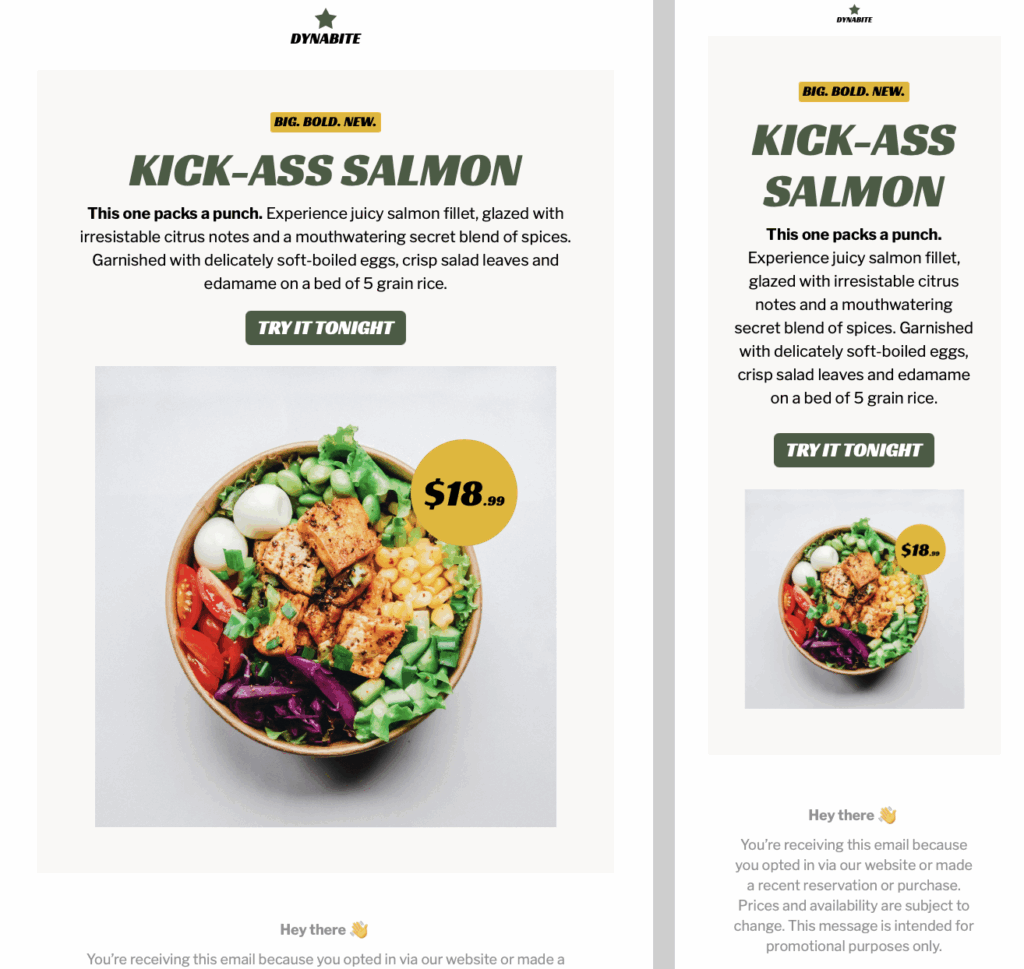
Exclusively available in Mail Designer 365 for Mac! A bold, minimalist template with an earthy color scheme. Built for modern restaurant marketing. Perfect for highlighting new dishes, with space for ingredient callouts and an eye-catching CTA.
This Restaurant marketing email template is designed for restaurant owners and marketing teams introducing one featured dish, seasonal menu item, or chef special. The bold salmon hero, earthy palette, short ingredient callouts, and visible reservation button create a focused path from appetite to action. Replace the sample content with the exact dish name, serving dates, location, price, and availability that apply to your campaign.
Use approved food photography that matches what guests will receive. Adapt the colors and typography to your venue while preserving the strong contrast and simple reading order shown in the preview. Keep the dish name, essential ingredients, dietary information, and availability as live text so the message still works when images are blocked. Add concise alternative text to meaningful images; the W3C image guidance helps determine which images need a description.
Use this page for a single dish launch or focused restaurant marketing message. For a recurring menu and events update, choose the restaurant newsletter email template. For a discount-led offer, use the restaurant promotion email template. The broader restaurant template collection can support campaign planning, while this design keeps one featured dish and one reservation action at the center.
Match the main button to the next step guests can actually complete: reserve a table, view the current menu, order online, or see the participating location. Use the same dish name, price, date range, and availability on the destination page. If the item is limited to one branch or service period, say so before the click. Avoid invented urgency; a real service window or limited seasonal supply is enough context.
Preview desktop and mobile layouts, then test the reservation, menu, map, ordering, and social links. Confirm the sender name, reply address, subject line, preview text, opening hours, address, prices, ingredient notes, and legal or eligibility details. Send a real inbox test and ask a colleague to compare the email with the reservation or menu page.