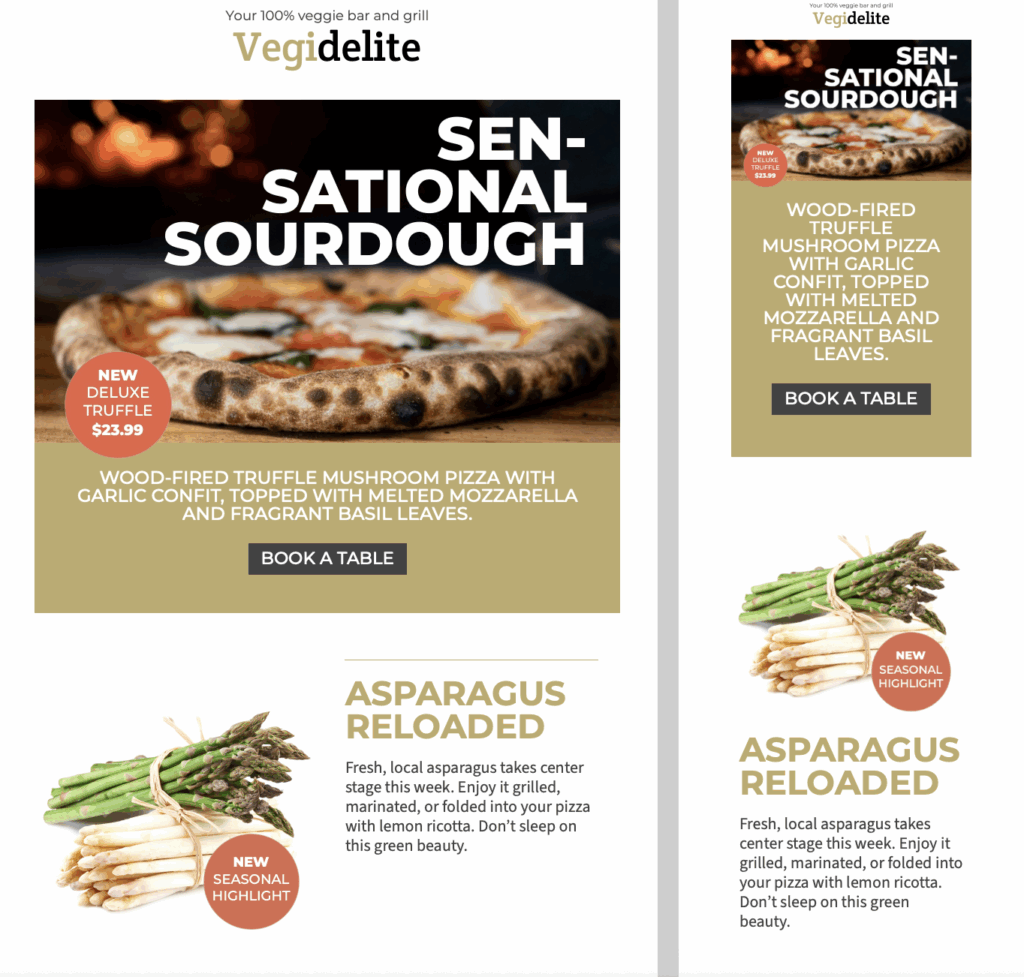
Plan a Restaurant Newsletter Email Template Around One Visit
A strong restaurant email works best when every section supports one clear reason to visit. Use this design for a weekly menu announcement, a seasonal dish, a natural wine feature, or an upcoming evening event.
Put the most time-sensitive message first, then give readers the essential details: what is available, when it starts, where the restaurant is located, and whether they need to book. The bold headline and large food imagery in this restaurant newsletter email template make those details easy to scan without overwhelming the menu.
Customize the Design for Your Restaurant
Replace the sample pizza, wine, and event content with photography and copy that reflect your own venue. Keep dish names specific, mention important ingredients where helpful, and add accurate prices or serving dates before sending.
In Mail Designer 365, you can adapt the colors and type styles to match your brand, rearrange content areas, and use the featured blocks for a chef’s special, tasting menu, happy hour, or live event. Link the main button to the most useful destination for the campaign, such as your current menu, reservation page, event details, or directions.
Check the Newsletter Before You Send
Preview the message on desktop and mobile, then test every menu, booking, map, and social link. Confirm that dates, opening hours, dietary notes, and availability are current. Use concise alternative text for each food or venue image so the message still makes sense when images are blocked or a reader uses assistive technology.
Avoid placing essential details only inside a graphic: repeat the event name, date, location, and booking instructions as live text. Finally, send a test email to check that the subject line, sender name, preheader, and call to action all describe the same restaurant campaign. Ask another team member to review the final version as a customer would: the offer should be understandable at a glance, the primary action should be obvious, and every promised dish or event detail should match what guests will find when they arrive.