
Frequently Asked Questions
How do I set up a VPN Shortcut?
Setting up Shortcuts to your most important services in VPN Tracker 365 is easy and will drastically improve your workflow.
To get started, go to "File" > "New" > "VPN Shortcuts"
Open the Shortcuts Dock by clicking on the arrow to reveal all available Shortcuts in VPN Tracker 365. Then, drag out the icon for the application or service you would like to configure (e.g. internal website).
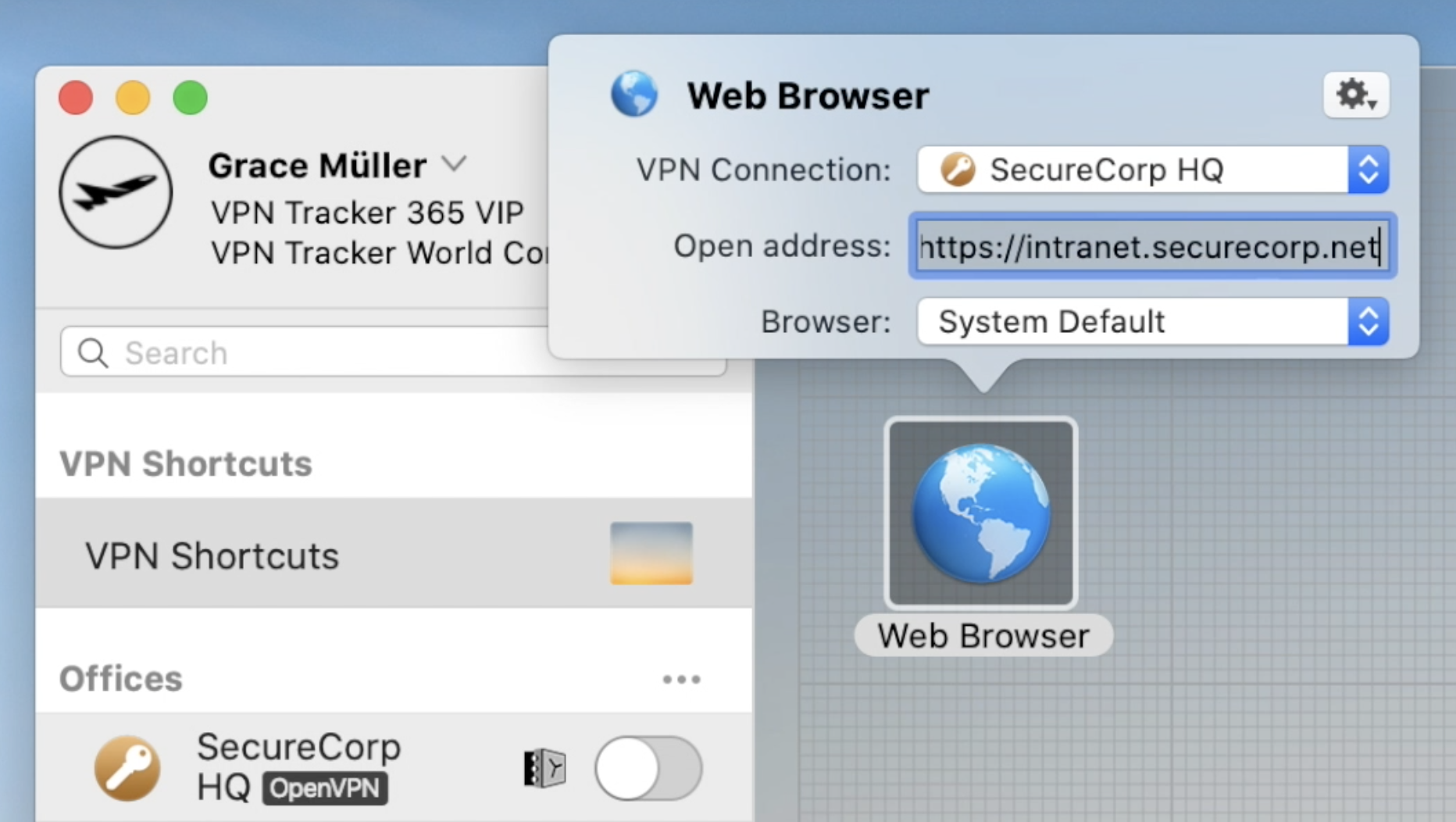
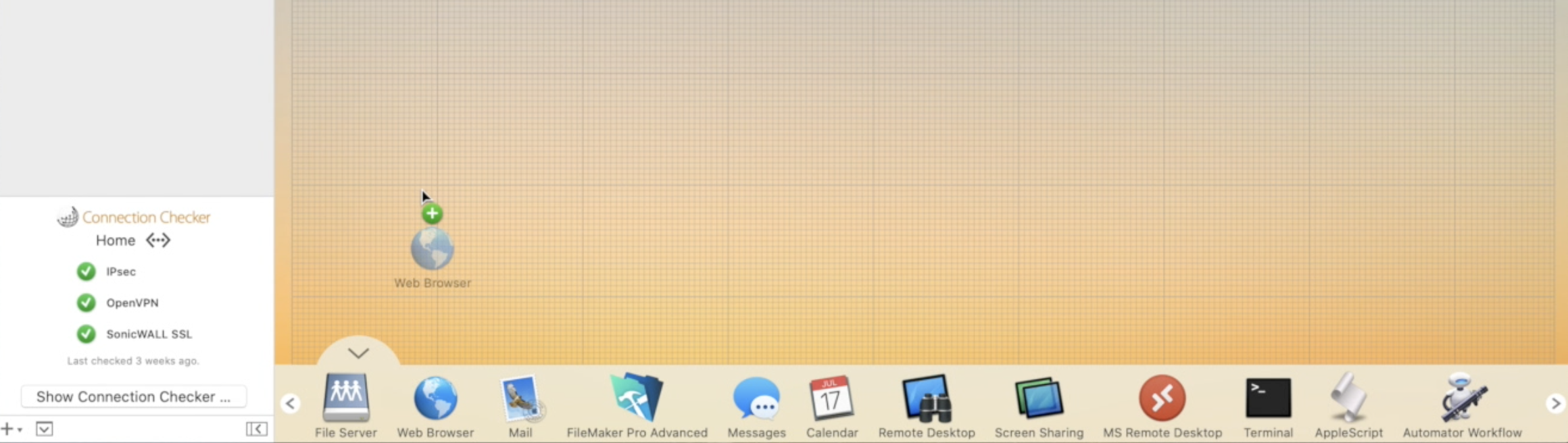 Now configure your Shortcut by filling in all the requested information as prompted by VPN Tracker 365. If you are unsure of any details, your network admin or a member of our support team will be able to help you get set up.
 Continue this process until you have built up a collection of Shortcuts for all your most-used external services. Then, exit the editing mode by clicking again on the arrow at the bottom of the window to close the Shortcuts Dock:
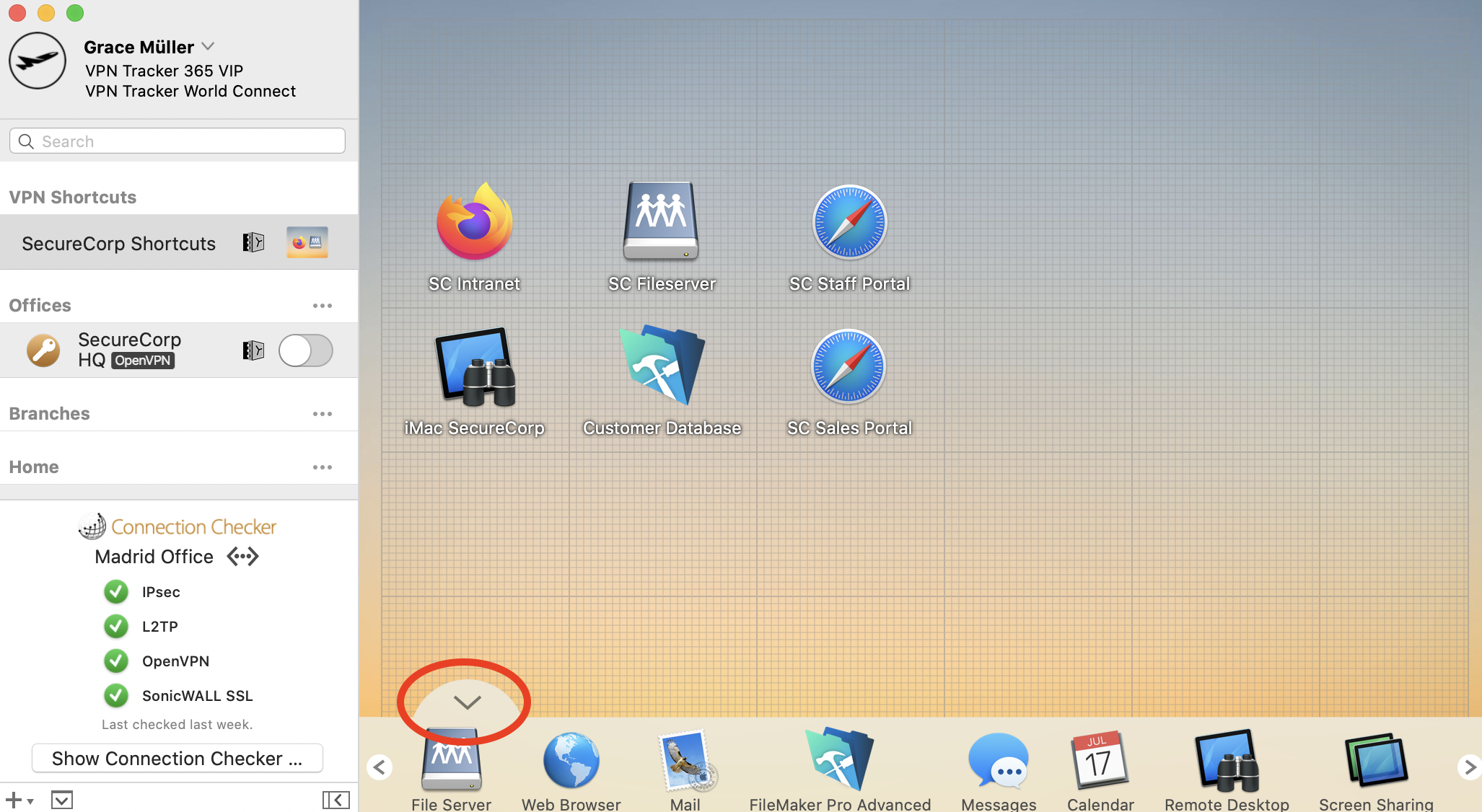 To test your Shortcut, simply click on the icon. This should launch your VPN connection and instantly start up your service.
Want to see Shortcuts in action? This 2 minute video tutorial shows you how to set up VPN Shortcuts in VPN Tracker 365:
To test your Shortcut, simply click on the icon. This should launch your VPN connection and instantly start up your service.
Want to see Shortcuts in action? This 2 minute video tutorial shows you how to set up VPN Shortcuts in VPN Tracker 365:
Now configure your Shortcut by filling in all the requested information as prompted by VPN Tracker 365. If you are unsure of any details, your network admin or a member of our support team will be able to help you get set up.
Continue this process until you have built up a collection of Shortcuts for all your most-used external services. Then, exit the editing mode by clicking again on the arrow at the bottom of the window to close the Shortcuts Dock:
To test your Shortcut, simply click on the icon. This should launch your VPN connection and instantly start up your service.
Want to see Shortcuts in action? This 2 minute video tutorial shows you how to set up VPN Shortcuts in VPN Tracker 365: