
Create custom made HTML email templates for the MailerLite email automation platform

The MailerLite export HTML workflow starts in Mail Designer 365, where you can create responsive templates before you open the MailerLite HTML editor. The visual Mac app lets you build and preview the complete layout, then export HTML for MailerLite and upload it for newsletters, automated campaigns, or transactional emails.
Download Mail Designer 365 and create your MailerLite template

HOW IT WORKS
MailerLite export HTML workflow
So you need an awesome email template to use with your next big campaign?
Here's how to create HTML emails for MailerLite to use with all their automation features.
- Build your HTML email design in Mail Designer 365 and select "Share” > “Website / HTML…
- Enter the image URL prefix for the online server where you will be hosting your images. You will need this later on so that your images can be located and displayed accurately in your design. (Learn more about this step here.)
- Following export, select the images in the folder and upload them to the server from the previous step.
- Create a .zip file of the folder your design elements were saved to on export. Do this by right clicking and selecting “Compress.”
- Sign in to your MailerLite account and go to “Campaigns” > “Create Campaign.”
- Fill in your campaign details.
- Click "Content" and select "Your own HTML." Then, choose "Import from zip."
- Upload the .zip file you created earlier.
- Preview the desktop and mobile layouts, send a test campaign, and confirm every link, unsubscribe element, image alt text, and the plain-text version before scheduling.
- You can now use your Mail Designer 365 HTML design with the automation tools provided in the MailerLite platform.
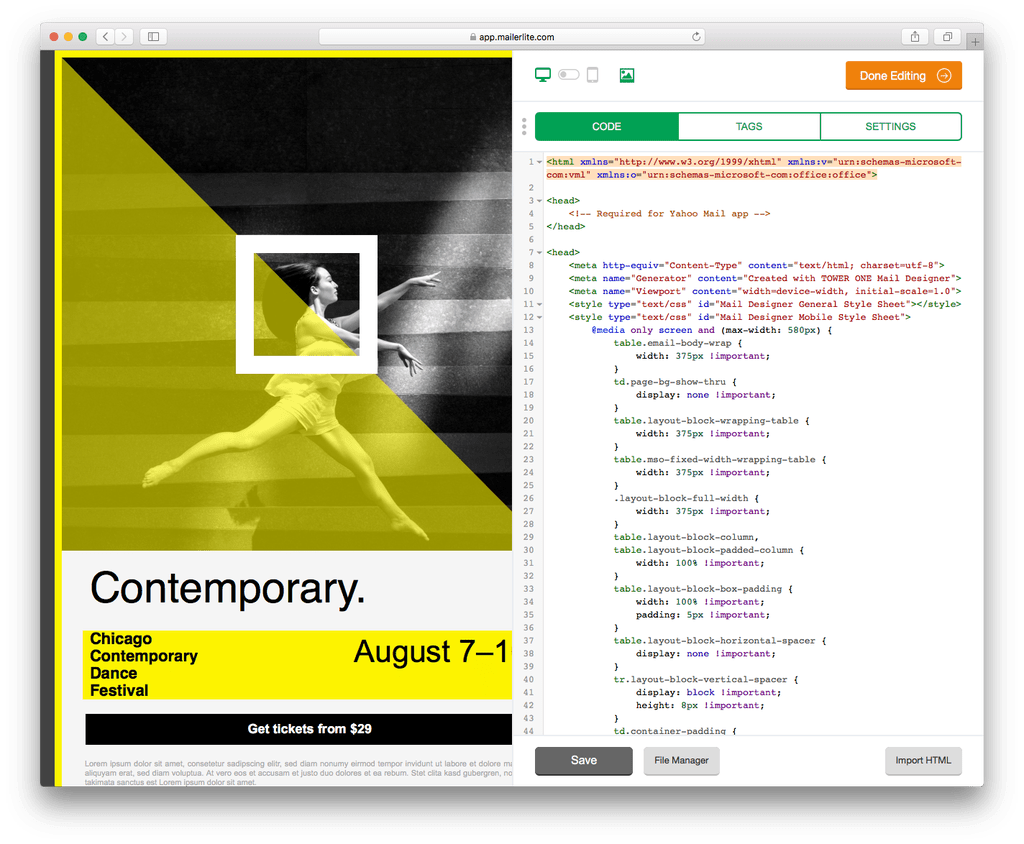
Use your HTML email design with the MailerLite platform.
Need support?
Our team is always on hand ready to give you support. If you have specific questions regarding HTML export to MailerLite, or just need some extra help getting set up, get in touch!
Mail Designer 365 works seamlessly with all leading email marketing services. If you're looking for a different service, check out our full range of integrations and compatible platforms on our integrations page.
Get started with Mail Designer 365 today
Design the email on your Mac, export the finished HTML, and continue your campaign in MailerLite.
Available for Mac