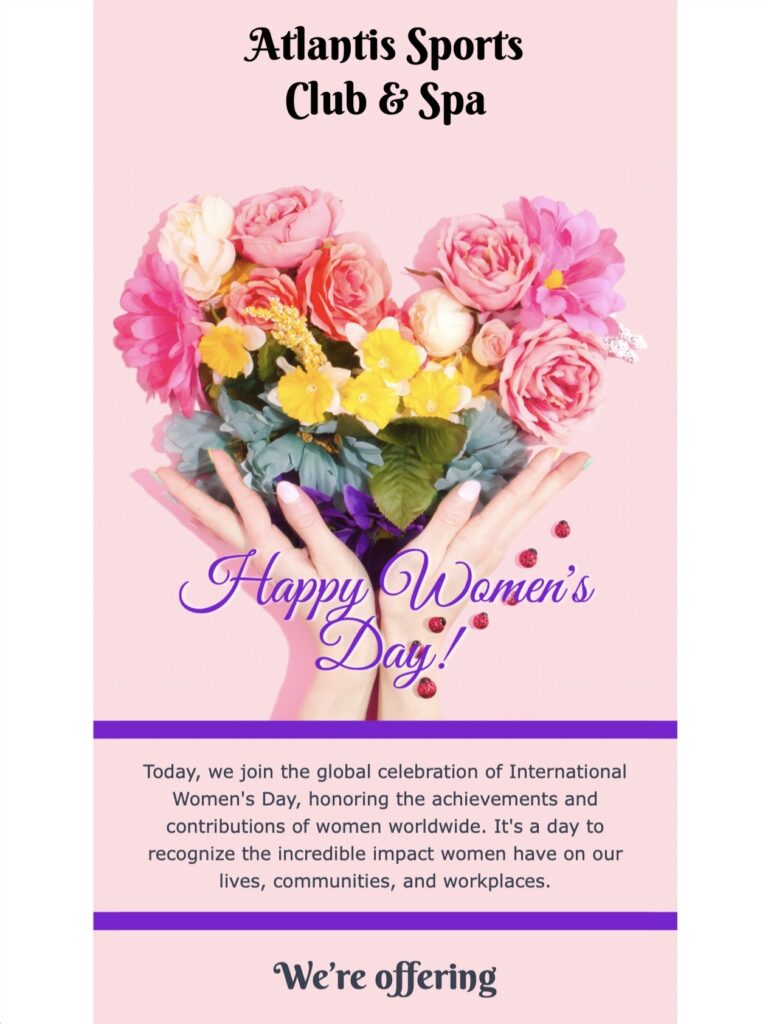
Women’s Day Email Marketing Template for Spa and Salon Campaigns
This design is intended for wellness businesses that want to present a calm, service-led campaign rather than a generic seasonal promotion. A spa, salon, massage studio, beauty clinic, or independent practitioner can use it to feature a gift voucher, a limited package, or a carefully selected service. Keep the main message specific so readers immediately understand what is available and why it may be relevant to them.
Plan the offer and booking details
Before you customize the template, decide what the campaign should help the reader do. If you promote a gift voucher, state its value, eligible services, purchase deadline, redemption period, and any exclusions. For an appointment offer, include the treatment name, duration, price, participating locations, booking window, and cancellation conditions. Avoid vague urgency and confirm that the advertised availability matches your booking system.
The preview supports a focused self-care message with a prominent action area and wellness imagery. Use that hierarchy to keep one primary offer above secondary details. A concise subject line and preview text should complement the visible headline instead of repeating it. If the campaign is intended for a particular region or customer group, make that scope clear in the email.
Customize the design in Mail Designer 365
Replace the sample imagery with approved photos that accurately represent your venue and services. In Mail Designer 365, adapt the logo, brand colors, type styles, offer copy, and button label while preserving generous spacing around the main message. Link the primary button directly to the relevant booking or voucher page, not a generic homepage. Add descriptive alternative text to informative images and keep essential prices, dates, and conditions as live text so they remain available when images are blocked.
Use the Women’s Day email marketing template as a starting point, then preview the desktop and mobile layouts after every major content change. Keep paragraphs short, make the primary action easy to identify, and check that legal, contact, and unsubscribe information remains readable.
Write a respectful Women’s Day message
Choose inclusive language that fits your audience and brand. Avoid assumptions about appearance, family roles, or how recipients should celebrate. If the campaign mentions a charitable contribution, document the beneficiary, amount or percentage, eligible sales, and donation period before publishing the claim. For visual accessibility, review text and button contrast against the W3C contrast guidance and do not rely on color alone to communicate offer conditions.
Run pre-send checks
Send a test email to common desktop and mobile inboxes. Confirm the subject line, preview text, sender identity, voucher or booking link, displayed price, expiration date, and footer details. Test every button from the received message and verify that the destination works without an internal account or staff-only session. Ask a second reviewer to compare the final email with the approved offer, then send only to contacts who should receive the campaign.