
Frequently Asked Questions
How can I get direct help and support with my design or certain features?
Did you know you can invite and chat with our support team to assist you with your design and Mail Designer features?
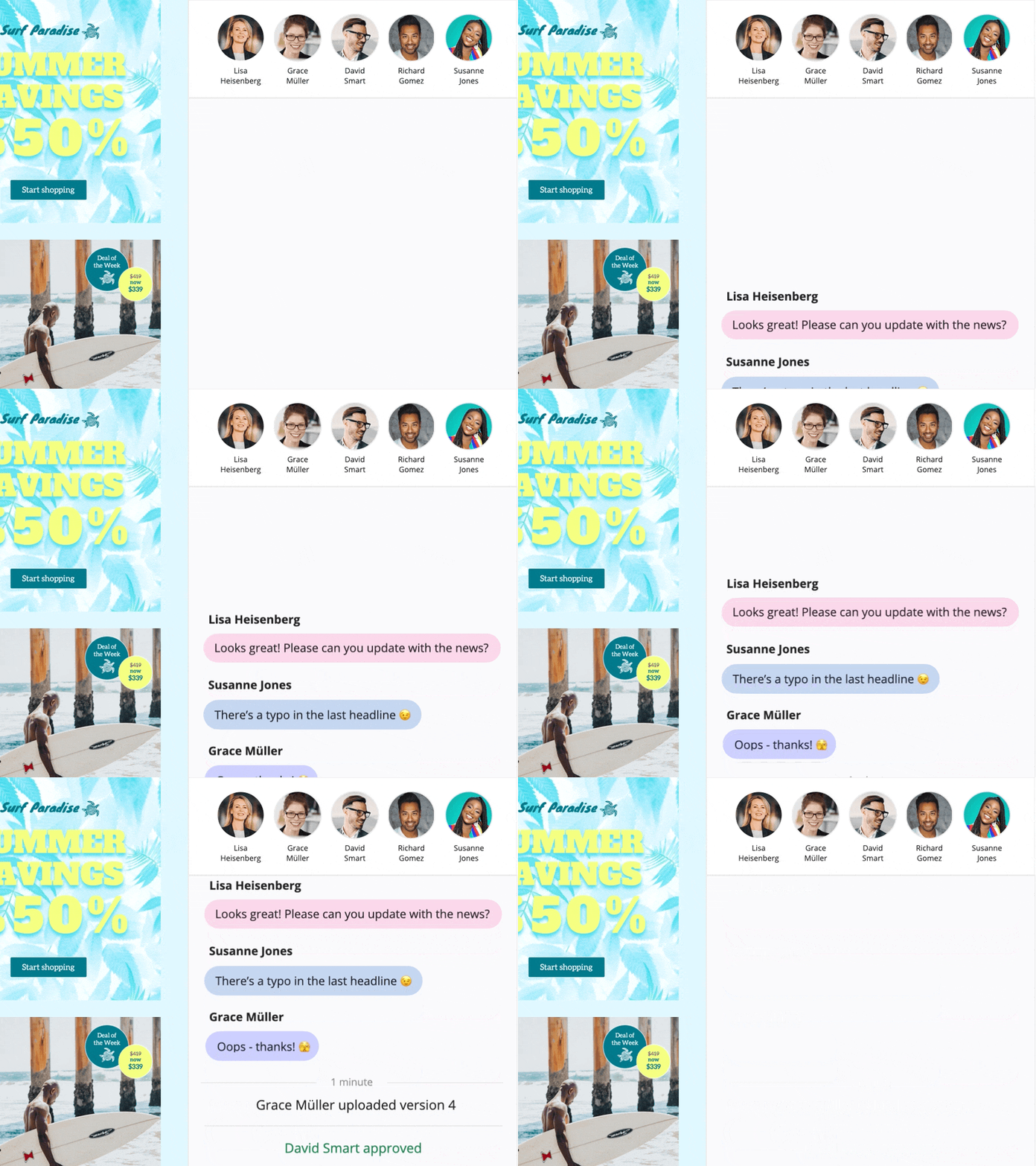
In a design, click “Crew Chat” in the toolbar to start a discussion with your colleagues — or invite us to help.
Here is how to invite Mail Designer support members to your Crew Chat:
1. Log in at my.maildesigner365.com
2. Choose your project and hit „Settings“, then “Invite participants”
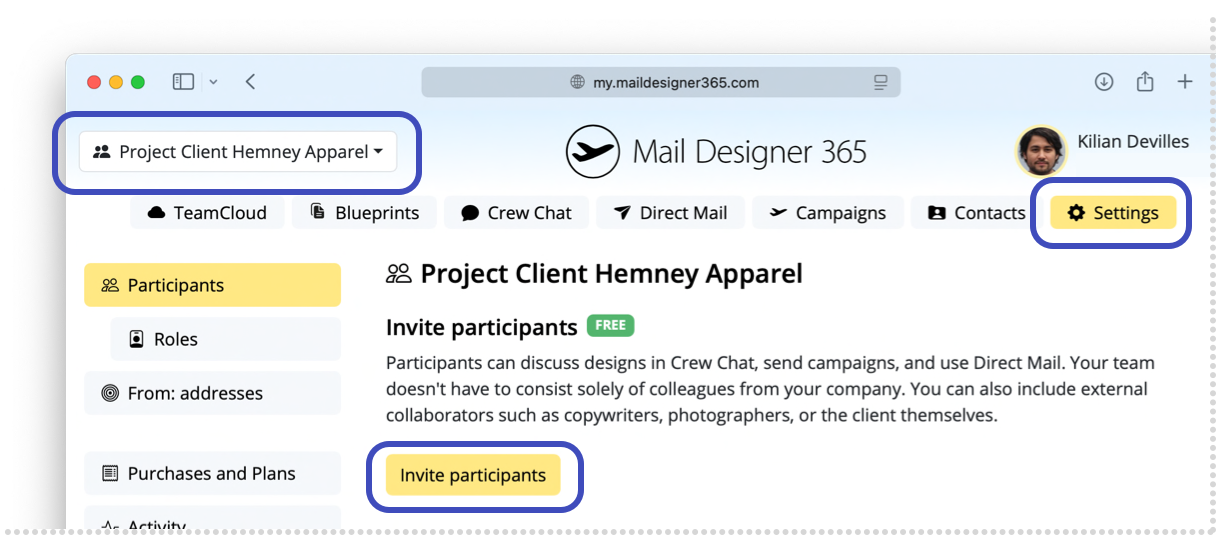
3. Enter our email address: support@equinux.com, then click “Invite”
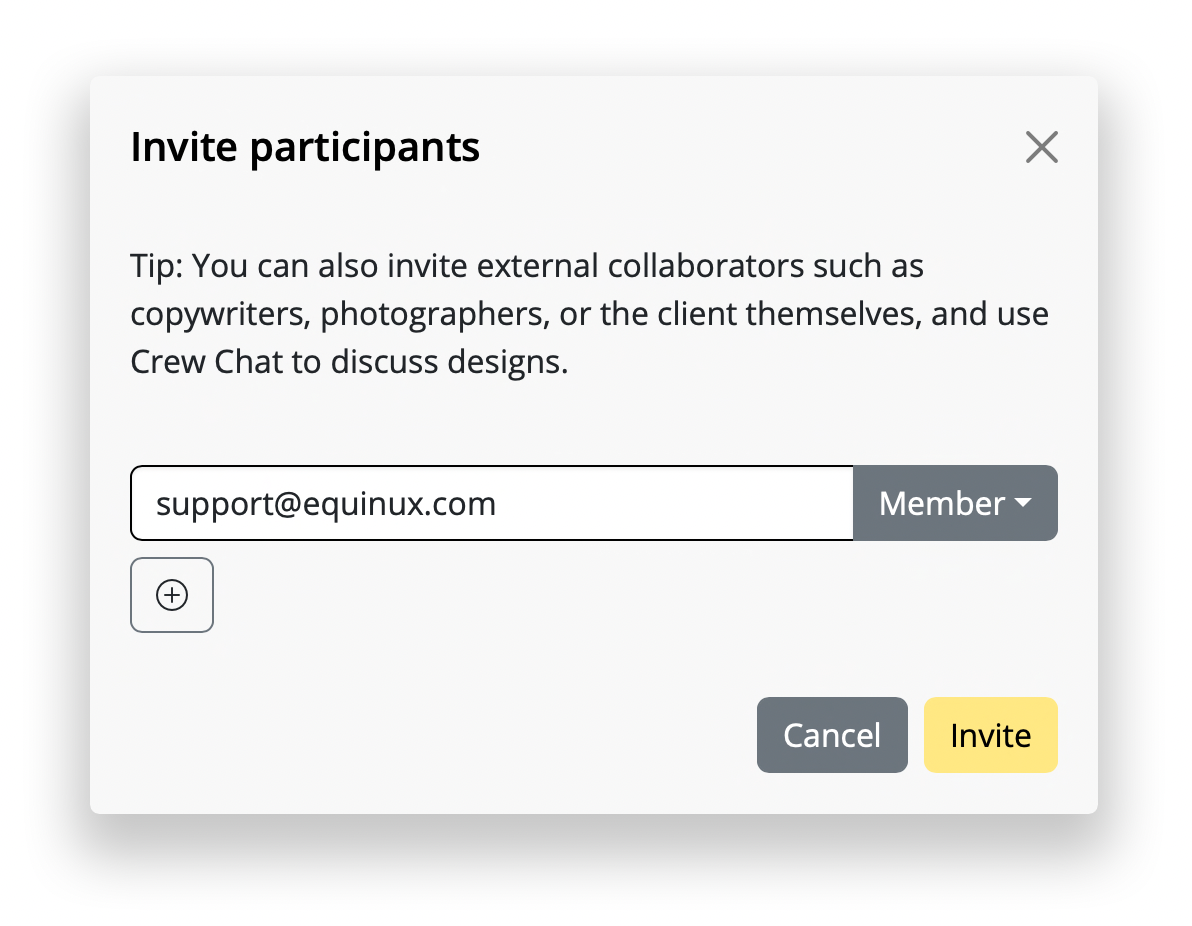
You’ll now see the member “equinux Support” listed under Pending Invitations.
As soon as we’ve joined your project (you'll get notified via email), you can open the design you have questions about (or any design) and click the Crew Chat button in the toolbar.
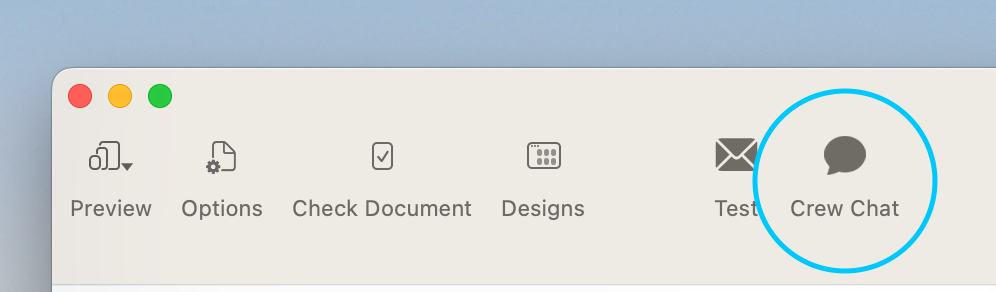
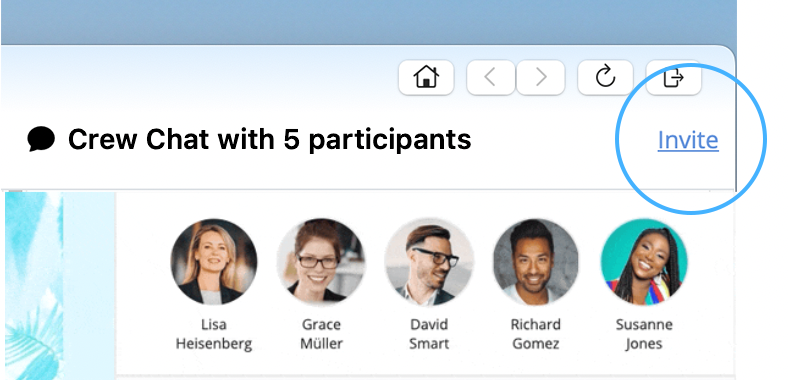
Then click “Invite” in the top right corner.
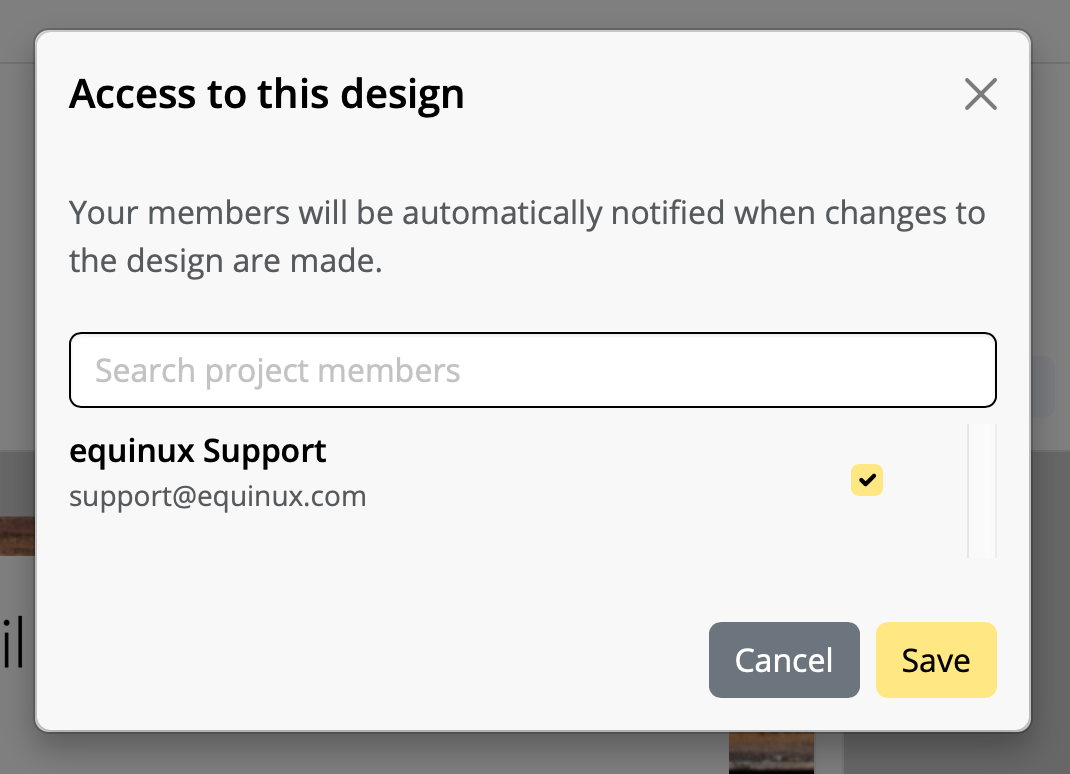
Check the member “support@equinux.com.” and hit Save.
Now, say Hello in Crew Chat, and we’ll be with you shortly.
In a design, click “Crew Chat” in the toolbar to start a discussion with your colleagues — or invite us to help.
Here is how to invite Mail Designer support members to your Crew Chat:
1. Log in at my.maildesigner365.com
2. Choose your project and hit „Settings“, then “Invite participants”
3. Enter our email address: support@equinux.com, then click “Invite”
You’ll now see the member “equinux Support” listed under Pending Invitations.
As soon as we’ve joined your project (you'll get notified via email), you can open the design you have questions about (or any design) and click the Crew Chat button in the toolbar.
Then click “Invite” in the top right corner.
Check the member “support@equinux.com.” and hit Save.
Now, say Hello in Crew Chat, and we’ll be with you shortly.