
Thai Restaurant Email Template
A vibrant, image-forward Thai restaurant email template perfect for showcasing delivery menus and featured dishes. Increase orders and make customers hungry for more.
A vibrant, image-forward Thai restaurant email template perfect for showcasing delivery menus and featured dishes. Increase orders and make customers hungry for more.
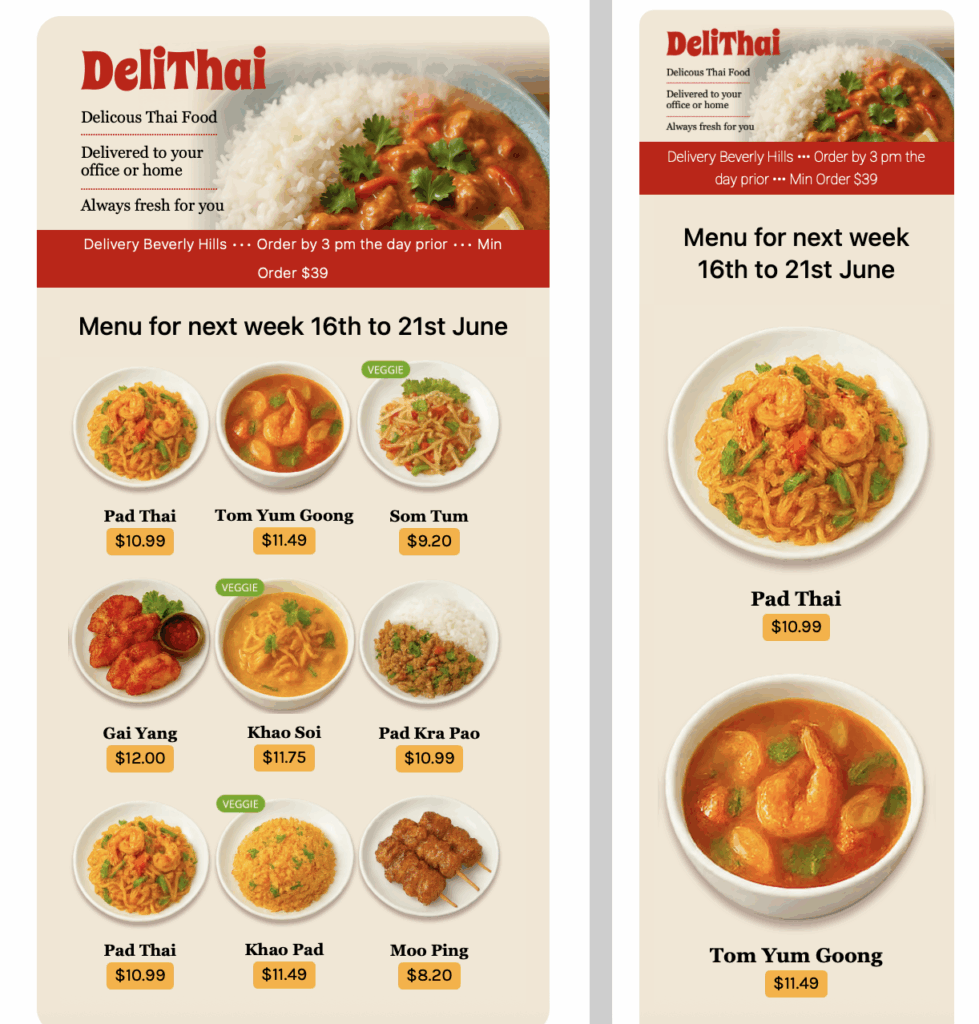
Exclusively available in Mail Designer 365 for Mac! Designed for bold flavors, exotic dishes, and fast decisions, this email template is ideal for restaurants offering online orders or takeout.
A Thai restaurant email template can turn a menu update or delivery promotion into a clear invitation to order. It works for restaurants introducing featured dishes, promoting takeout, or reminding local customers about online delivery. Replace the sample details with the correct location, service area, opening times, ordering deadline, and contact route.
The preview combines vibrant food photography with featured-dish sections and visible ordering choices. In Mail Designer 365, replace each image with an accurate photo of the dish it describes, adapt the colors and typography to the restaurant brand, and keep the order button easy to identify. Critical details such as price, availability, and delivery area should remain live text rather than appearing only inside an image.
Name every highlighted dish consistently with the current menu. Include relevant descriptions, prices, portion or set information, and accurate dietary or allergen guidance where the restaurant provides it. If the offer is limited to particular days, locations, or order methods, place those conditions near the main action.
Use descriptive links for viewing the menu, ordering takeout, starting delivery, or calling the restaurant. Avoid sending every button to a generic homepage when a direct ordering or menu destination exists. A short secondary section can highlight a chef recommendation, seasonal special, drinks pairing, or upcoming event without competing with the primary order action.
Proofread dish names, prices, dates, opening hours, addresses, and phone numbers. Test the online-order link, delivery destination, menu link, and reply address. Send previews to desktop and mobile inboxes, confirm that buttons are easy to tap, add concise alternative text to meaningful food images, and review text contrast against the W3C contrast guidance.
For multi-location restaurants, confirm that the featured menu, opening times, delivery radius, and ordering link belong to the same branch. If recipients can choose between pickup and delivery, explain both routes clearly and keep any minimum-order or cutoff information beside the relevant button.
Finally, compare the email with the live menu or ordering page. Matching availability, prices, and wording reduces abandoned orders and avoids disappointing guests. This final review makes the design useful for real service conditions while preserving its bold visual appeal.