
Newsletter ideas for small business owners work best when each email has one clear job: welcome a new subscriber, share something useful, introduce an offer, or bring customers back. A simple, repeatable newsletter is more valuable than an ambitious campaign that only goes out twice a year.
This guide gives you eight practical formats, examples for different types of businesses, and a five-step workflow for turning an idea into an email you can measure and improve.
How to choose the right newsletter format
Start with the action you want readers to take, then choose the smallest format that supports it. A bakery promoting weekend specials needs a different newsletter from a consultant sharing expertise.
- For first-time subscribers: use a welcome email or short welcome series.
- For sales: highlight one product group, service, or time-limited offer.
- For trust: teach one useful idea, answer a common question, or show your process.
- For community: feature a customer, employee, local partner, or upcoming event.
- For consistency: create one recurring structure and change only the content.
Choose one primary call to action for each issue. Secondary links can add context, but readers should understand the main next step within a few seconds.
8 newsletter ideas for small businesses
1. Welcome new subscribers
Introduce the business, explain what subscribers will receive, and point them toward one useful next step. A retailer might offer a first-purchase benefit, while a consultant could link to a practical guide or booking page.
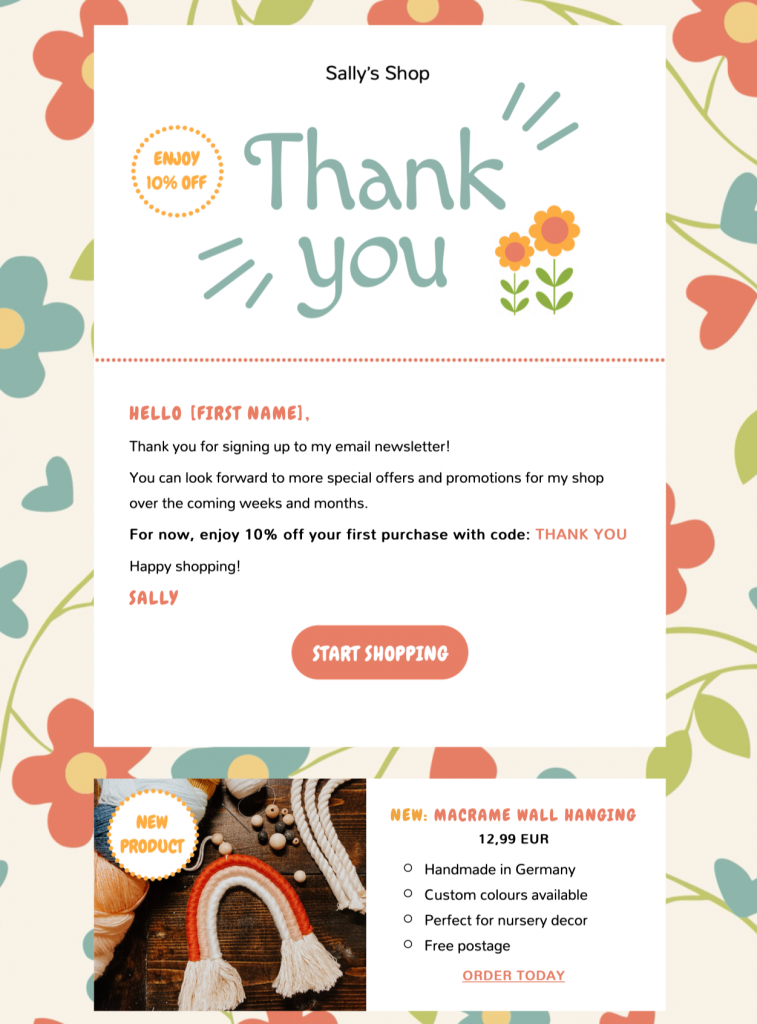
A welcome newsletter can combine a friendly introduction with one clear offer.
Best for: any business growing an email list. Useful signal: first-click rate on the main welcome link.
2. Share new products or services
Focus on a small, related selection instead of reproducing an entire catalog. Explain what is new, who it is for, and why it is useful. Clear product images and direct links help readers move from discovery to action.
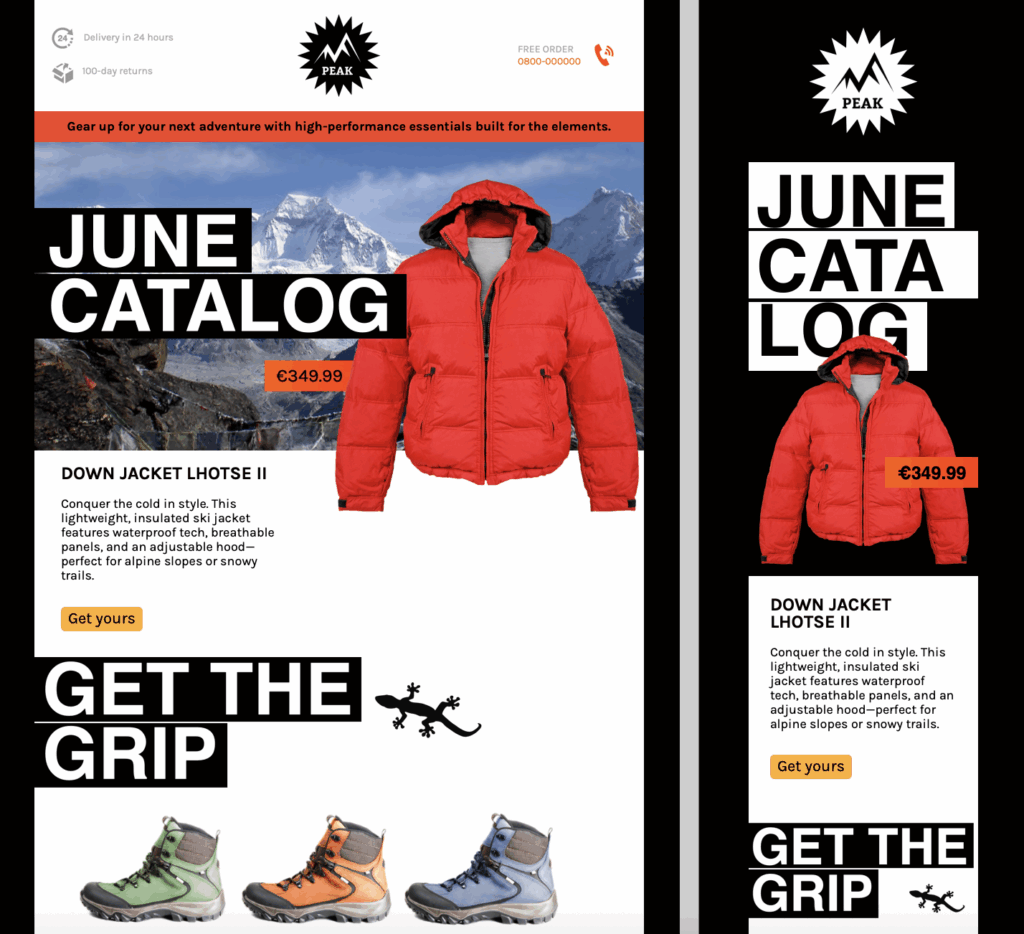
Group related products around one theme so the issue feels curated rather than crowded.
Best for: retailers, online stores, makers, and service businesses launching a new package. Useful signal: product-page visits or completed enquiries.
3. Teach one useful skill
Answer a question customers regularly ask. A salon could demonstrate simple aftercare, a restaurant could share a seasonal recipe, and an accountant could explain how to prepare documents for an appointment. Keep the lesson useful on its own and connect it naturally to your expertise.
Best for: consultants, educators, health and beauty businesses, agencies, and specialist retailers. Useful signal: clicks to the full guide, video, checklist, or related service.
4. Go behind the scenes
Show how a product is made, how your team prepares for an event, or how a customer request becomes a finished result. Specific details, real photos, and short explanations make this format more credible than a generic company update.
Best for: independent makers, hospitality businesses, studios, and local teams. Useful signal: replies and visits to an about, process, or booking page.
5. Feature a customer story
Build a compact story around the customer’s goal, the approach, and the outcome. Obtain permission for names, quotes, and images, and avoid claims you cannot substantiate. A thoughtful spotlight gives readers a concrete example without turning the email into a hard sell.
Best for: service providers, agencies, nonprofits, and community-focused brands. Useful signal: enquiries related to the featured service or project.
6. Promote or recap an event
Before an event, include the date, location, value, and booking action near the top. Afterward, share a concise recap with photos, takeaways, and the next relevant date. A recap also gives people who could not attend a reason to stay engaged.
Best for: restaurants, venues, associations, trainers, and retailers running workshops or pop-ups. Useful signal: registrations, attendance, or calendar-link clicks.
7. Offer a subscriber benefit
Give subscribers early access, a useful bonus, or a clearly defined discount. State the terms and end date plainly. Frequent promotions can train readers to wait for a deal, so combine offers with editorial value and send them selectively.
Best for: ecommerce, hospitality, lifestyle brands, and membership businesses. Useful signal: redemptions or revenue attributed to the campaign.
8. Build a seasonal series
Plan several connected emails around a real customer need rather than adding a holiday graphic to a standard promotion. A florist could build a three-email Mother’s Day sequence; a repair shop could publish a winter-preparation checklist; a freelancer could share an end-of-year planning series.
Best for: almost any business with predictable seasonal demand. Useful signal: clicks and conversions across the whole series, not just one send.
How to create your first small business newsletter
Step 1: Define one audience, goal, and next action
Write down who the email is for, what they should learn or feel, and what they should do next. This short brief keeps the subject line, copy, design, and call to action aligned.
Step 2: Choose a sustainable publishing rhythm
Start with a frequency your team can maintain. A dependable monthly newsletter usually creates more value than a weekly schedule that quickly stops. A simple editorial calendar can capture upcoming launches, events, customer questions, and seasonal moments. For more planning advice, see how consistency improves your email strategy.
Optional: speed up research and first drafts
If finding source material is the part that slows down a regular newsletter, a curation and drafting tool can shorten the blank-page stage. HeyNews monitors sources selected by the publisher, including RSS feeds, blogs, social sources, and Reddit. It ranks relevant stories and can prepare a draft based on past newsletter issues and writing patterns.
Treat any generated copy as a working draft. Check facts, source links, permissions, tone, and claims before moving approved text into your email design and sending workflow.
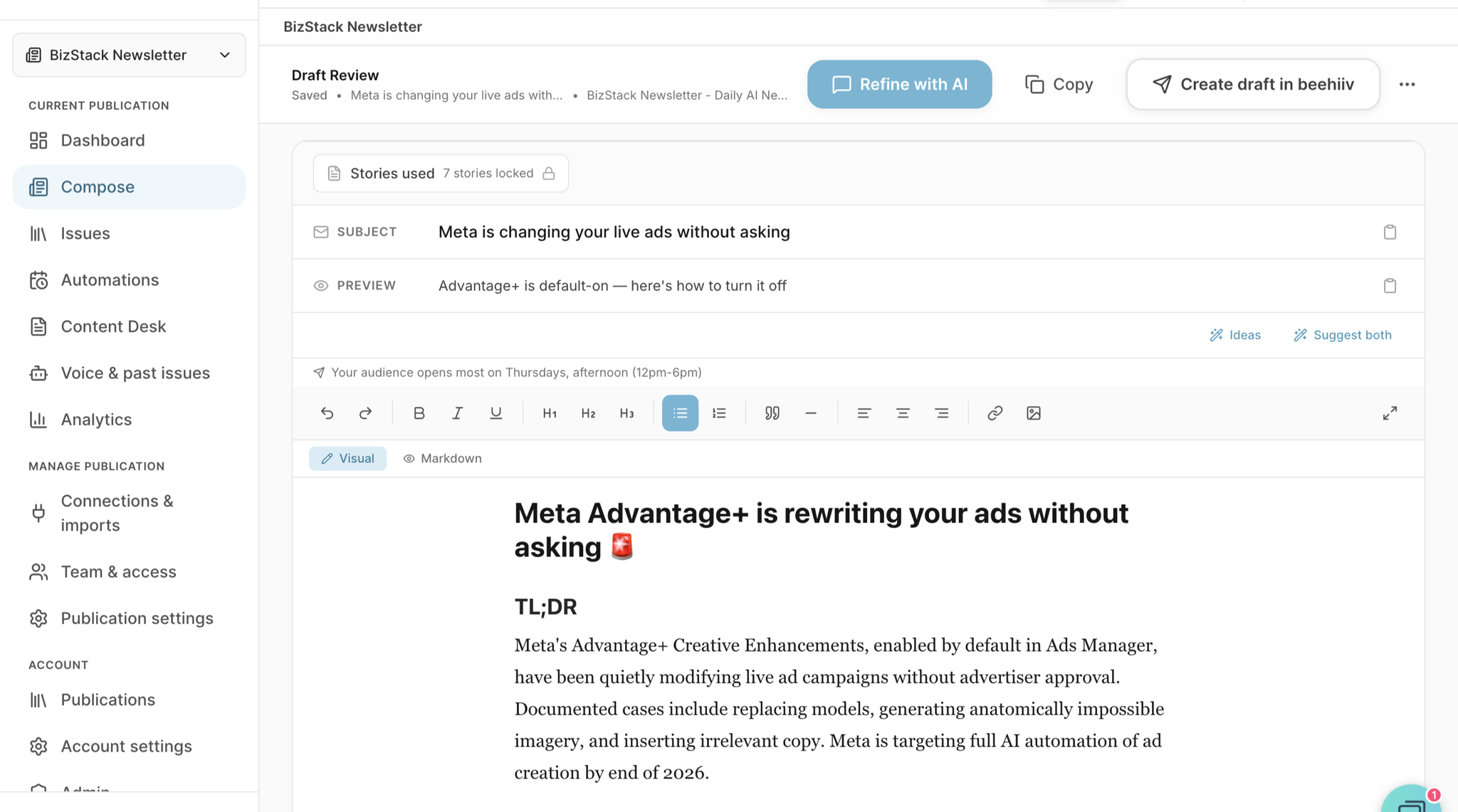
HeyNews brings selected sources and a generated newsletter draft into one review workspace.
Step 3: Build a clear, branded email design
Use a layout with a visible hierarchy: a recognizable header, concise sections, readable type, and one primary call to action. In Mail Designer 365, you can start with a template or build your own reusable layout, then add brand colors, fonts, logos, and images.
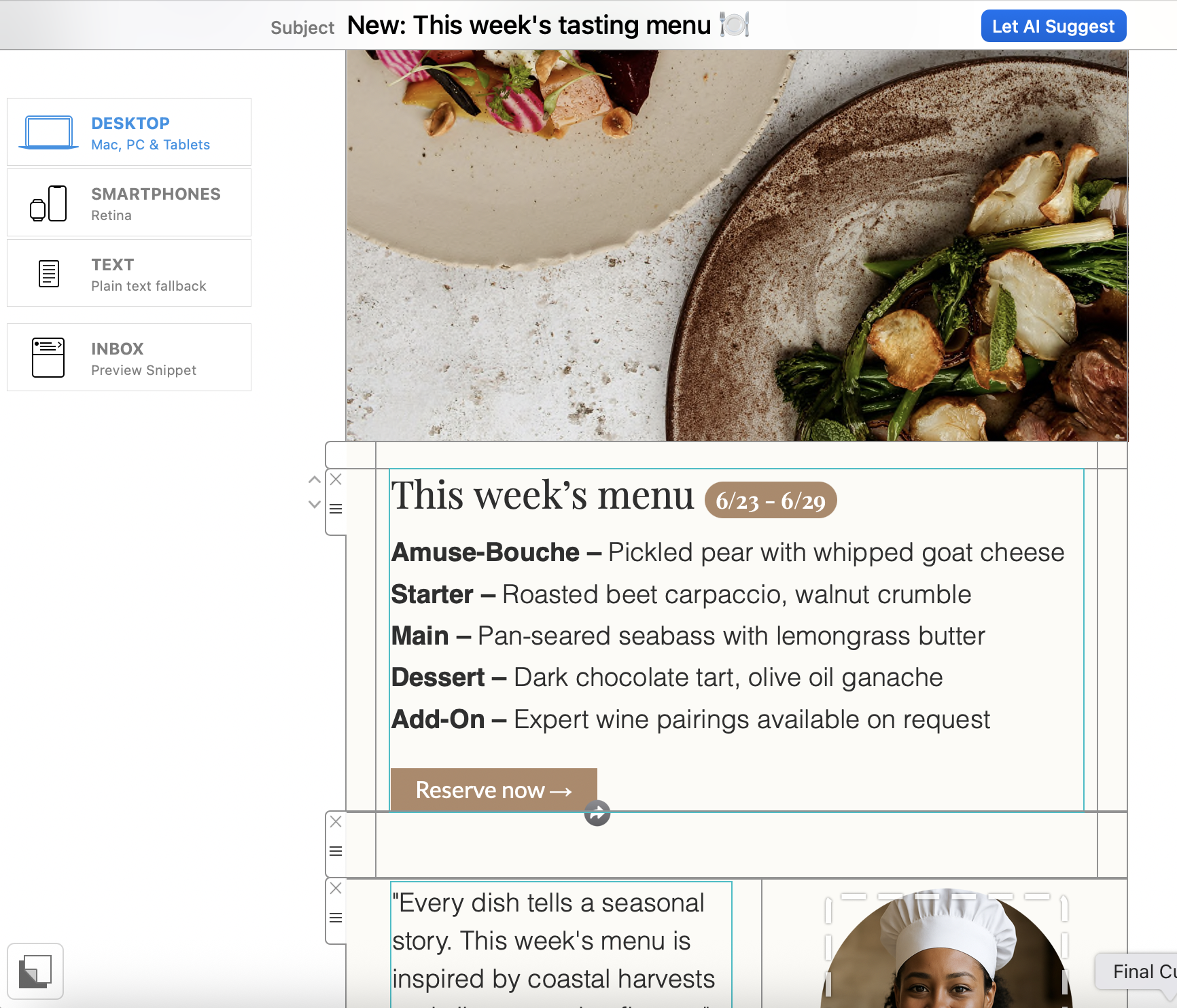
A reusable newsletter layout makes each new issue faster to assemble.
For a guided walkthrough, open the Mail Designer 365 getting-started guide.
Step 4: Check accessibility, links, and inbox rendering
Keep essential copy and calls to action as live text, write concise alternatives for meaningful images, and check color contrast against the W3C contrast guidance. Review the mobile reading order, preview text, image-blocking behavior, and every destination link. Then send representative inbox tests before mailing the full list.
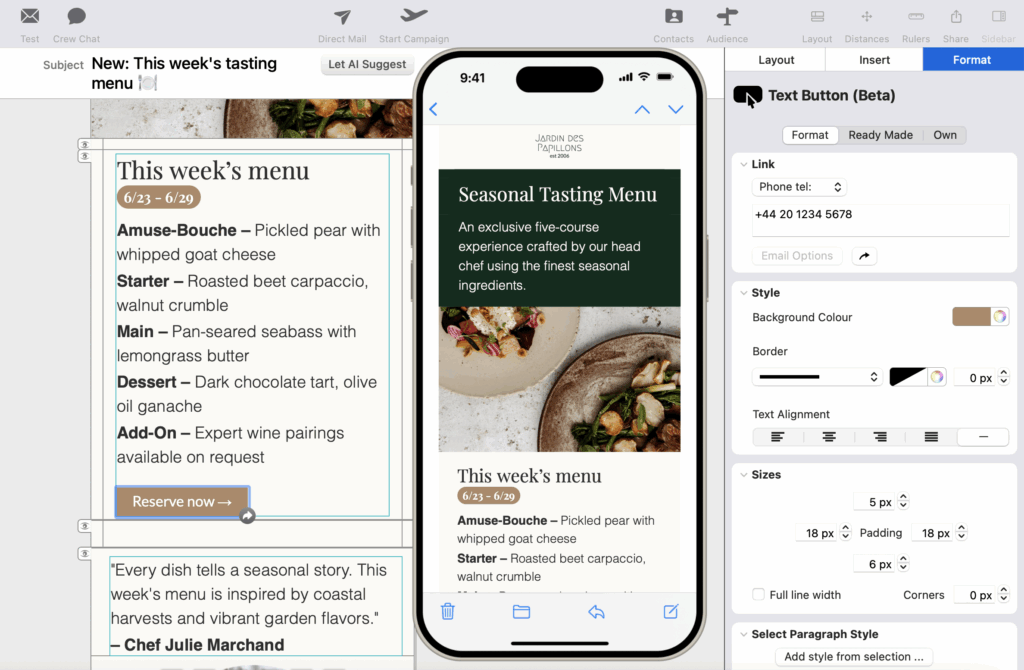
Preview the campaign on mobile and desktop before sending.
Use the email testing checklist for a fuller pre-send review.
Step 5: Send to a permission-based contact list
Import or connect contacts who have agreed to receive your emails, organize them into useful groups, and include a working unsubscribe route. Mail Designer 365 Campaigns can manage contacts, scheduling, sending, and campaign reports in the same workflow. The email campaign sending guide explains the setup.
What to measure after sending
Measure the result that matches the original goal. Track clicks to important pages, registrations, enquiries, coupon redemptions, purchases, and unsubscribes. Open rates can be useful as a directional signal, but privacy features may preload tracking pixels and make them less reliable on their own.
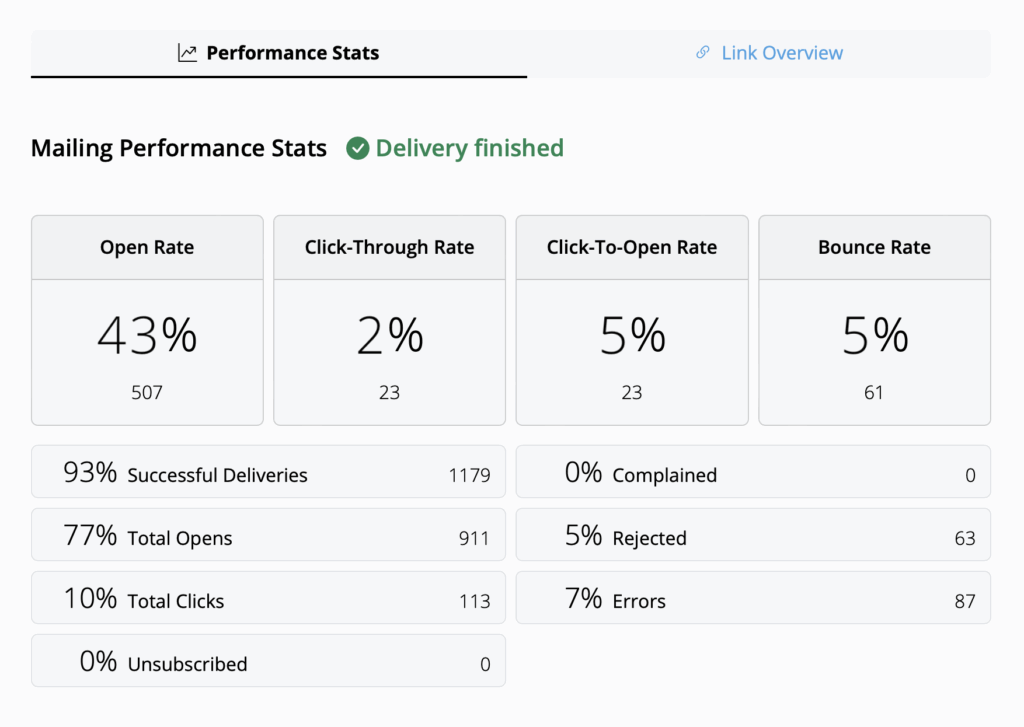
Compare campaign results with the goal you set before writing the newsletter.
After each issue, keep one element that worked and test one meaningful change, such as the topic, call to action, send time, or content length. This creates a repeatable learning process without changing everything at once.
Try Mail Designer 365 for free
Newsletter Ideas for Small Business: More Helpful Resources
- Working with others? How to set up Mail Designer 365 for your team
- Email health: Avoid landing in the spam folder
- Get more subscribers: Set up email sign up forms for your website